


Secure Access: App Lock Security | PIN Access | Face Unlock | PIN Reset Via OTP
Lock Apps.
Verify Identity.
Reset PINs.
Secure Access: App Lock with PIN, Face Unlock & OTP Reset protects selected top-level Odoo applications with per-user PIN verification, optional face unlock, route-level protection, flexible relock rules, and secure email OTP recovery.
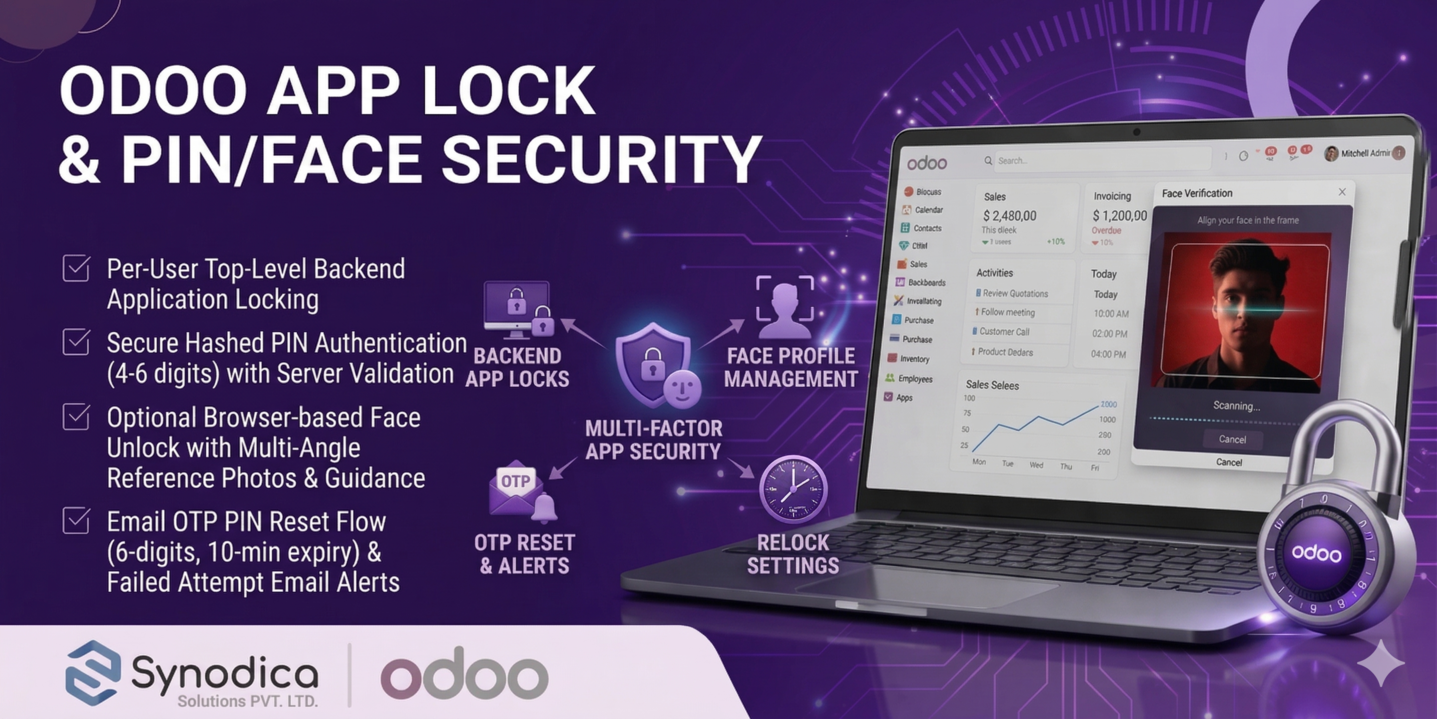
How Access Stays Secure
Configure the lock once, enroll face references if needed, and the module requires verification before a protected backend app or route can be opened.
Create Lock Record
Open the app lock configuration list, choose the top-level application and user, then set whether protection is active.
Set PIN and Face
Define a numeric PIN with 4 to 6 digits and optionally enable face unlock with up to four reference photos.
Verify Access
When the user opens a locked app, the dialog requires the PIN or a face match before navigation continues.
Relock and Recover
Session rules, re-entry checks, OTP PIN reset, failed-attempt counters, and admin alerts keep access under control.
Where You Set It Up
The addon is configured from Odoo settings and the lock form itself, where each block controls a specific part of backend app security.
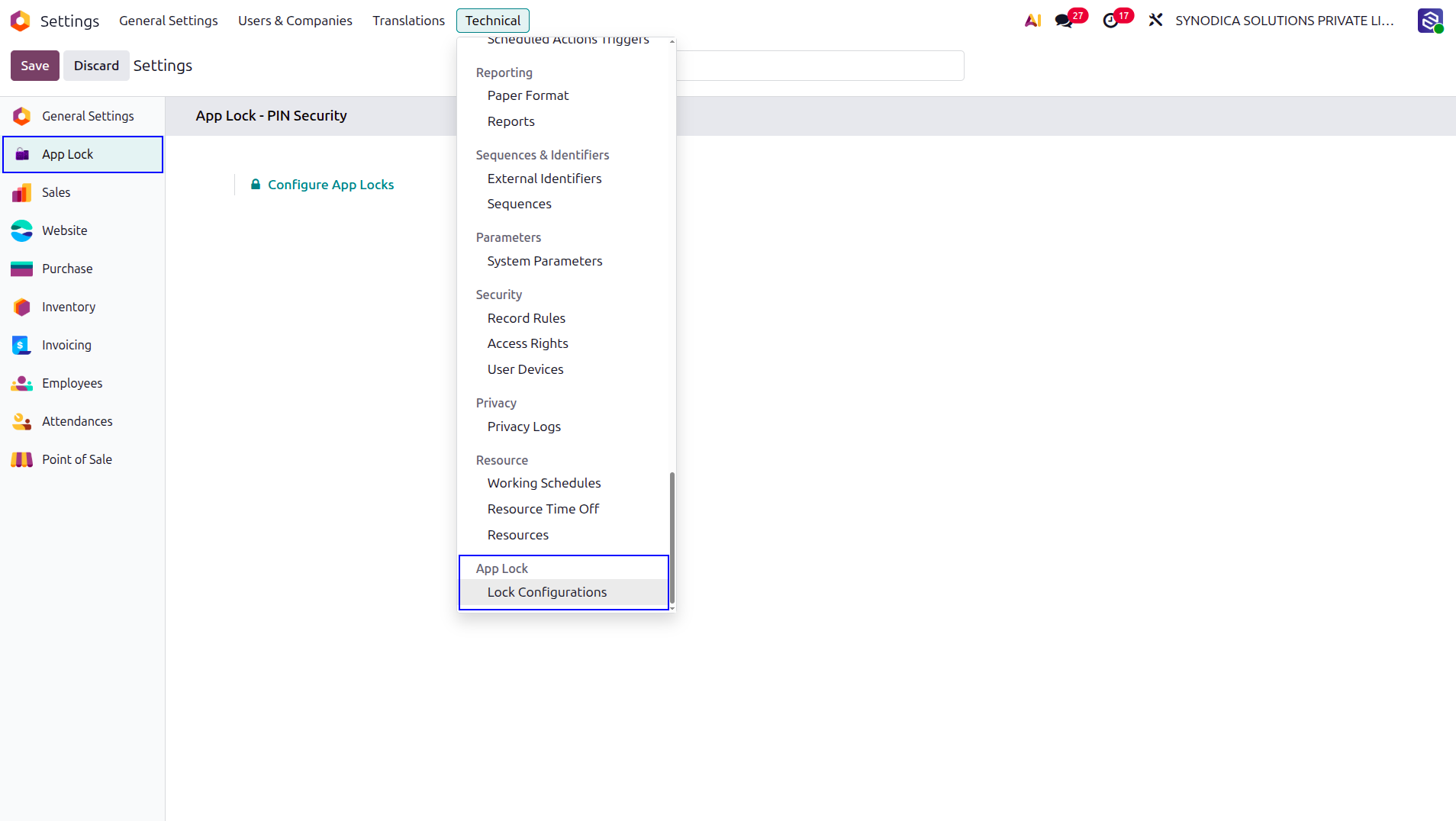
Settings Shortcut
Use Settings > App Lock and click Configure App Locks to open the list of protected applications.
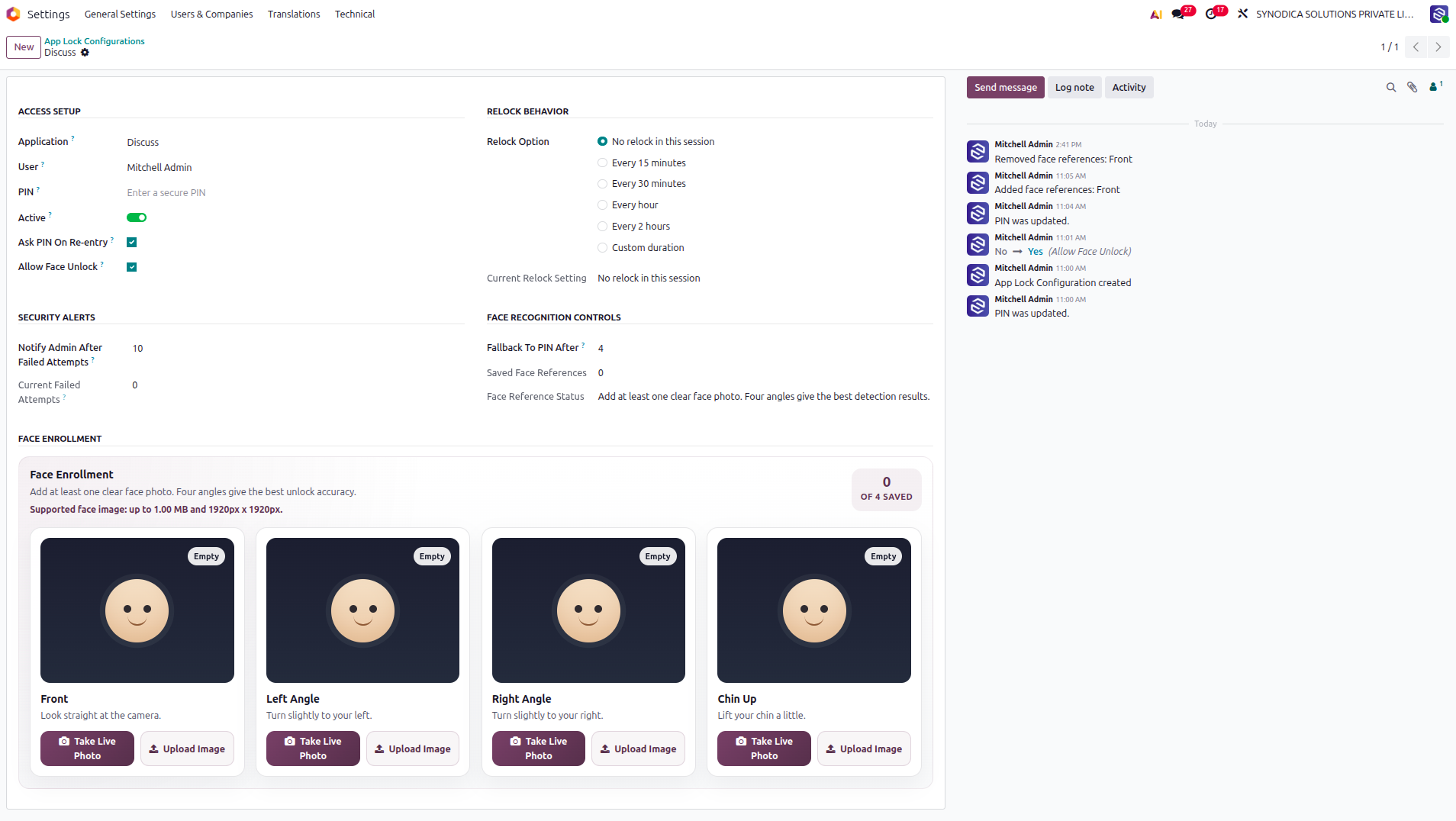
Access Setup
The main form links one top-level app to one user and includes PIN entry, active state, ask PIN on re-entry, and face unlock options.
Face Enrollment
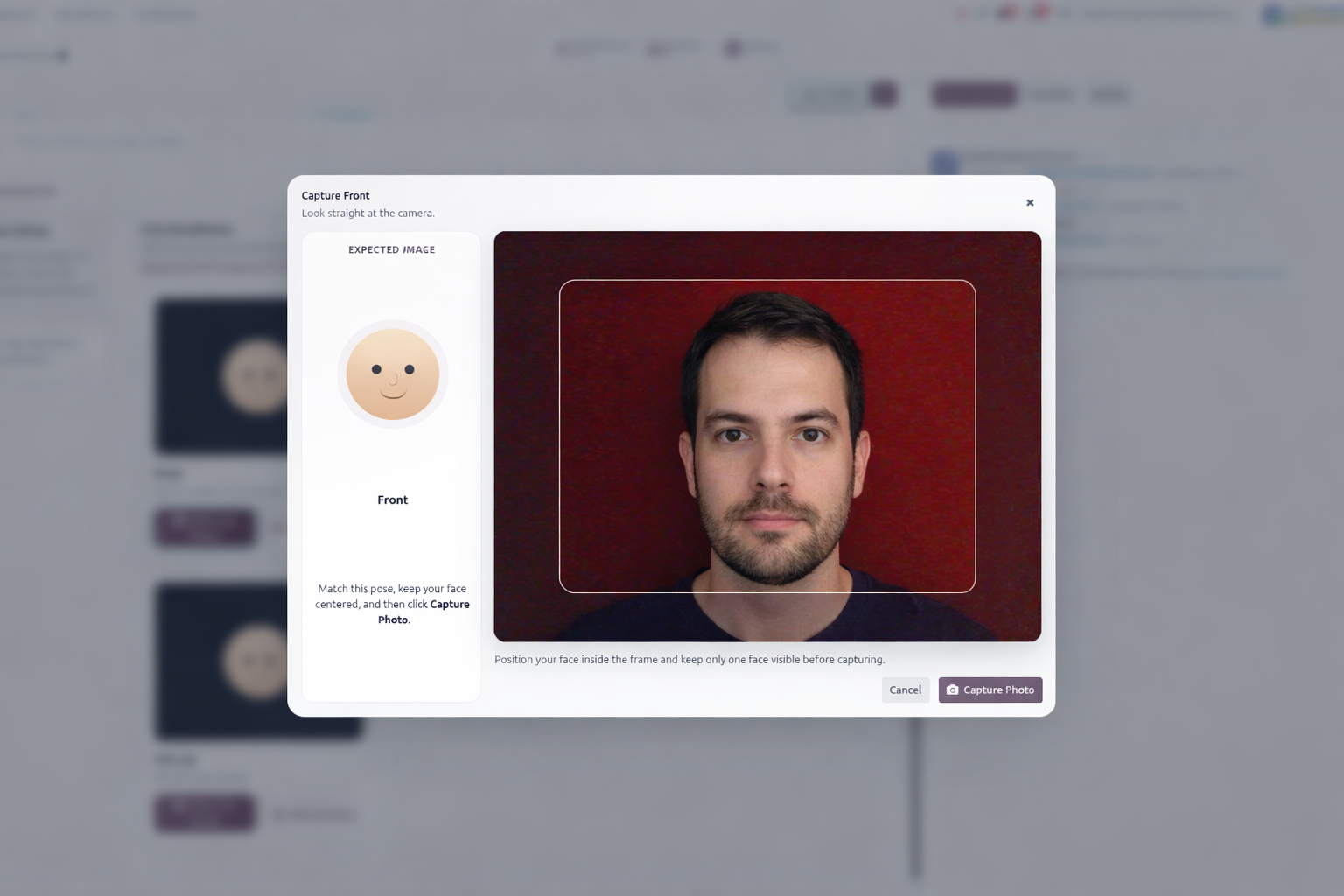
When face unlock is enabled, users can save front, left, right, and chin-up reference photos directly from the configuration form.
Alerts and Tracking
Failed-attempt thresholds, current failed counts, OTP reset handling, and chatter messages help administrators monitor changes.
Experience Protection
A visual walkthrough of the real app lock flow inside Odoo, from settings entry and configuration to unlock, OTP recovery, relock behavior, and audit tracking.
This screen shows the settings entry point for the module. Administrators use it to open the App Lock configuration list and start defining protected applications.
The configuration form brings together Access Setup, Relock Behavior, Security Alerts, Face Recognition Controls, and Face Enrollment in one place.
When the user clicks Take Live Photo, a camera capture wizard opens for the selected face angle. The popup helps the user align the face correctly and save a clear live image directly from the enrollment screen.
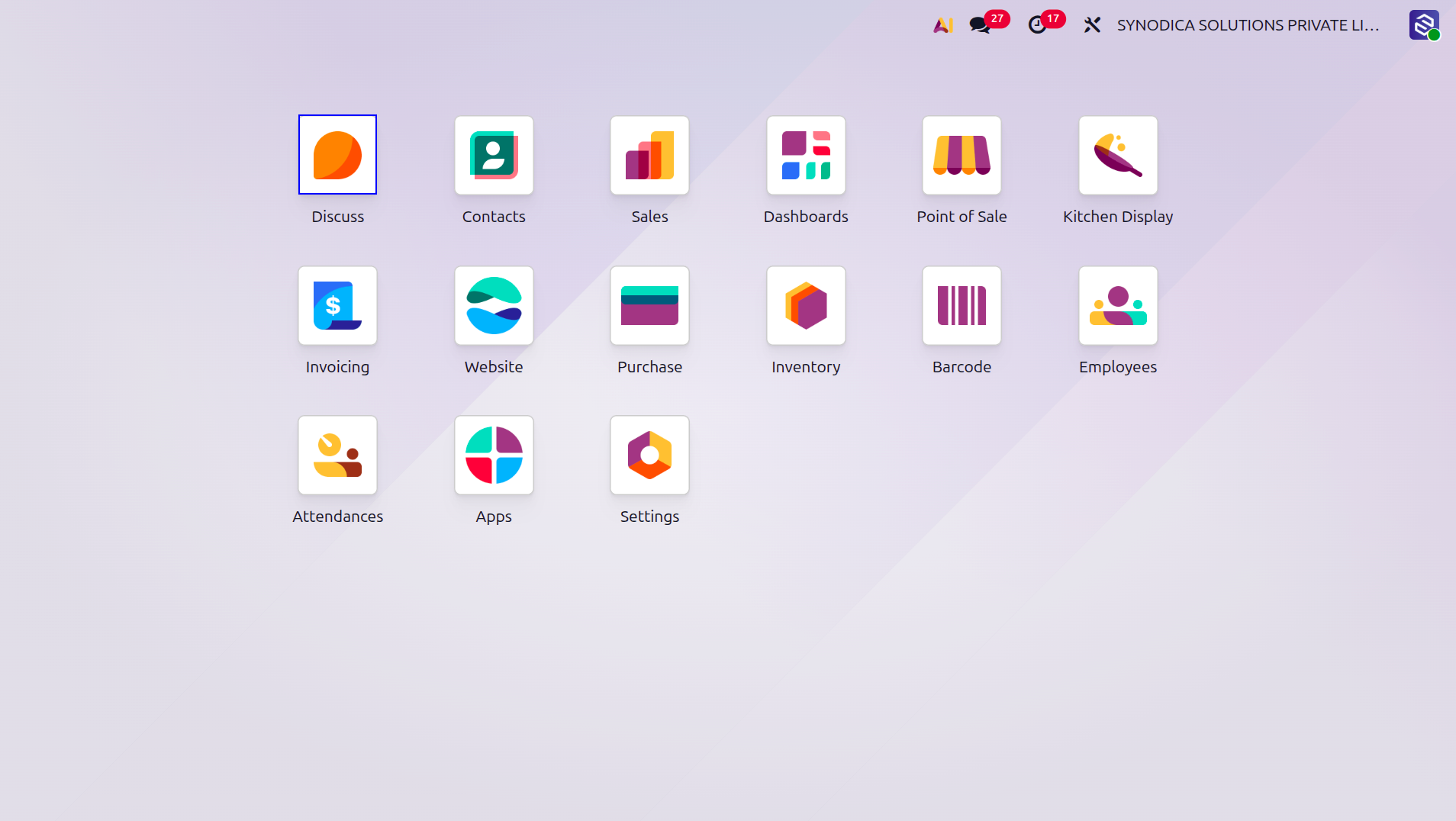
A protected app is visibly marked on the Odoo home menu so users know extra verification is required before opening it.
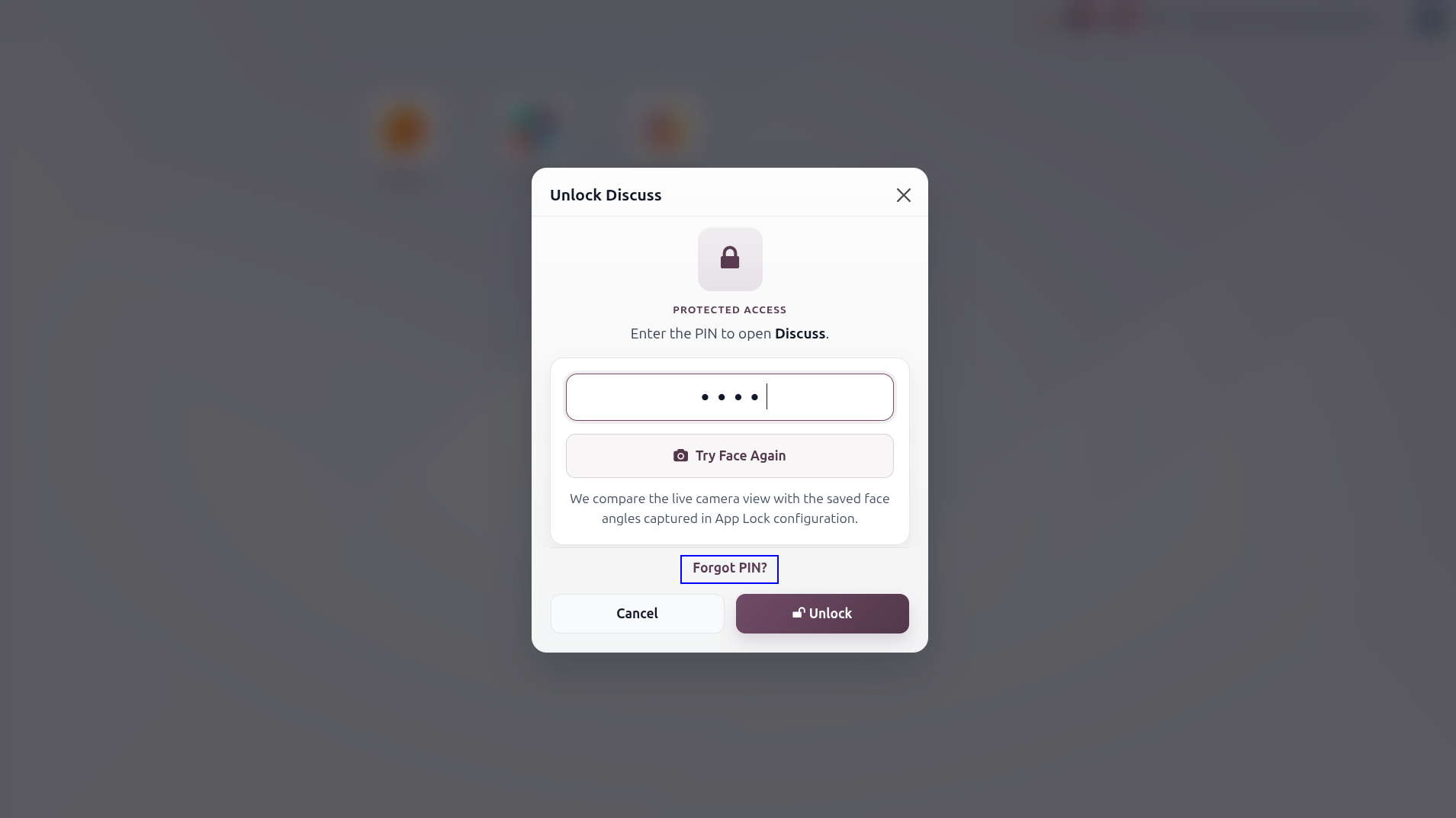
This unlock dialog is shown before entry into a locked application. It supports PIN entry and optional face verification with PIN fallback.
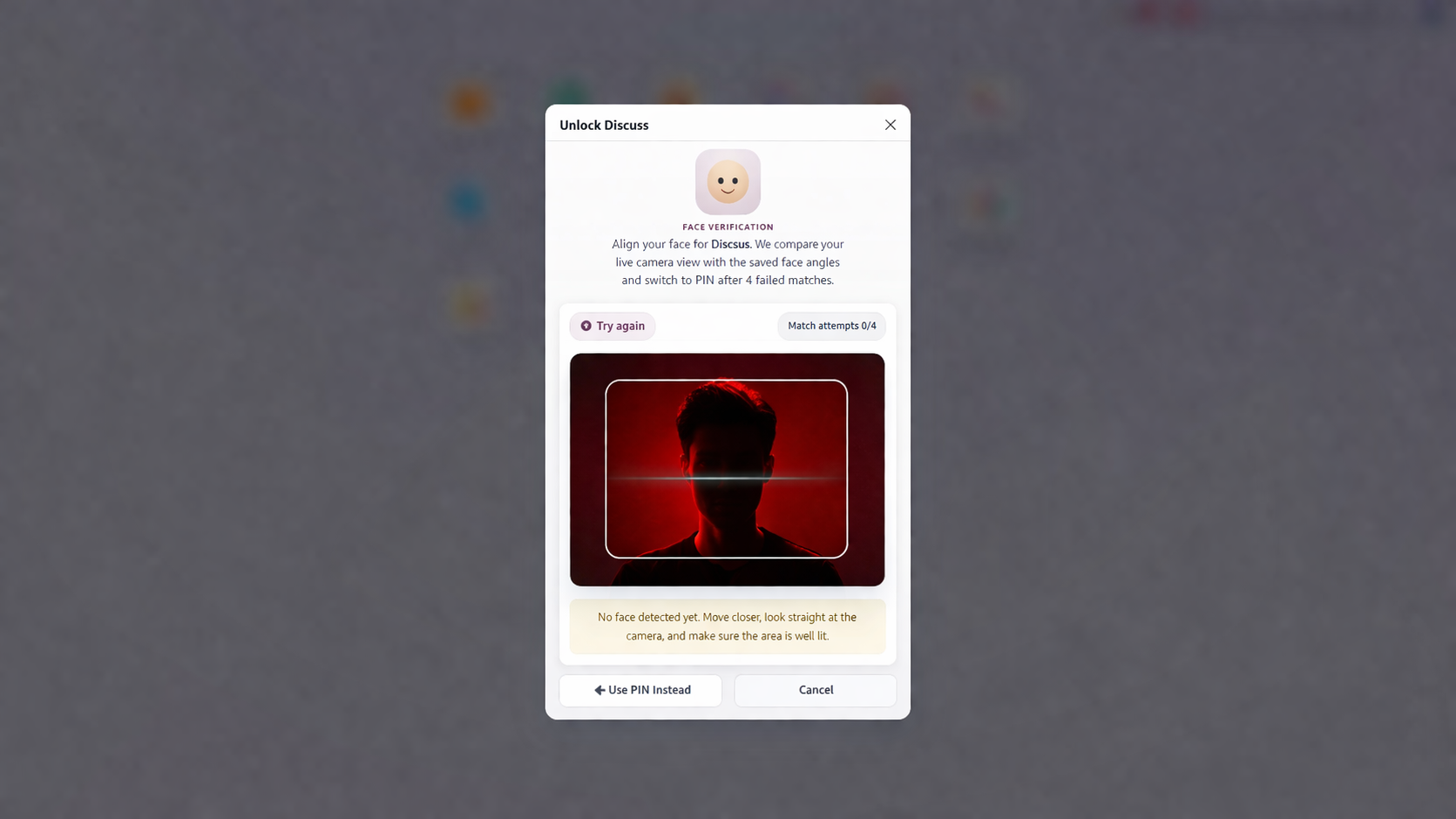
If the user does not want to continue with face verification, clicking Use PIN Instead brings back the normal PIN unlock wizard so the application can be opened manually.
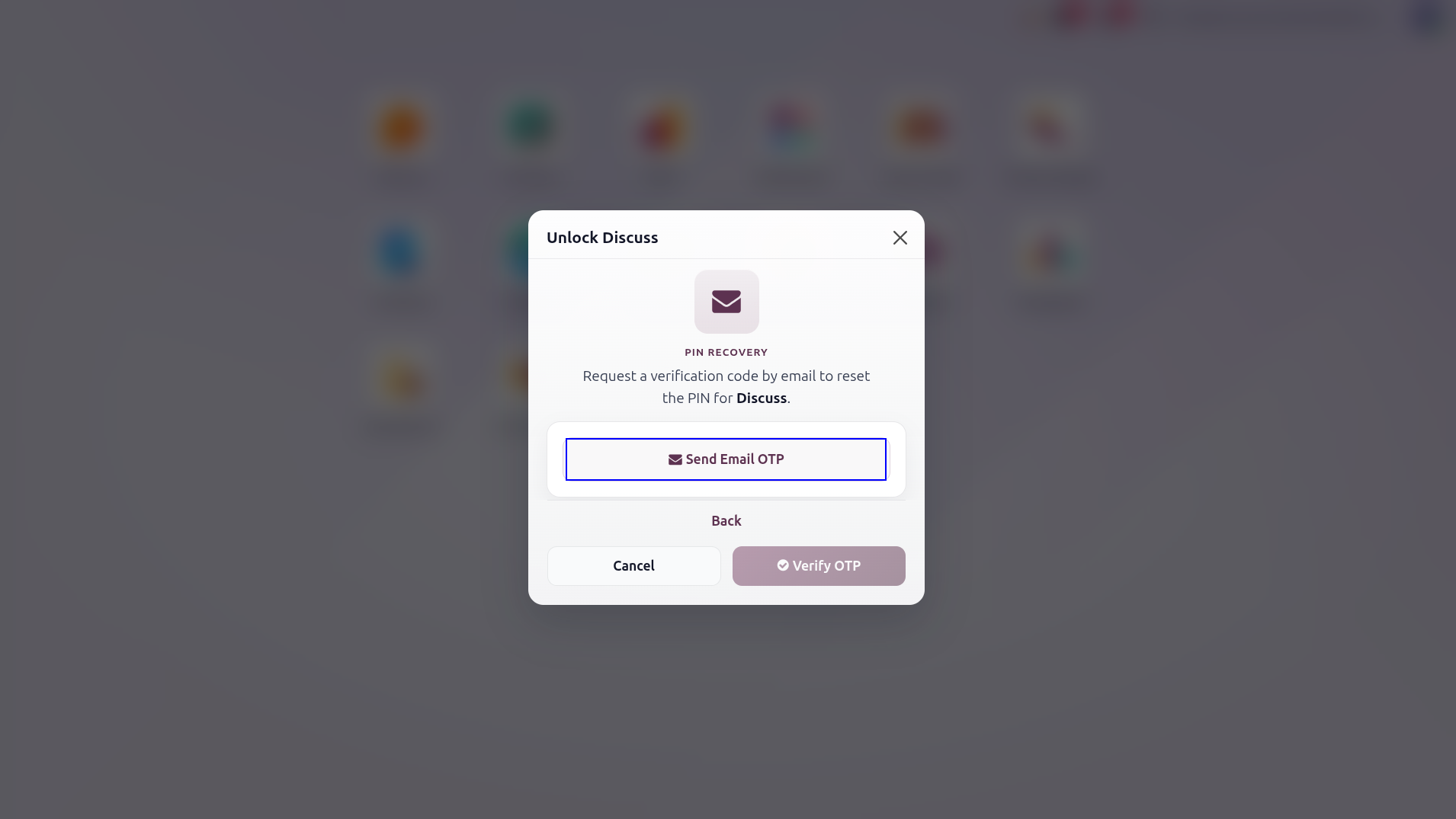
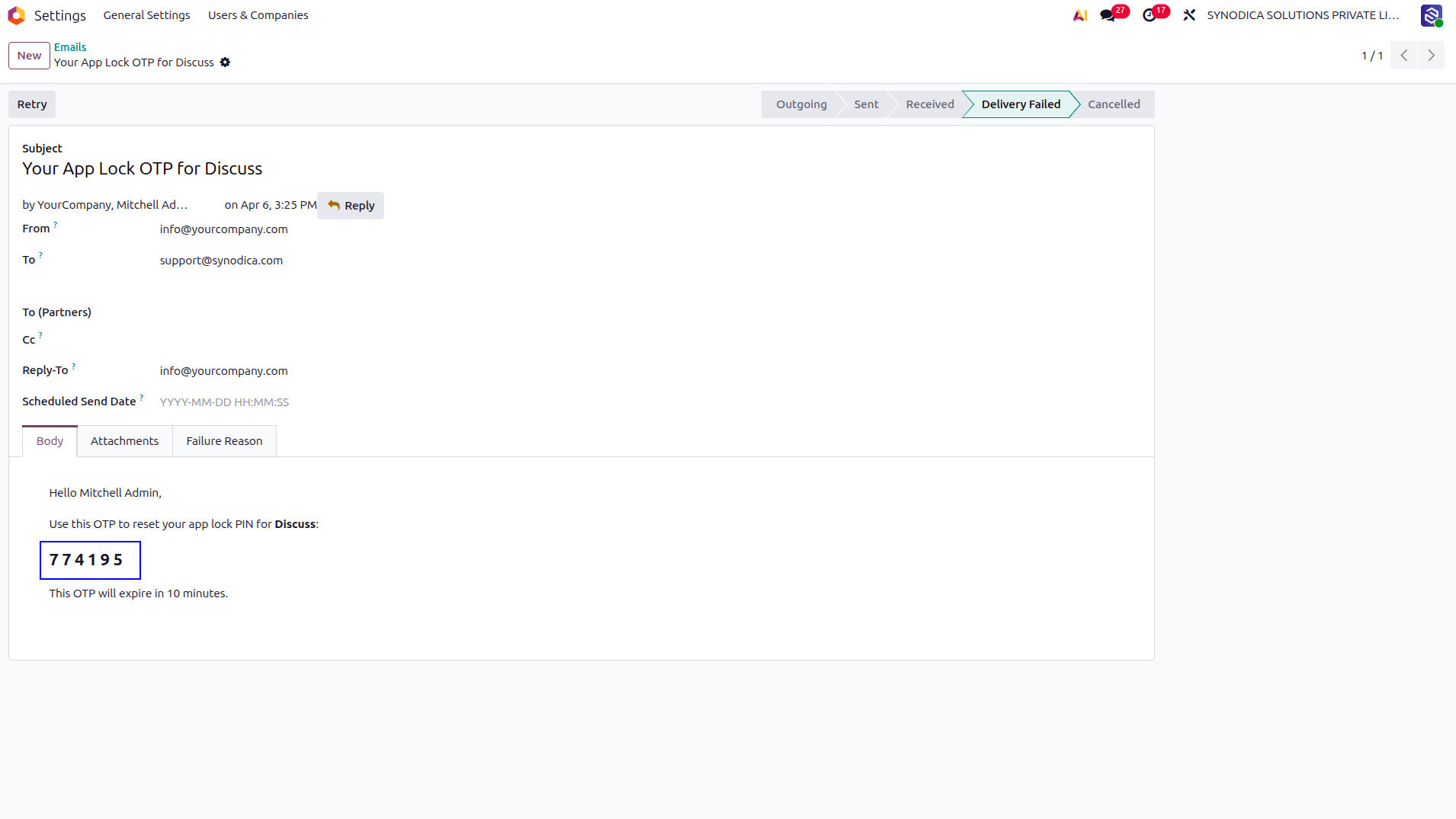
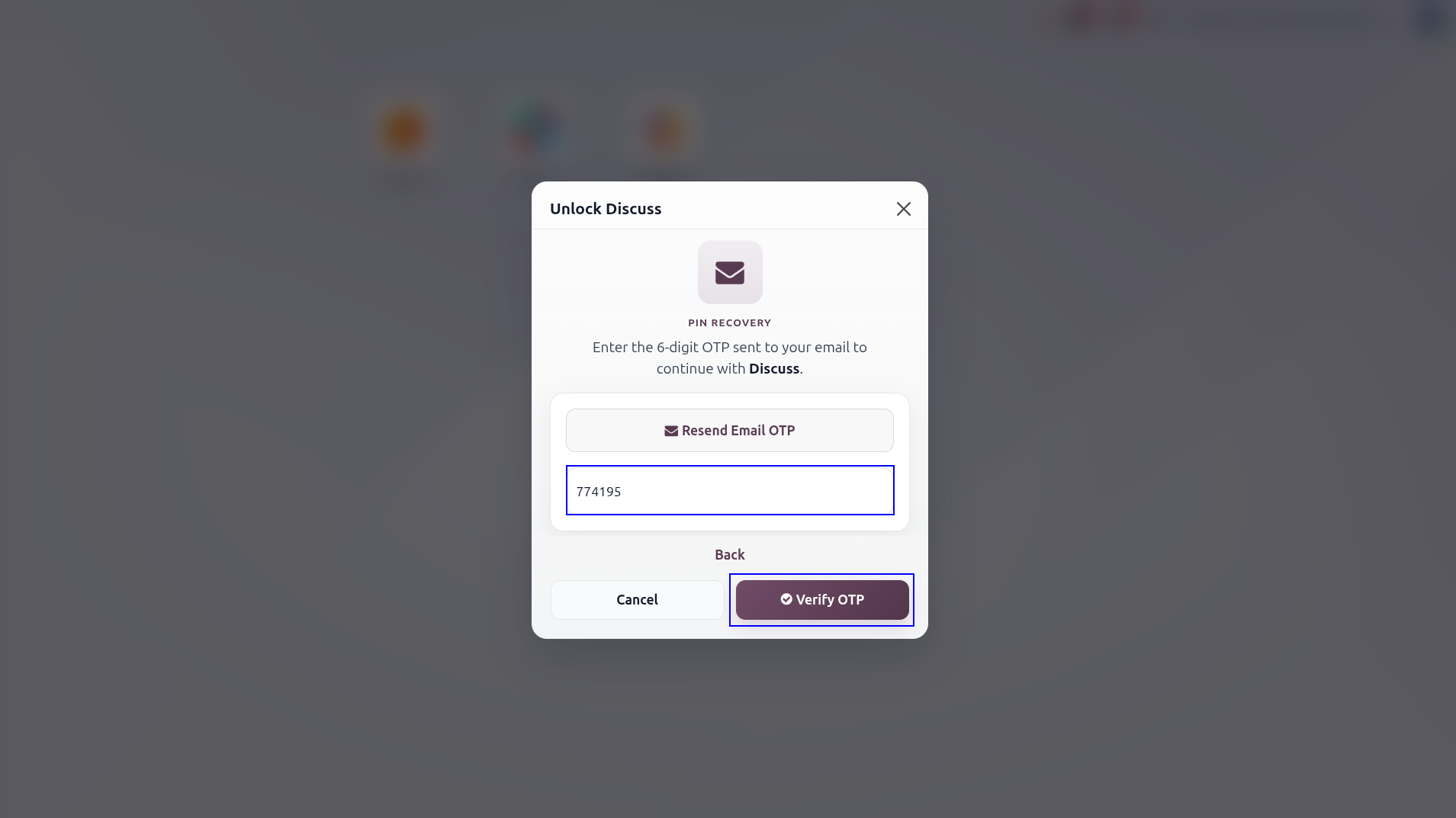
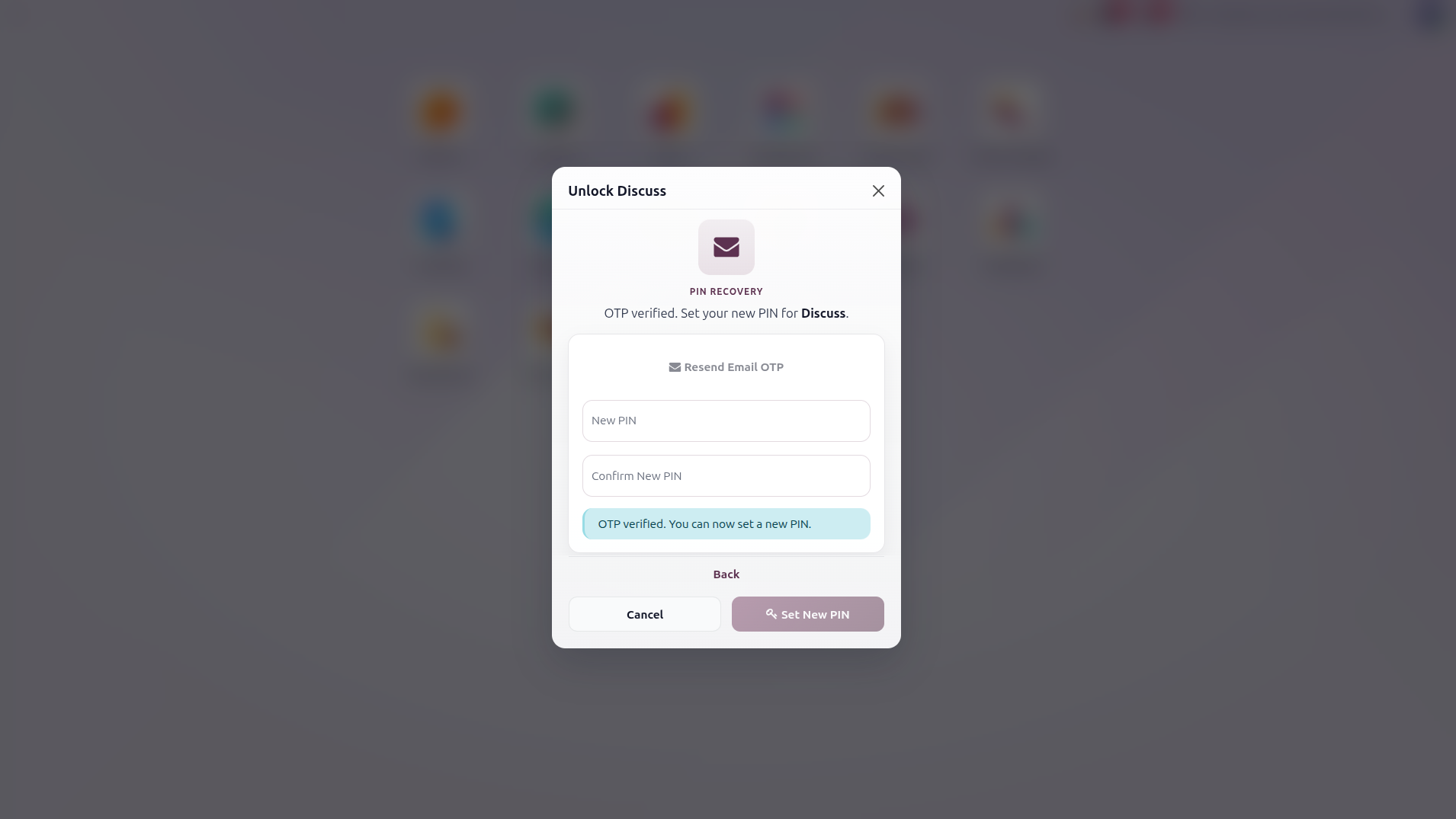
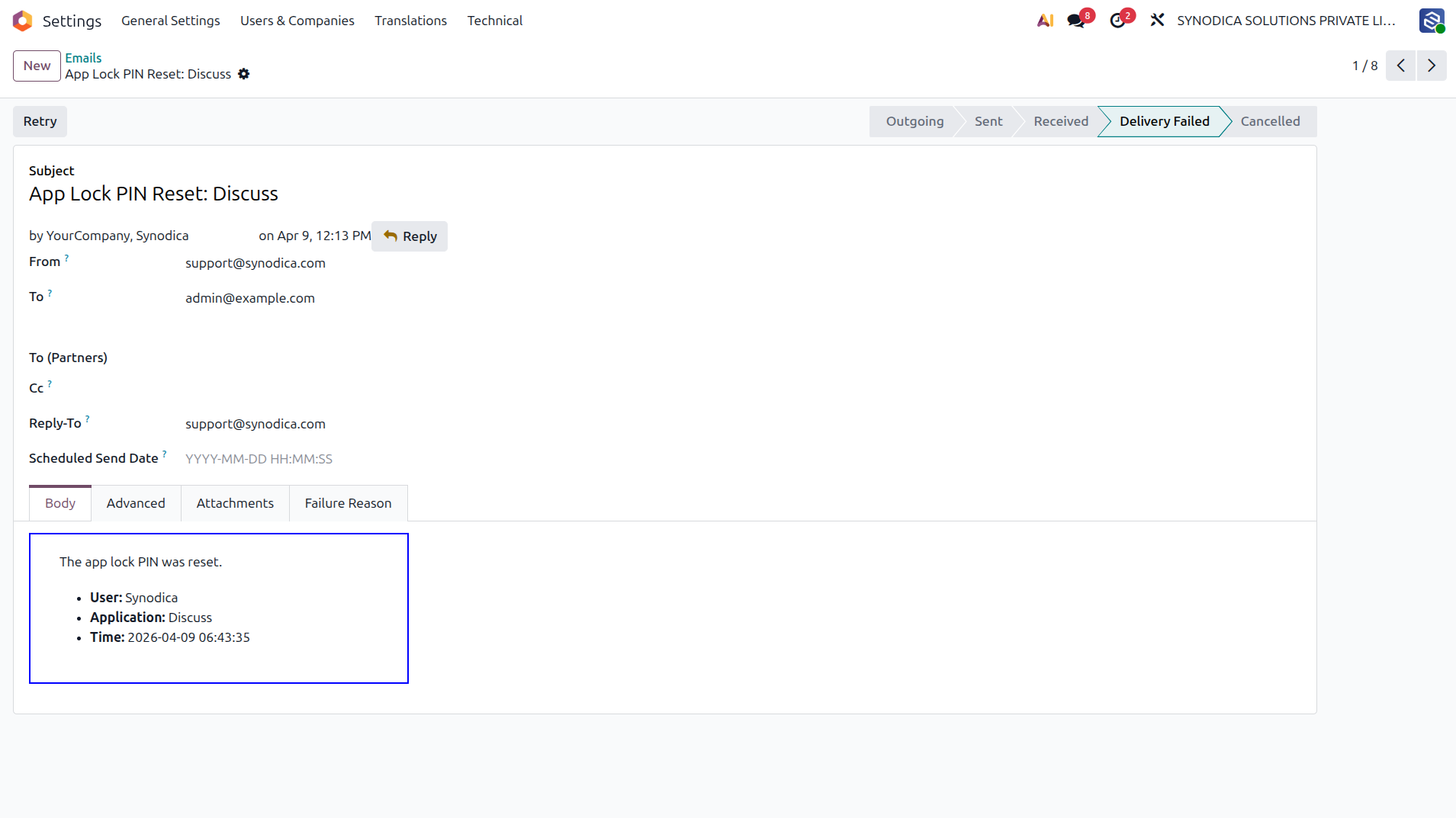
This flow shows the built-in recovery process: request a 6-digit OTP, receive the email, verify the code within 10 minutes, and set a new PIN.
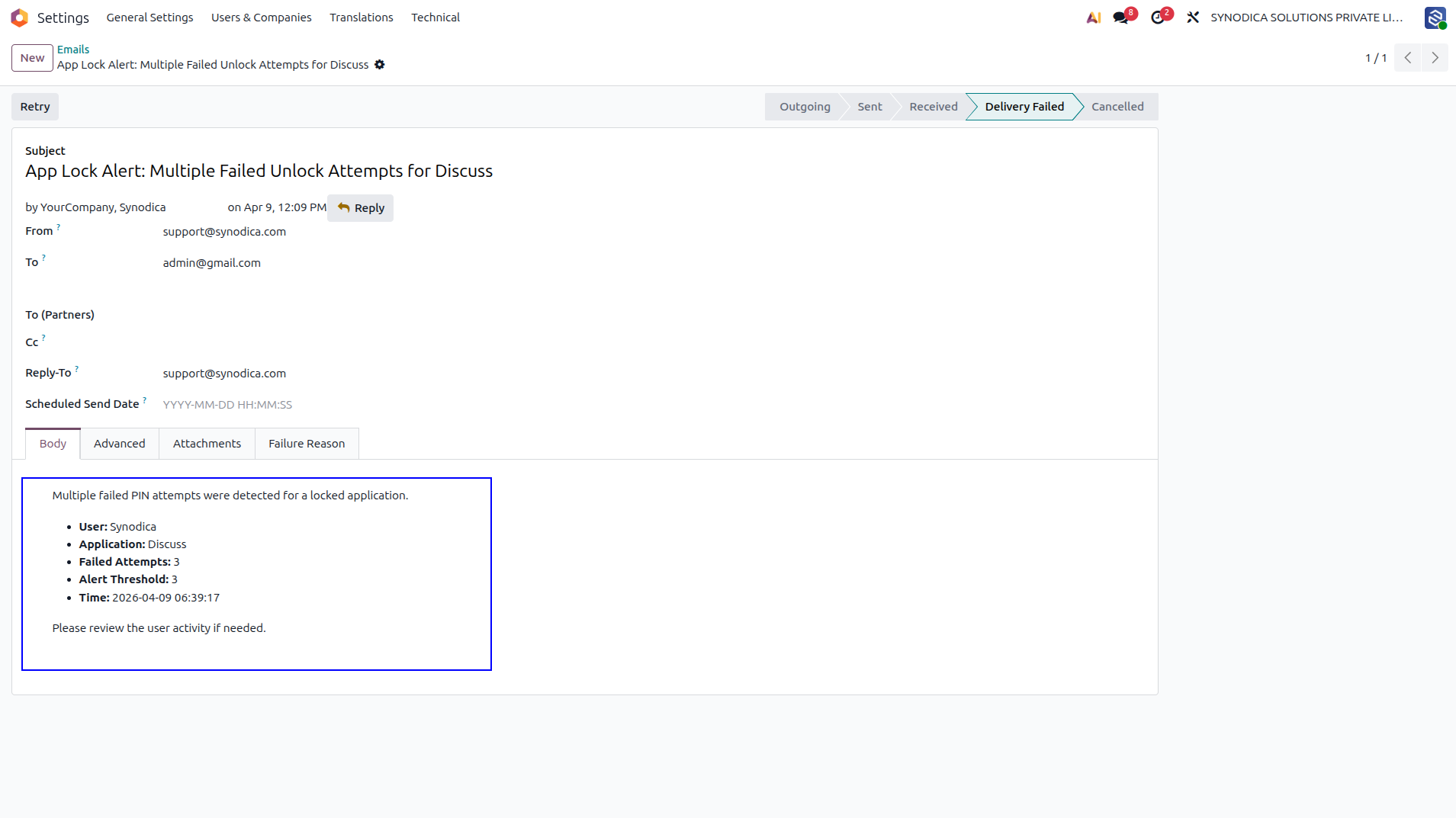
When wrong PIN attempts reach the configured threshold, the module sends an alert email to system administrators with the user name, application, failed-attempt count, threshold, and time.
After a user successfully changes the app PIN through the OTP reset flow, administrators receive a notification email with the user, application, and reset time.
What the Module Actually Does
Explore the core security features included in app_lock_ss, from per-user locks and hashed PIN storage to face unlock, OTP recovery, and admin visibility.
Per-User App Lock
Protect any top-level backend application with a separate user-specific PIN and lock it again by session, timer, or re-entry behavior.
Route-Level Protection
Protection is not limited to clicking the app icon. Direct backend URLs and resolved menu actions are checked before the user can continue.
PIN Hashing and Validation
PINs must be numeric and 4 to 6 digits long, are validated server-side, and only a SHA-256 hash is stored.
Flexible Relock Rules
Keep an app unlocked for the session, relock after 15, 30, 60, or 120 minutes, set a custom duration, or require PIN again on re-entry.
Face Unlock With Fallback
Users can unlock with saved face references, and the dialog falls back to PIN after the configured number of failed face matches.
OTP Reset and Admin Visibility
Forgotten PINs can be reset by email OTP, while administrator notifications and chatter logs record key security events and updates.
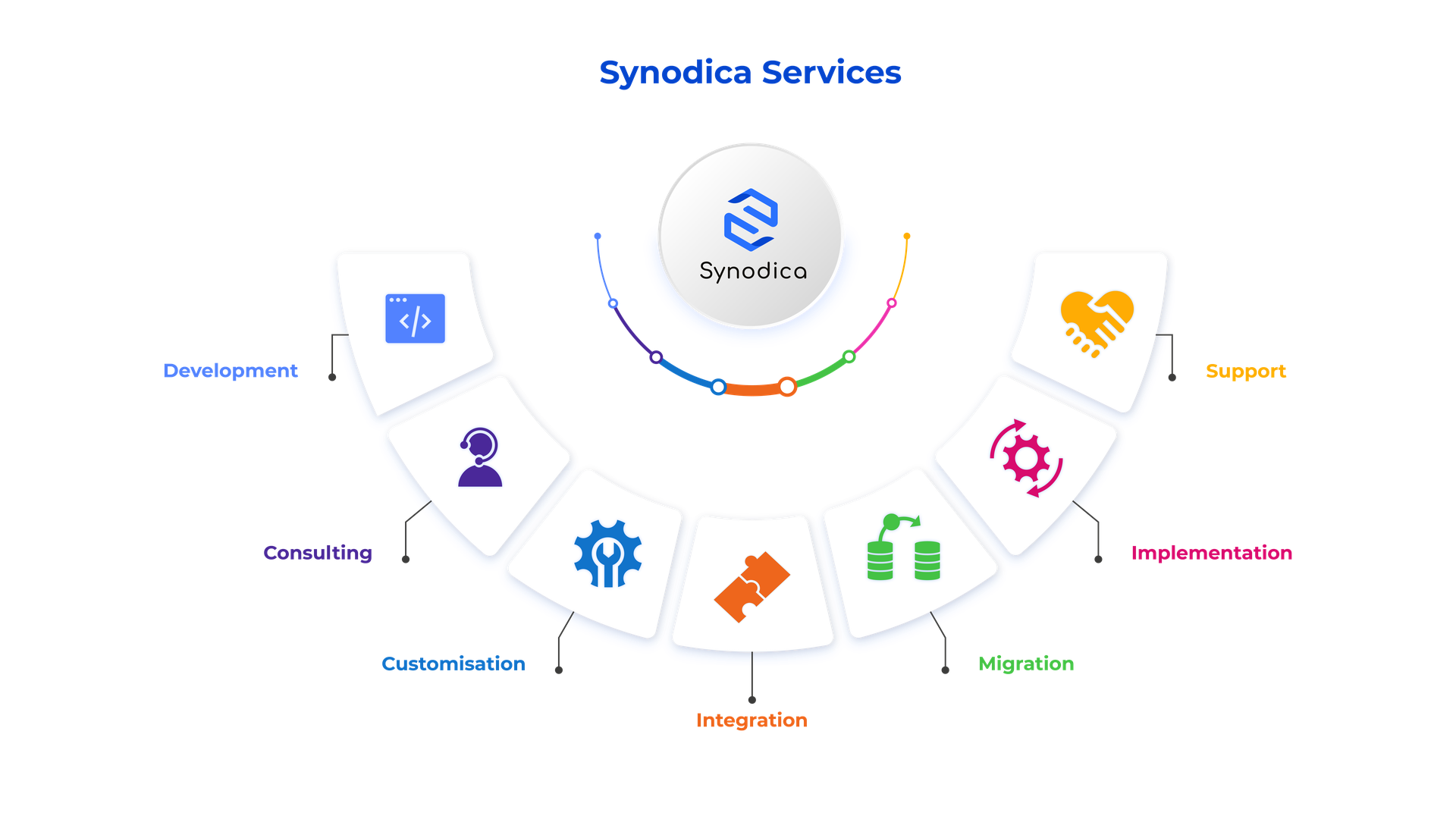
Specialized Odoo Services
We build, customize, and maintain Odoo solutions for businesses worldwide - from implementation to advanced integrations.
Protect Every Backend App
Lock selected applications, verify users with PIN or face unlock, and recover forgotten PINs through email OTP. Keep access simple for users and controlled for administrators.
support@synodica.com© 2026 Synodica Solutions PVT. LTD. - Secure Access: App Lock with PIN, Face Unlock & OTP Reset for Odoo
We create ERP solutions for you using Odoo ERP that will build a strong and efficient business for you. It's SYNODICA WAY