

Dynamic Approval Engine
Universal Approvals.
Multi-Stage Workflow.
Zero Code. Perfect Control.
Universal Approval Engine is a highly dynamic, zero-code module that injects complex, multi-stage approval workflows into any model in Odoo 18. It natively injects action bars, smart buttons, and robust UI locks directly into Odoo forms via a smart hybrid architecture.
How the Engine Thinks
From record creation to final decision, the engine intercepts actions and routes them through a robust validation process in milliseconds.
Trigger & Intercept
The ORM mixin detects new record actions, checks matching workflows, and generates an approval request.
Activation Check
Evaluates stage trigger conditions, auto-approve domains, and multi-company scopes to decide if verification is needed.
UI Lock Injection
Preloads server-side CSS to hide form action buttons instantly, preventing double confirmation or edit operations.
Approver Routing
Identifies targets dynamically (specific users, dynamic relations like manager paths) and alerts pending approvers.
Escalation & SLA
Monitors stage timeouts to automatically auto-approve, reject, or escalate requests to higher authorities.
Actionable Decisions
Users can Approve, Reject, Delegate, or Request Changes directly from the native form action bar.
BI Suite Analytics
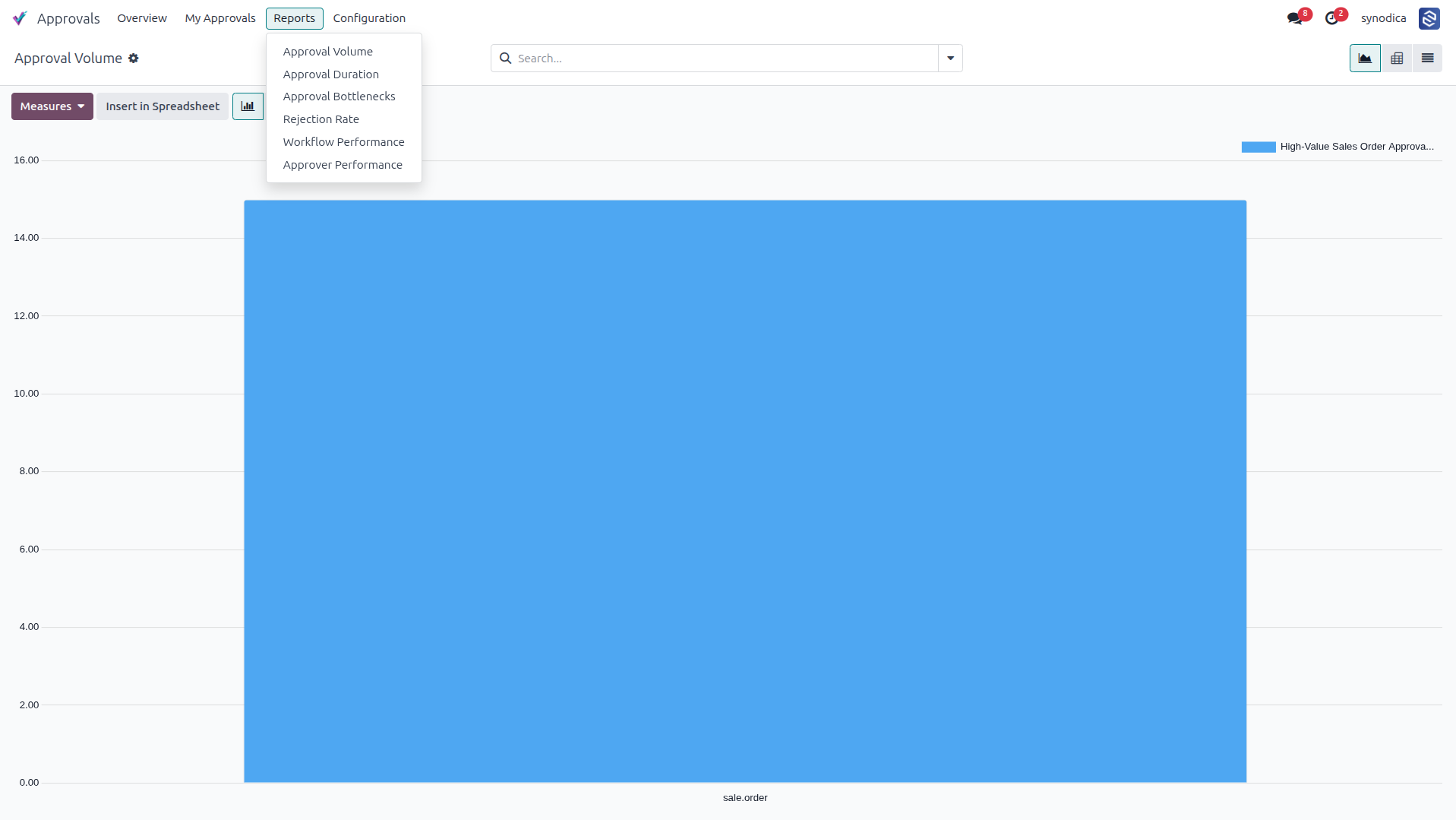
Tracks approval durations, volume, rejection rates, and stage bottlenecks via 6 built-in pivot reports.
See the Engine in Action
Explore the complete step-by-step visual guide of the Universal Approval Engine. Configure stage conditions, schedule automated actions, customize dynamic UI rules, delegate tasks, and monitor SLA performance.
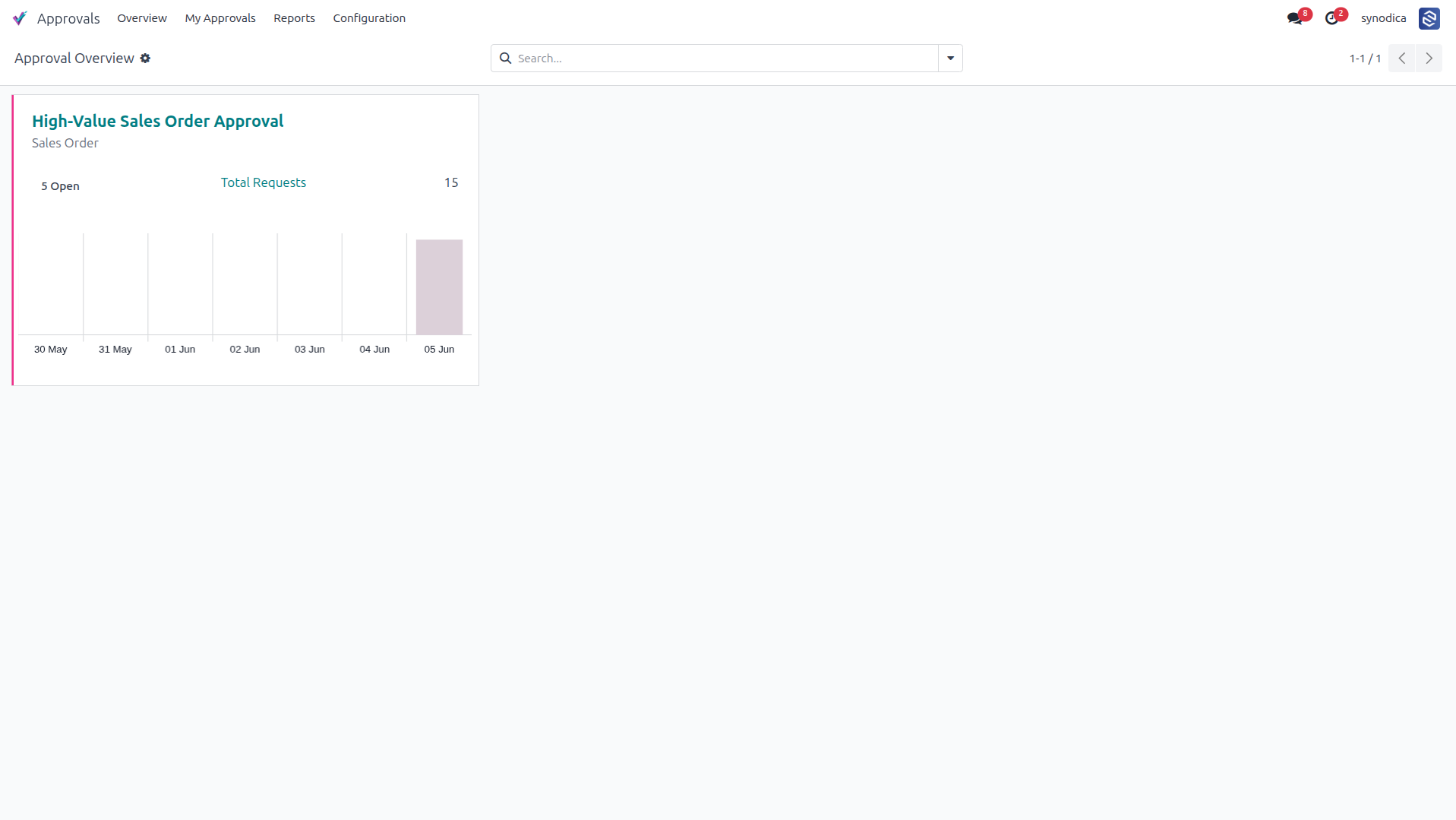
Provides a high-level overview of active approval workflows, displaying metrics such as open and total requests along with a graphical representation of request volume over time.
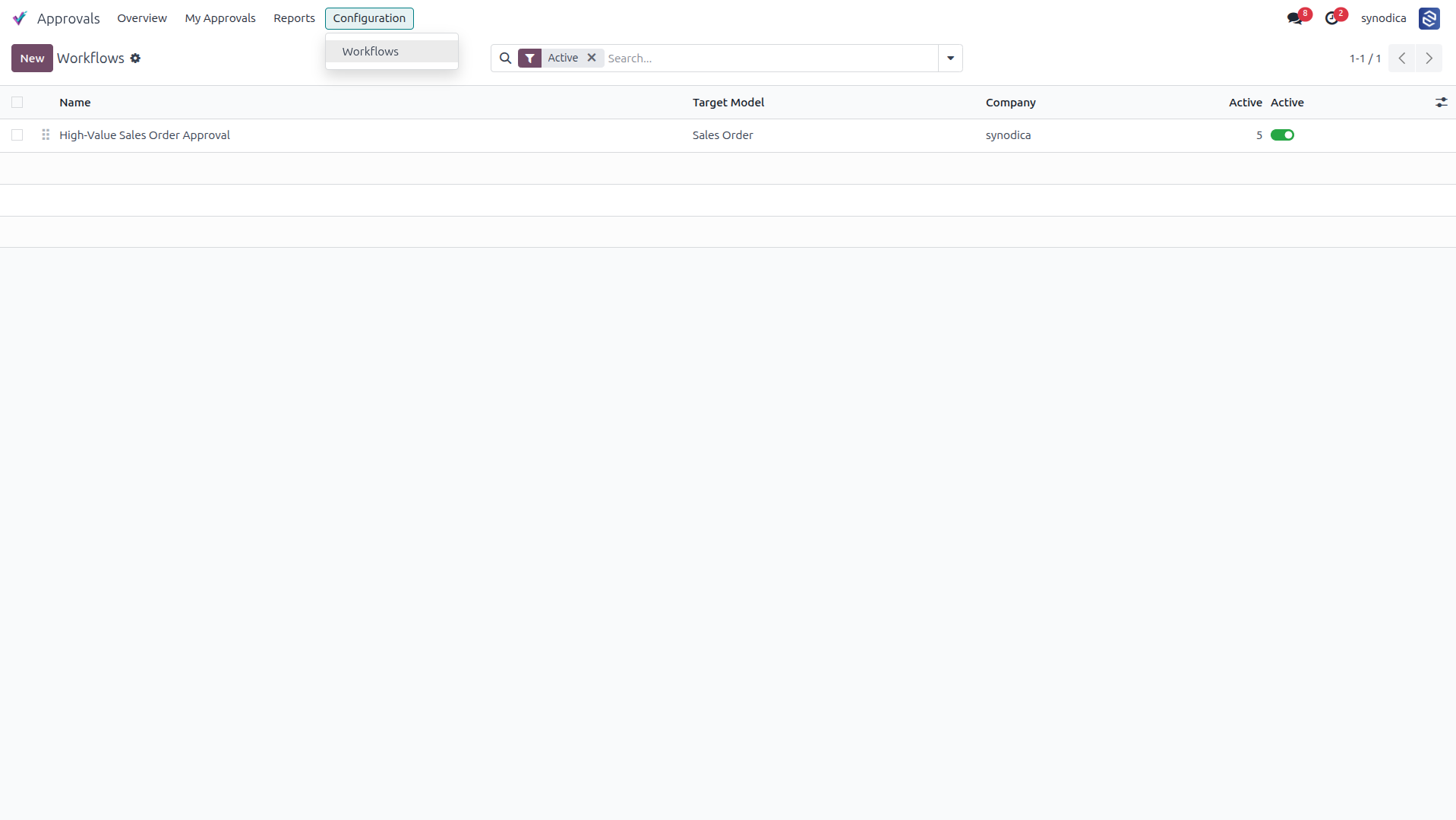
Displays a list of all configured approval workflows, showing details such as the target model, associated company, and activation status.
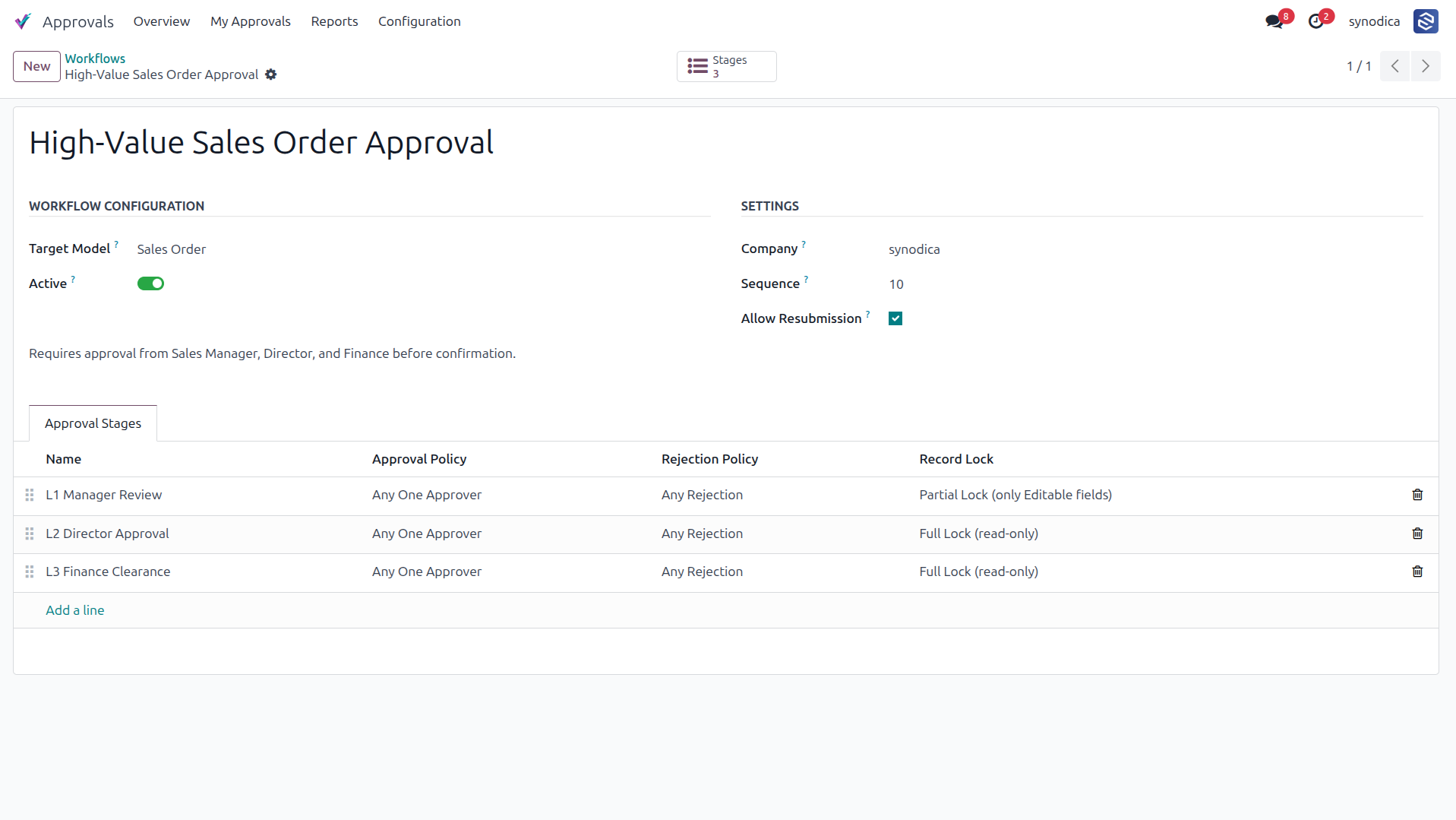
Displays the detailed configuration for a specific workflow, including global settings like resubmission policy and the list of defined approval stages with their policy rules.
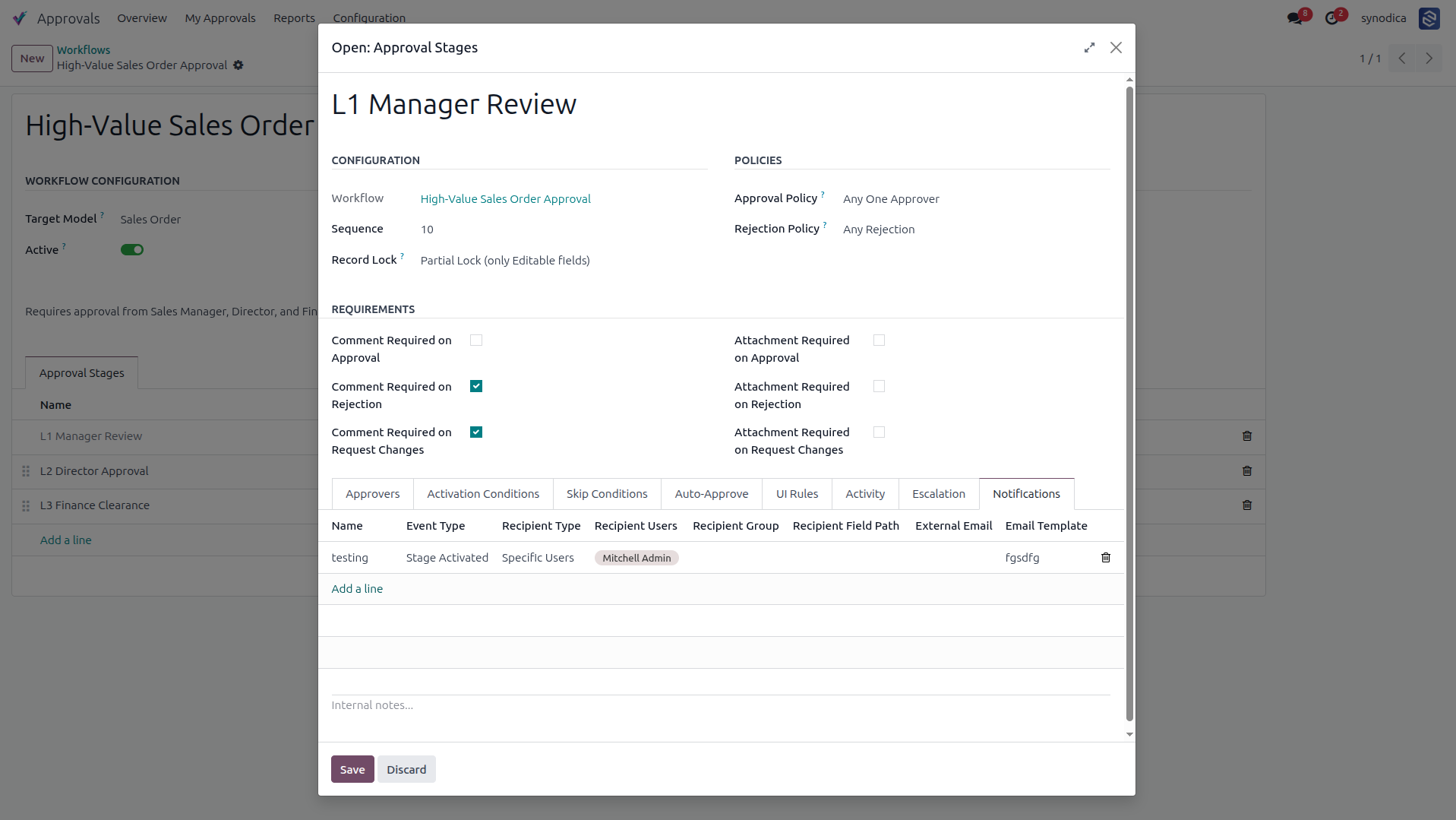
Demonstrates the configuration for a specific approval stage ("L1 Manager Review"), highlighting requirements like mandatory comments/attachments and defining the approver type.
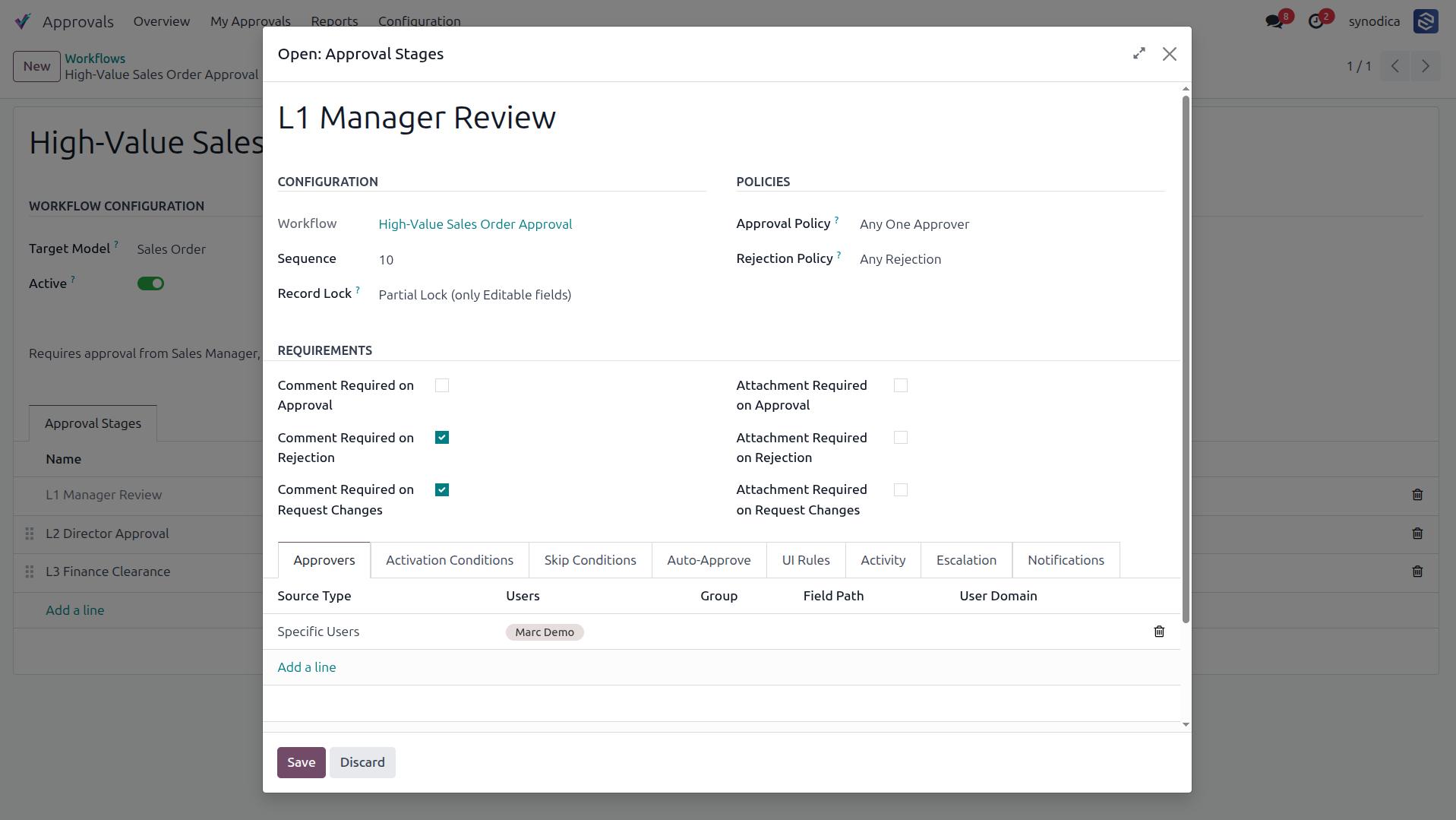
Details the criteria under which an approval stage is triggered, featuring a domain editor that helps determine the records matching the activation rules.
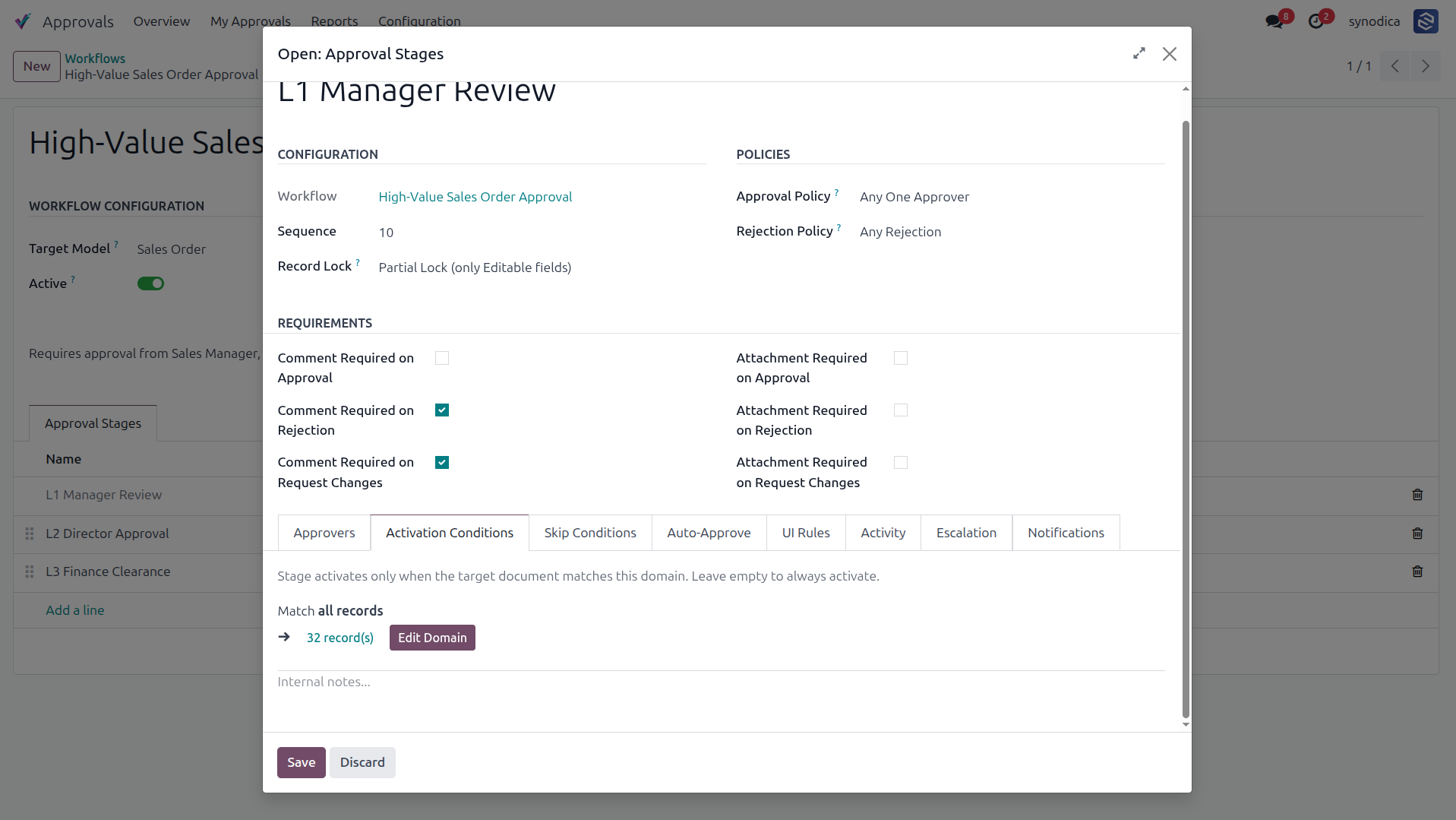
Configures rules to bypass this approval stage automatically if the target document matches the specified domain criteria.
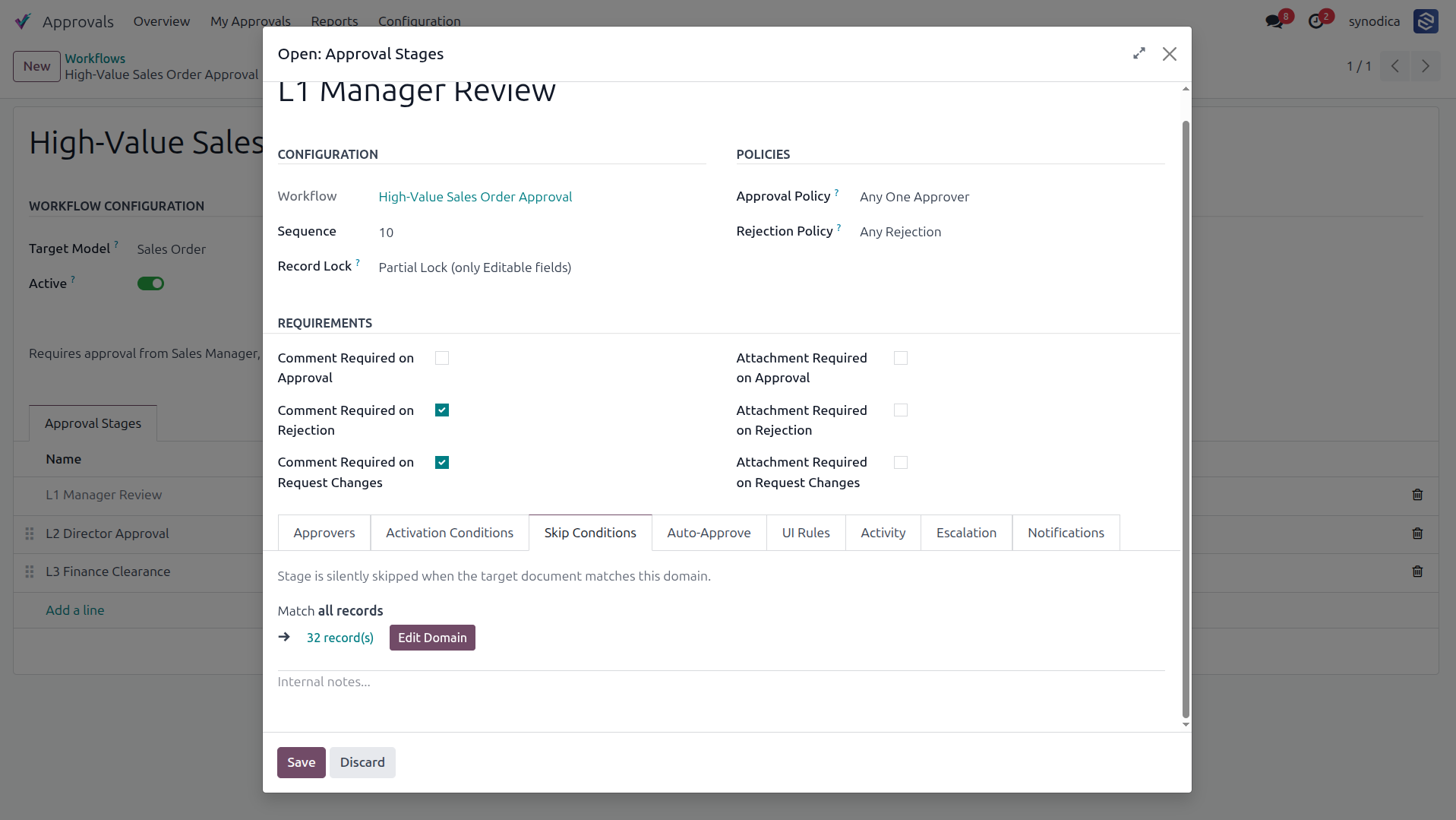
Defines domain conditions that trigger an automatic approval for the stage, writing a log directly to the chatter when matched.
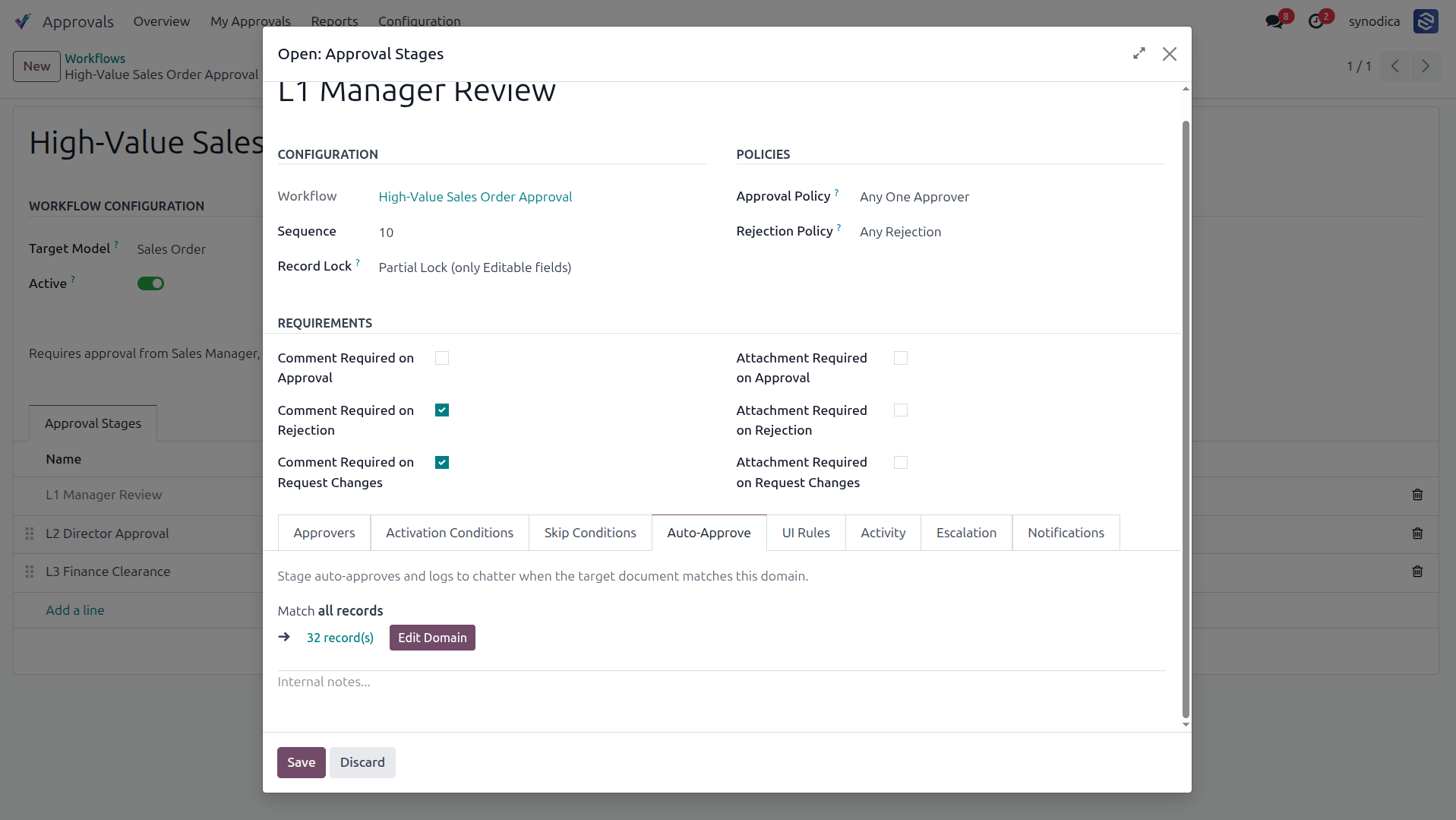
Illustrates the process of switching to the UI Rules configuration tab within the stage setup dialog.
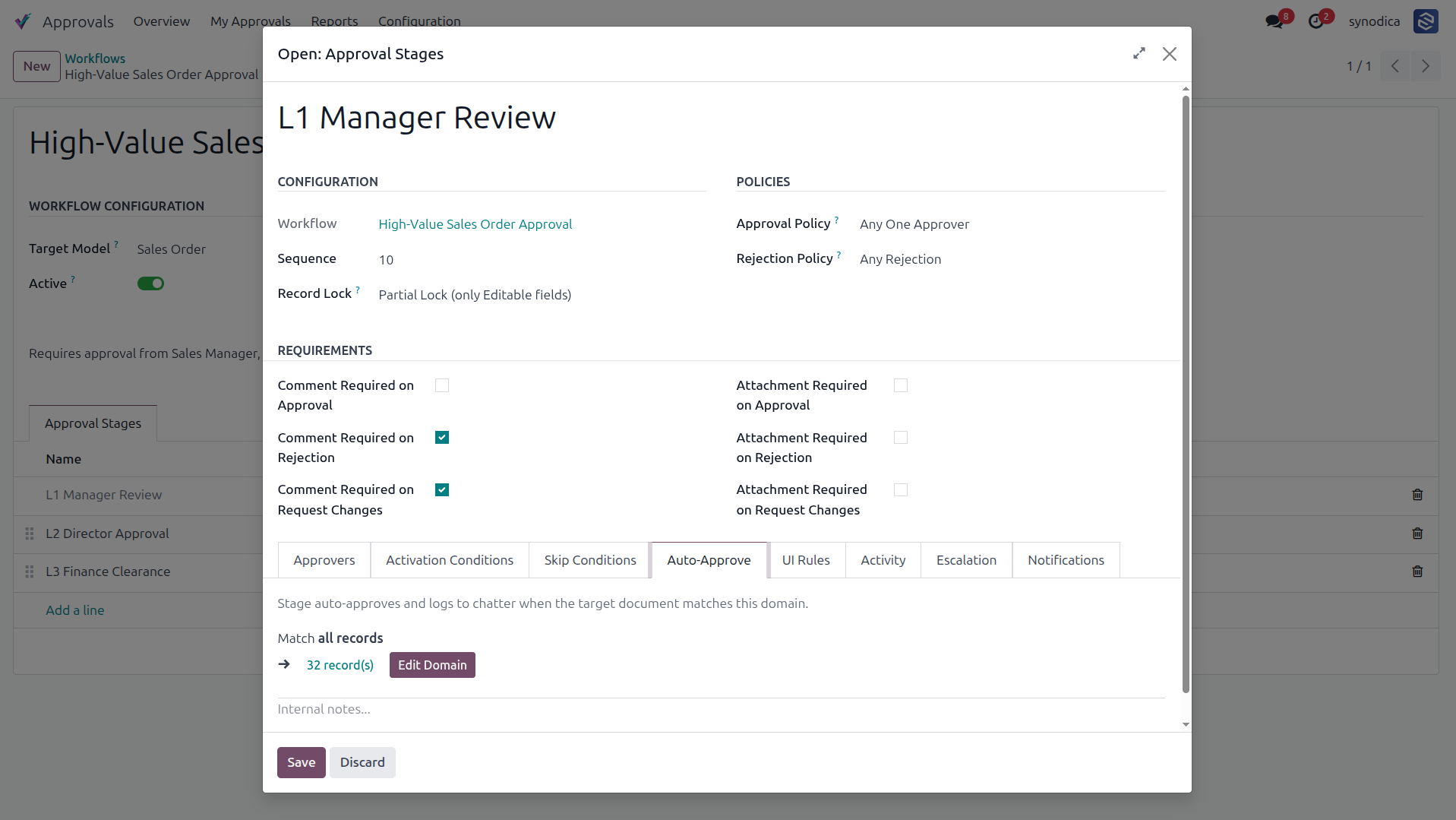
Configures dynamic UI modifications for the stage, enabling target actions (Read-Only, Required, or Hidden) for Fields, Tabs/Pages, Groups, and Buttons while pending approval.
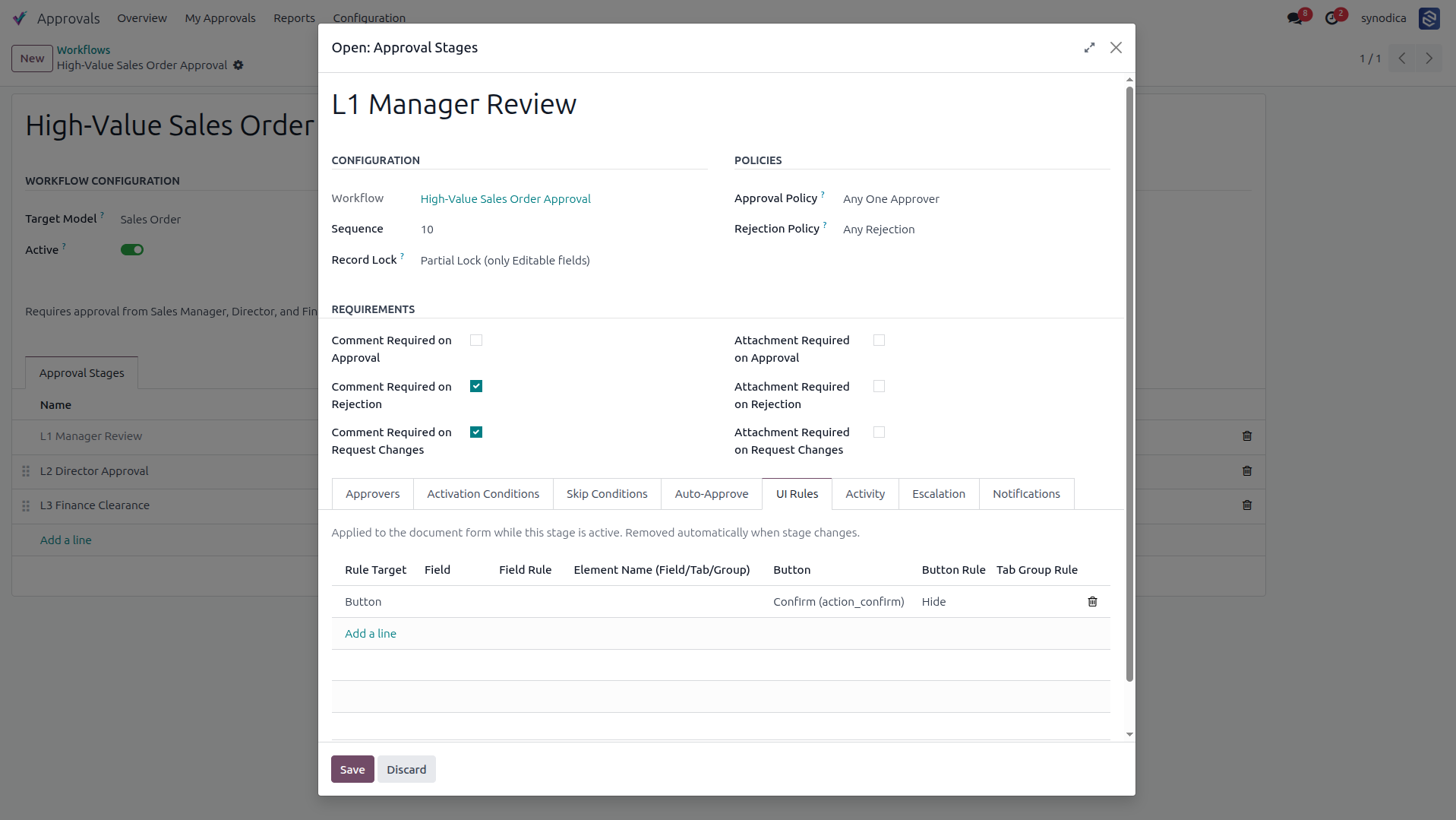
Configures the type of Odoo activity (e.g., Email, Call, To Do) that is automatically created for the approvers when this stage becomes active.
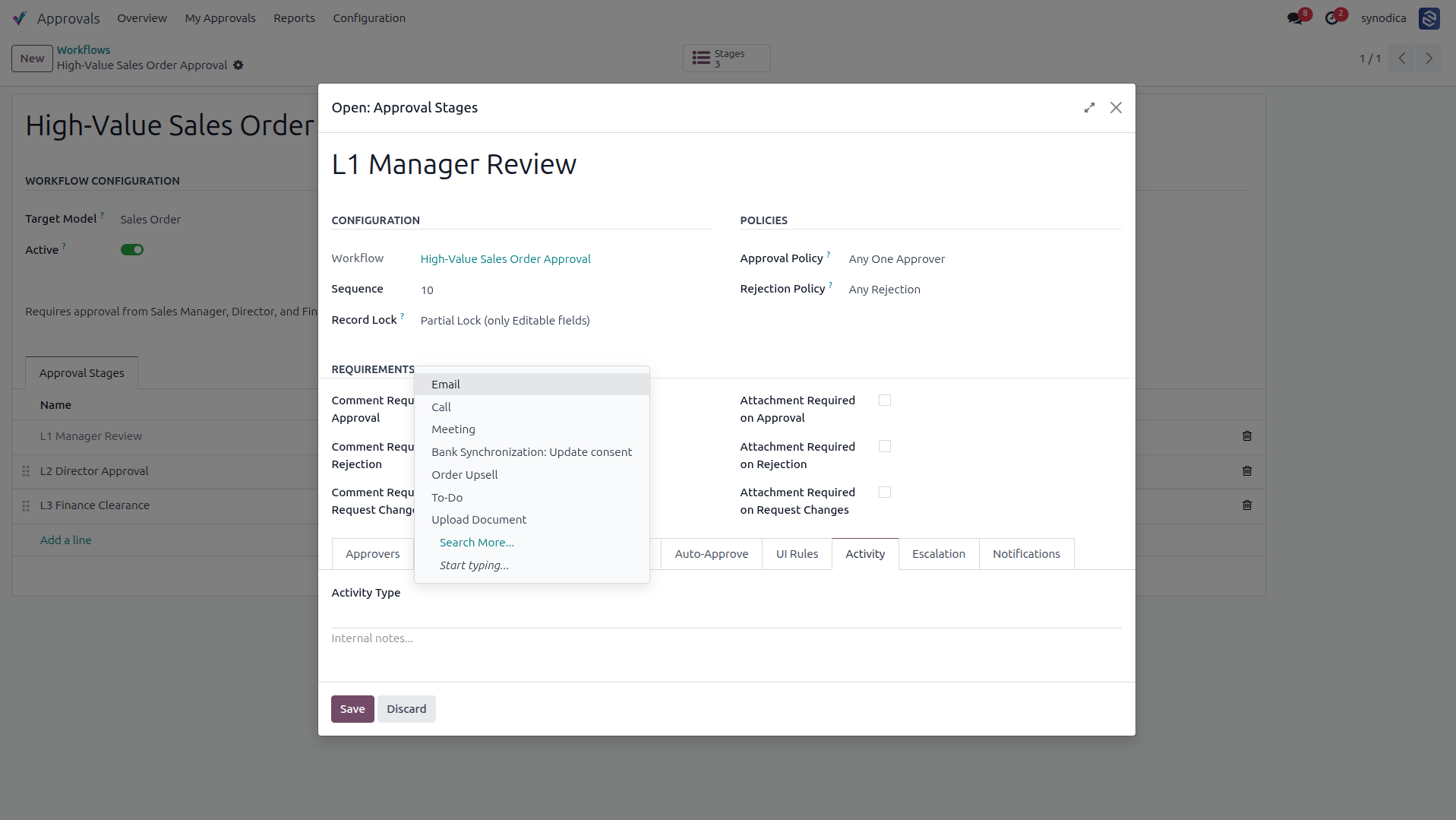
Defines escalation policies to redirect approvals to alternative users (e.g., Mitchell Admin) if the pending approval exceeds a certain timeout threshold.
Sets up custom notification rules to alert specific users via email templates when certain events occur, such as stage activation.
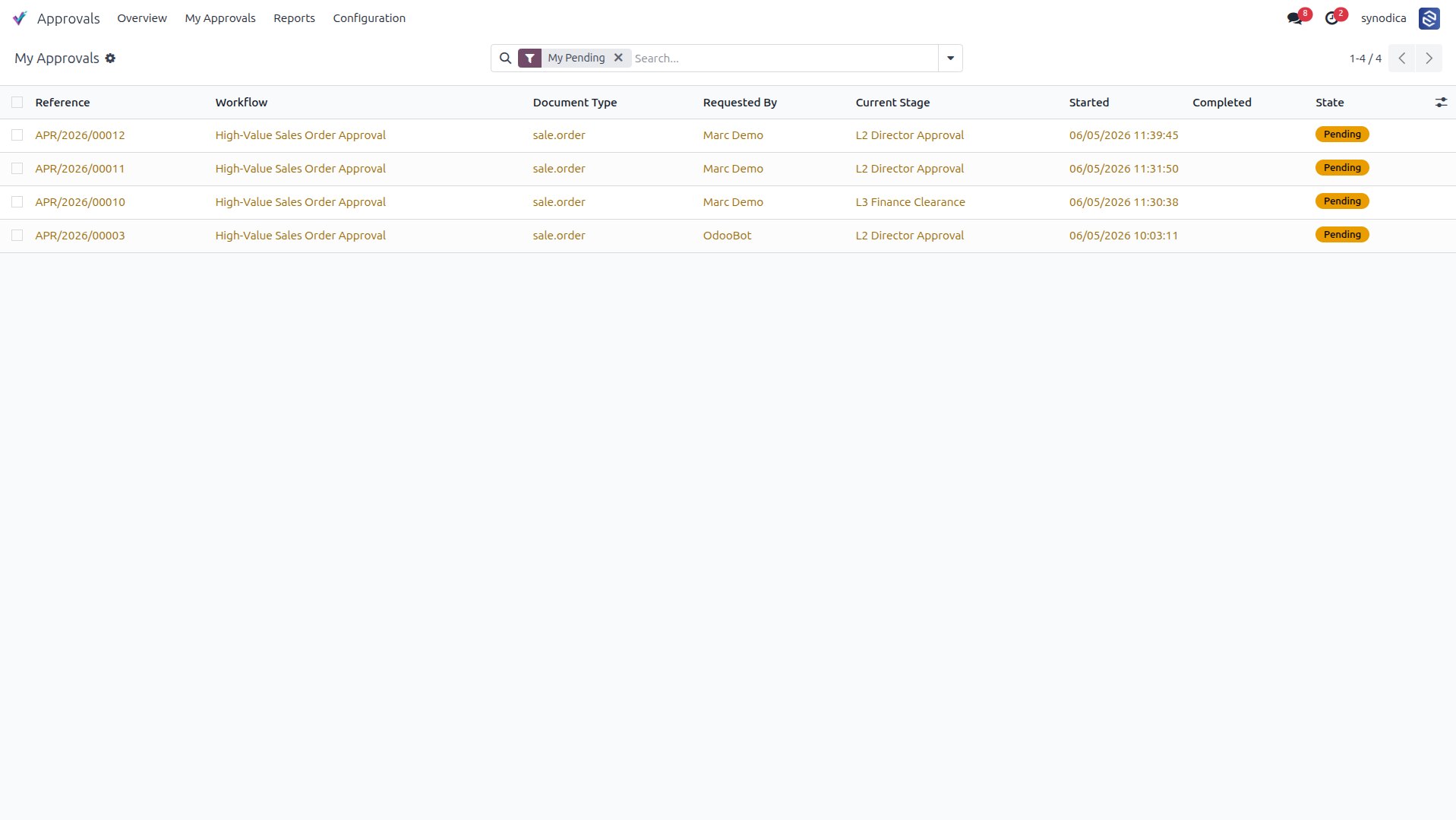
Provides users with a dedicated list view of all approval requests assigned to them that are currently in a pending state.
Displays the various analytics reports available, including Approval Volume, Duration, Bottlenecks, and Performance metrics.
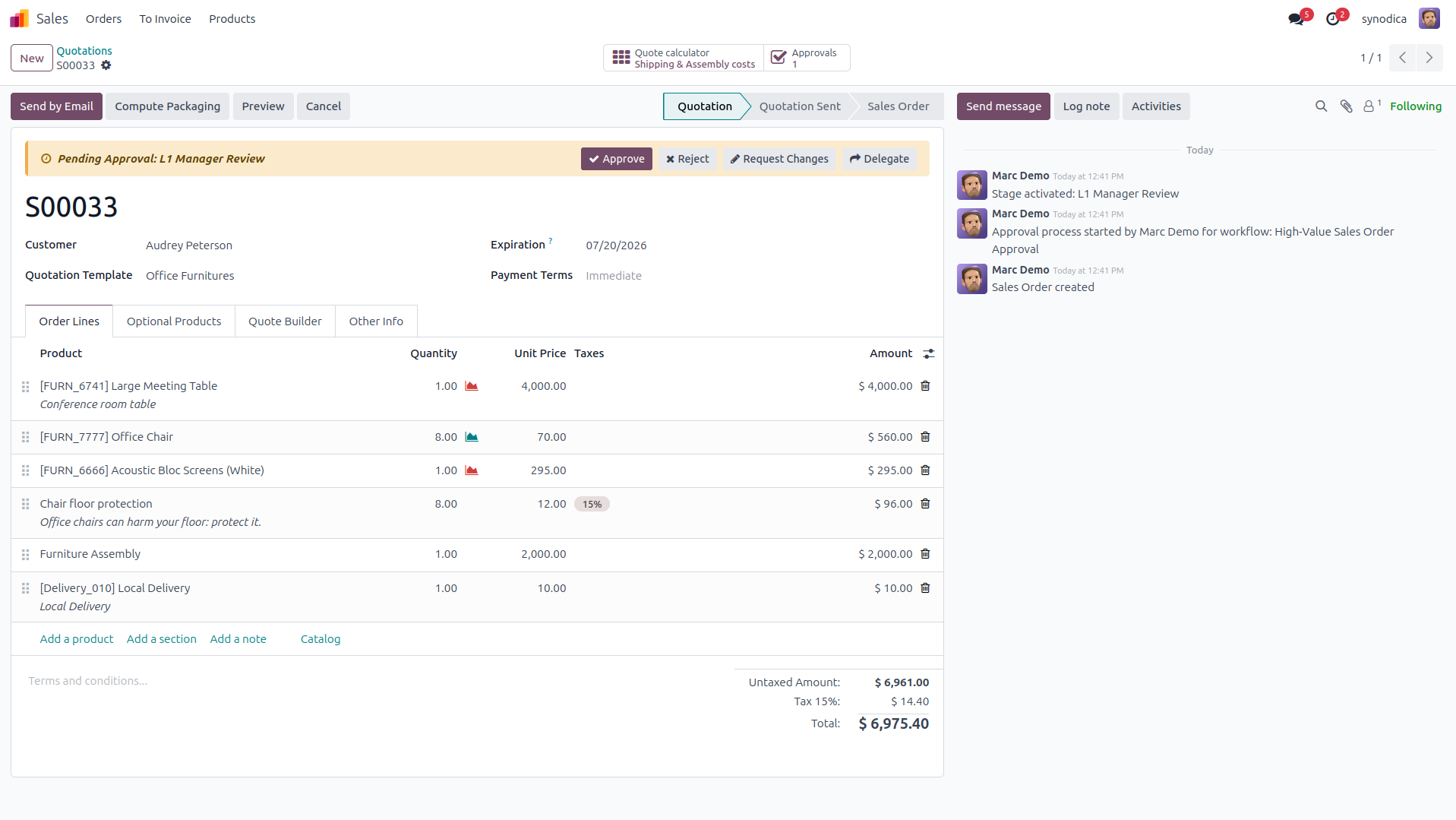
Integrates approval controls directly into the document view, allowing users to Approve, Reject, Request Changes, or Delegate the request with visible status banner.
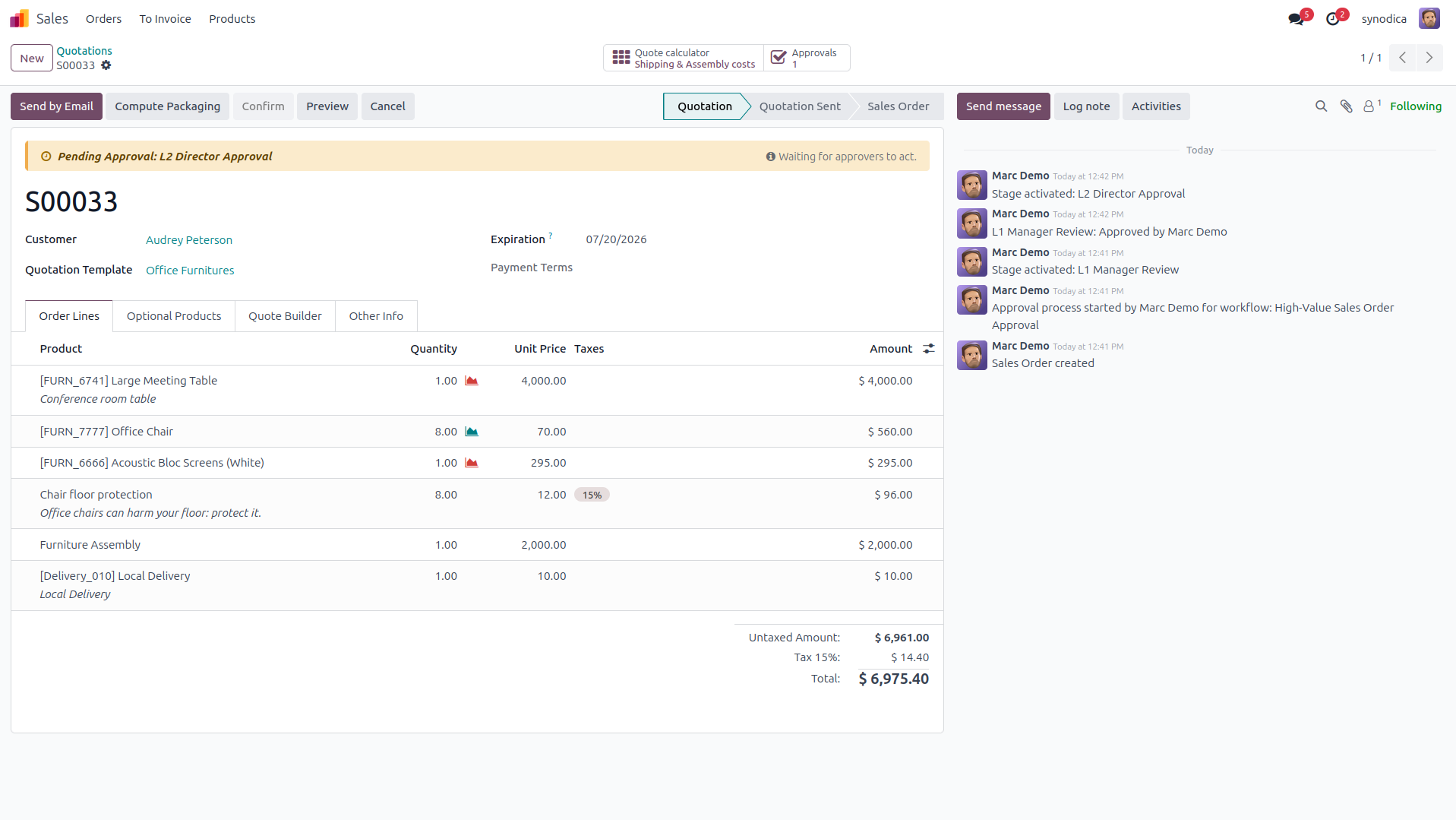
Shows the document status banner when the current user is not the designated approver for the active stage, indicating they are waiting for action.
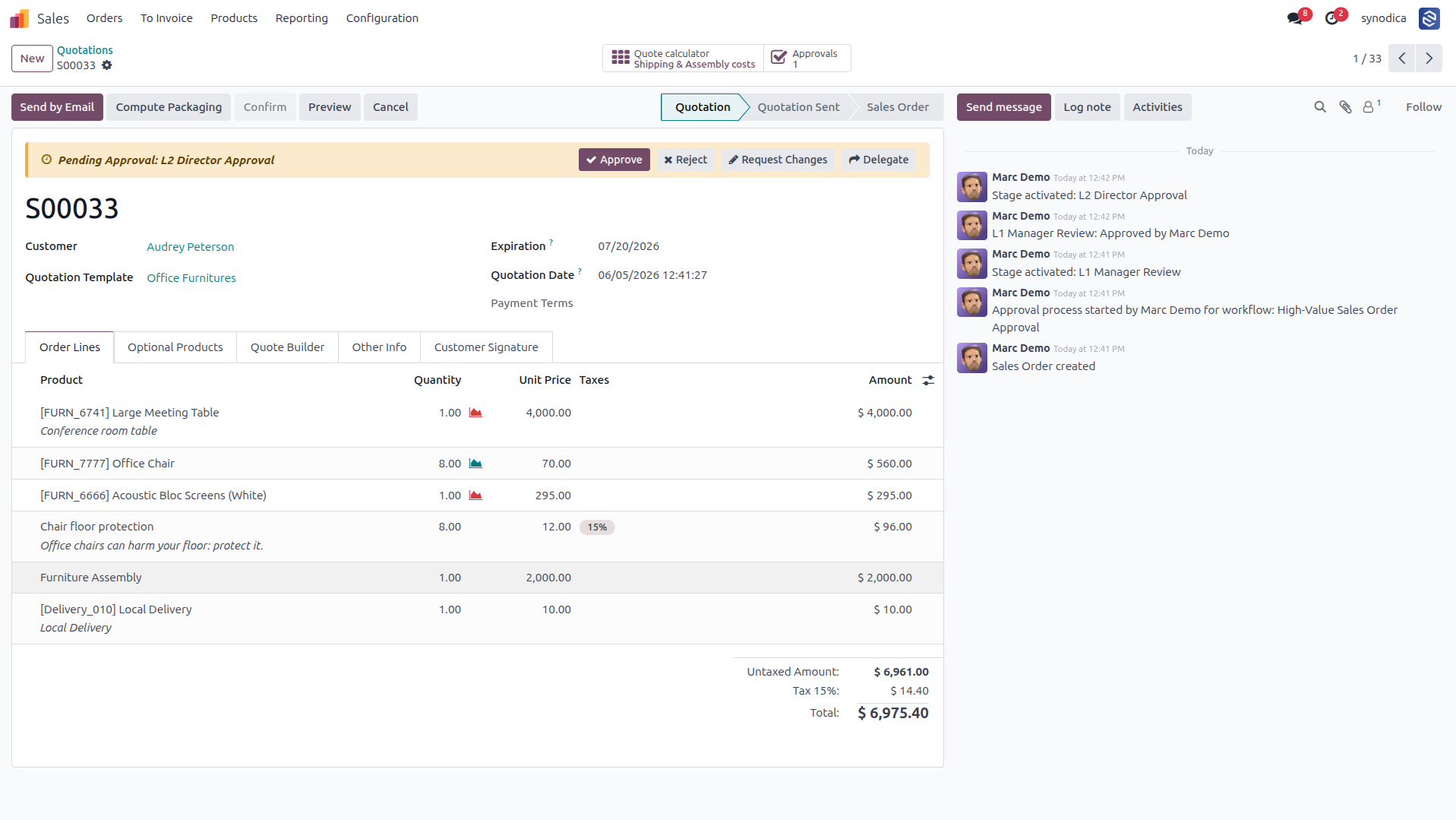
Displays the document view from the perspective of the current approver for the active stage (e.g., L2 Director), restoring the action buttons.
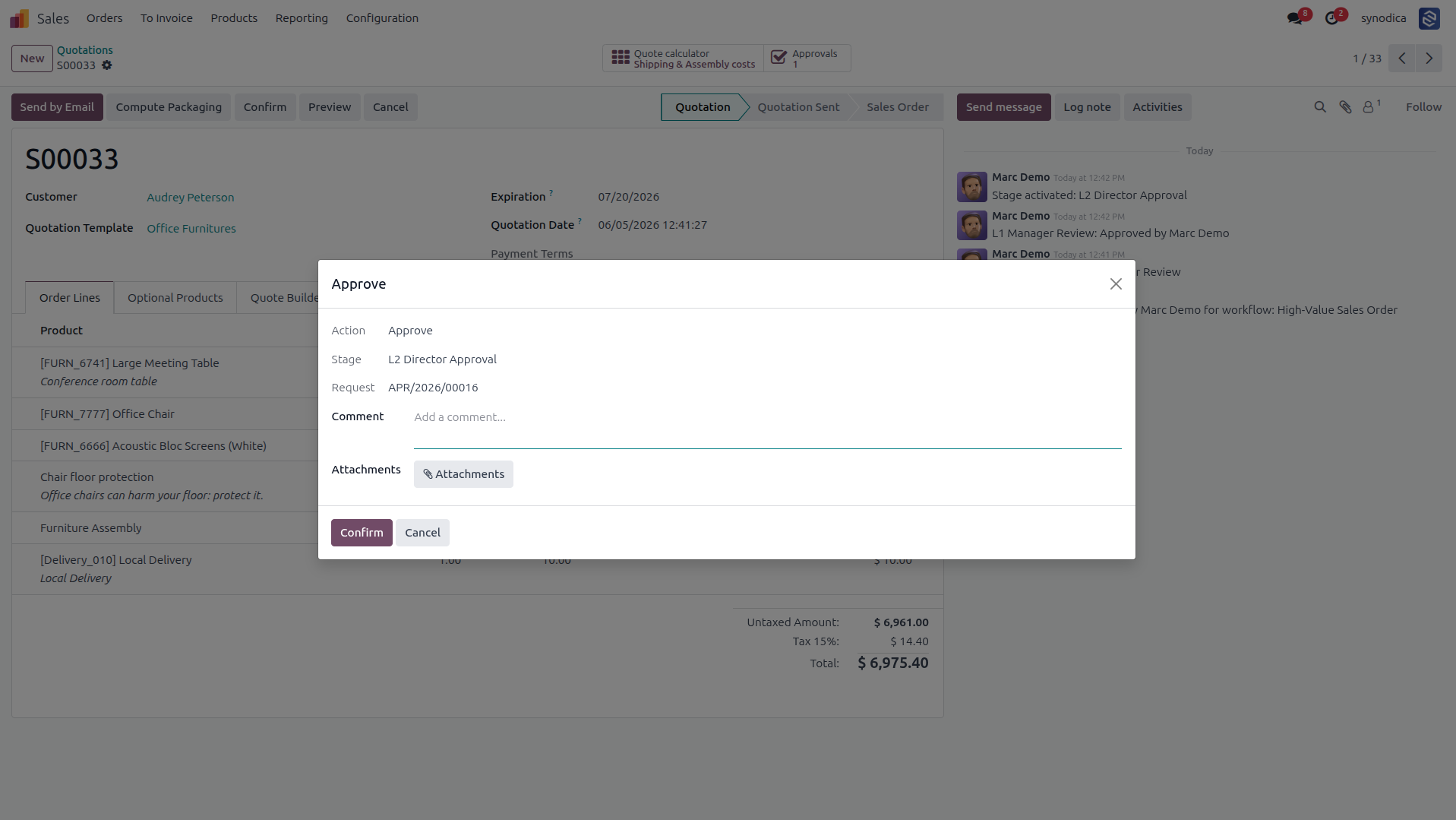
Displays the action dialog that appears when clicking "Approve", allowing the approver to add comments and upload supporting attachments before final confirmation.
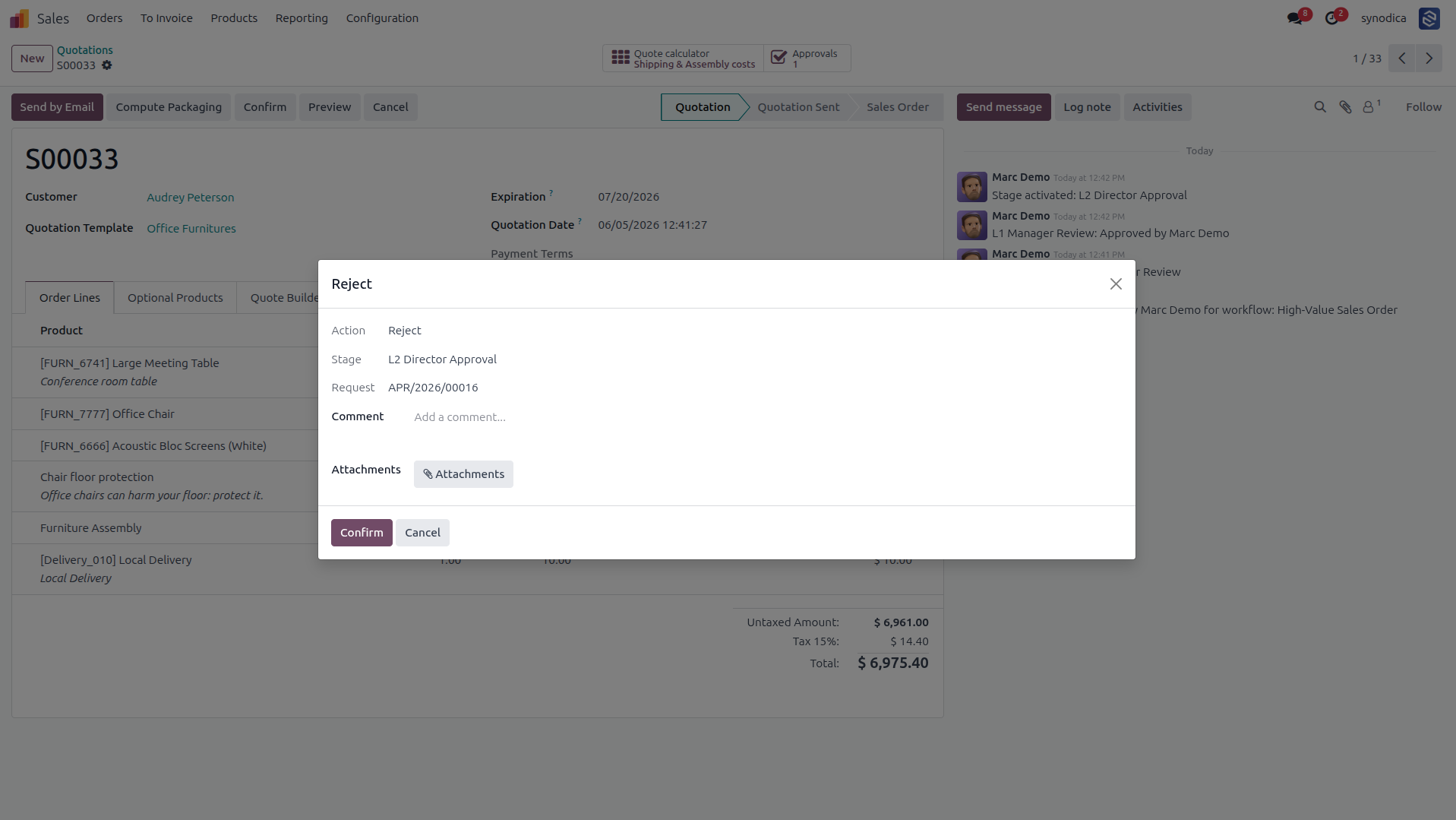
Displays the action dialog that appears when clicking "Reject", allowing the approver to enter feedback before rejecting the document.
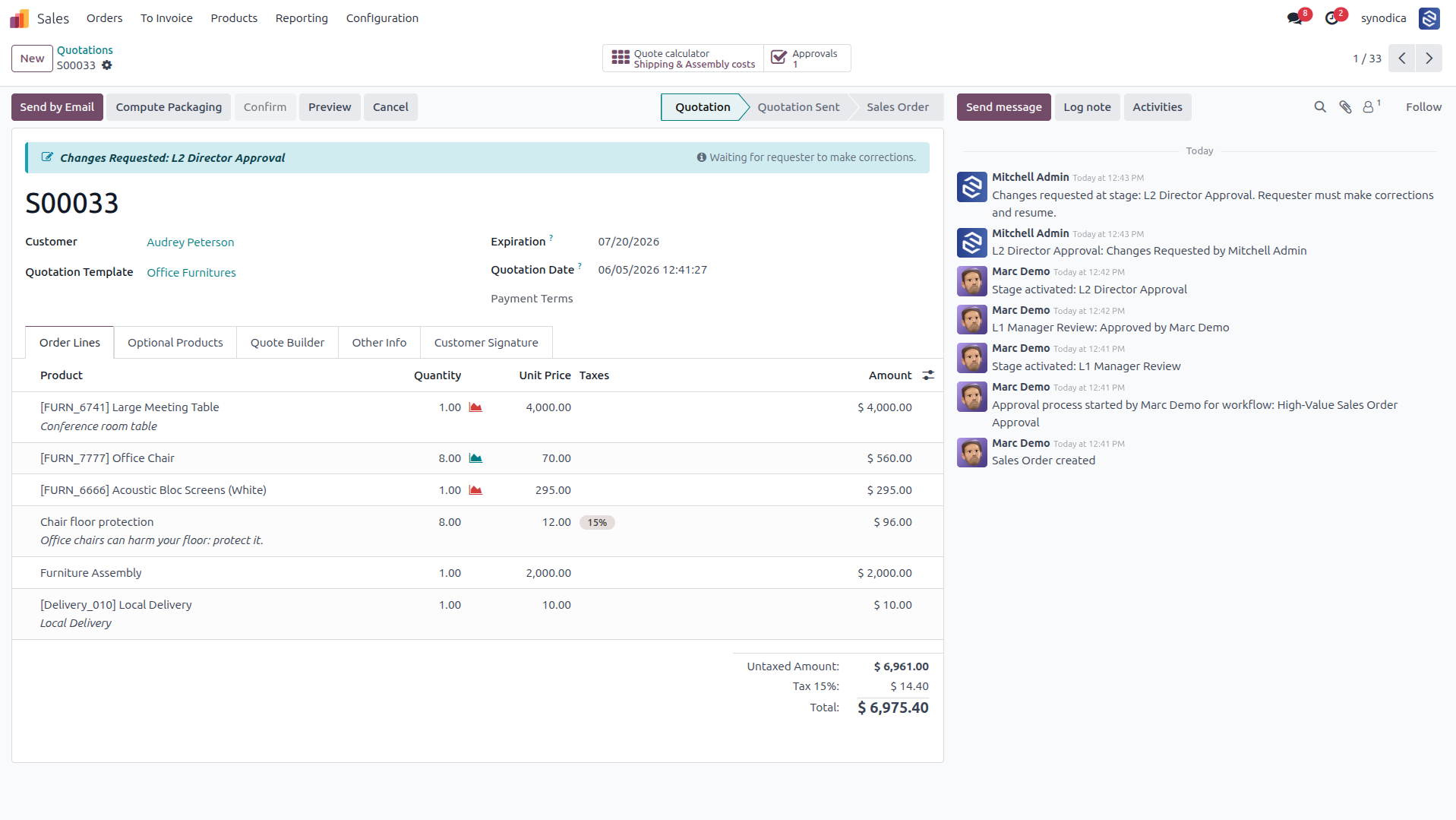
Displays the status banner when an approver requests modifications, halting the approval flow and prompting the requester to make corrections.
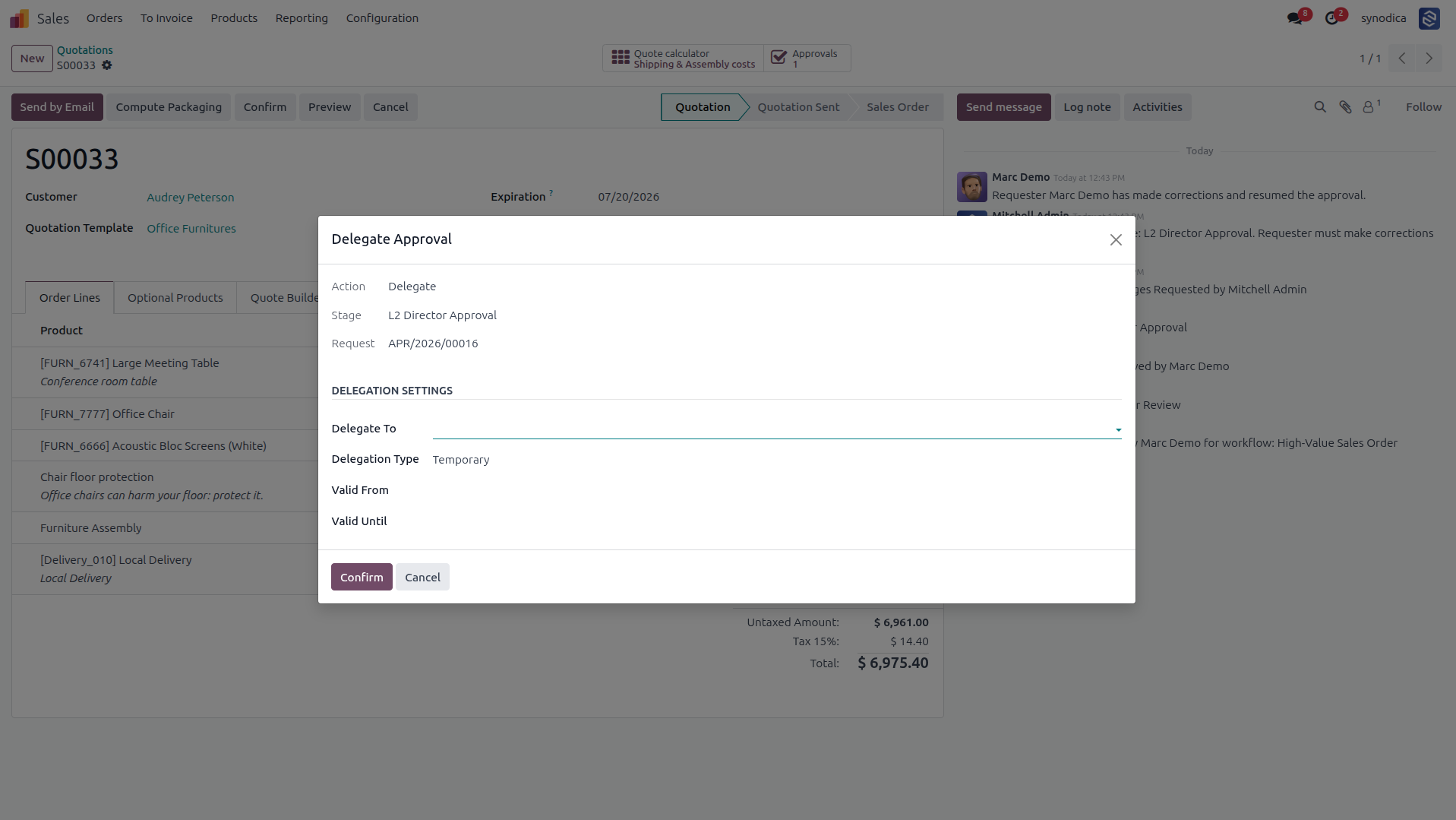
Displays the delegation dialog that allows an approver to reassign the approval task to another user, choosing between temporary or permanent delegation.
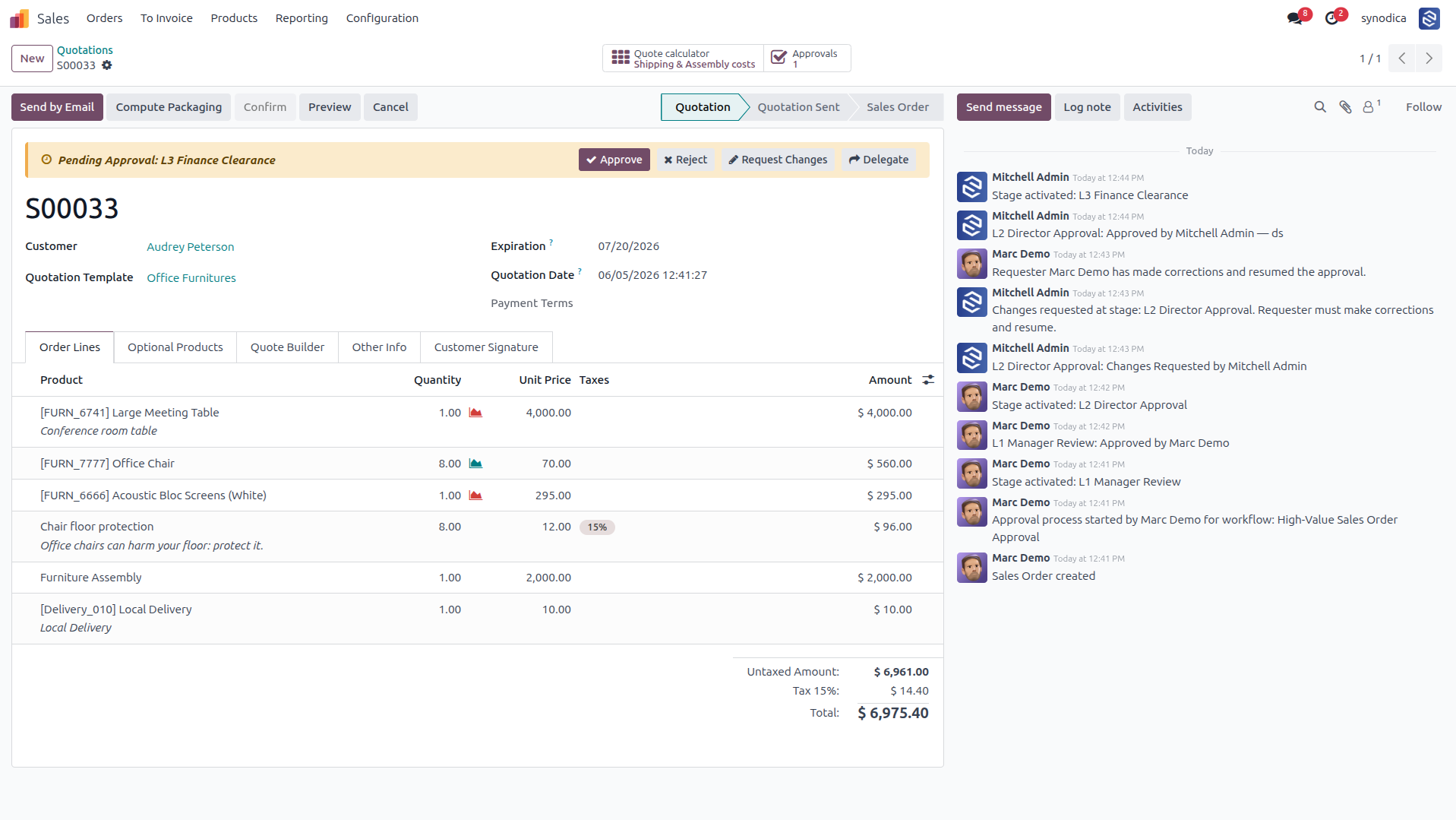
Shows the approval request moving to the final "L3 Finance Clearance" stage after being approved at the L2 stage, with historical progression tracked in chatter.
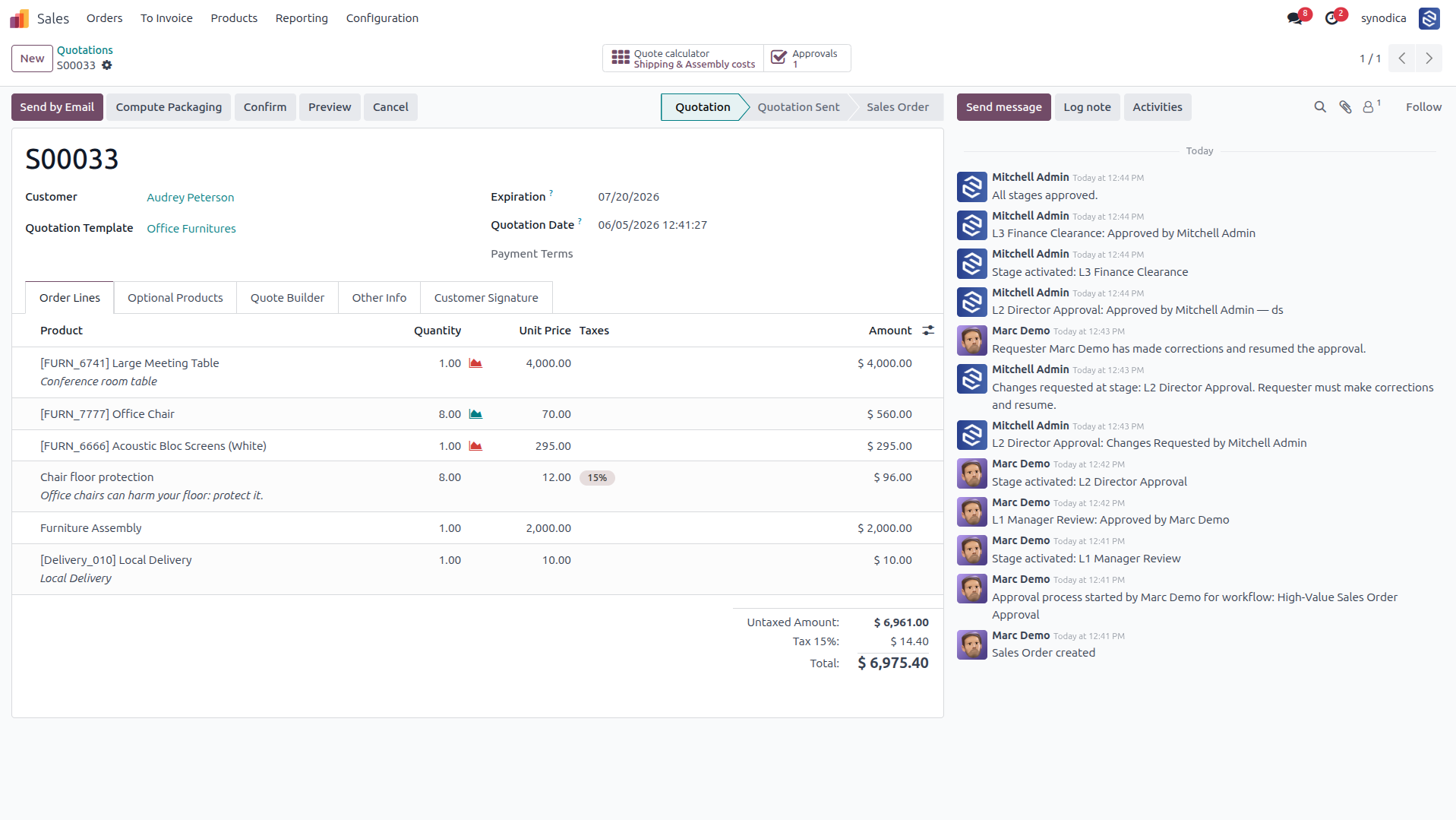
Displays the document (e.g., Quotation) after successfully completing all approval stages, restoring the standard Odoo document actions.
Enterprise Level Intelligence
Unlock advanced control, routing policies, and secure locking capabilities for your Odoo databases.
Zero-Code Integration
Hooks into Odoo's BaseModel at the ORM level. Support any standard or custom Odoo model without writing a single line of python code.
Dynamic Button Discovery
Scans form view XML data automatically to extract available button IDs, offering a strict, error-free dropdown for workflow configuration.
Flicker-Free UI Locks
Dynamically locks UI elements (Fields, Tabs/Pages, Groups, and Buttons) during Odoo's view loading phase based on active stage rules, preventing flickering.
Secure State Mutations
State transitions (such as resubmission or changes) are wrapped securely in sudo context to prevent security leaks while ensuring access privileges.
Advanced Routing Policies
Configure consensus options: require first response, unanimous approval from all users, or a specific numeric count of approvers.
Relational Approver Lookup
Dynamically traverse Odoo relationship chains to find supervisors (e.g. `user_id.employee_id.parent_id.user_id`) on the fly.
Specialized Odoo Services
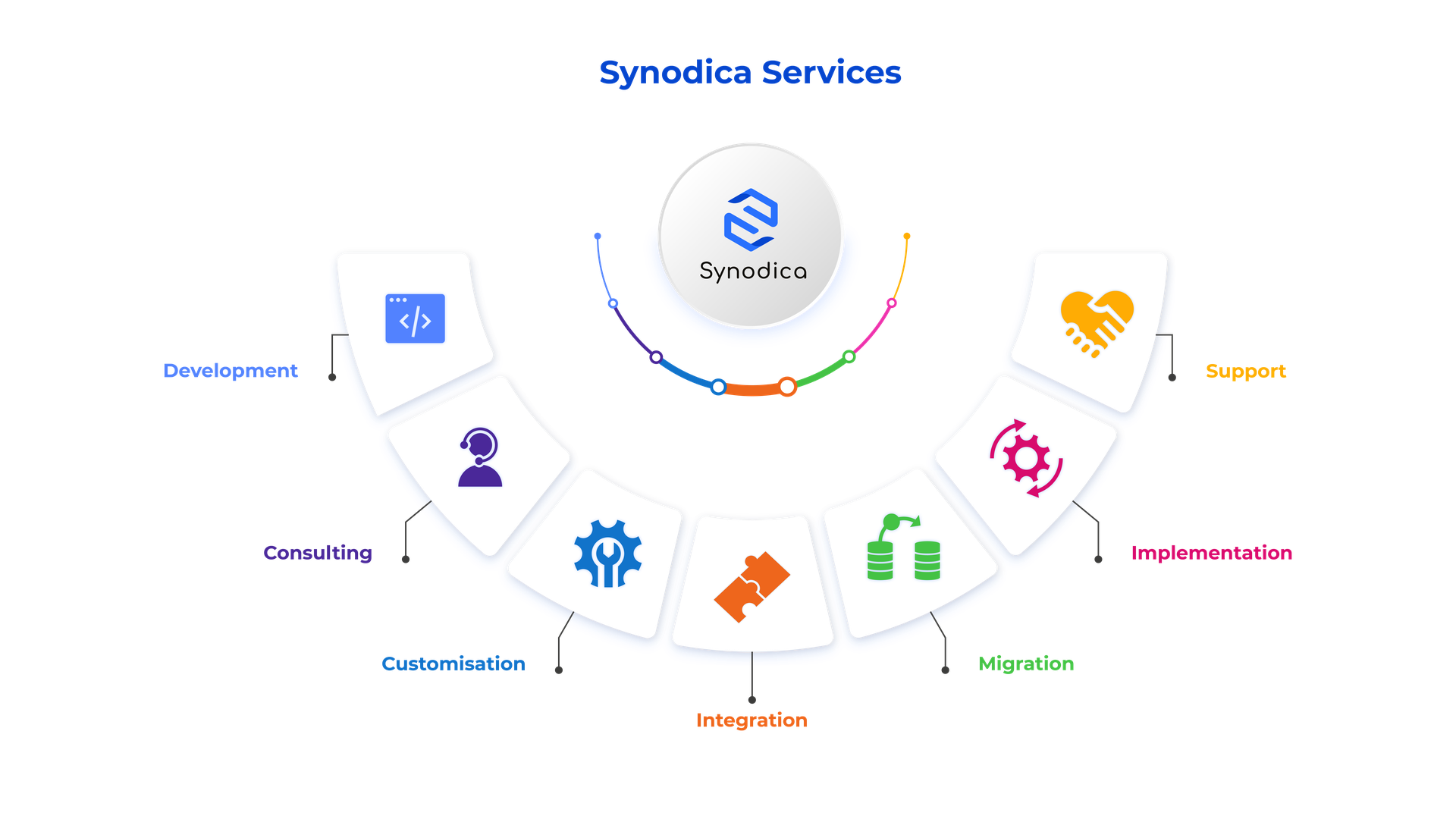
We build, customize, and maintain Odoo solutions for businesses worldwide - from implementation to advanced integrations.
Ready to Automate Approvals?
Stop chasing signature sheets, emails, and manual verification steps. Install the Universal Approval Engine and manage all Odoo workflow approvals automatically.
© 2026 Synodica Solutions PVT. LTD. - Universal Approval Engine for Odoo 18
We create ERP solutions for you using Odoo ERP that will build a strong and efficient business for you. It's SYNODICA WAY