



Bill.com Integration

BY SYNODICA SOLUTIONS
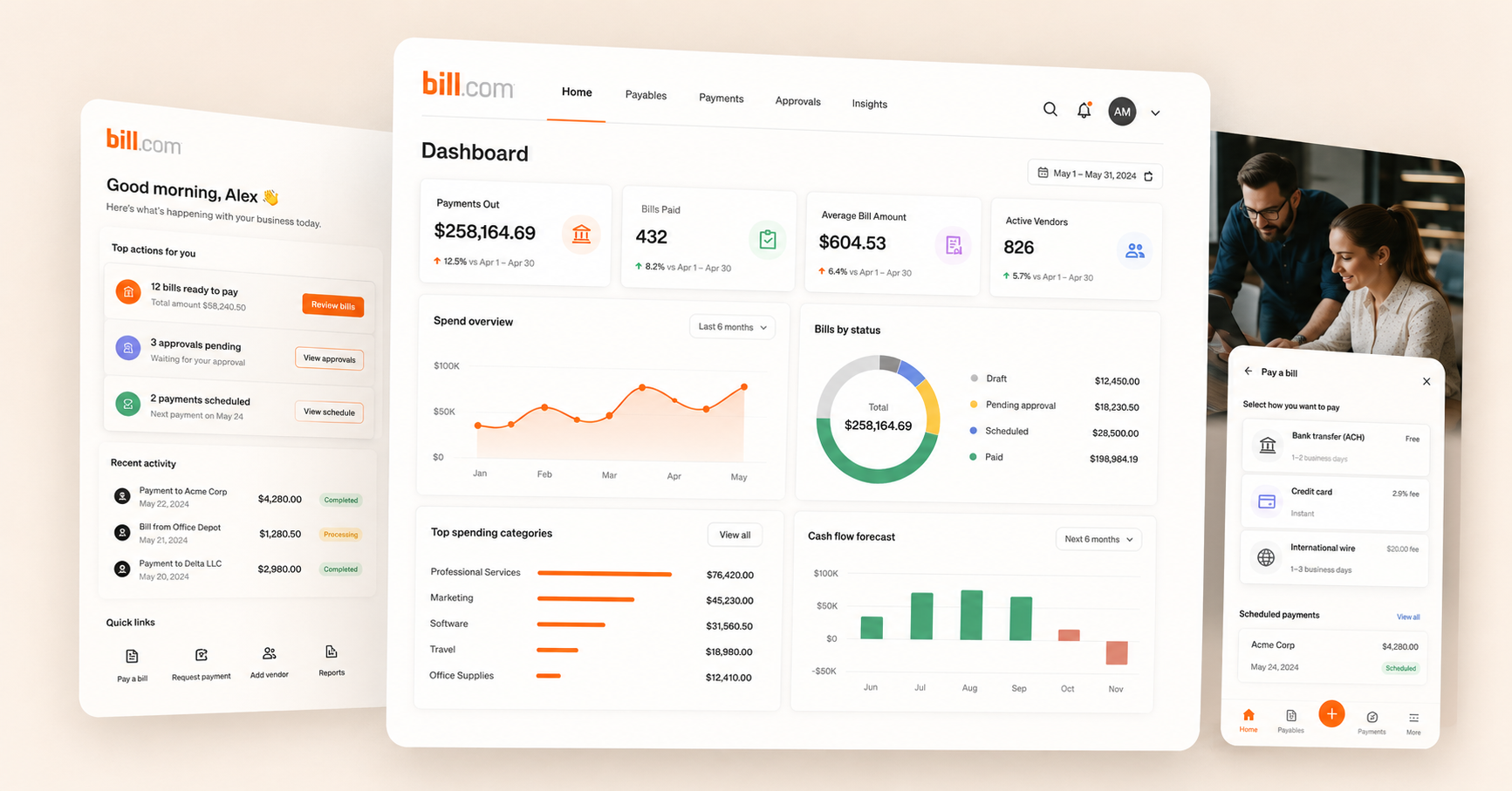
Connect Odoo to Bill.com and sync everything automatically — vendors, bills, invoices, and payments. Built on a robust architecture made for stability.
 Enterprise
 Community
WHY BUSINESSES USE THIS CONNECTOR
Running Bill.com & Odoo together takes a lot of work — if they are not connected.
Without a good integration, your team updates products in two places, records gets out of date, and bills are entered by hand. The Synodica Bill.com Connector keeps everything in sync automatically — vendors, bills, invoices, payments — so your team can focus on the business.
Built for businesses with more than a basic setup: multiple accounts, complex records, custom fields, specific workflows. Years of real customer scenarios have shaped how the connector handles complexity today.

records stays correct
records levels update in Bill.com automatically when they change in Odoo — in real time or on a schedule. No more overselling.

Bills arrive automatically
New Bill.com bills appear in Odoo within seconds via webhooks. The connector can confirm, invoice, and process them without manual steps.

Prices stay up to date
Export prices from Odoo to Bill.com automatically — from a simple price field or from pricelists with regular and sale prices per market or customer group.

Configurable to your process
Every sync rule can be adjusted — which fields, which direction, which stores. The connector fits your process, not the other way around.


EVERYTHING INCLUDED
Feature details
Open any category to see what is included. Every item can be configured to match your workflow.


Setup Wizard
Initial Data Import


Catalog Sync
Field-Level Control


records Sync
Multi-Location


Order Import
Auto-Workflow Pipeline


Import & Matching
Extended Mapping
COMMON QUESTIONS
Frequently asked questions
Everything you need to know before you buy.

The connector targets Odoo 18, and is built strictly following Odoo 18 production standards. Each Odoo version is a separate purchase. Both Enterprise and Community editions are supported.

Yes — request a free demo and we'll set up a demo instance connected to your Bill.com account on request.

Nothing is changed until you run an import. The setup wizard imports your existing vendors, customers, and bills, matching records automatically by SKU or barcode wherever possible.

Network interruptions and API payload faults are caught and logged safely into individual Queue Lines, so a problem with one record never rolls back the rest of a transaction. You can inspect JSON payloads and retry failed lines directly from the Queues menu.

The setup wizard guides you through every step — connection, data import, sync rules, and order configuration. Most businesses can complete it without developer help. For more complex setups — custom field mappings, specific workflows, or server installation — our team offers an installation and configuration service.

Every purchase includes bug-fix support and two free 1-hour guided setup sessions with our team — see the Purchase Options section below for details.

There's no fixed limit. The connector's multi-instance architecture lets you connect, authenticate, and manage as many Bill.com instances as you need within a single Odoo database — each with its own settings and queues.

Yes. You can exclude specific products from sync entirely. For payments, you can filter by status and sales channel. You can also control which fields sync and in which direction — per field.

Bill.com accounts are mapped to Odoo records locations, so records levels stay accurate per location on both sides — including records for manufactured products tracked via Bill of Materials.

Yes. Contact us through our support channel and describe what you need. If the feature fits the product and would benefit other customers, we may include it in a future release — in which case you may receive a discount on the development cost.
How it works
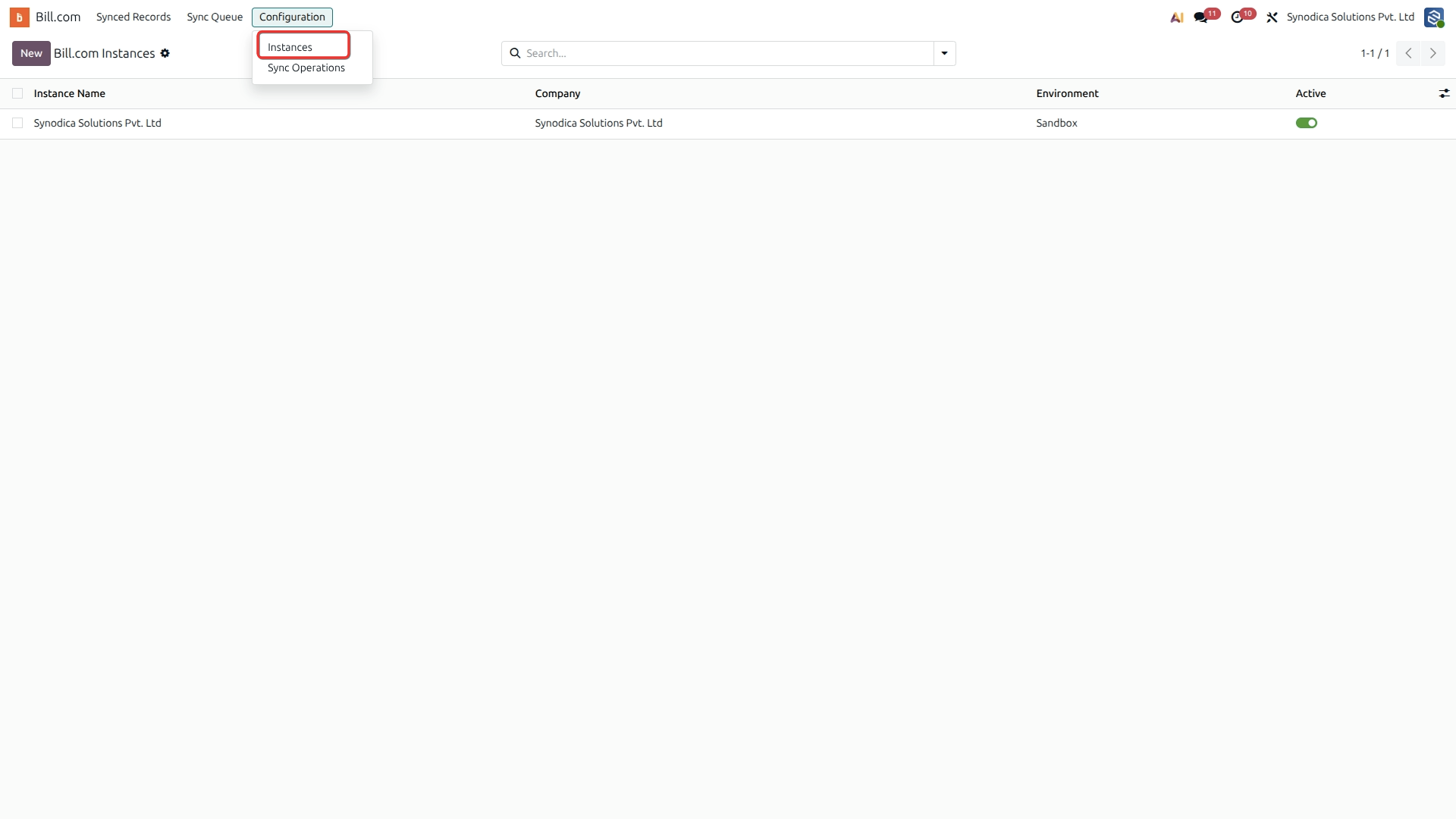
The connector includes a guided setup wizard that takes you from your first Bill.com connection to a fully working sync — no developer needed for standard setups.
Create a new Bill.com Instance
Enter API Credentials & Base URL
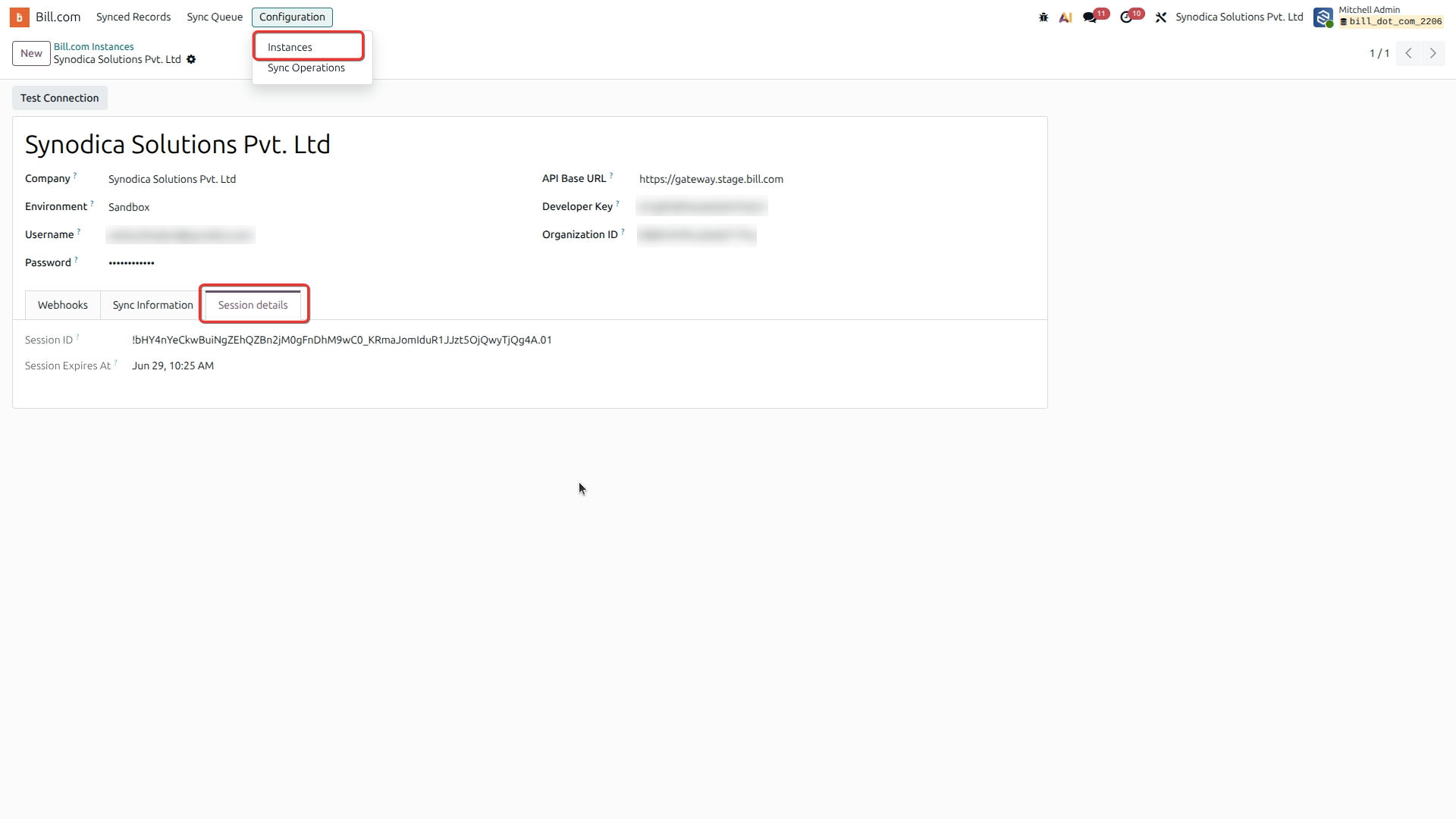
Test API Connection
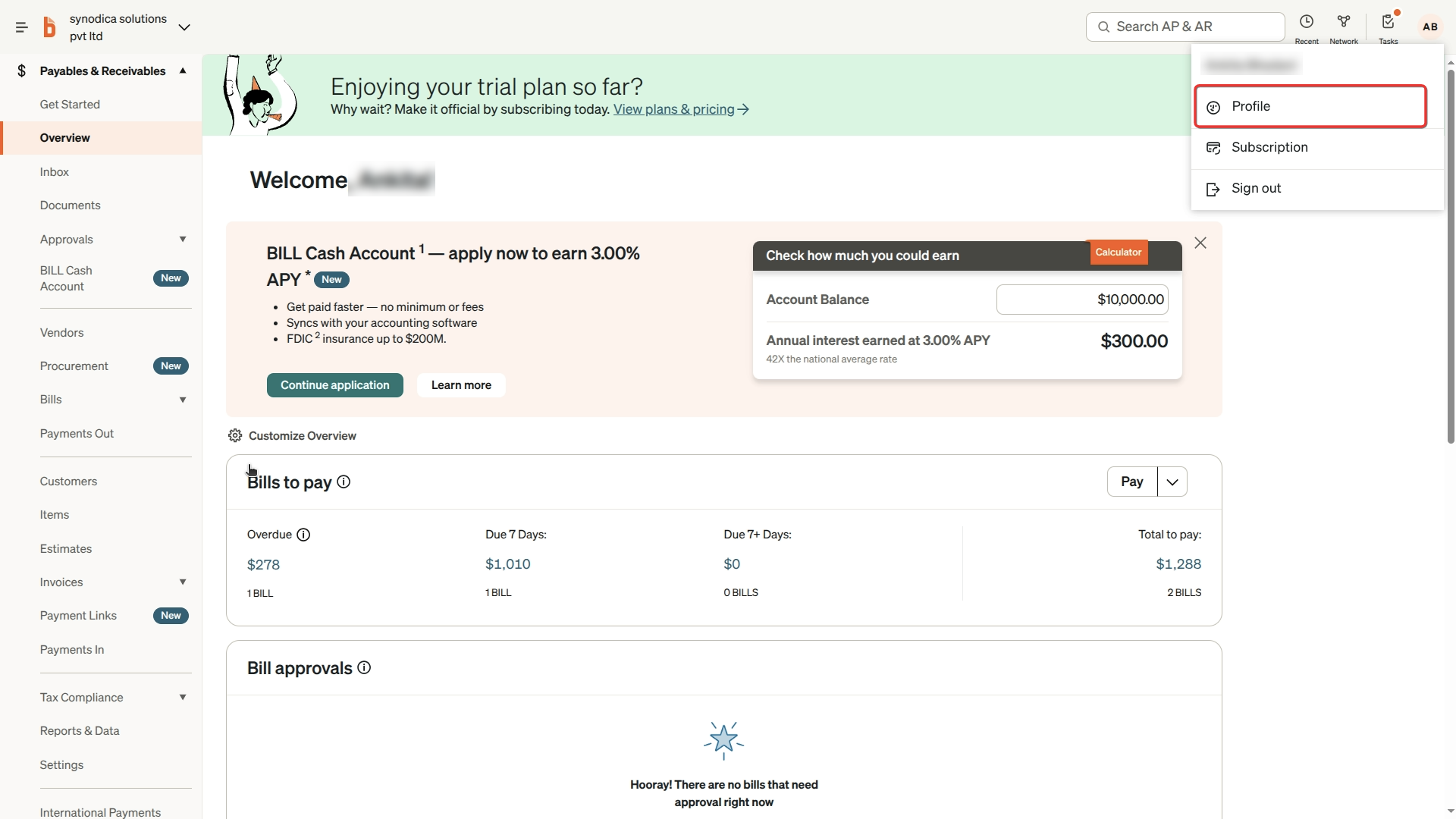
Configure Sync Settings
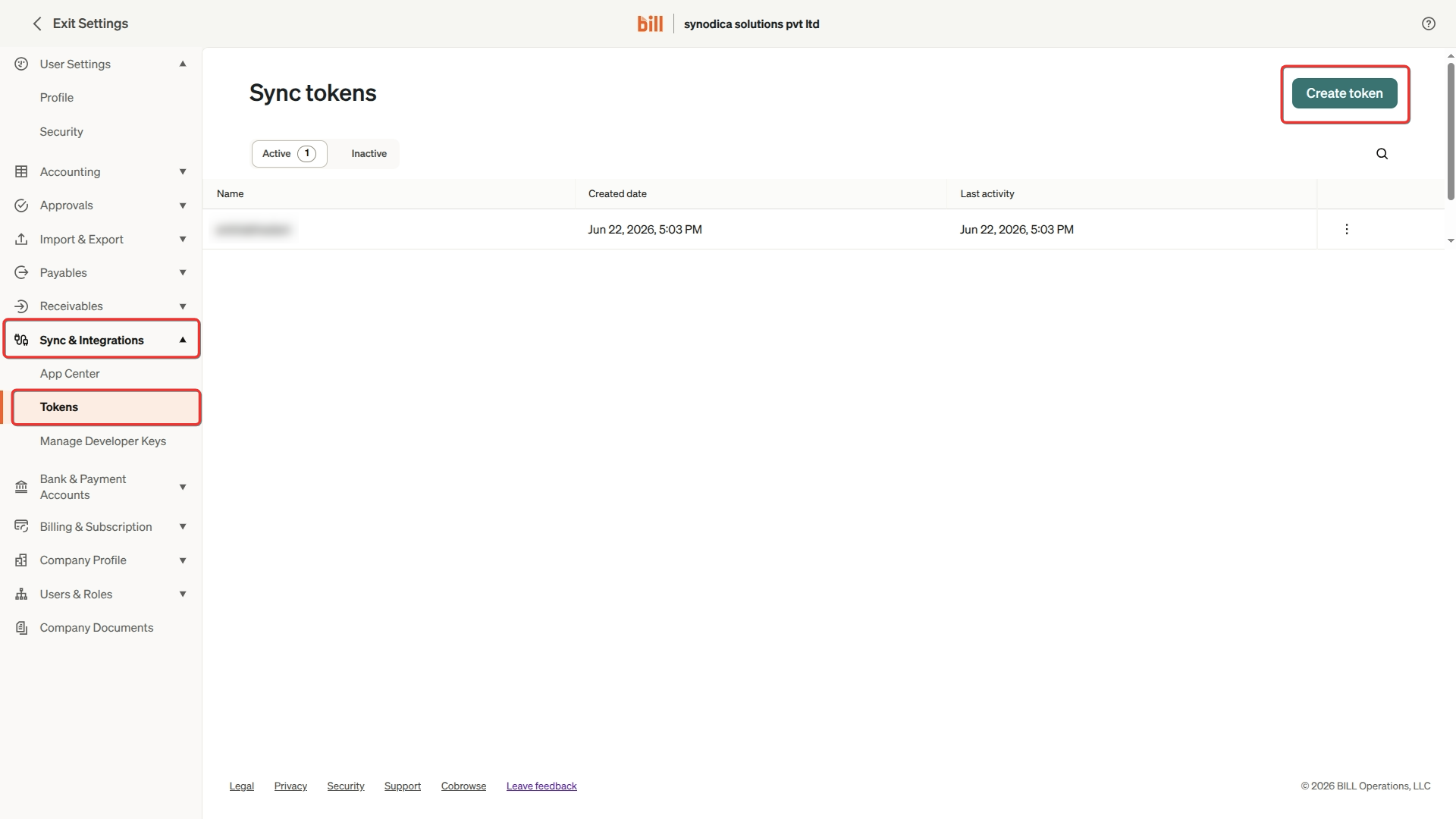
Save and Activate Instance
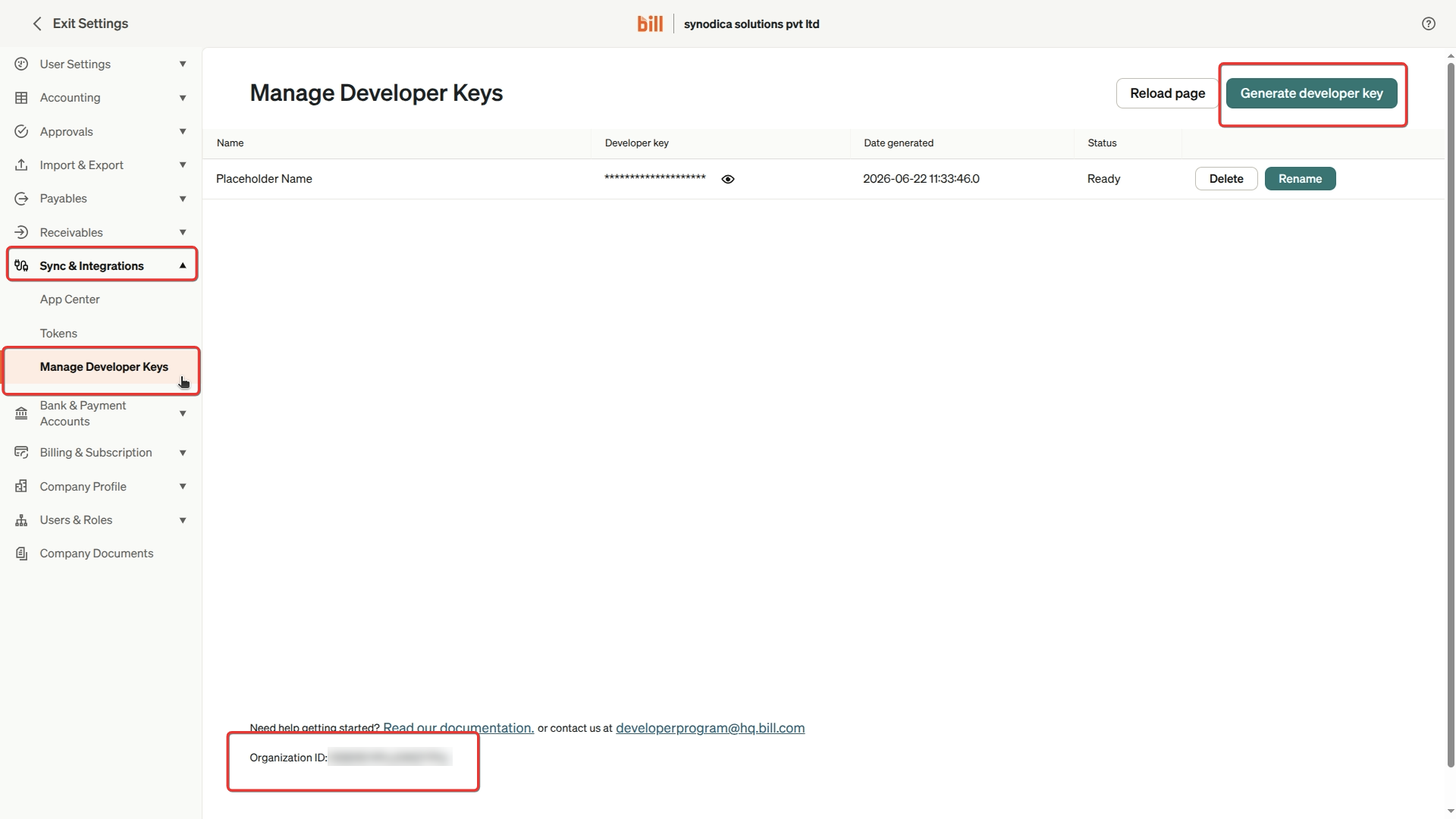
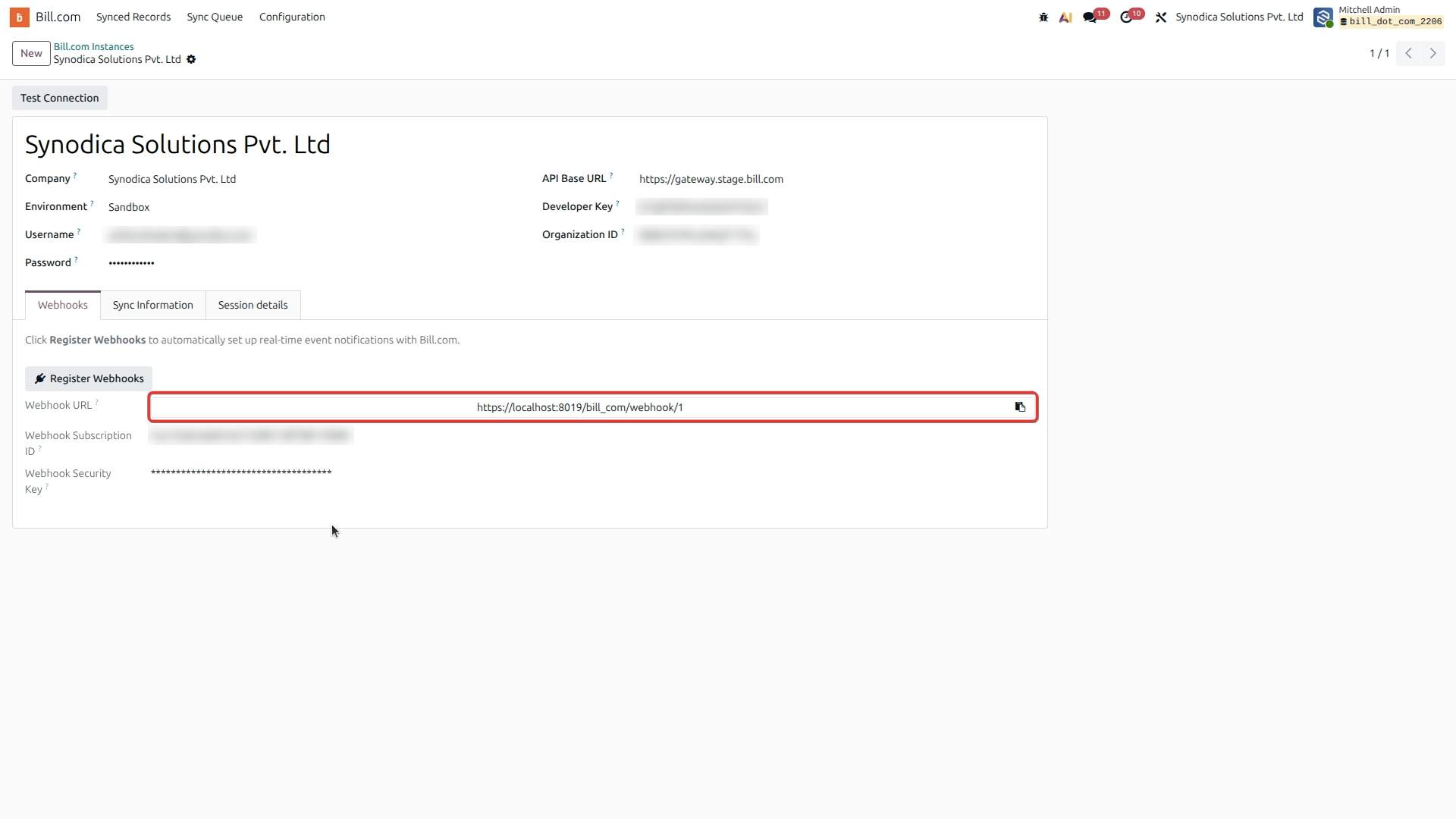
Configure Webhooks for Real-Time Updates
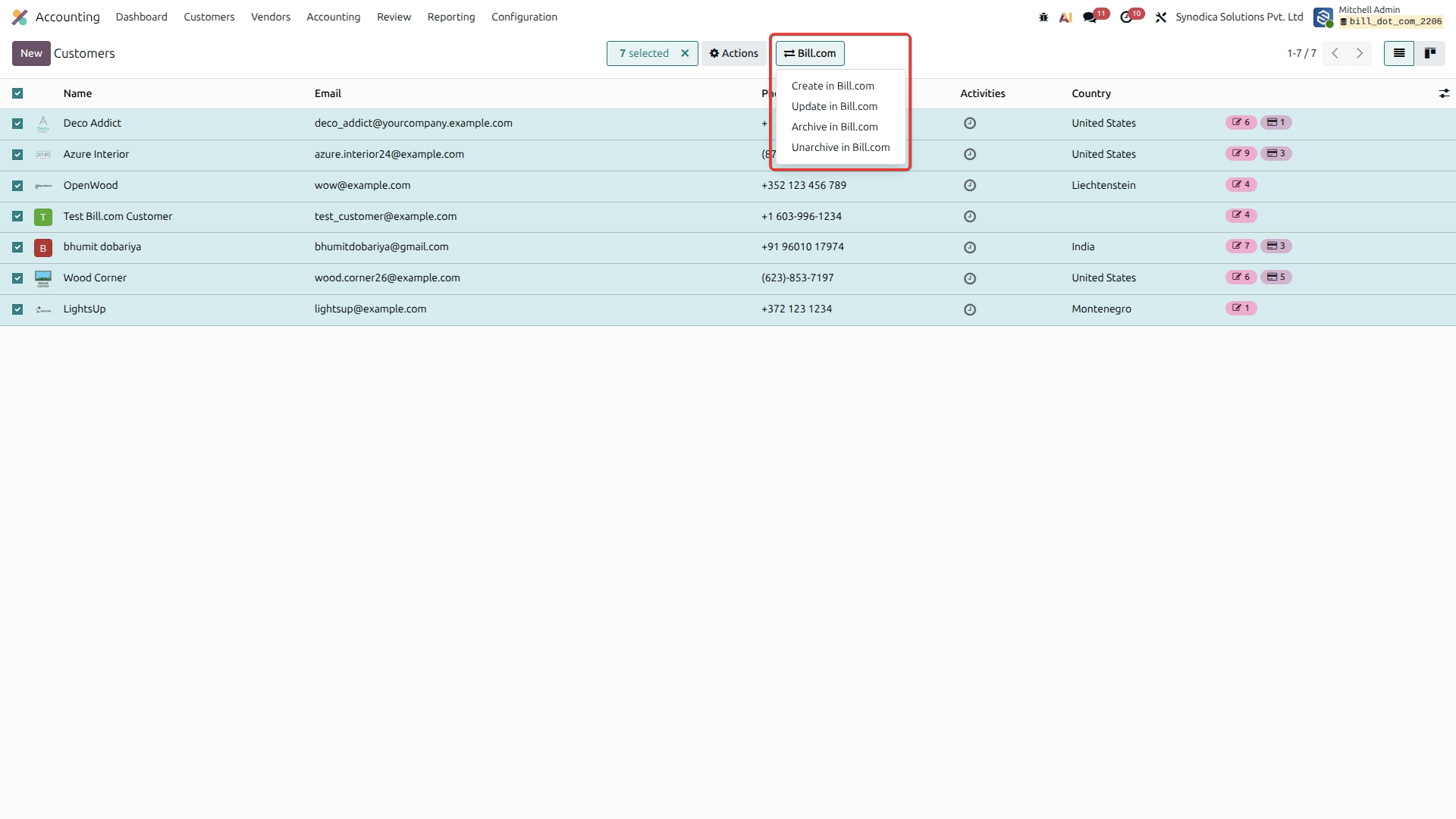
Bulk Customer Actions in Odoo
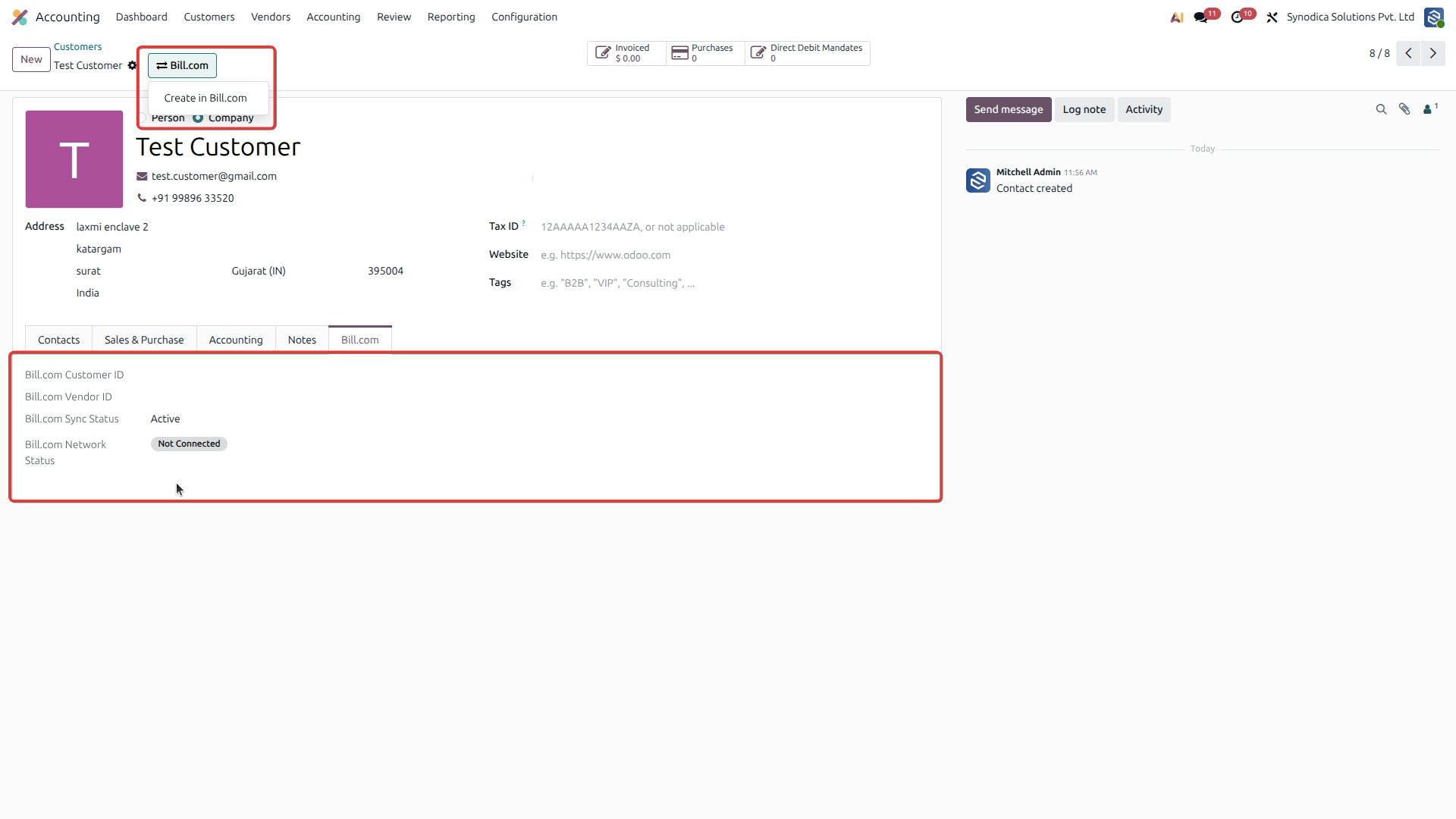
Sync Individual Customer to Bill.com
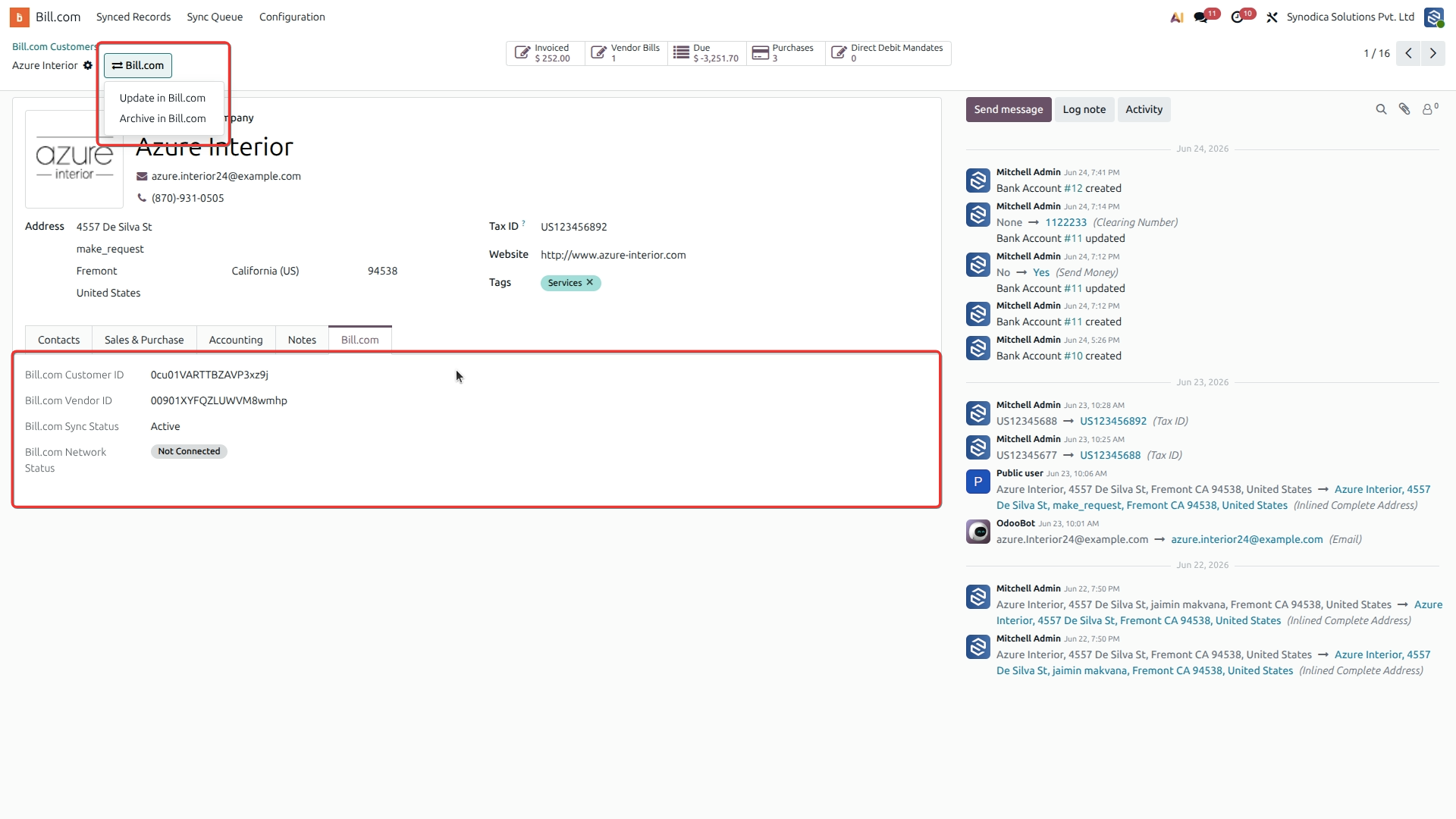
Update Synced Customer Details
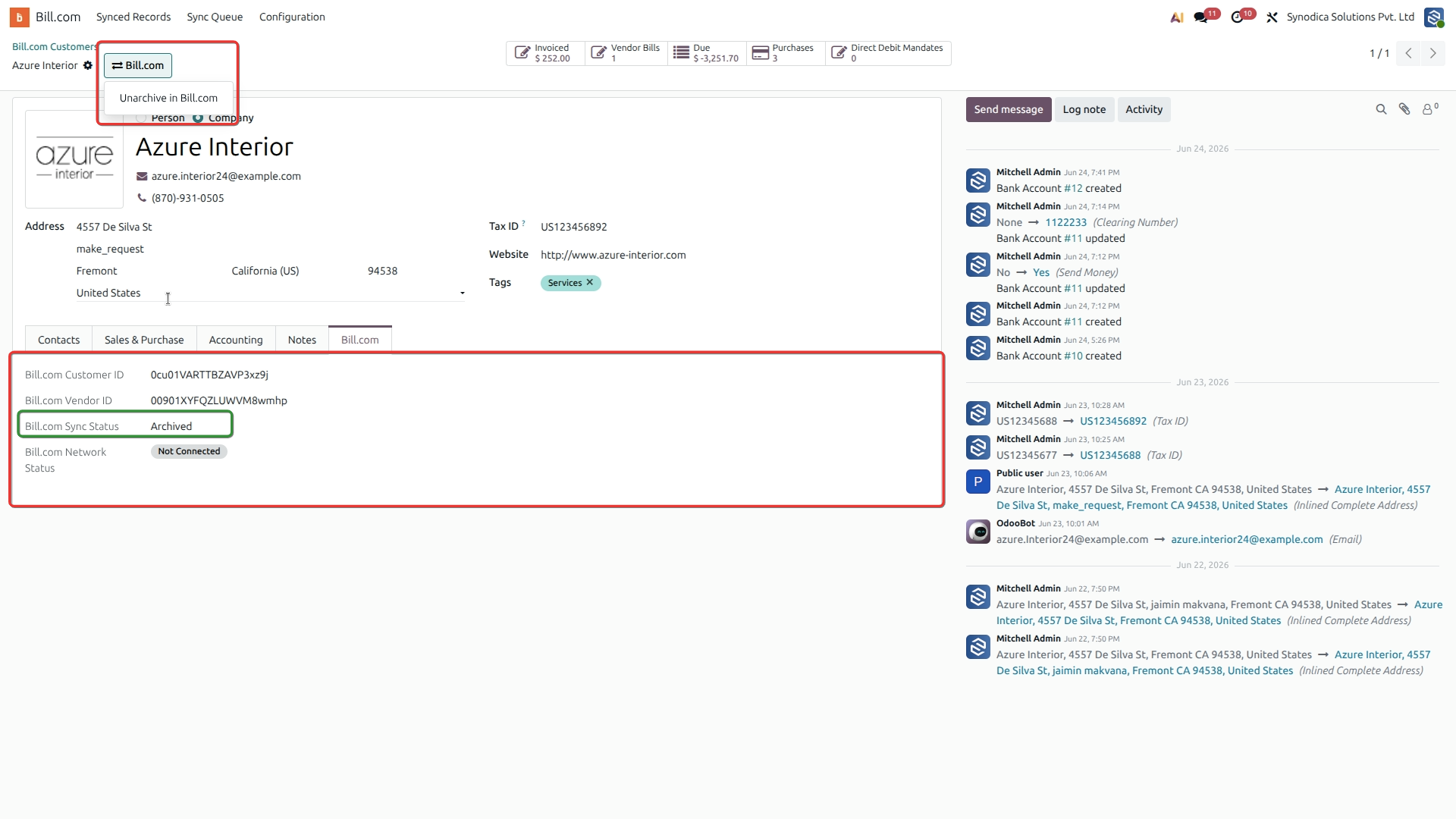
Archive Customer in Bill.com
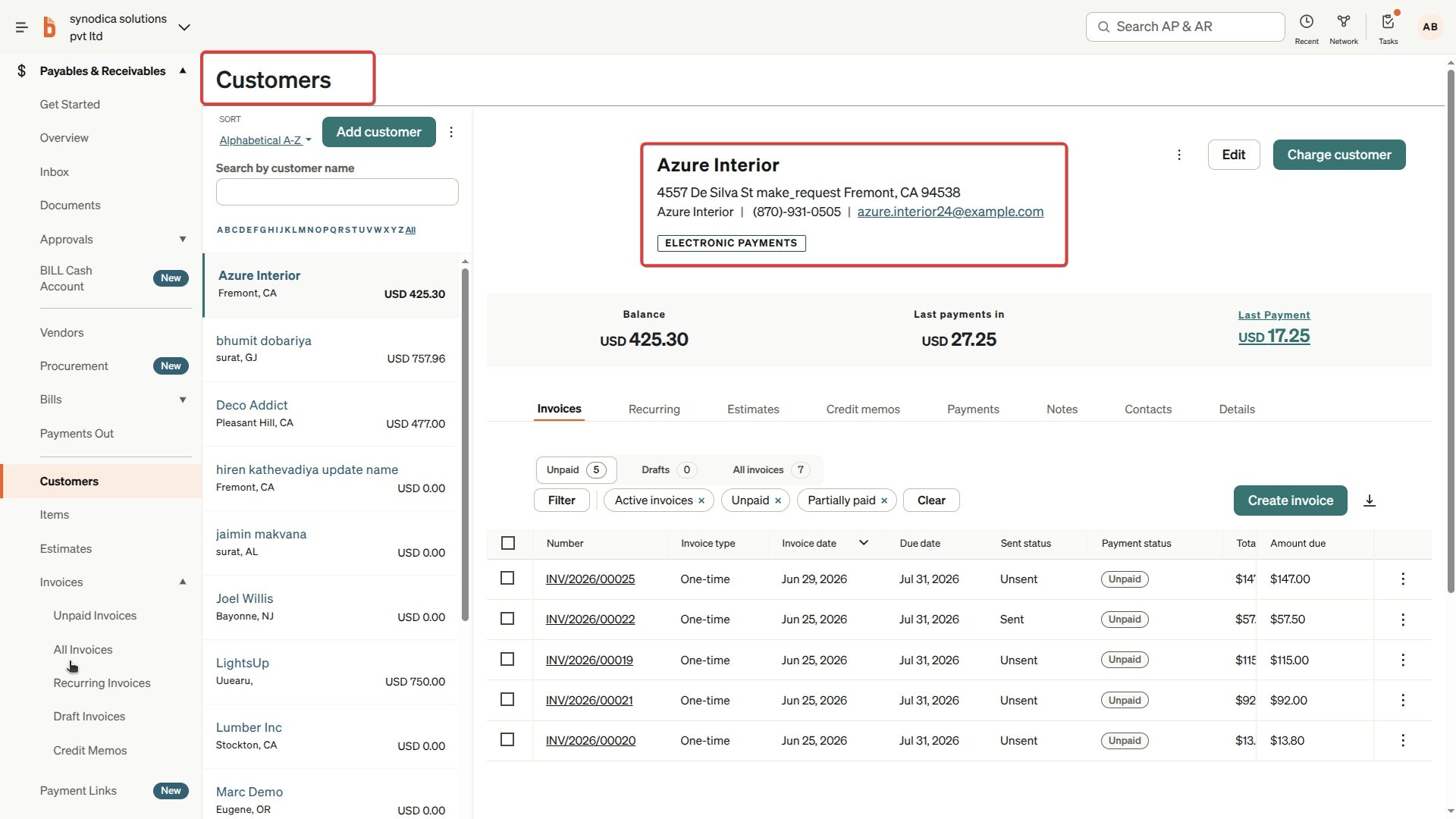
View Synced Customer in Bill.com
Bulk Product Actions in Odoo
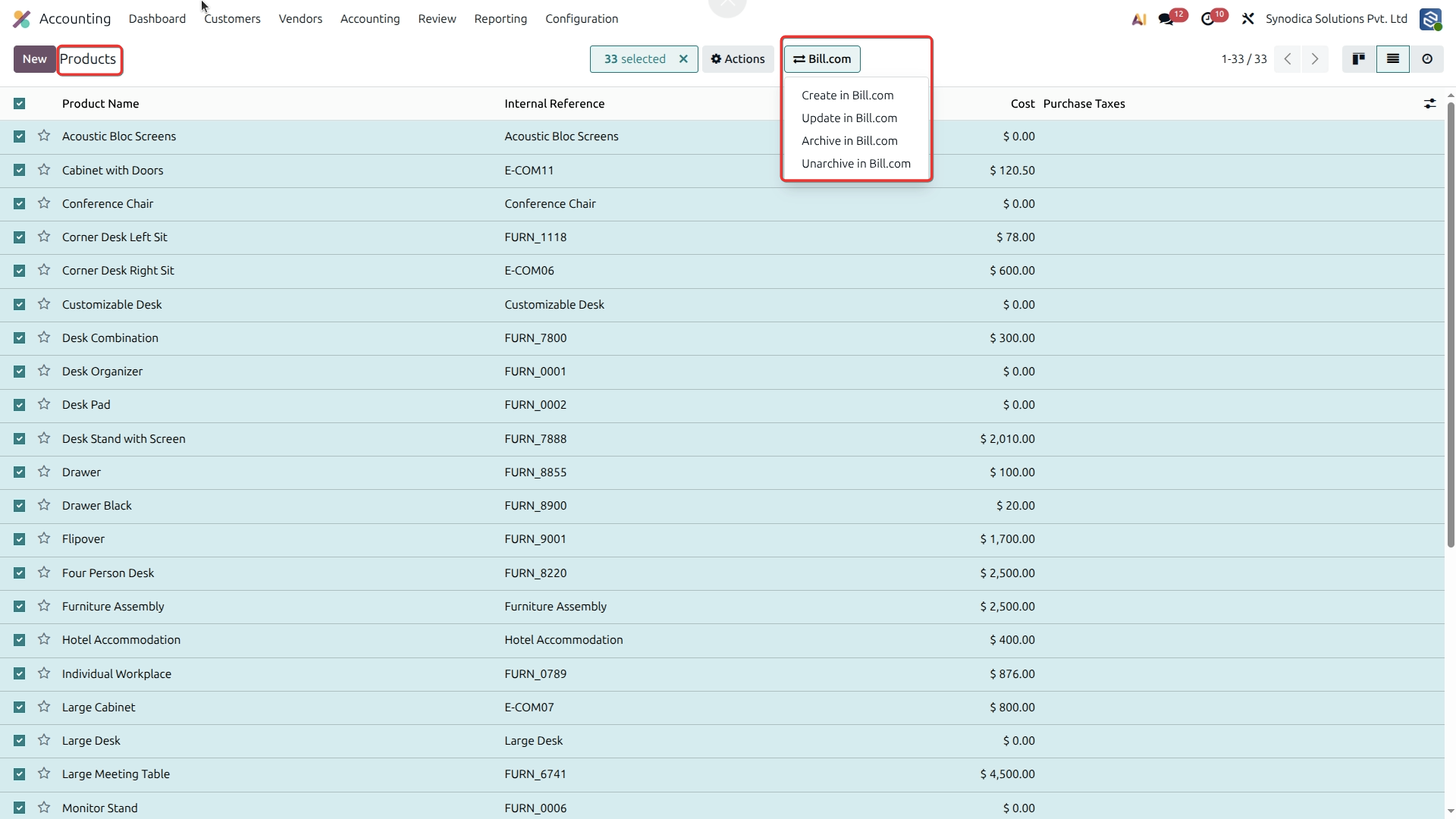
Sync Individual Product to Bill.com
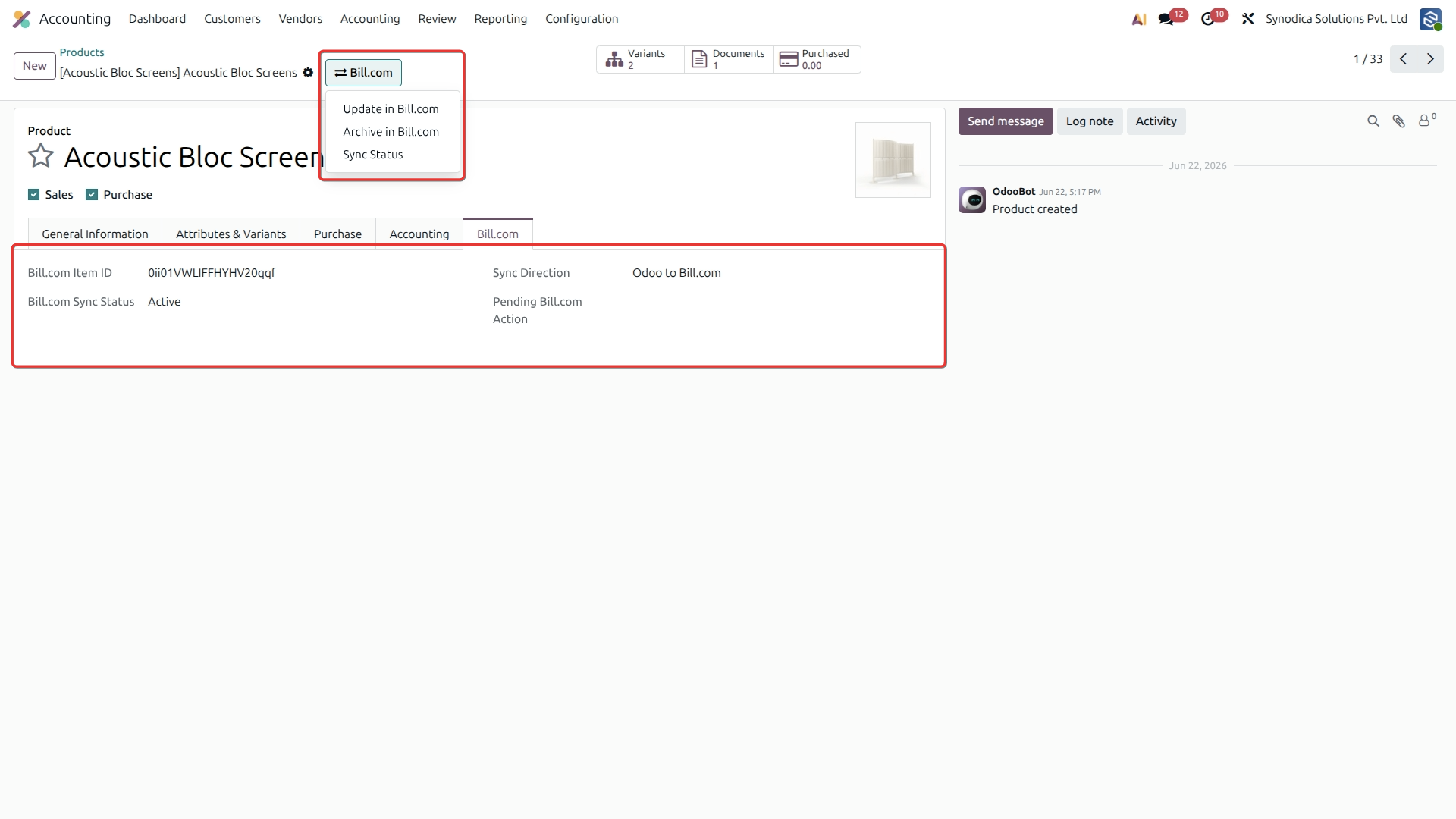
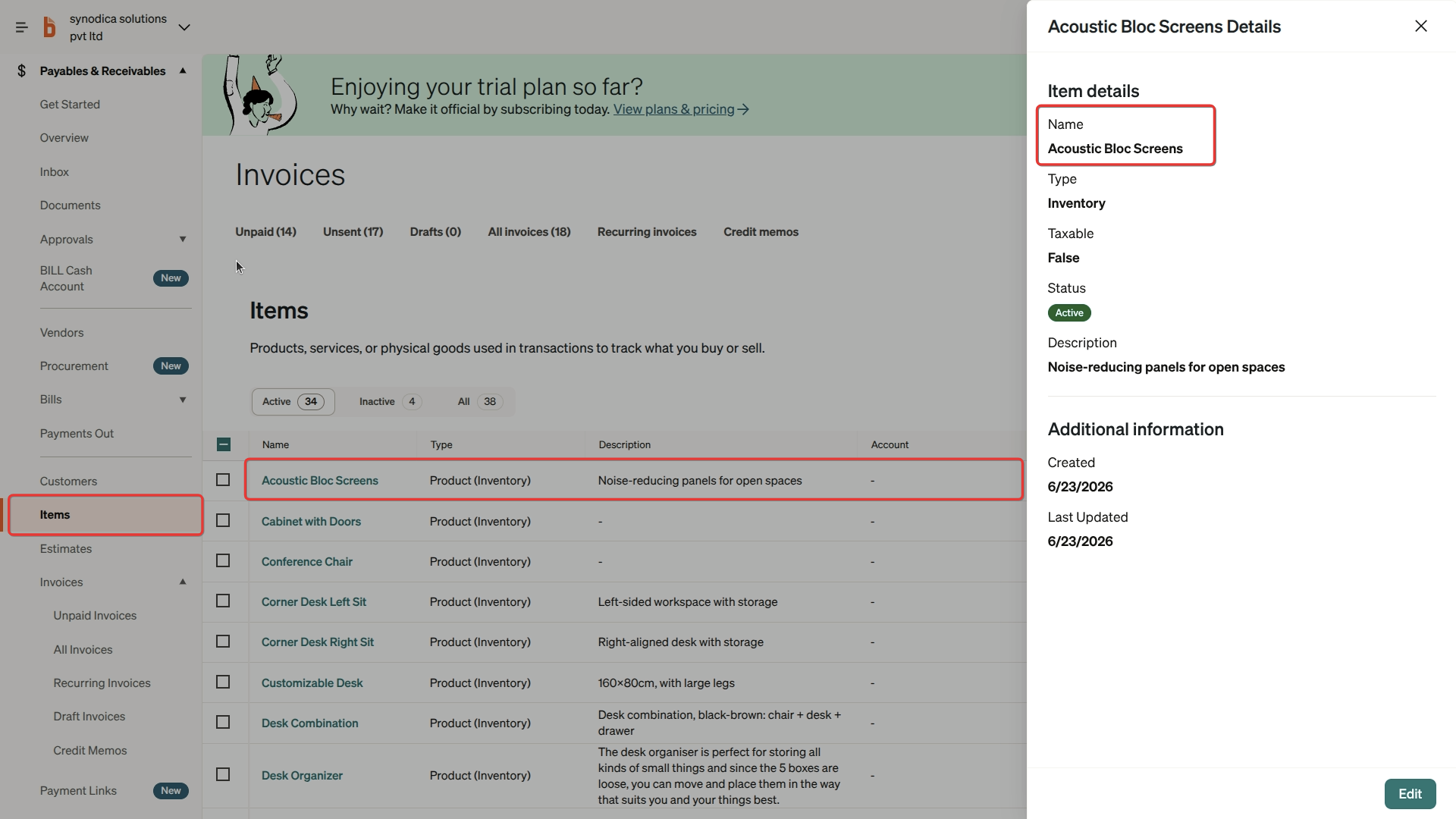
View Synced Product in Bill.com
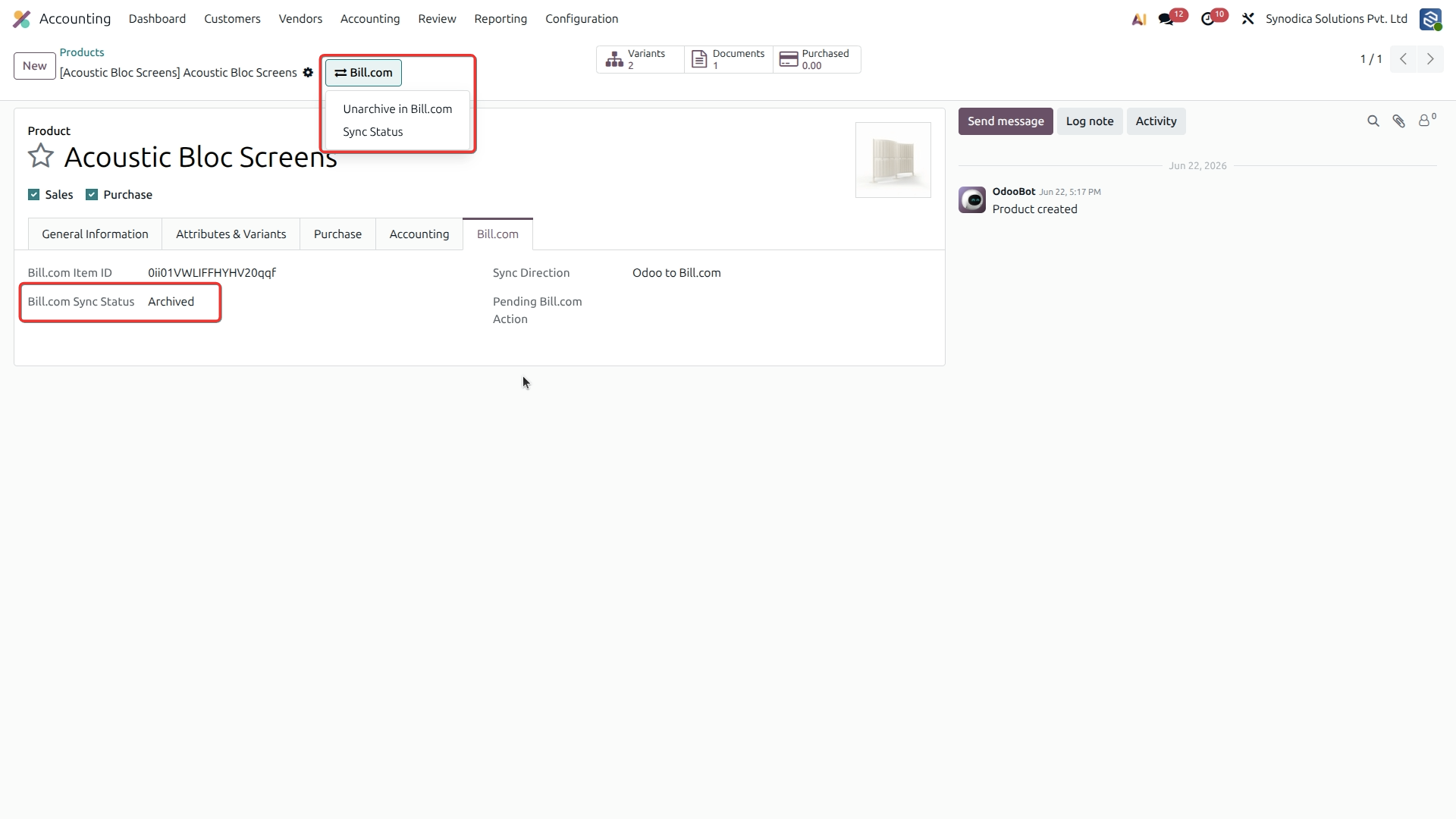
Archive Product in Bill.com
Bulk Vendor Actions in Odoo
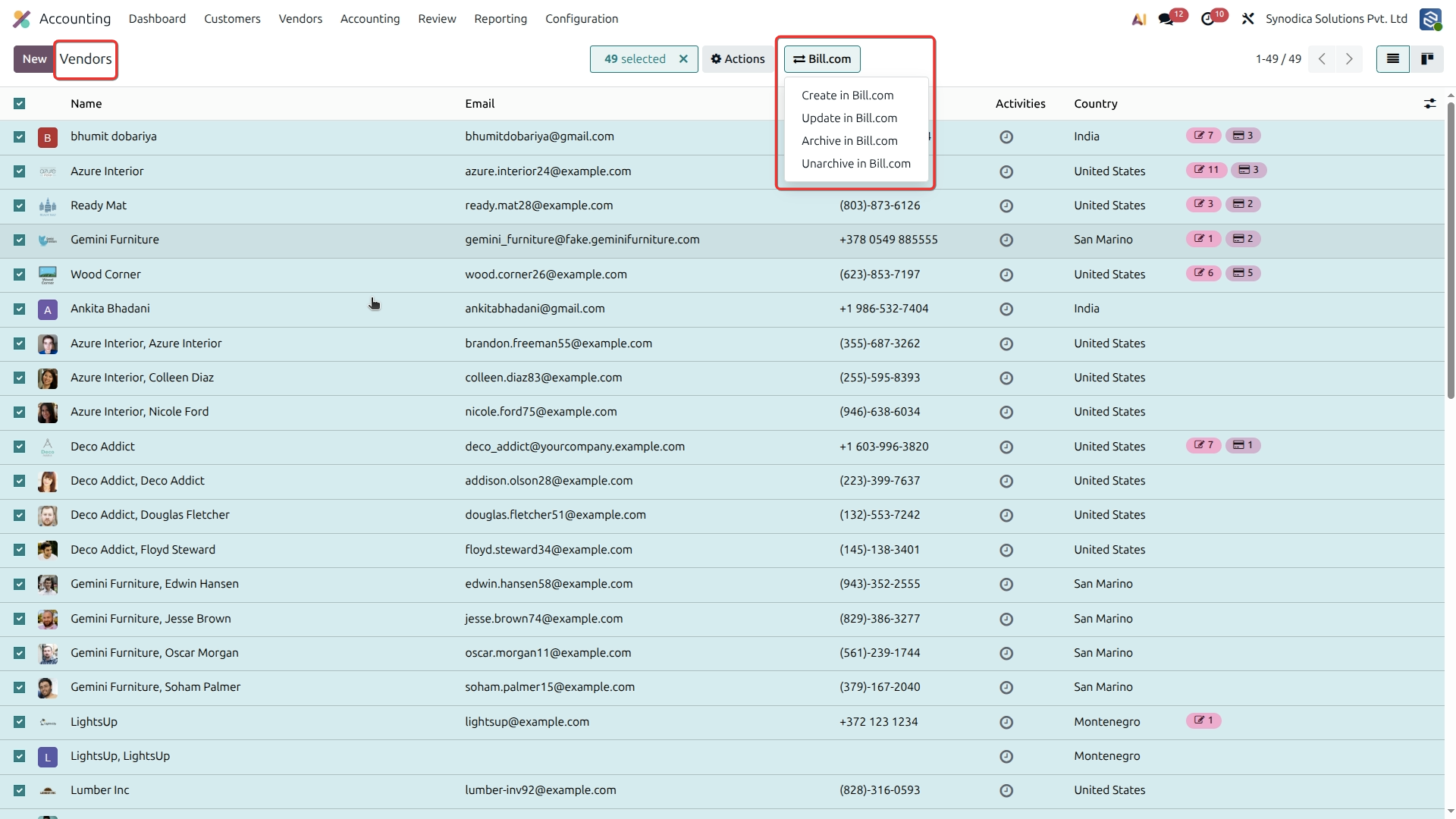
Sync Individual Vendor to Bill.com
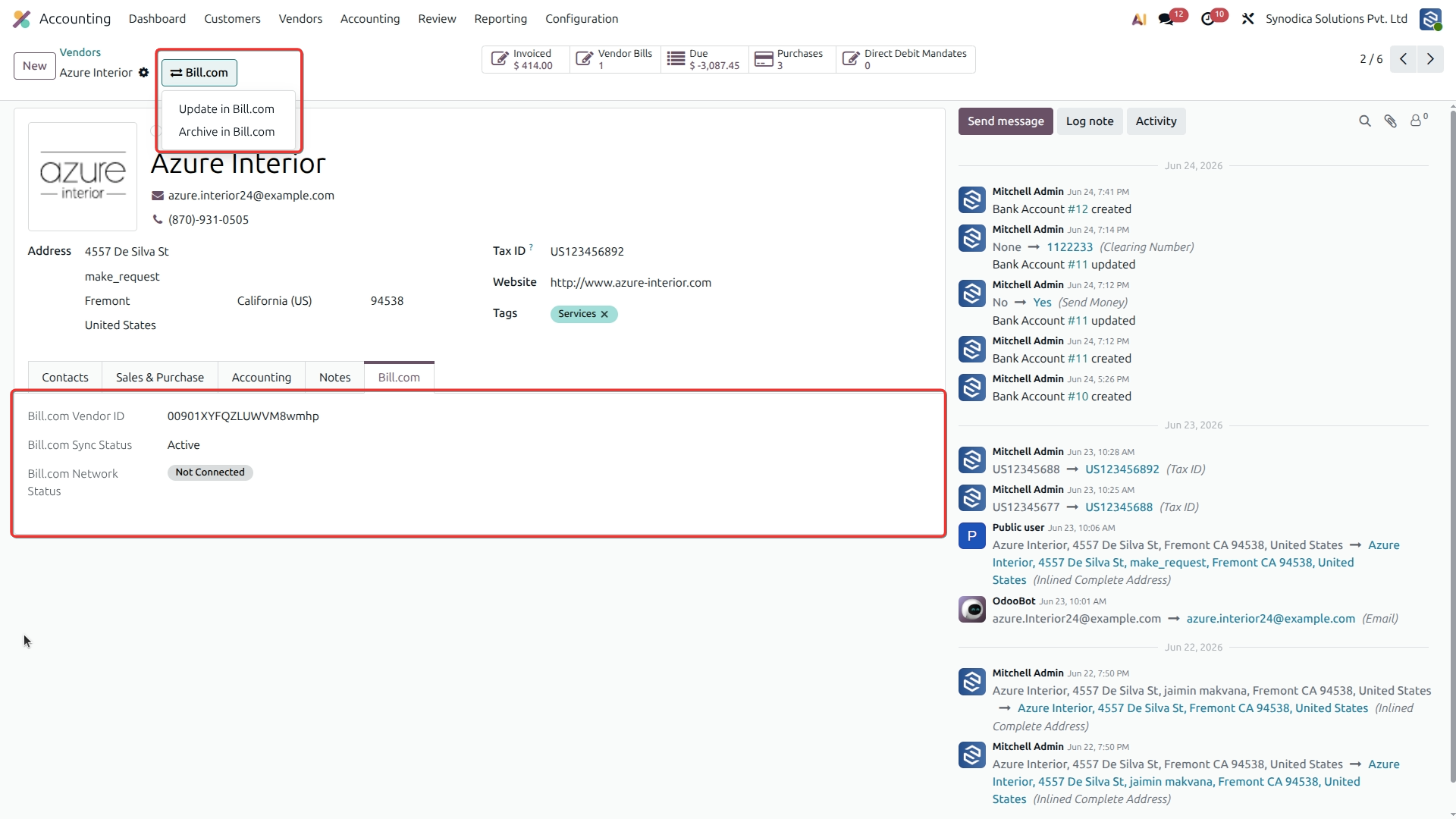
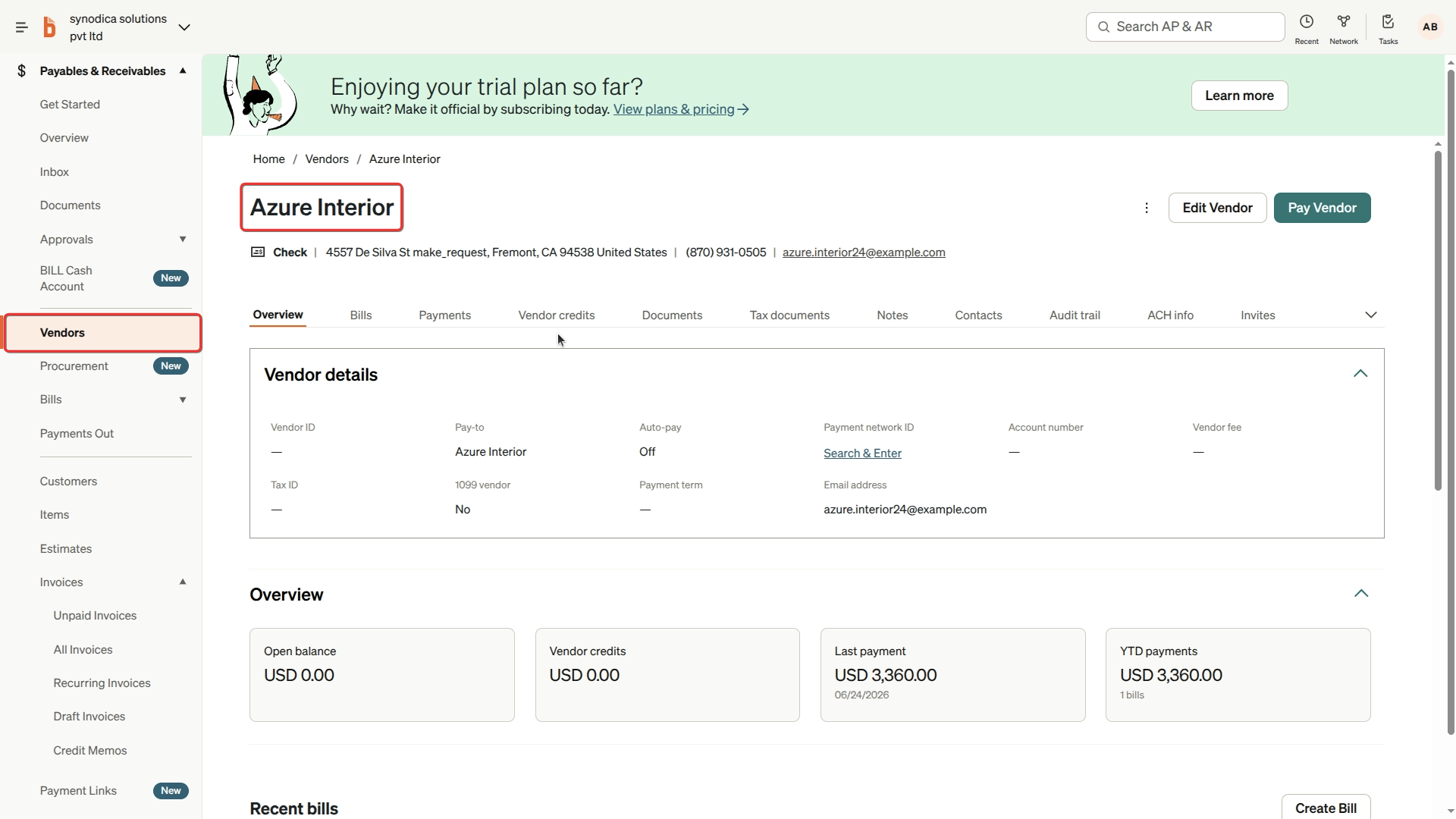
View Synced Vendor in Bill.com
Bulk Invoice Actions in Odoo
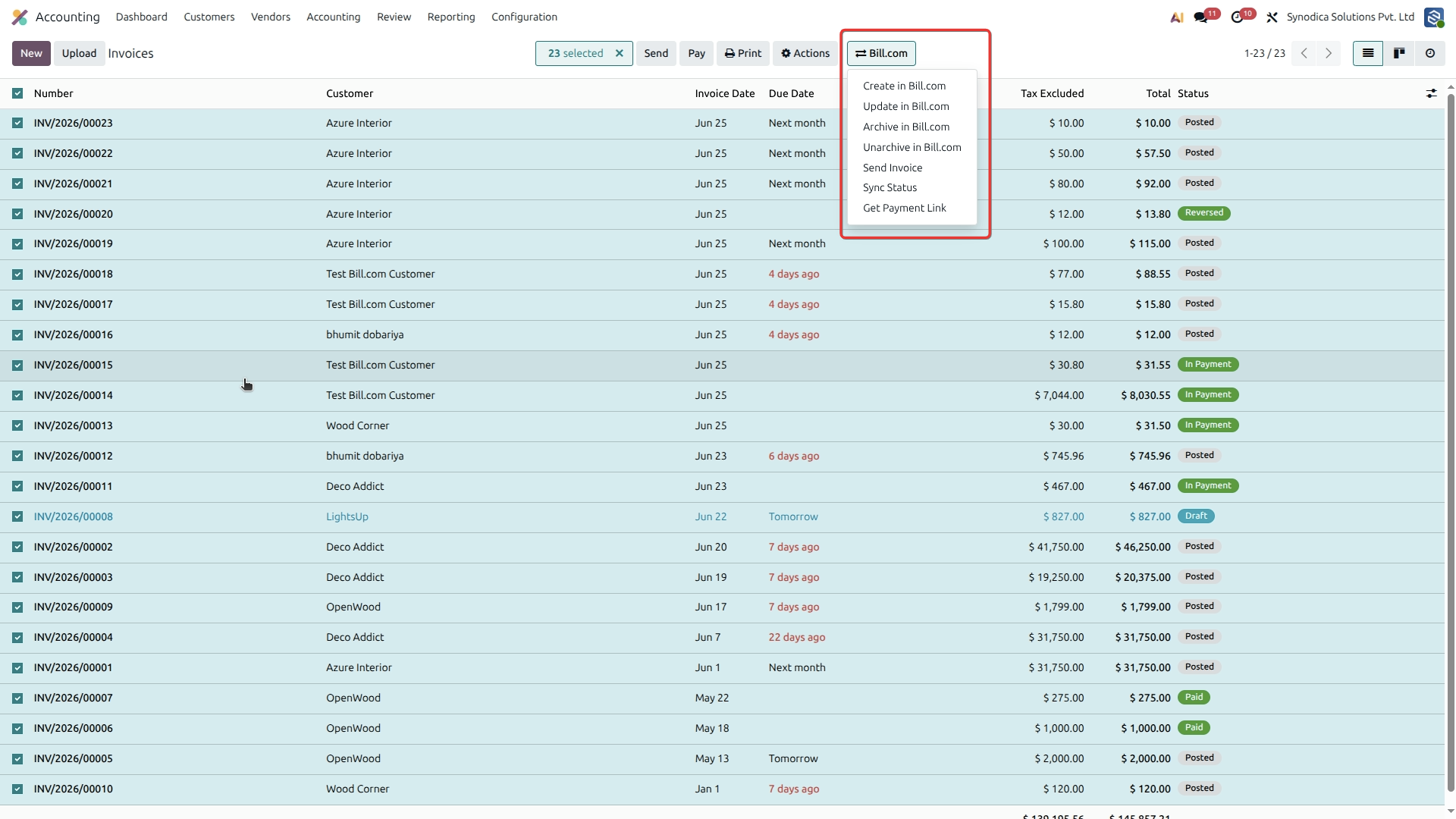
Update Synced Invoice in Bill.com
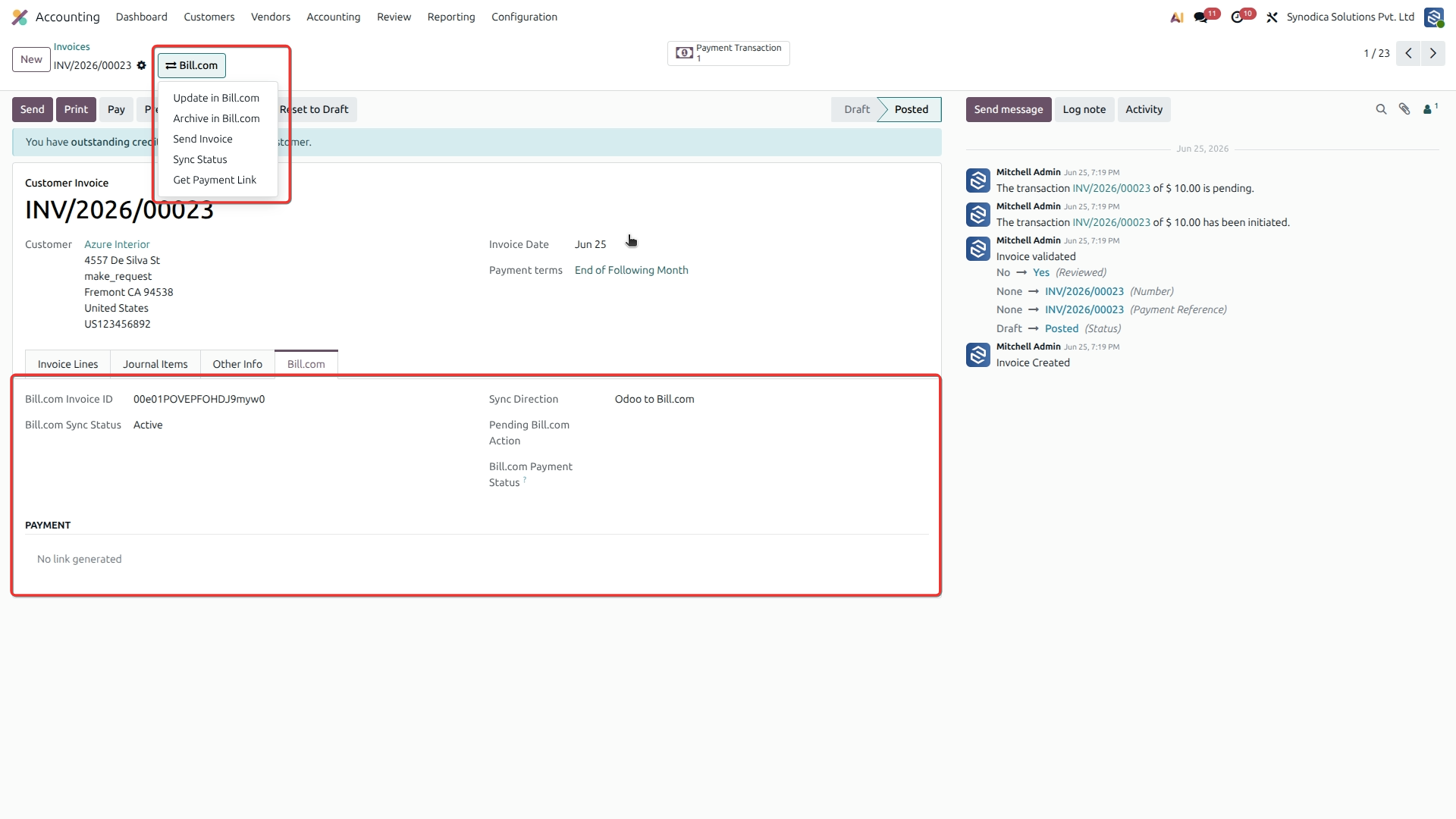
Archive Invoice in Bill.com
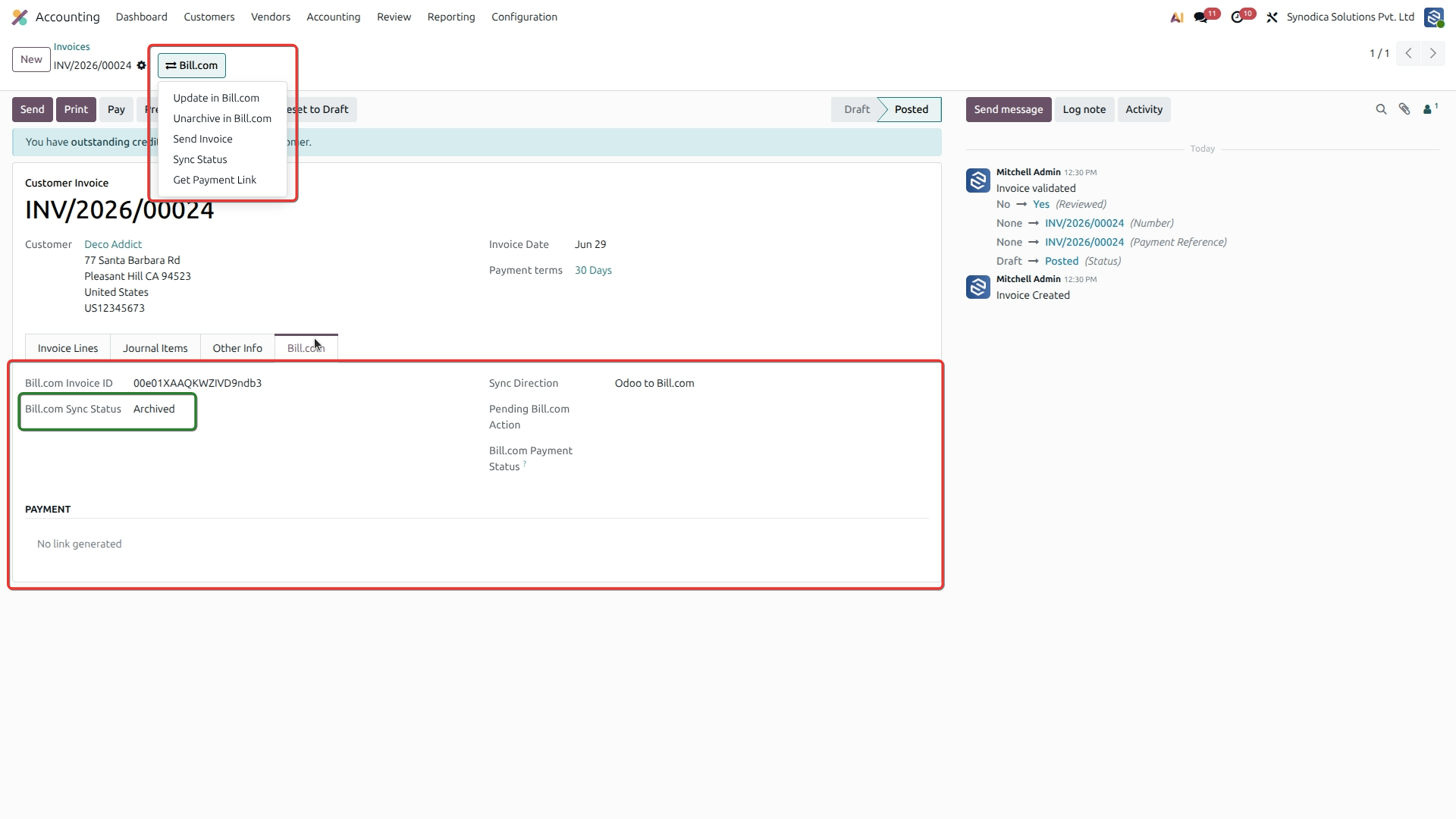
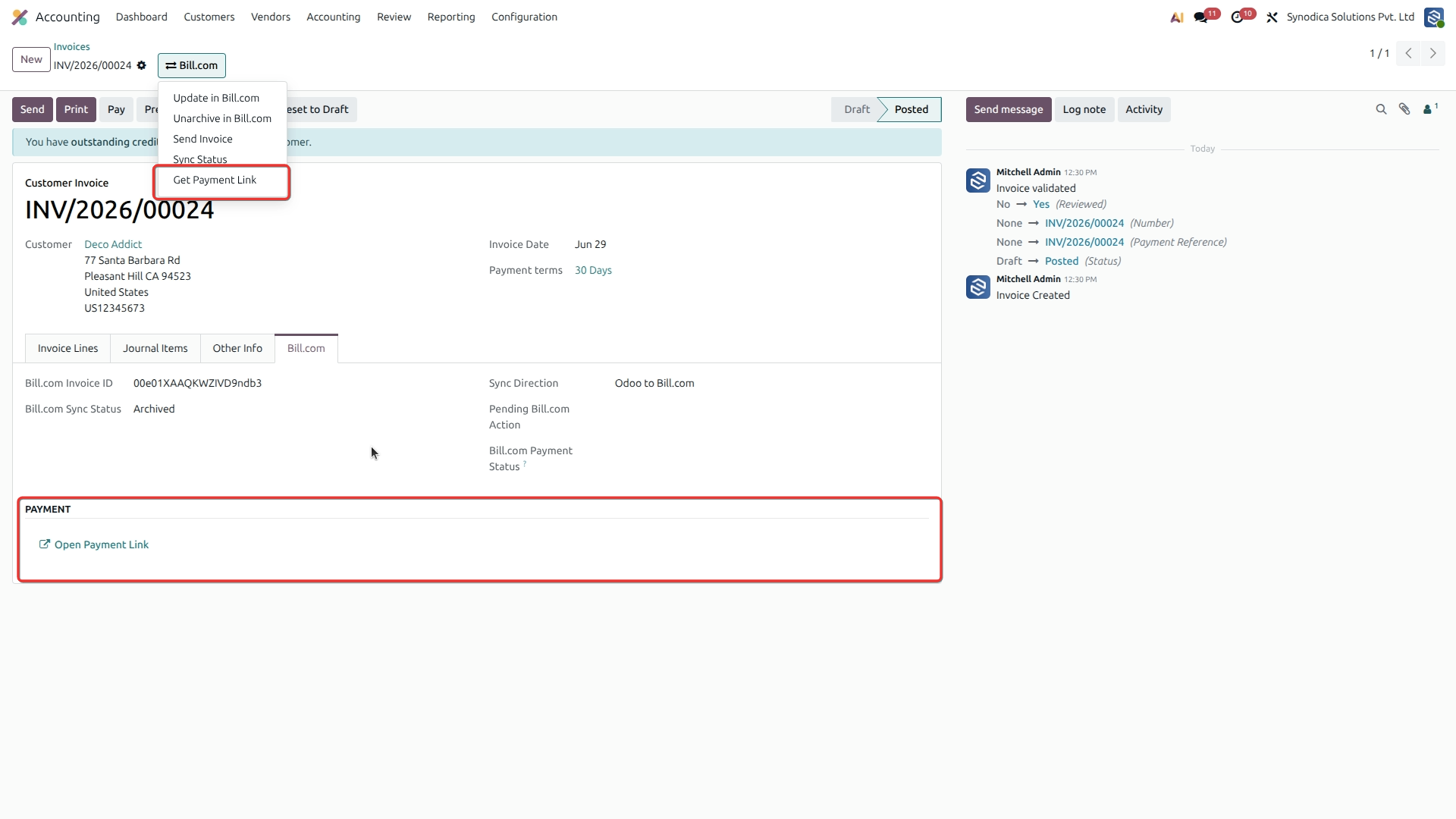
Get Invoice Payment Link
Send Invoice via Email
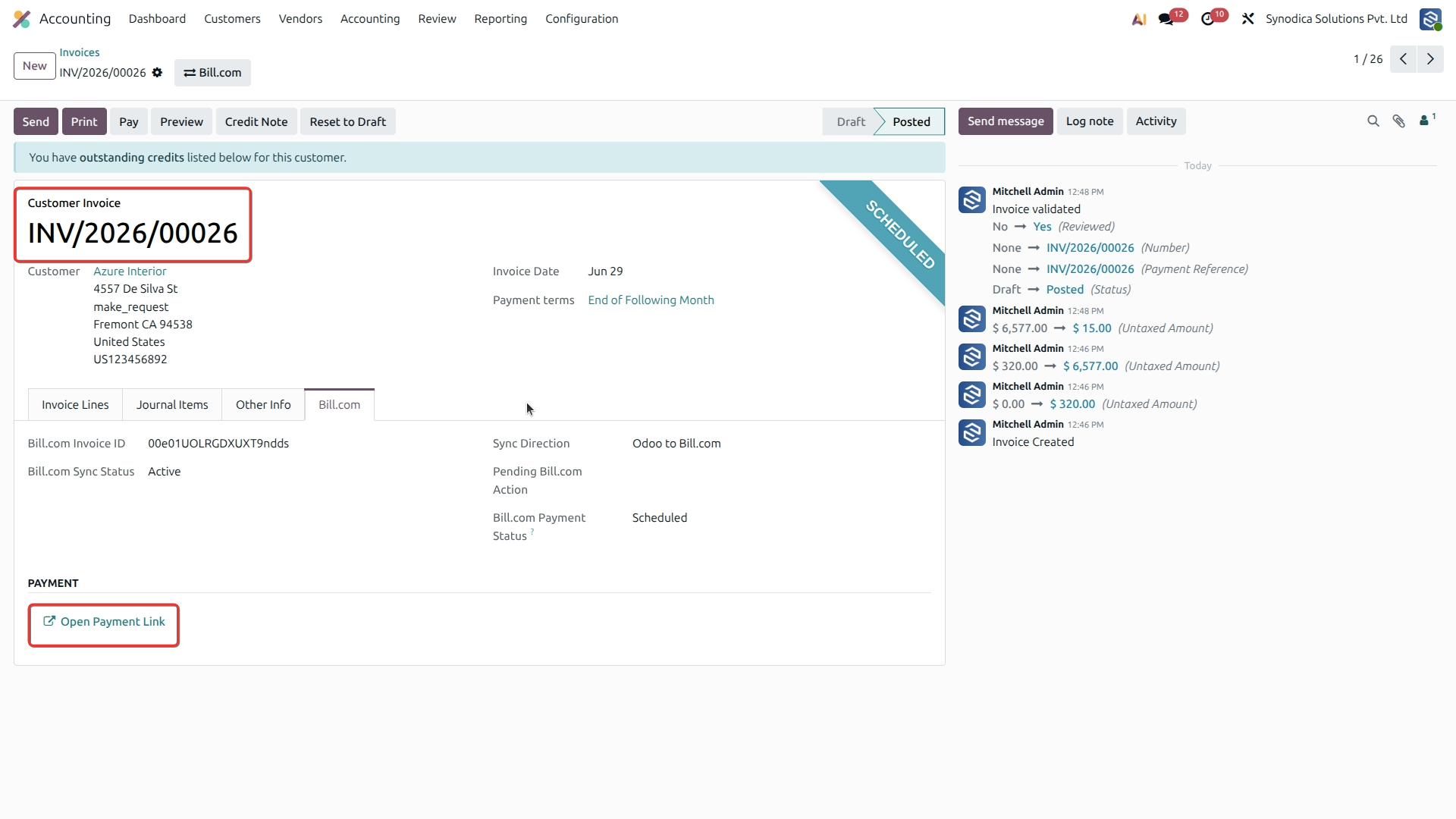
View Synced Invoice in Bill.com
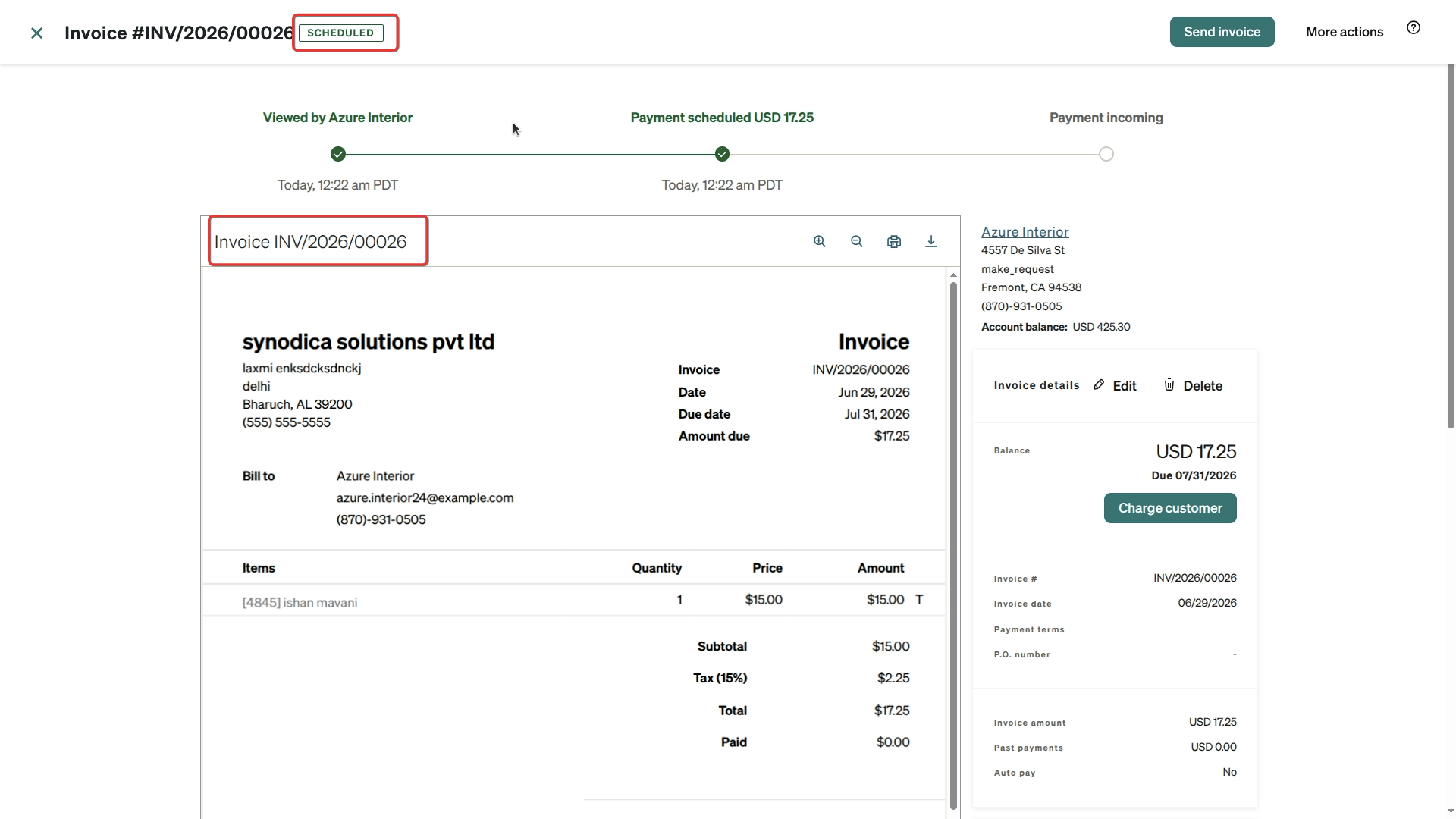
Bulk Bill Actions in Odoo
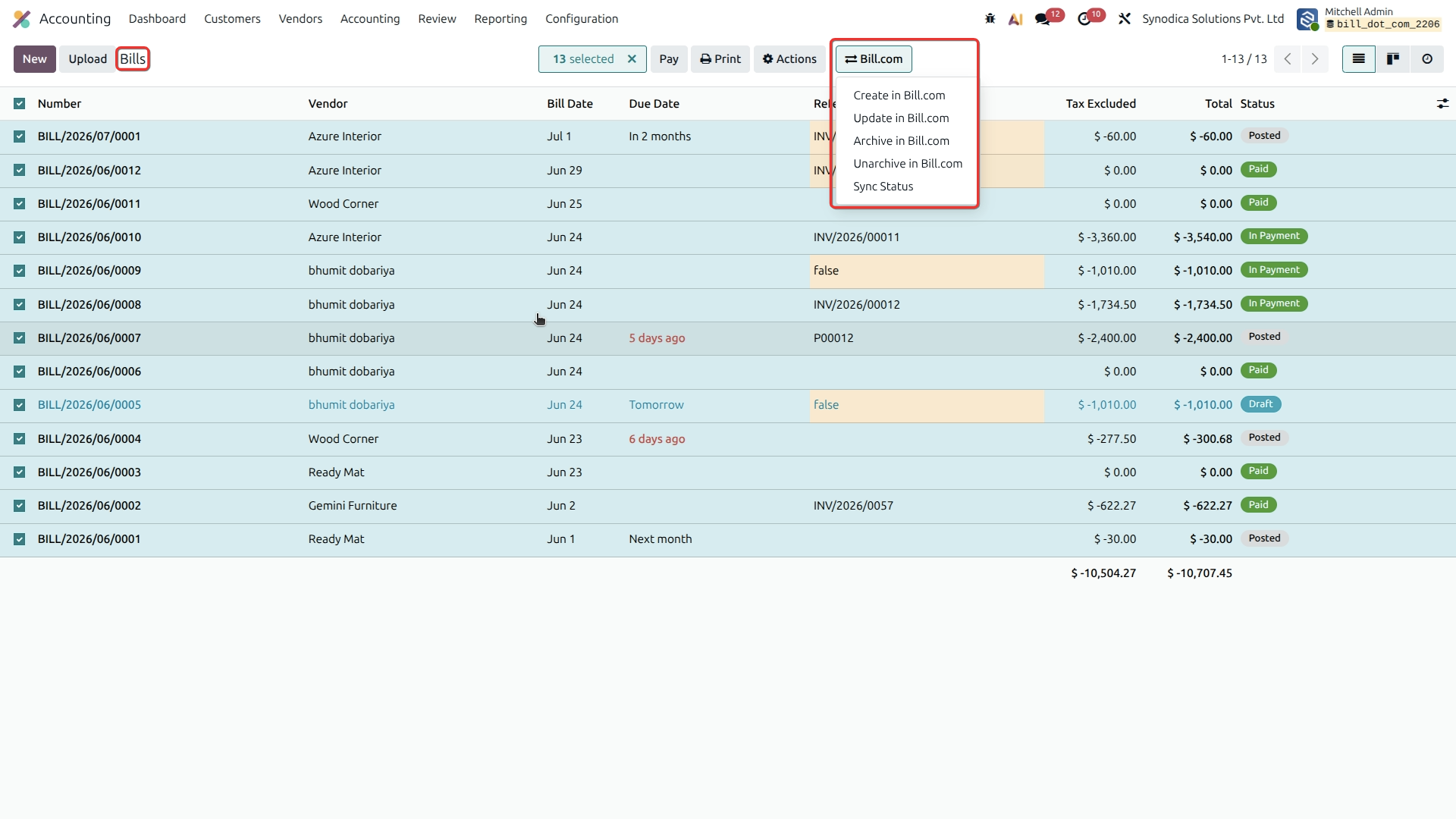
Sync Individual Bill to Bill.com
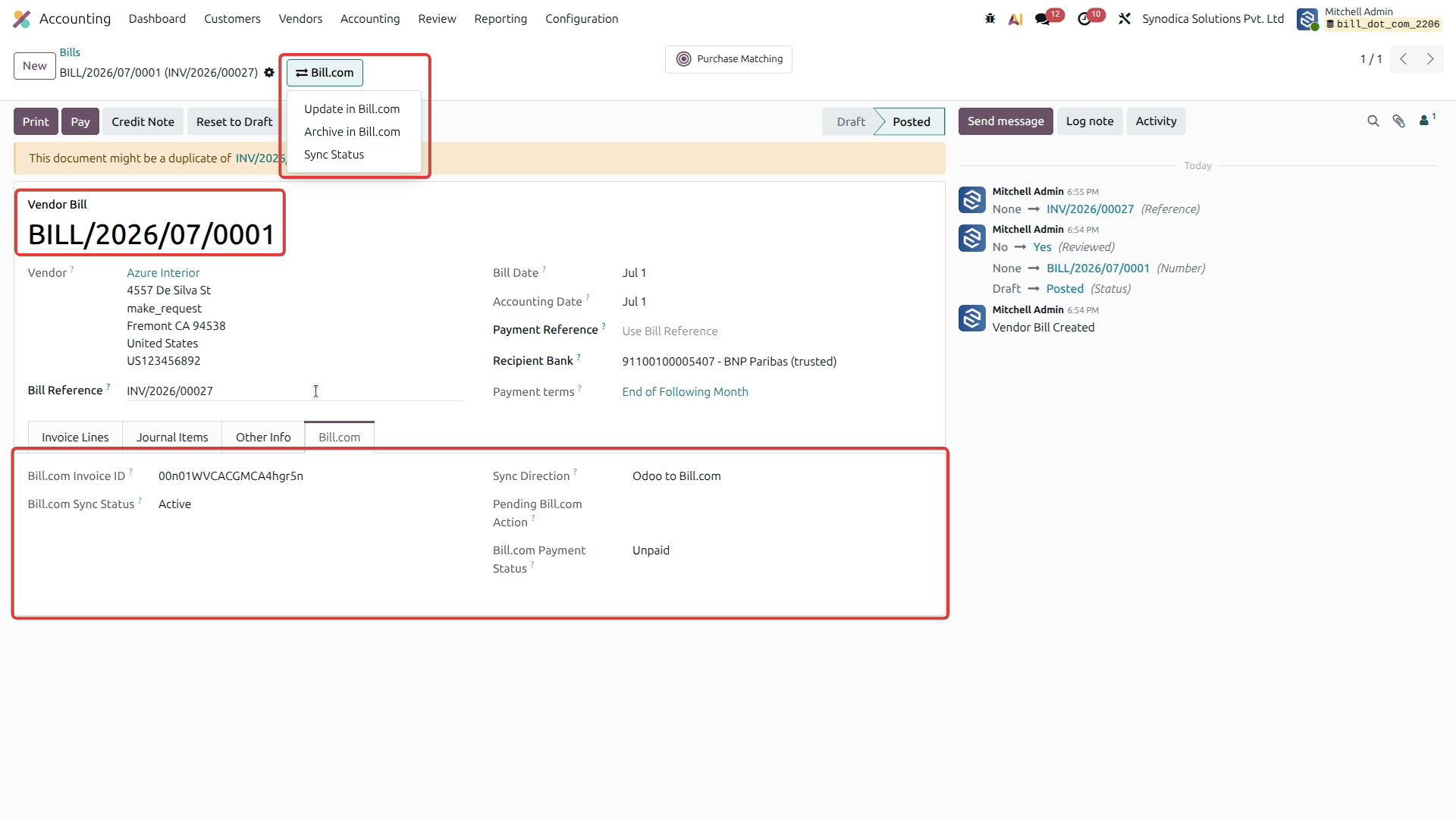
Archive Bill in Bill.com
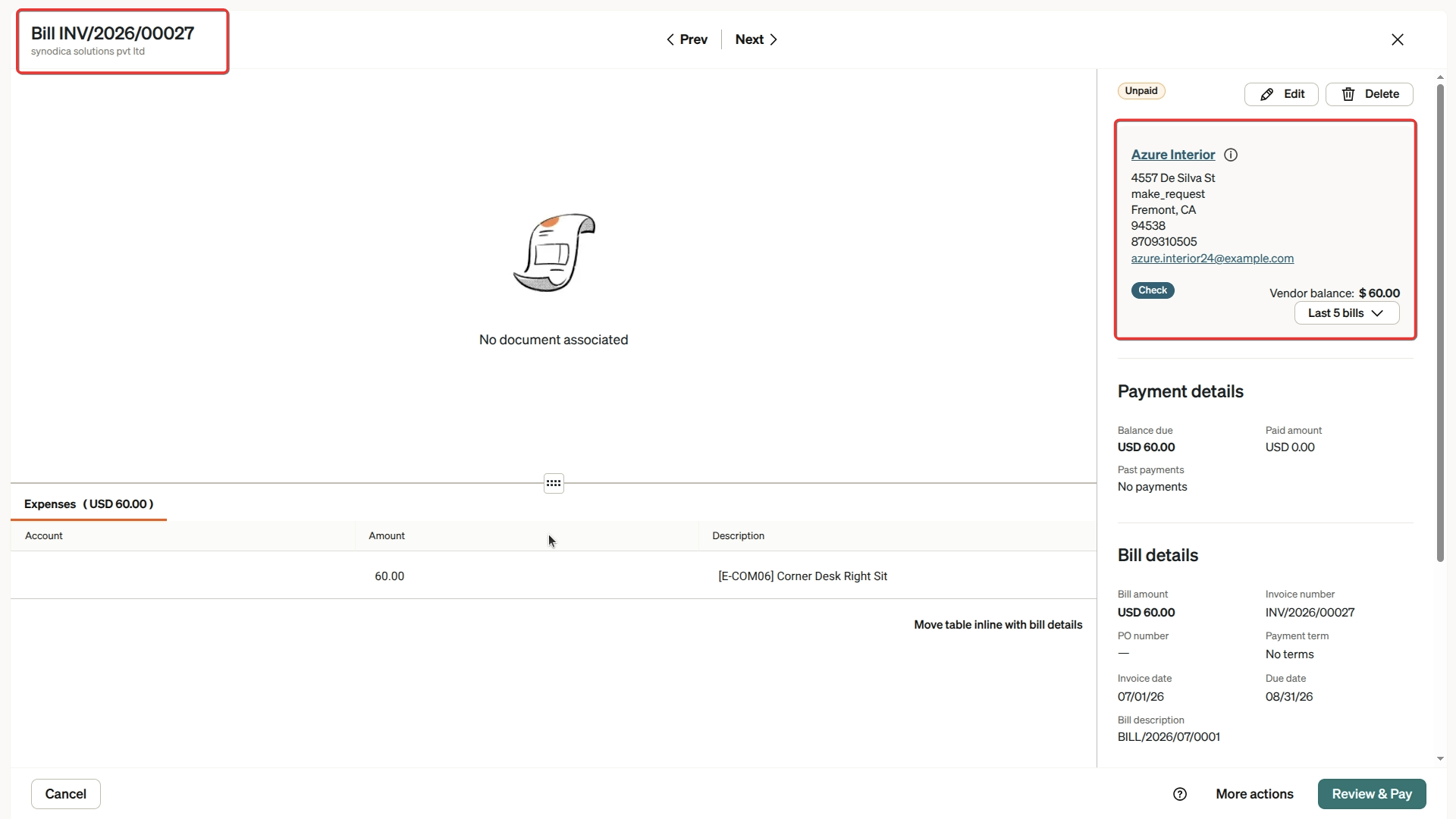
Get Payment Link for Bill
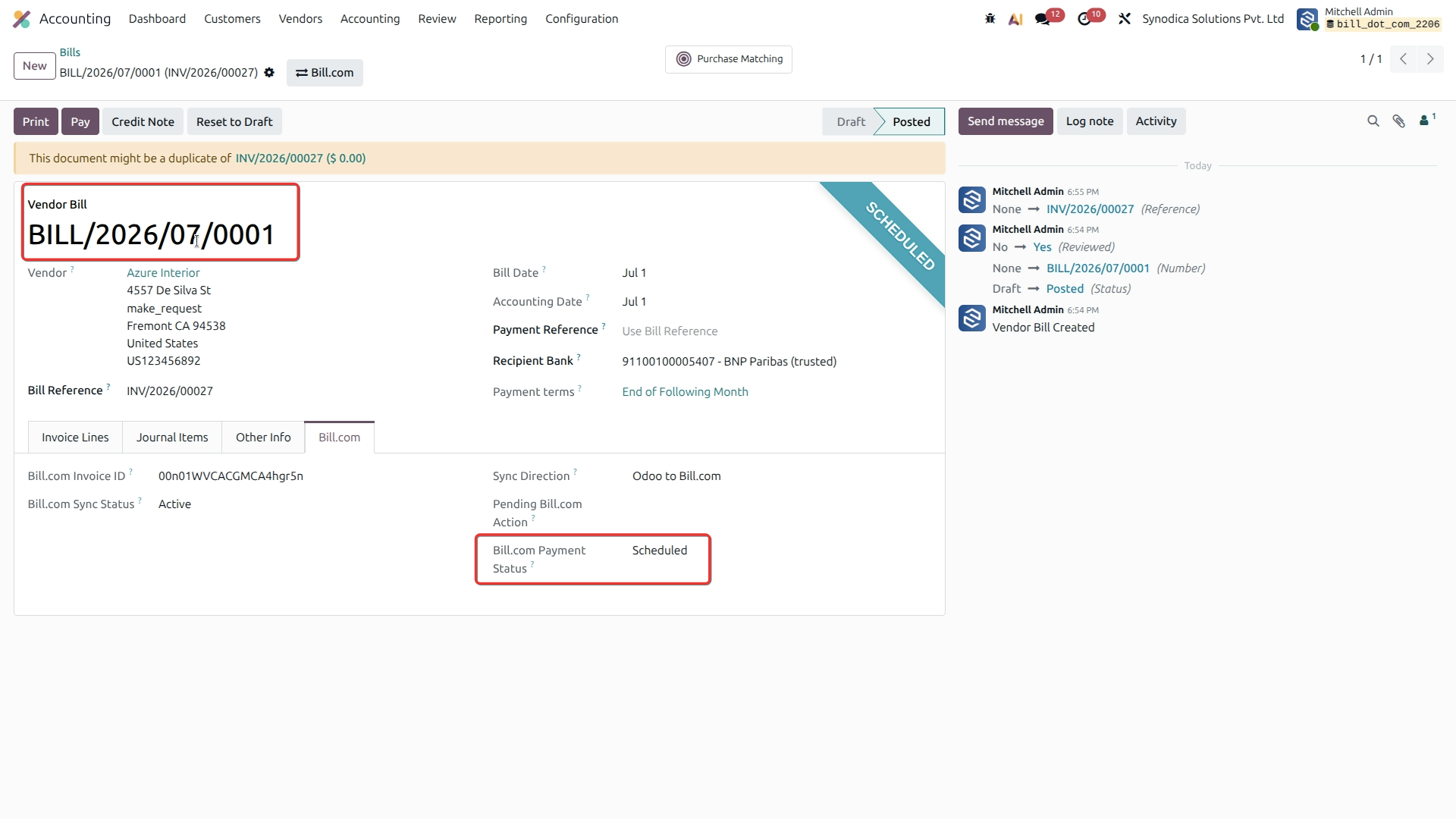
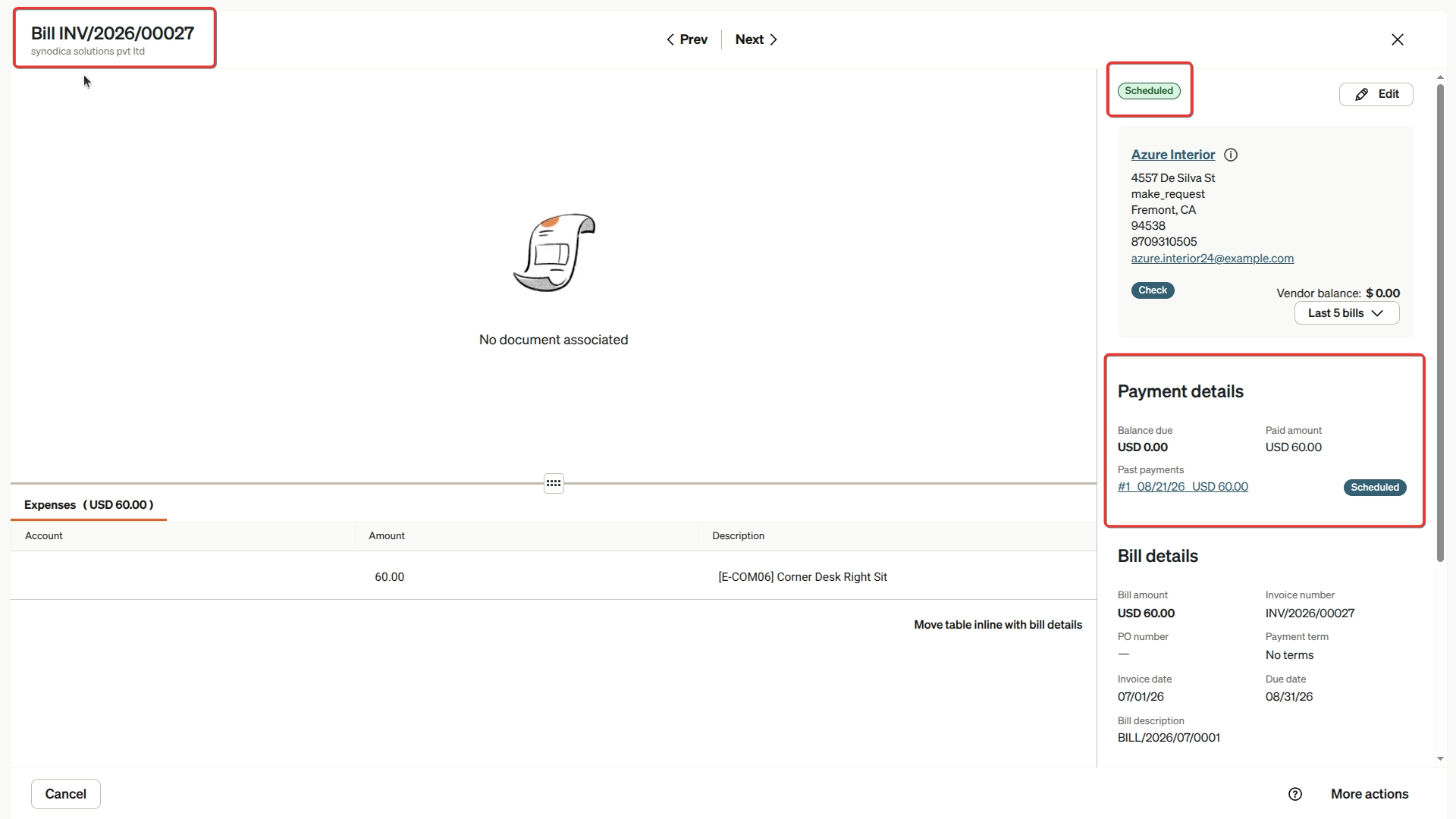
View Synced Bill in Bill.com
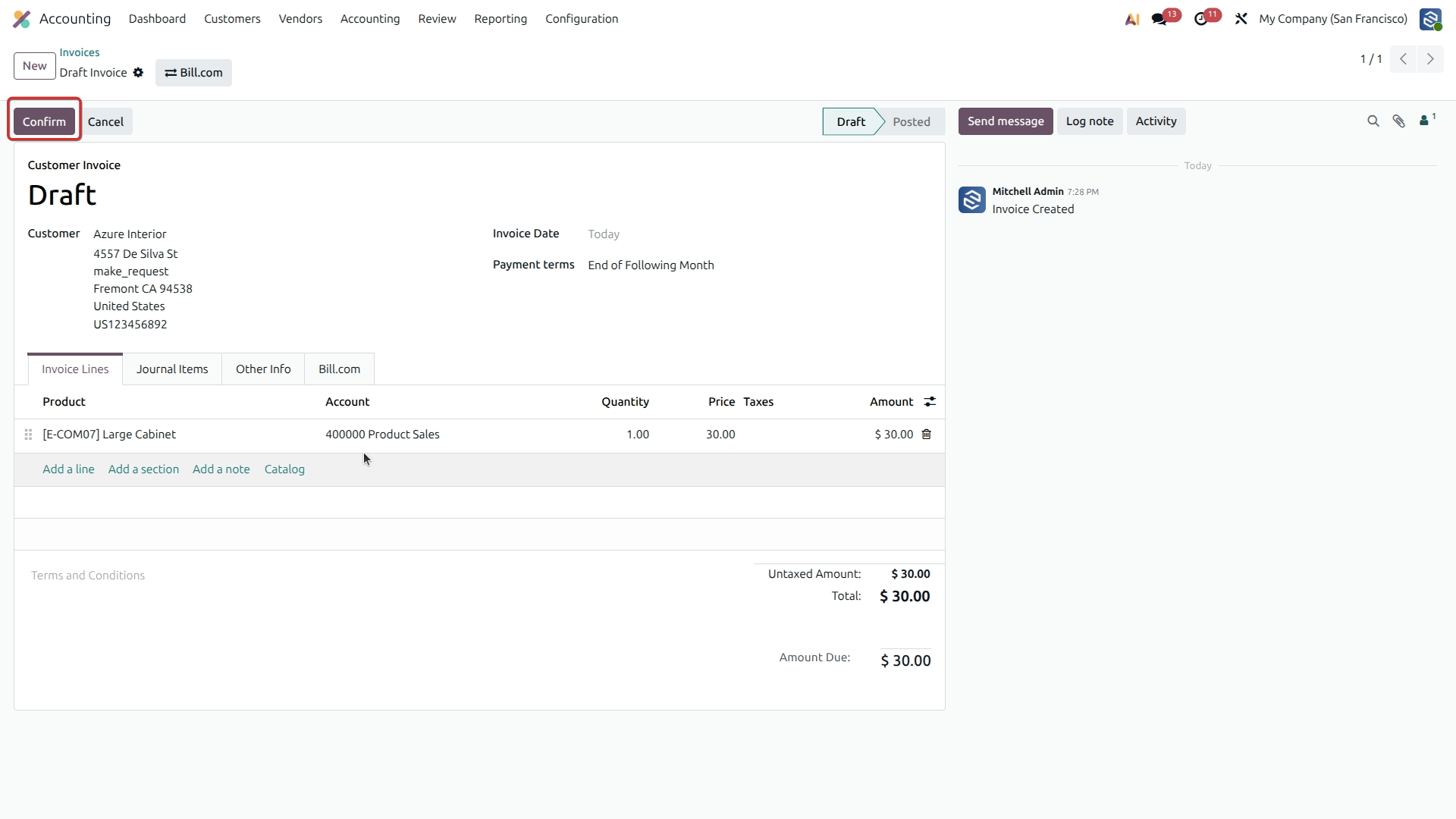
Confirm Odoo Invoice
Create Invoice in Bill.com
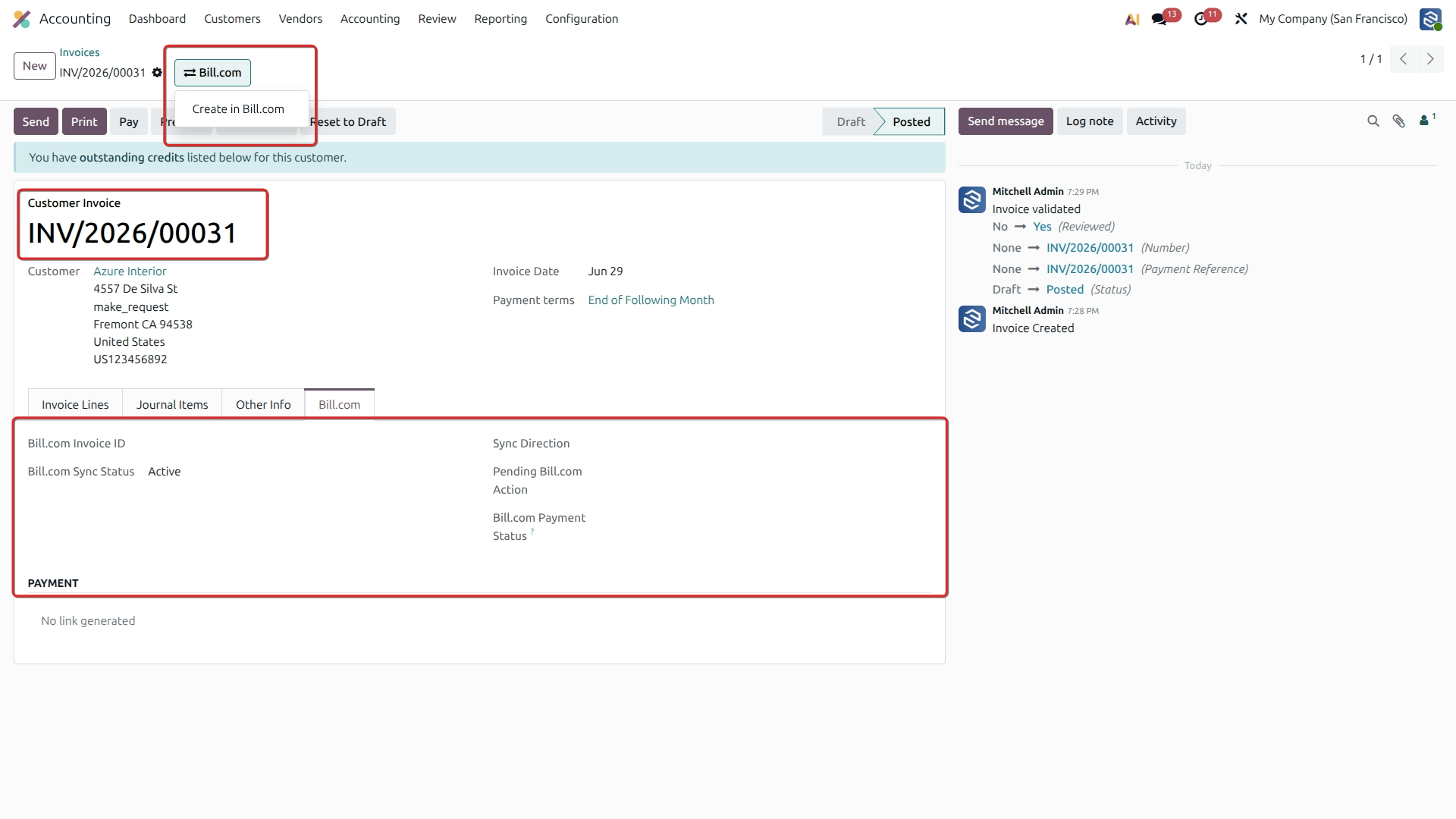
Verify Invoice Sync Status
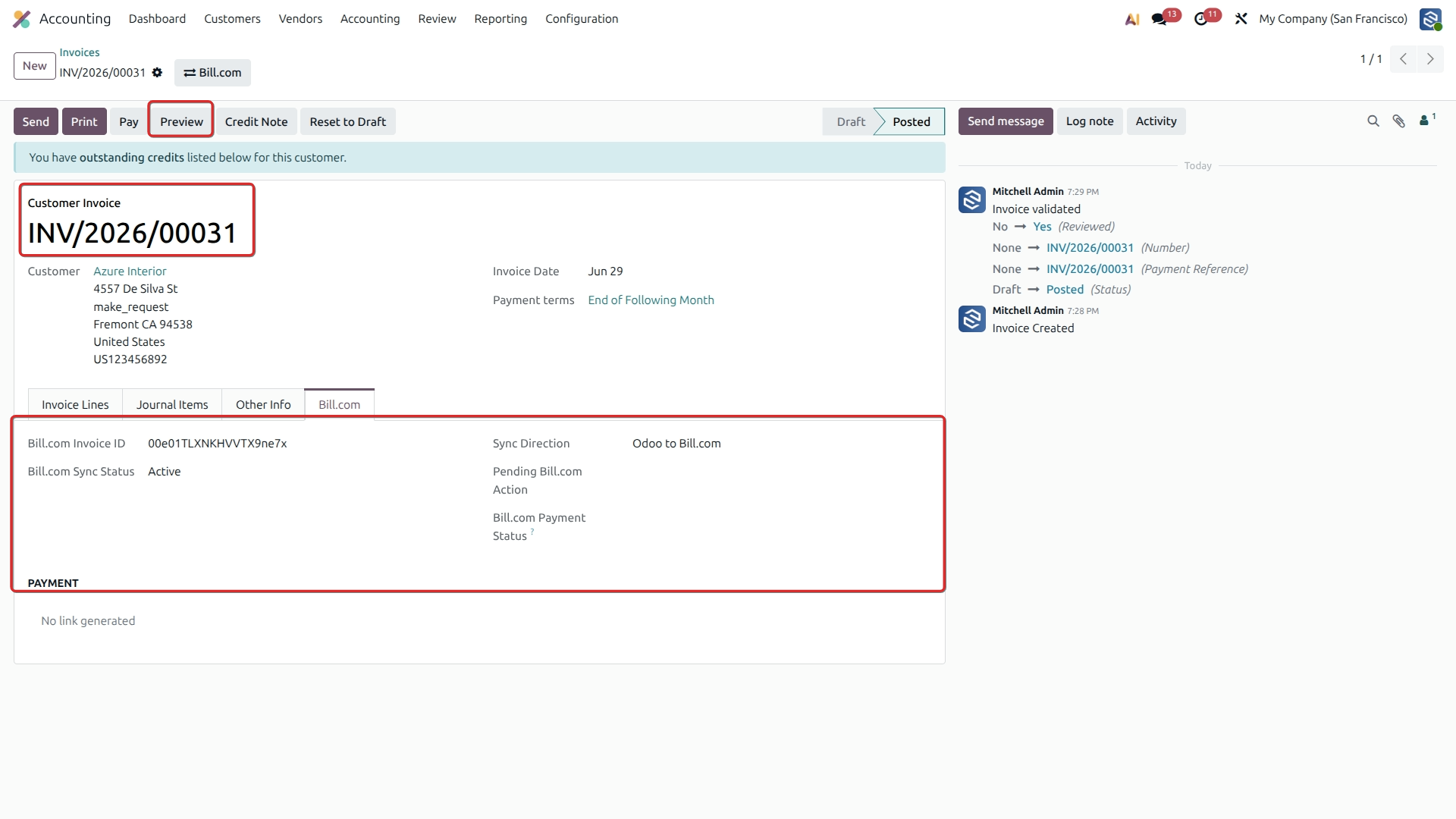
Pay Invoice via Bill.com Portal
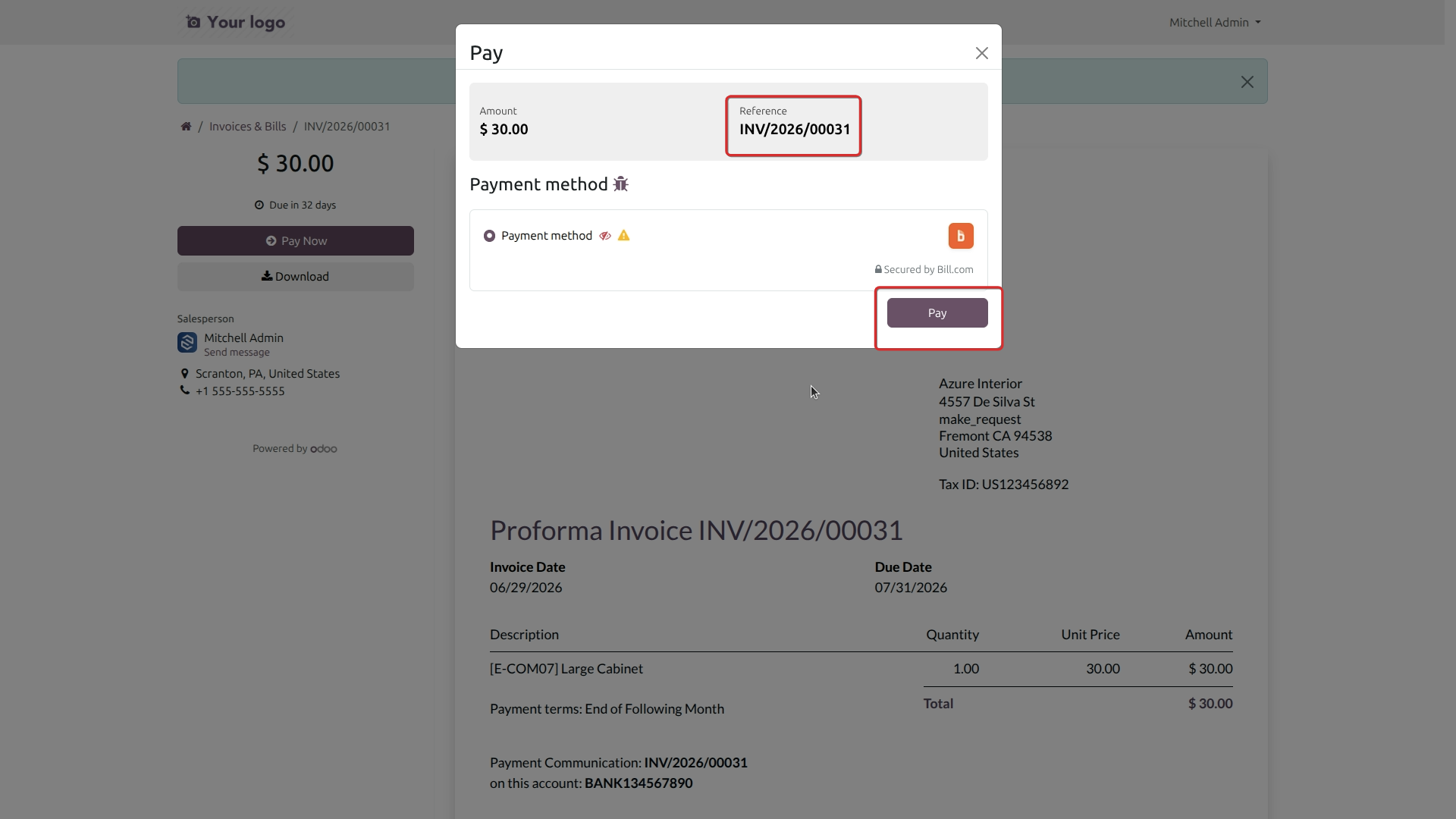
Confirm Payment Transaction
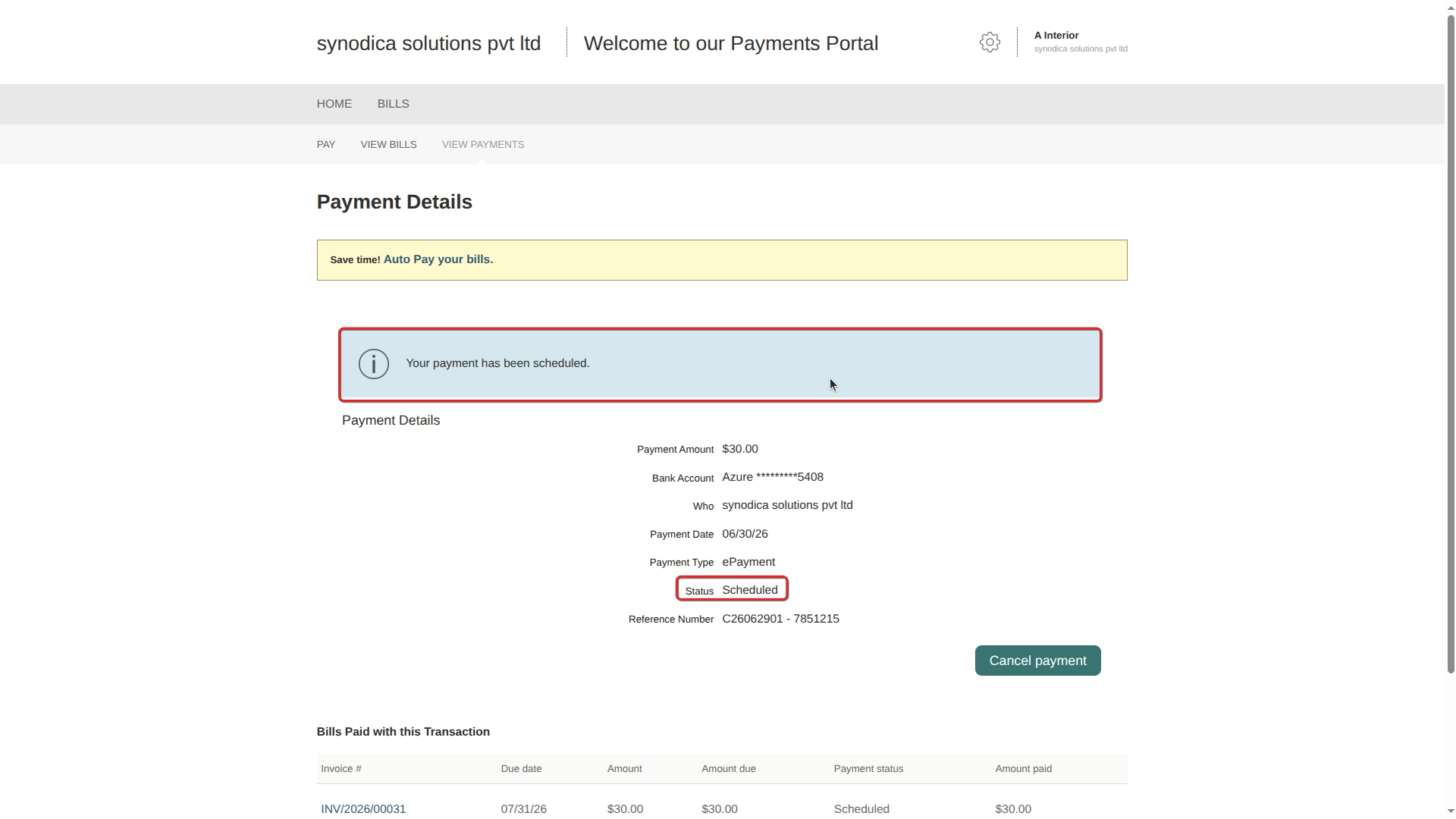
View Synced Payment Record
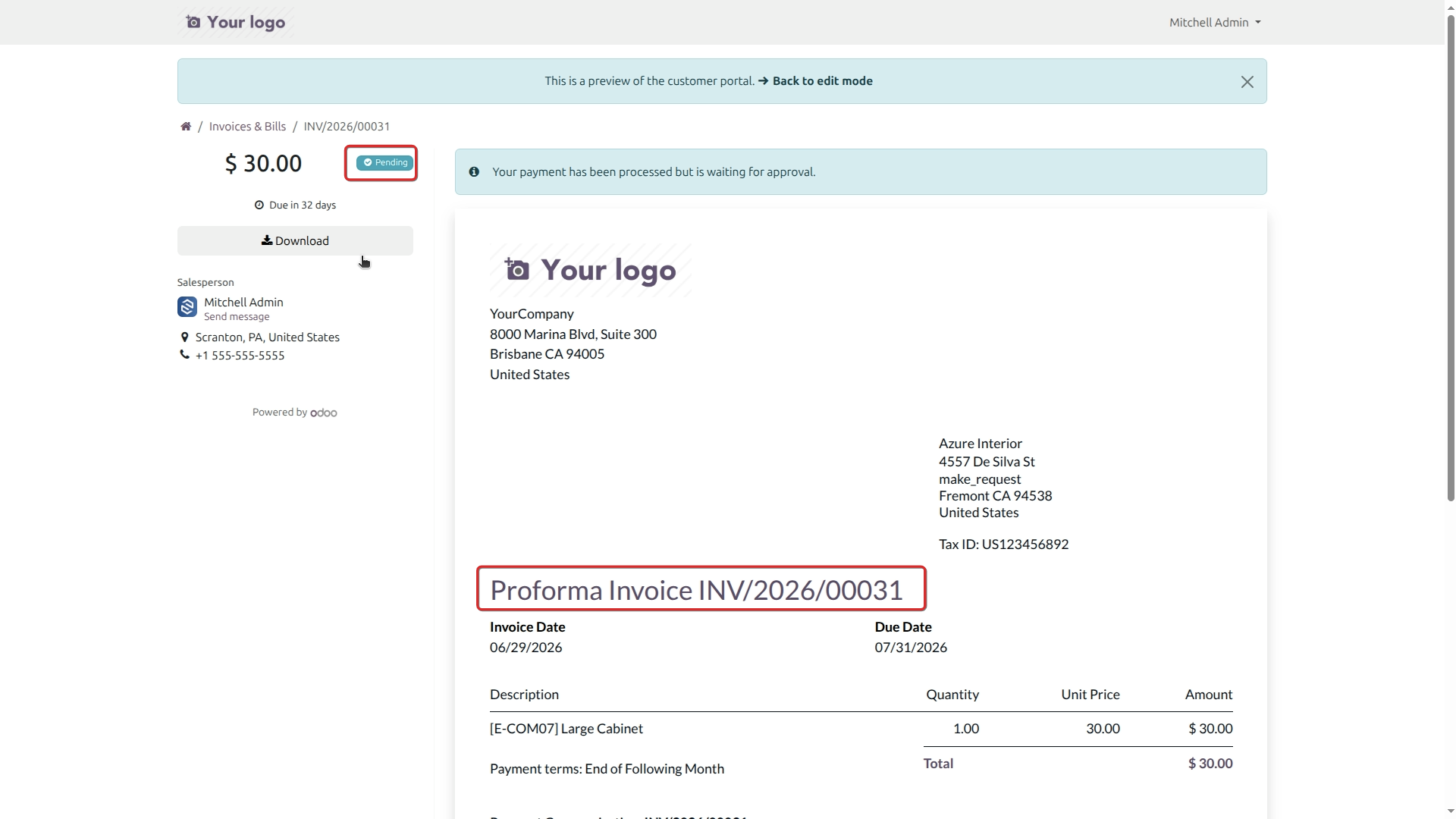
Configure Bulk Data Import
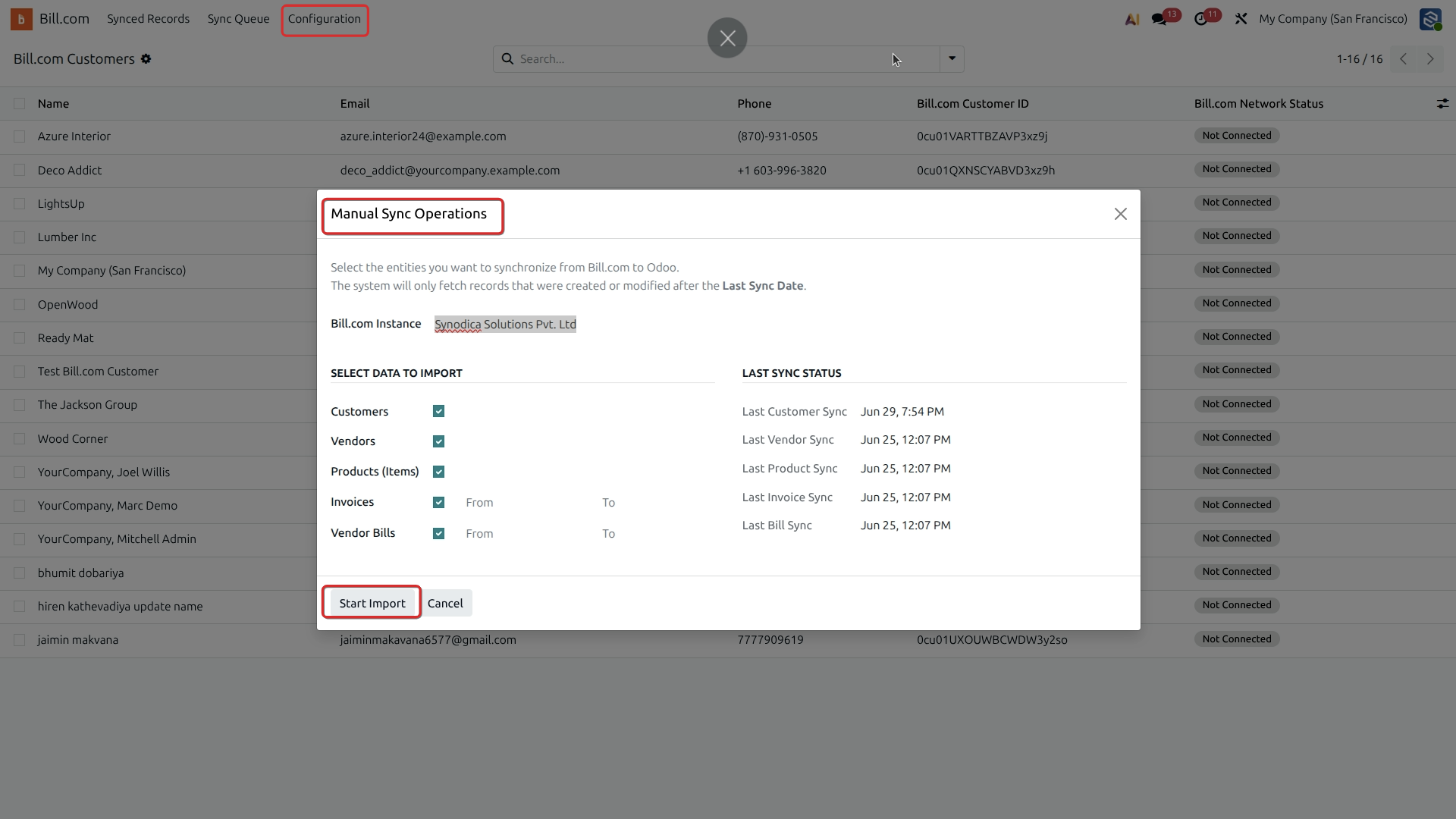
Execute Synchronization Tasks
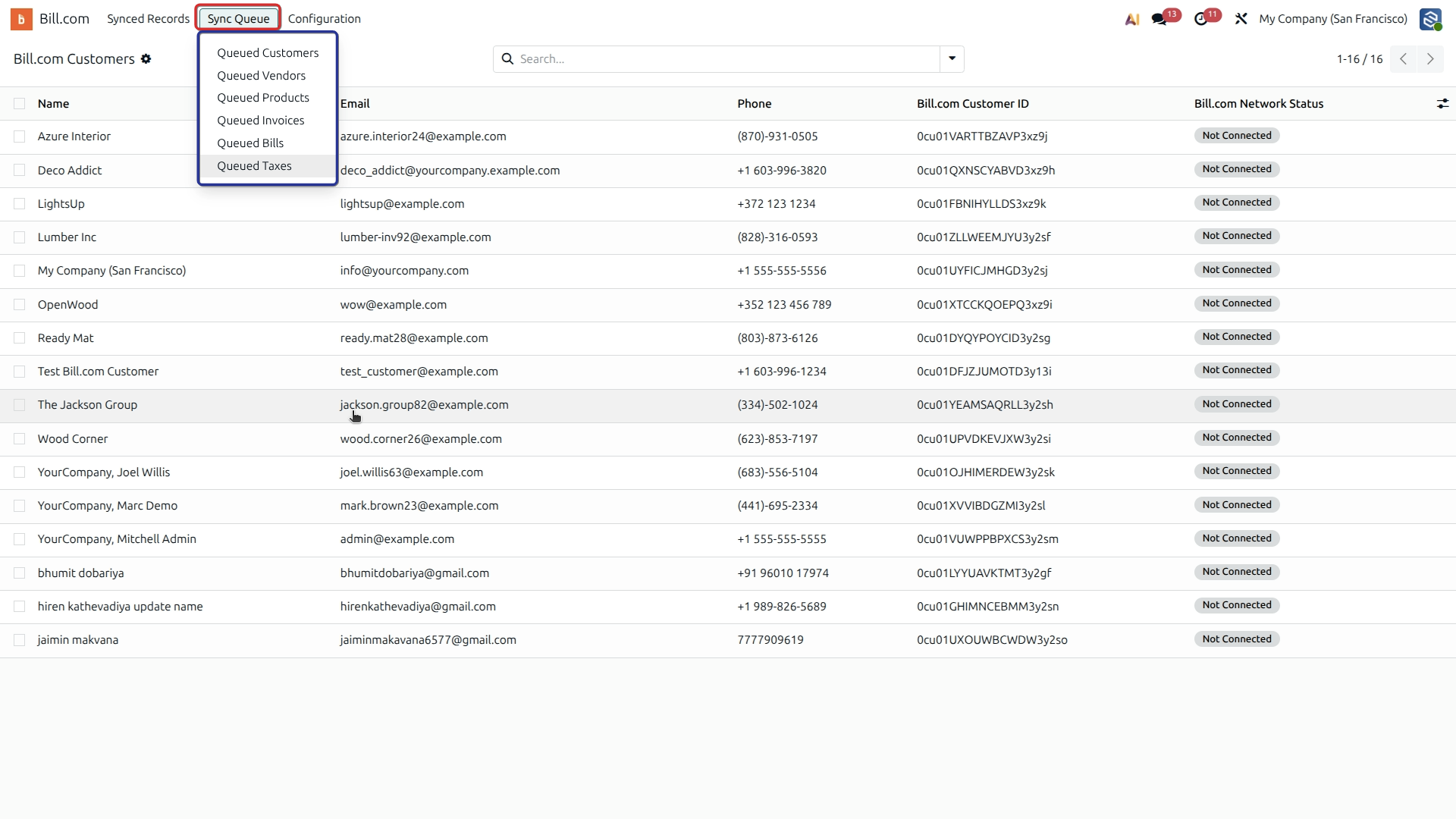
Need to manage multiple Bill.com accounts?
You can connect multiple instances to a single Odoo database. Each instance has its own settings, webhooks, and sync rules — and all Synodica Solutions connectors (Walmart, Freightcom, Dashboard and Revolut) are built on the same platform, so adding a second platform later is straightforward.


Synodica Solutions
514-515, Laxmi Enclave-2
Katargam Surat - 395004
Gujarat, India
Have Questions or Need Help?
Reach out before or after purchase — our team is the same developer team that built the connector.

info@synodica.com

Phone
+91 88 666 111 30

Website
synodica.com
We create ERP solutions for you using Odoo ERP that will build a strong and efficient business for you. It's SYNODICA WAY