


Notary Management System | Legal Management Process Workflow
Notary
Management
for Odoo
Streamline your entire notarization lifecycle from draft creation to digital signatures, invoicing, and final completion all within Odoo.
How It Works
From record creation to completion every step of the notary process is tracked, verified, and documented.
Create Record
The Clerk initiates a new notary record selects the client, document type, notary, and verifier, then uploads all required documents.
Verify & Register
The Verifier reviews and approves. The Notary then officially registers the entry, generating a permanent register number.
Sign, Invoice & Complete
Request e-signatures via portal, auto-generate invoices linked to the record, and mark as completed upon payment.
See It In Action
A visual walkthrough of the complete notary workflow from configuration to registration.
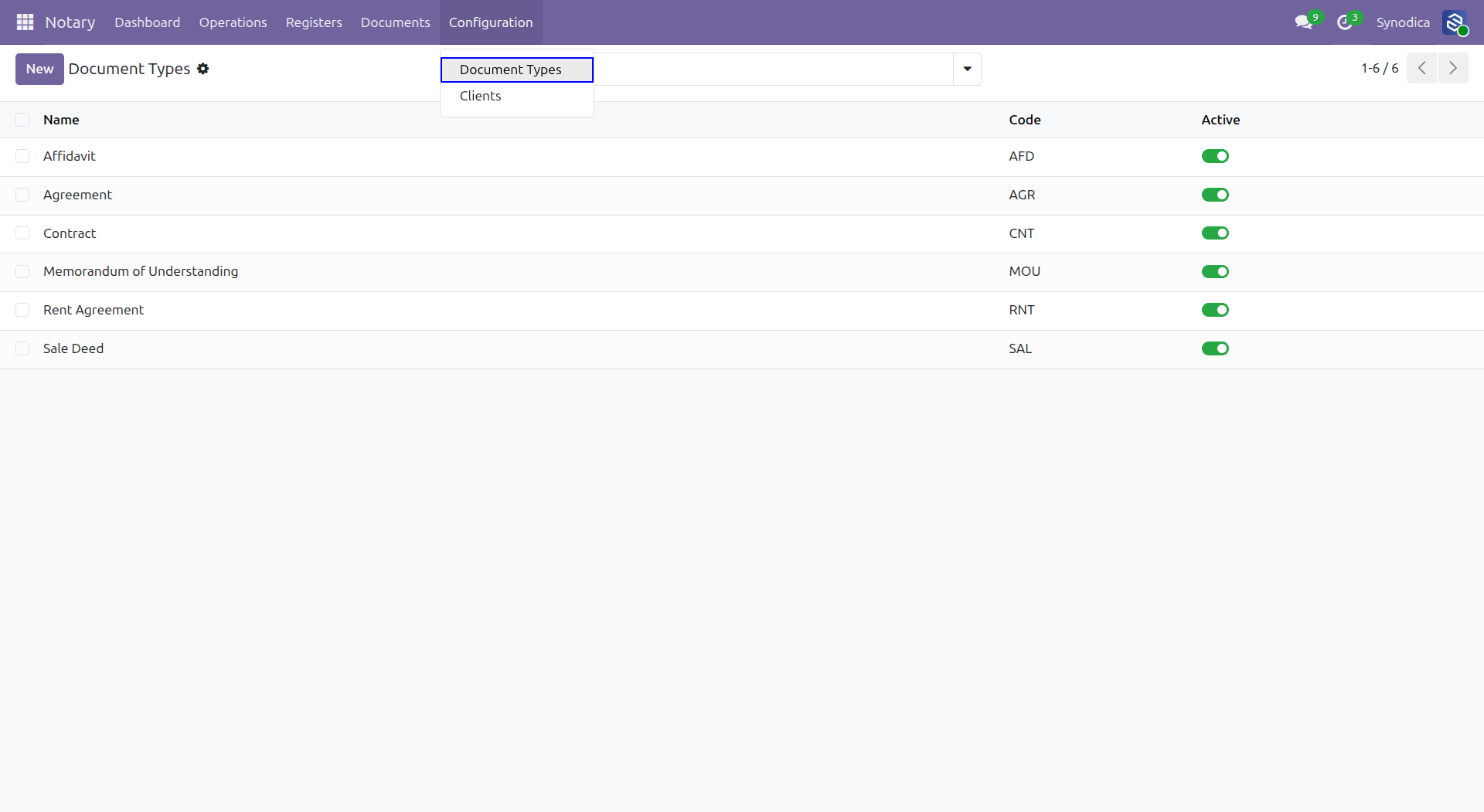
Define your notary document categories (Affidavit, Agreement, Contract, etc.) from Configuration > Document Types.
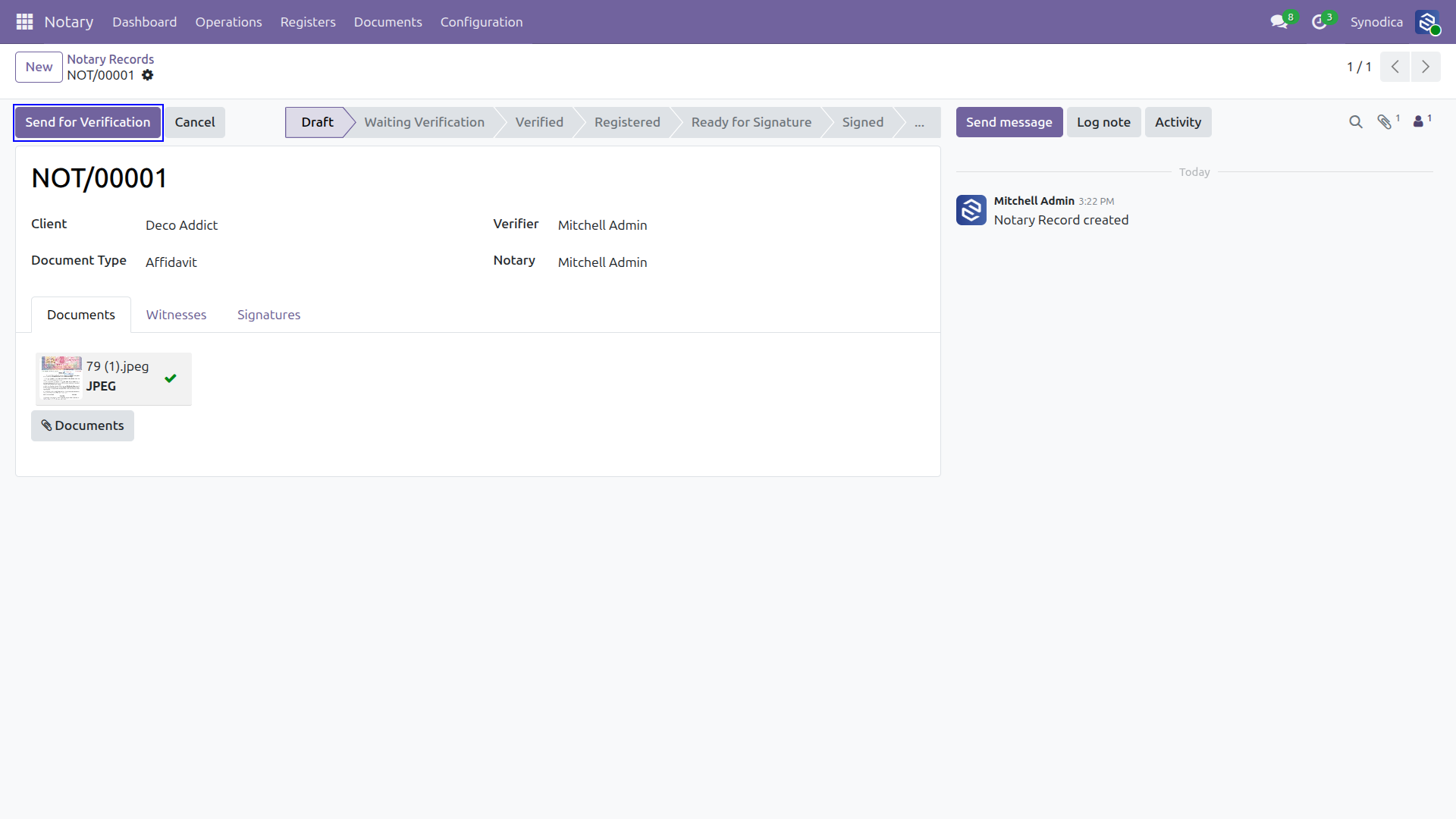
Fill in client details, assign the verifier and notary, upload documents, manage witnesses, and submit for verification.
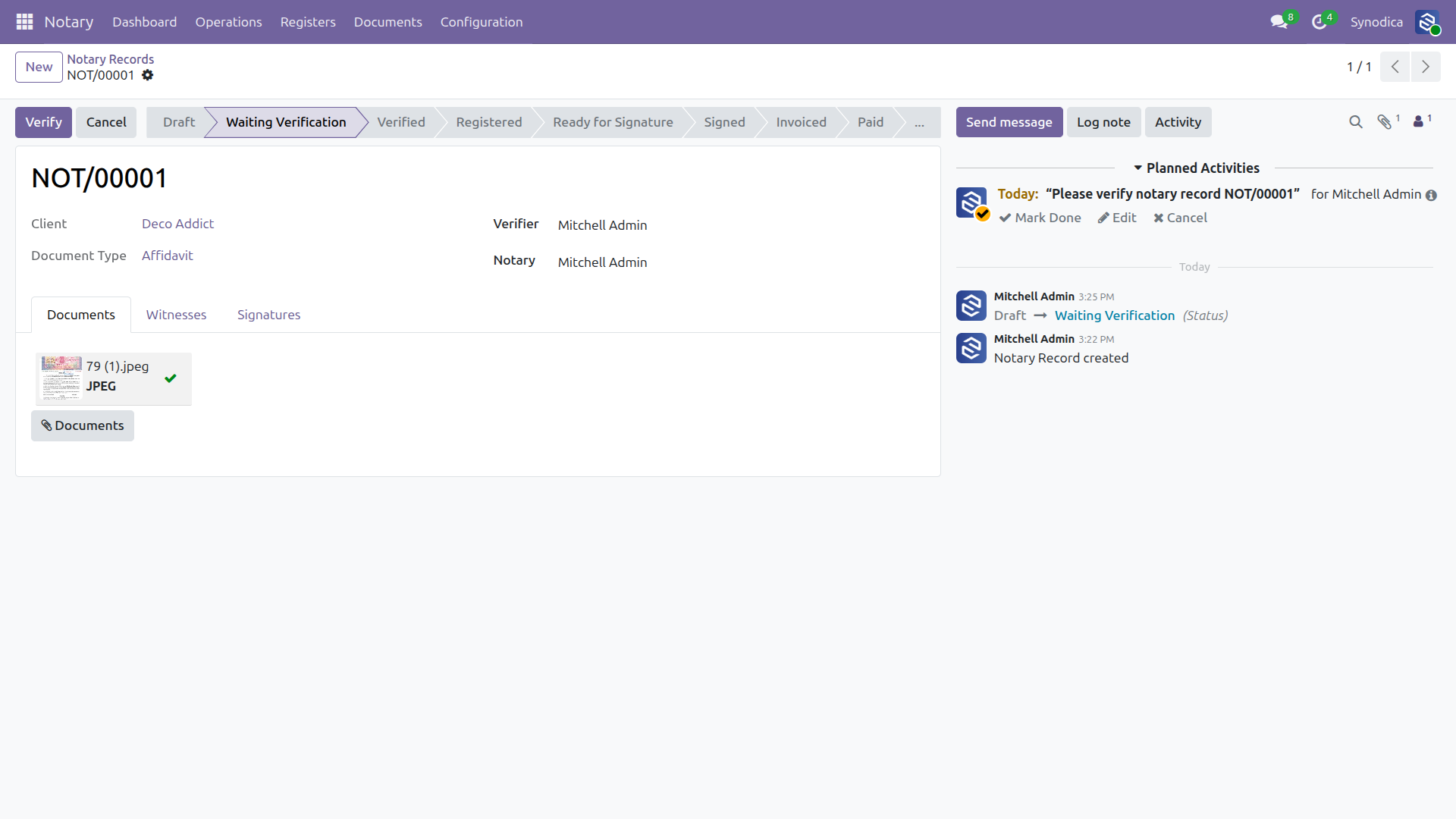
Once submitted, an activity is automatically scheduled for the assigned verifier. The chatter logs every state transition for full audit trail.
The verifier approves the record. Activity is marked as done, and the record advances to the Verified state ready for official registration.
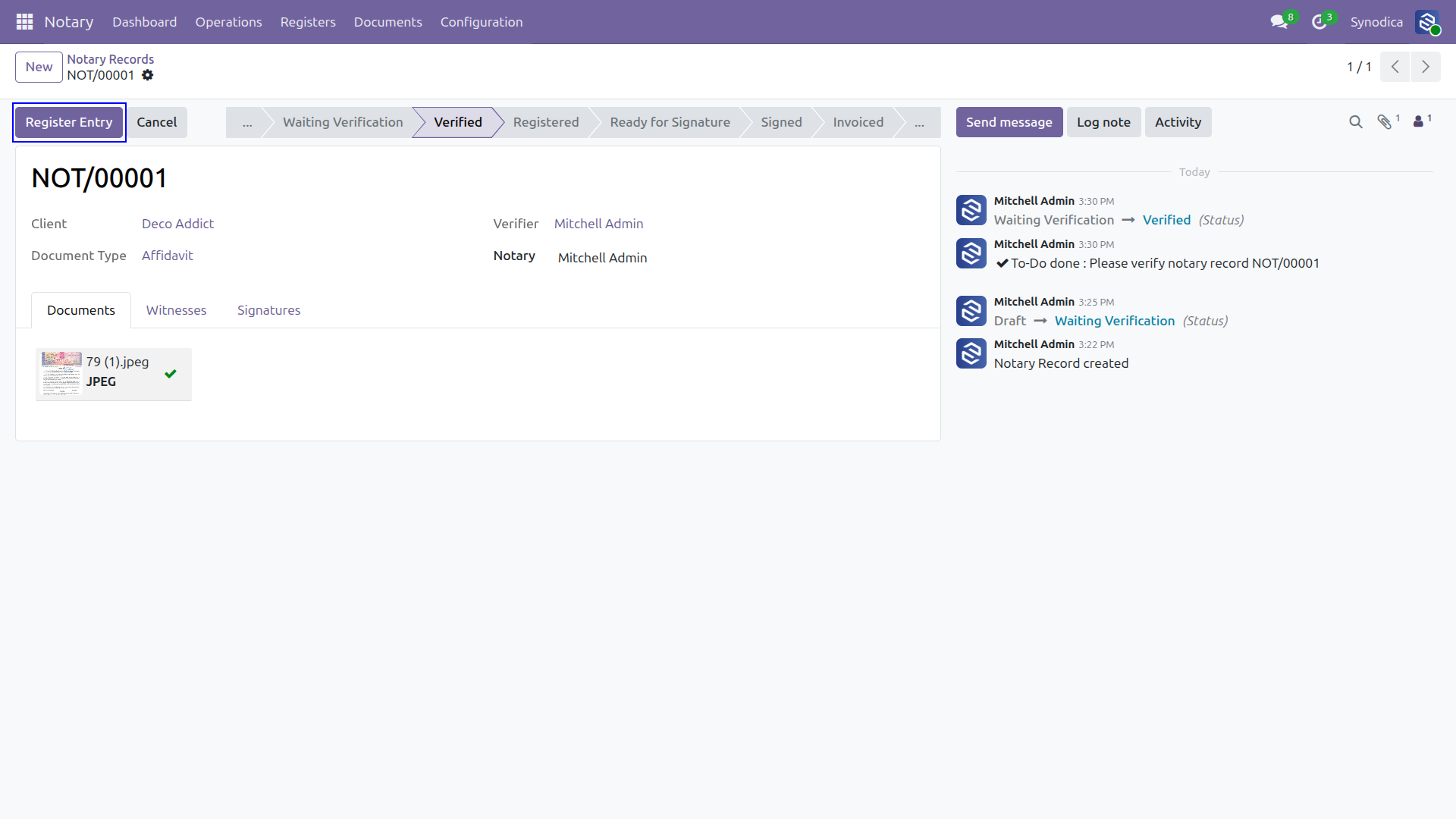
The notary registers the entry a permanent register number is generated and recorded in the Notary Register.
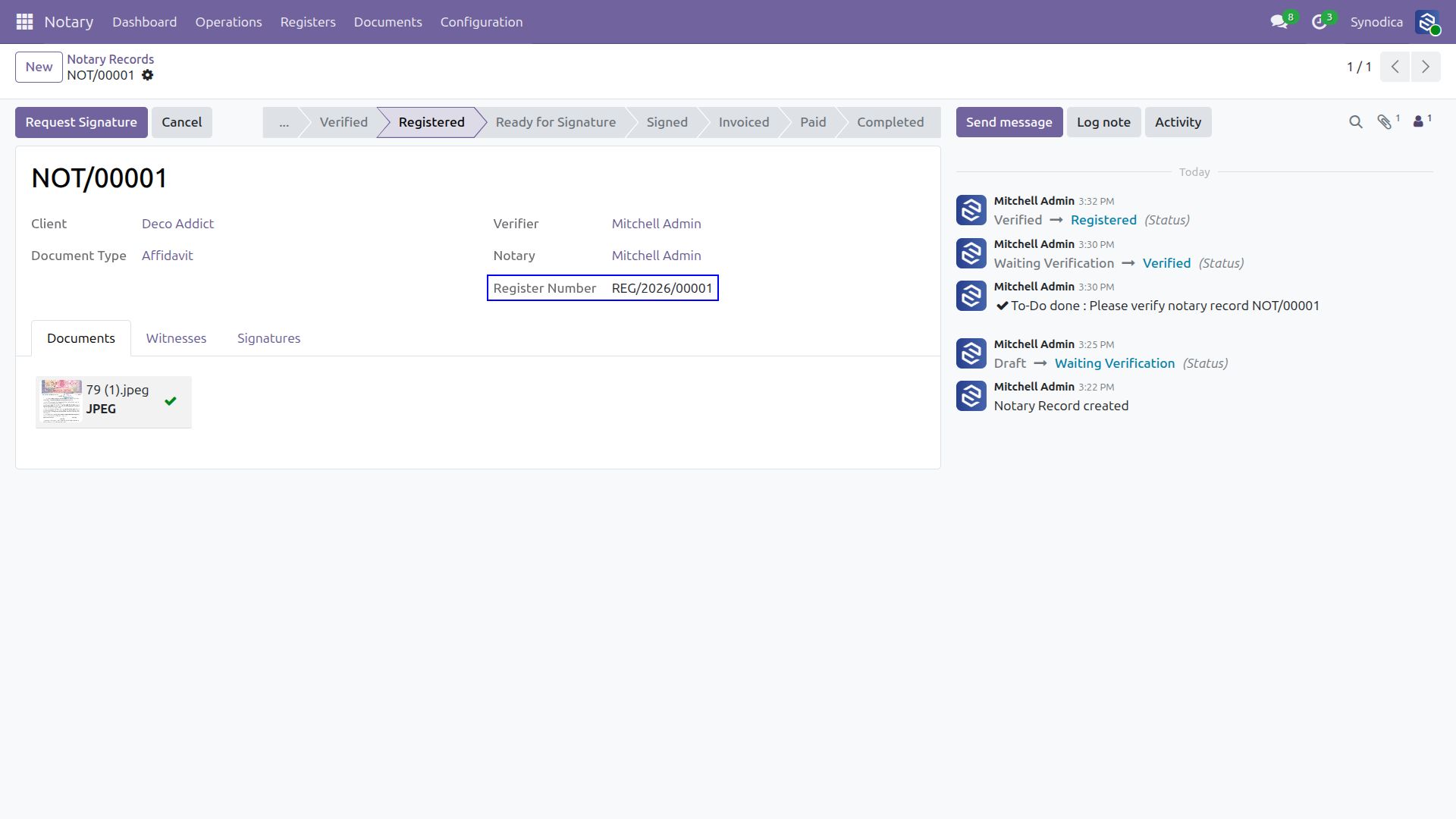
The record moves to the ready state and an email is automatically dispatched to the client containing a secure link to the digital signing portal.
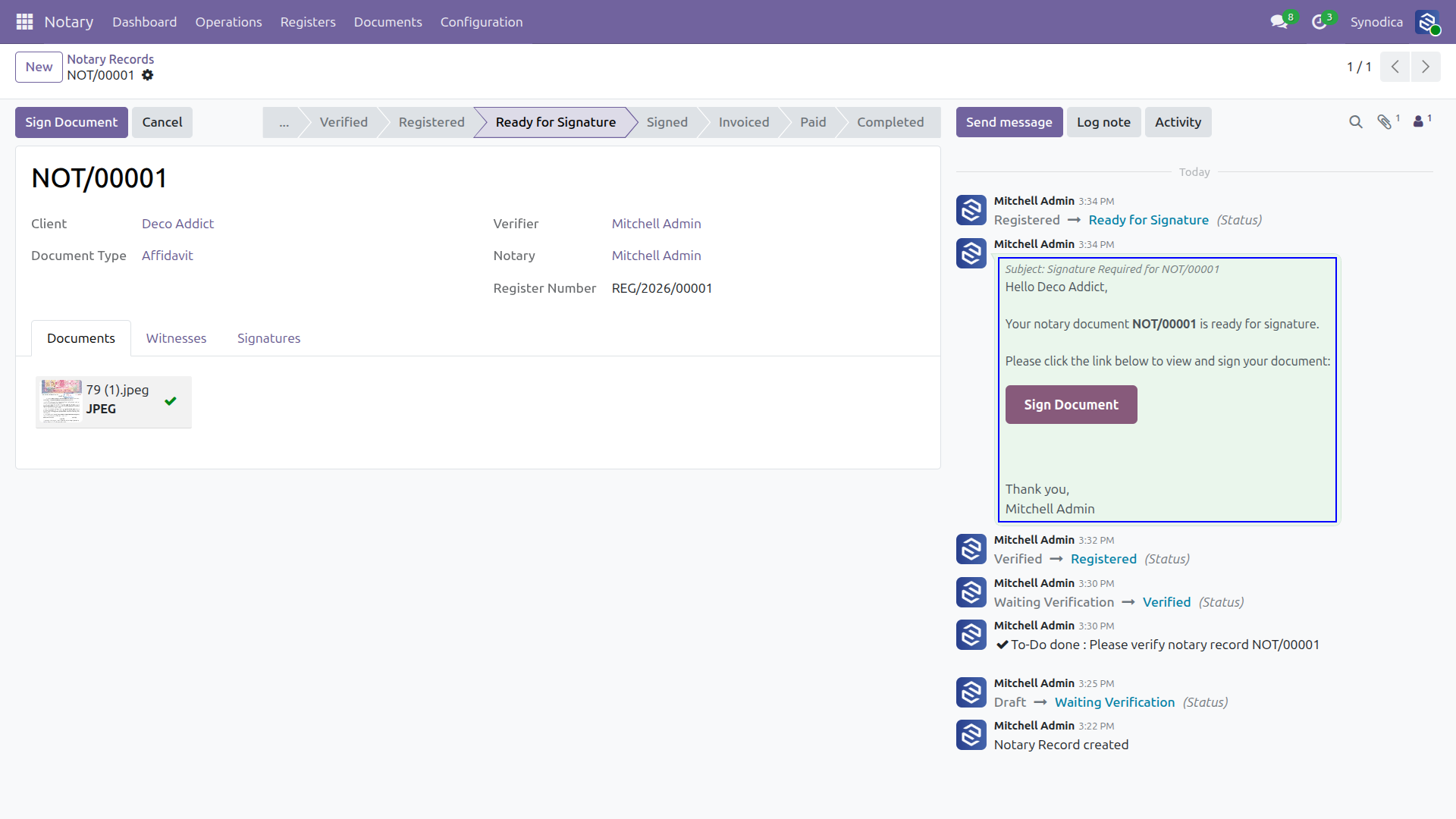
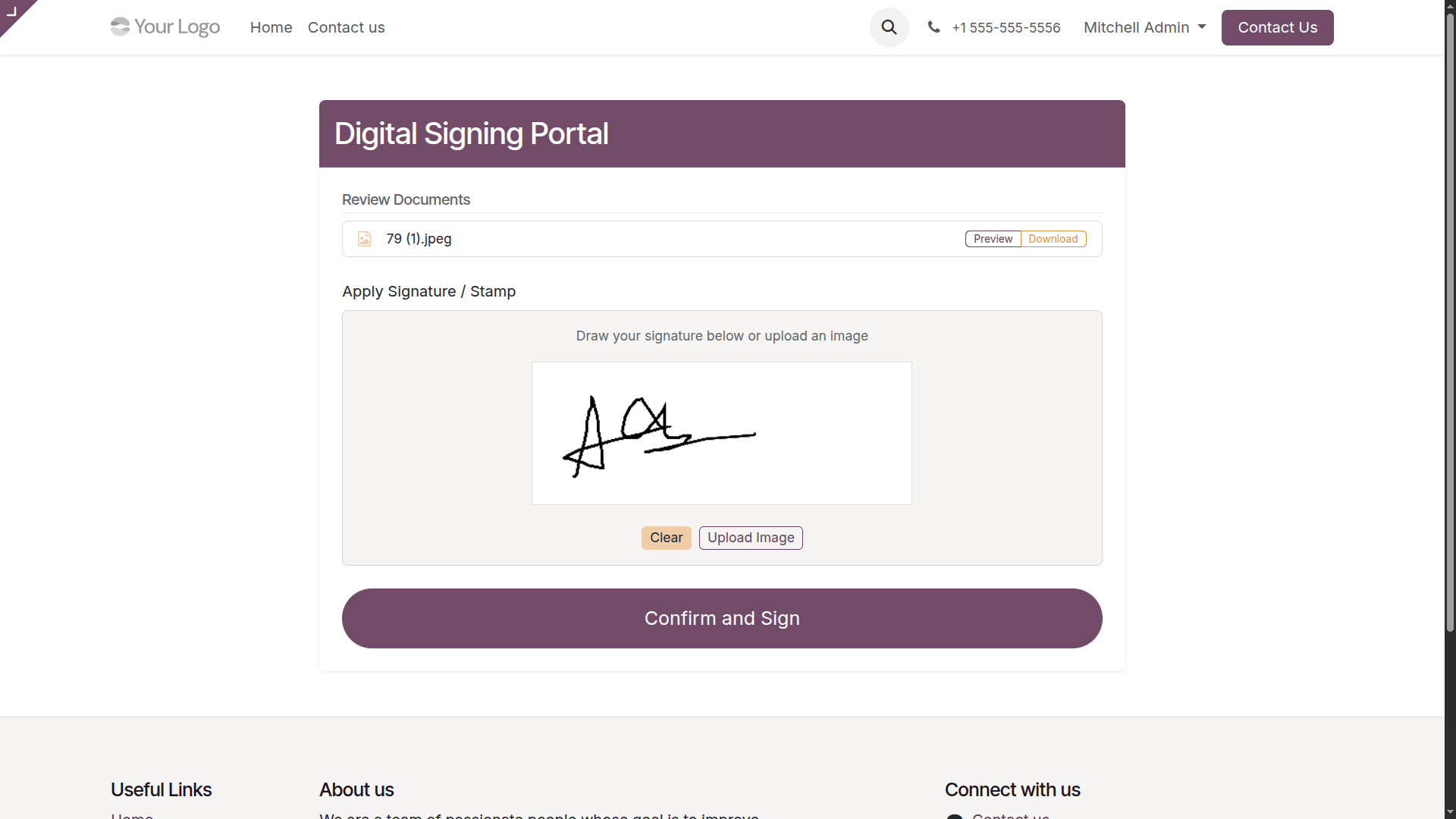
Clients access a dedicated, user-friendly portal to review their documents and apply their digital signature by drawing or uploading an image.
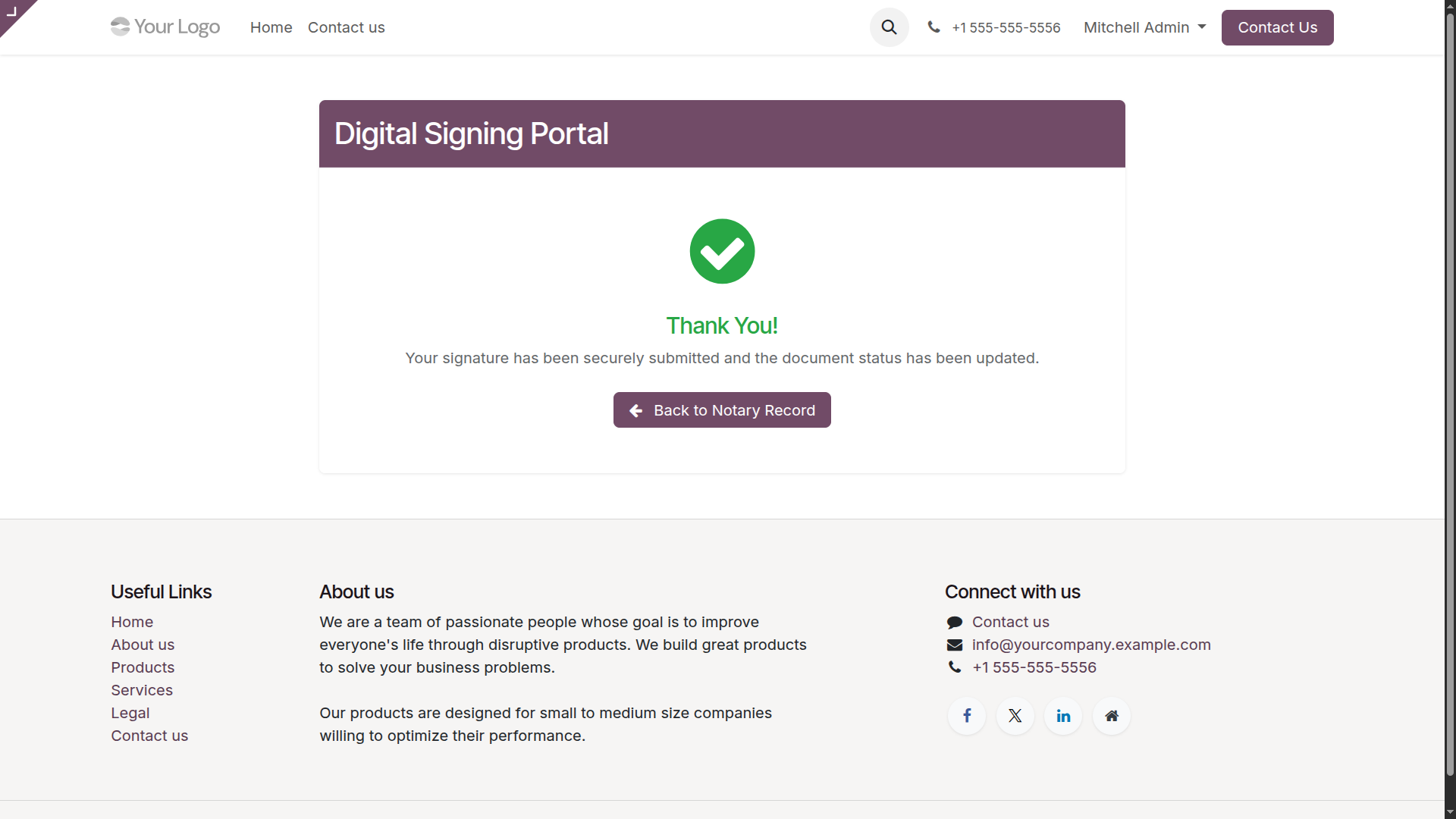
Upon successful submission, the client receives instant visual confirmation. The signature is securely recorded and linked to the notary document.
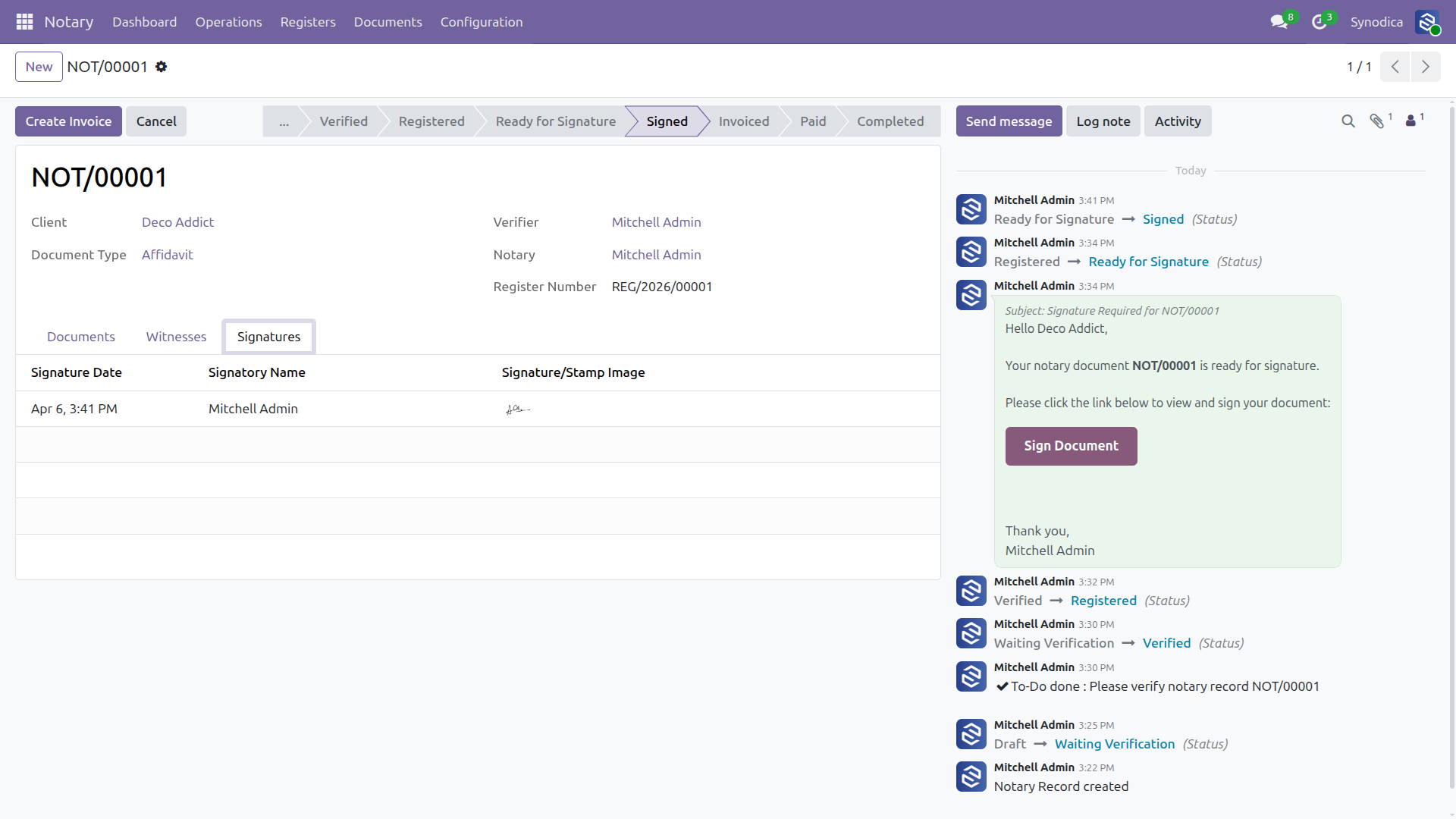
Back in Odoo, the record automatically advances to the "Signed" state. Signatures are visibly attached to the record under the dedicated tab.
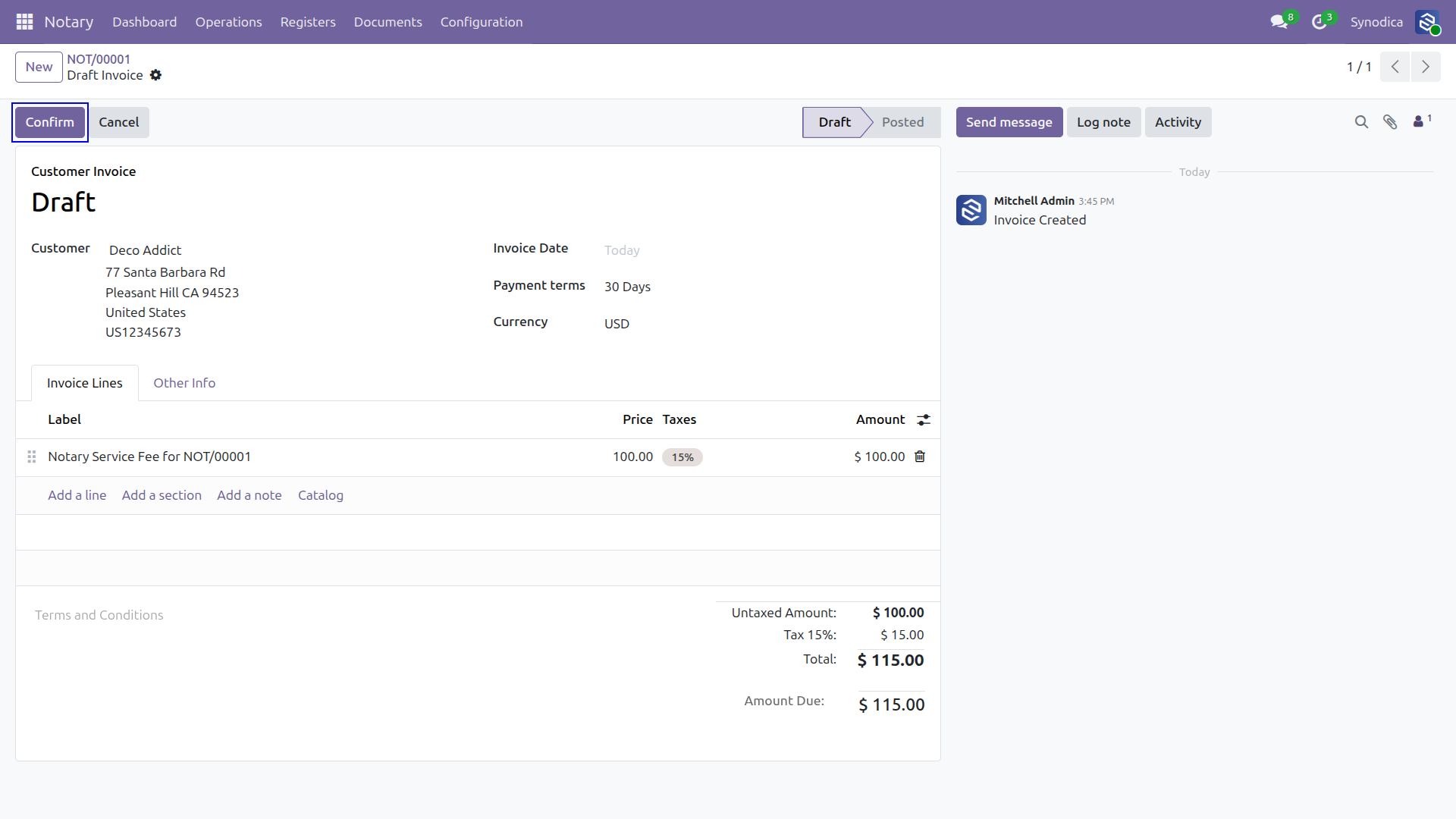
Easily generate a draft invoice directly from the notary record. Notary service fees and related document costs are automatically populated.
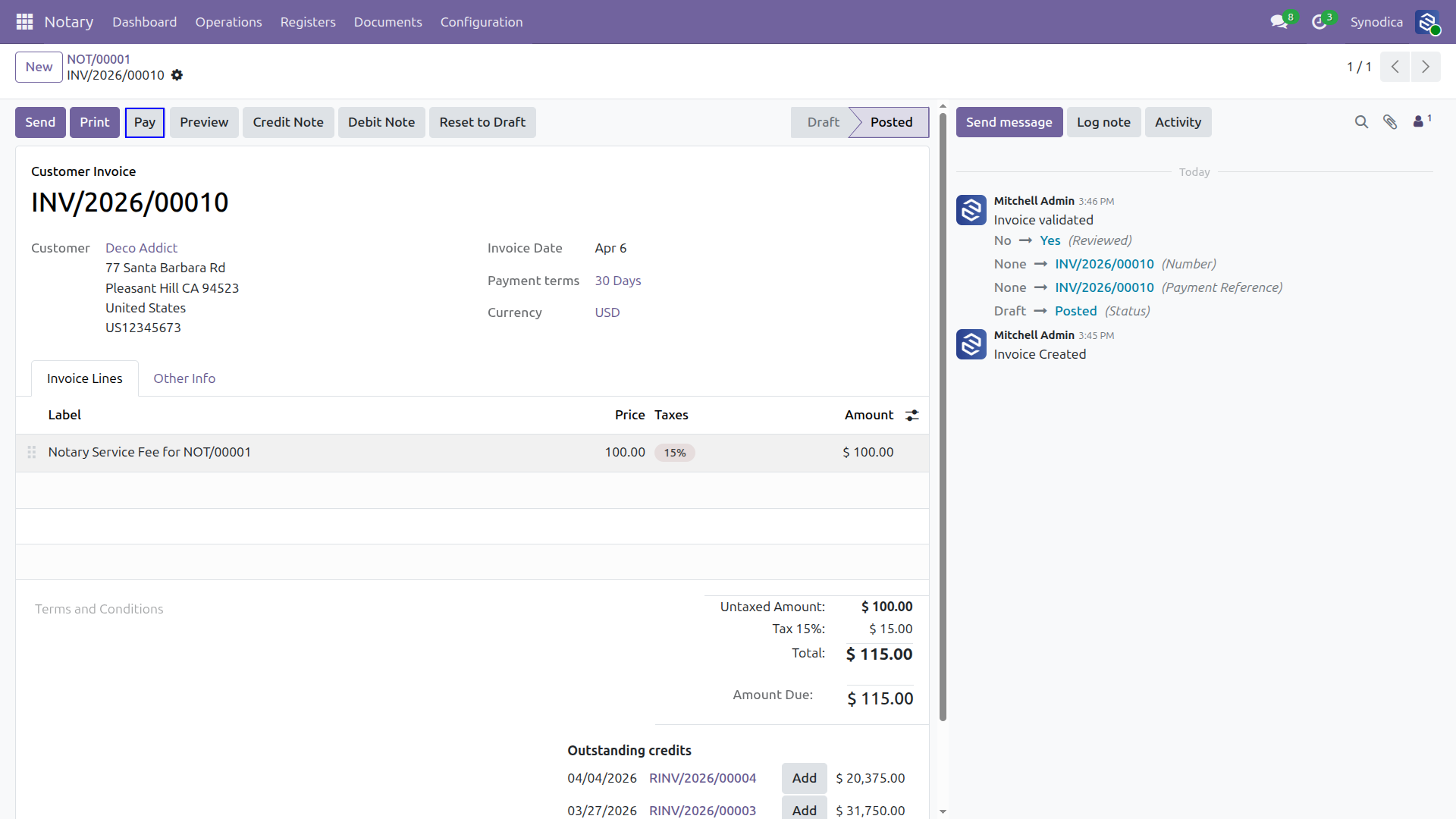
Review the details and confirm the customer invoice. Posting the invoice locks its contents and officially records financial entries.
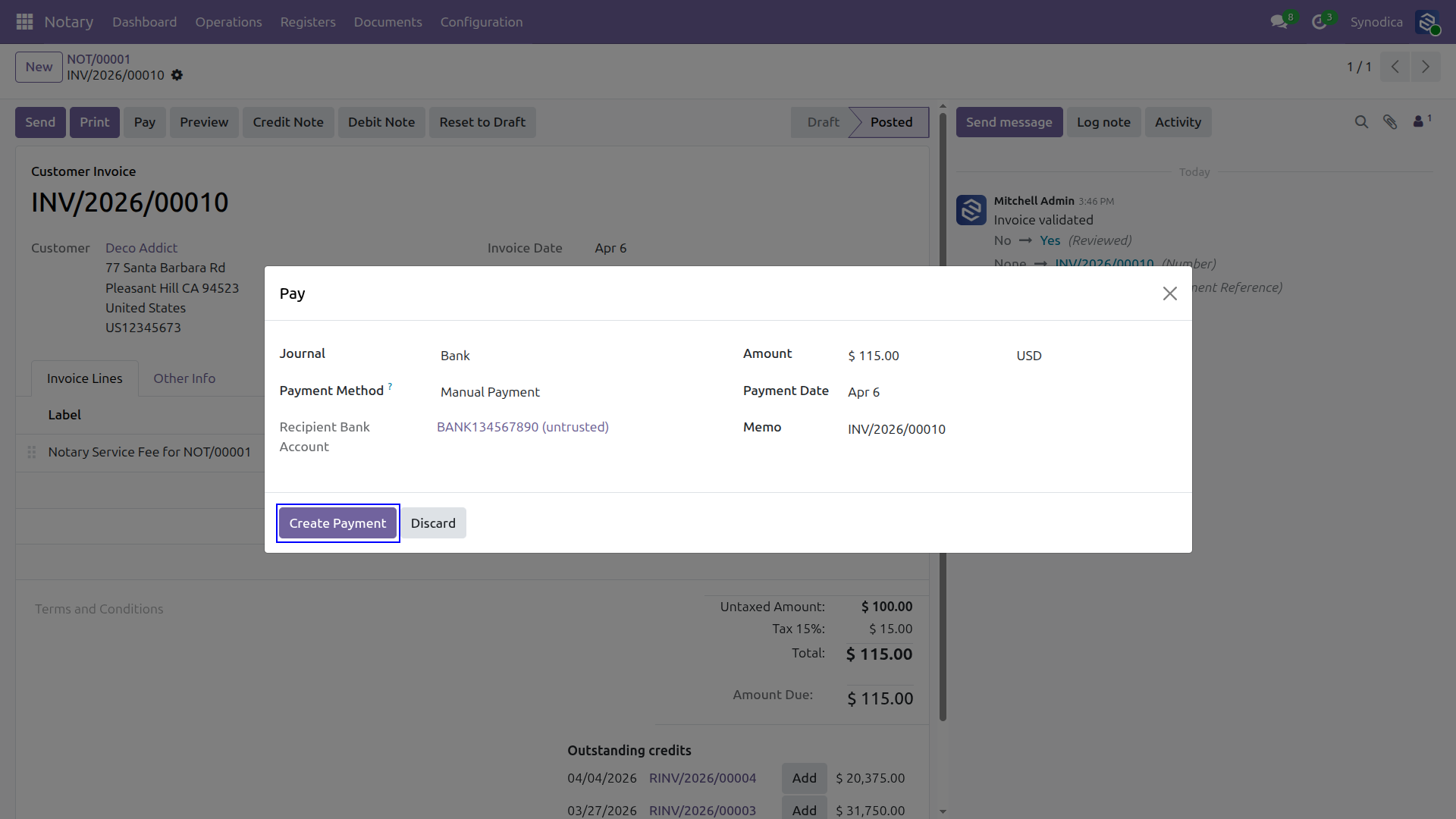
Register payments for the notary services directly via bank, cash, or configured digital payment providers.
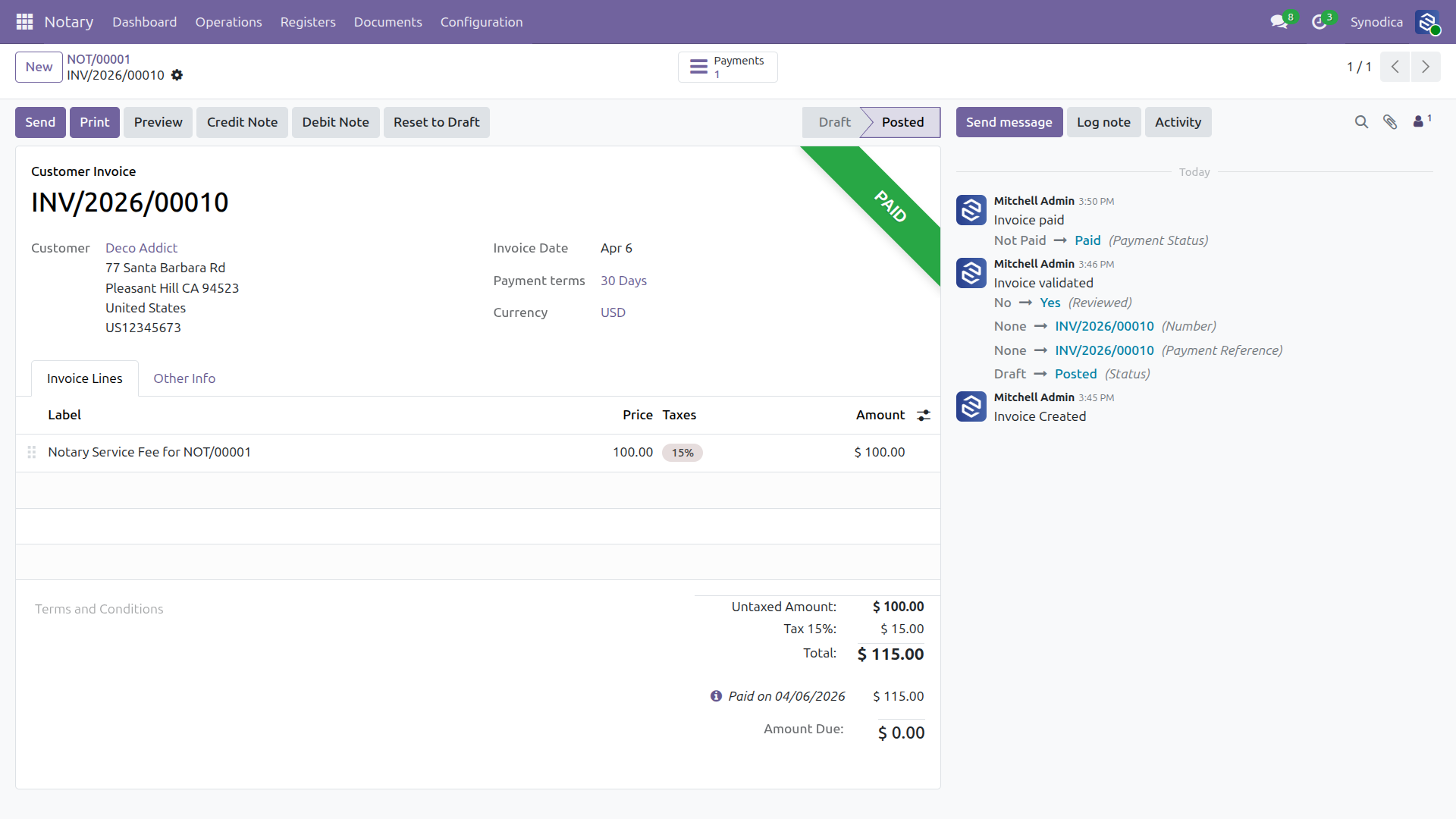
Once payment is received, the invoice is clearly highlighted with a "PAID" ribbon for easy visual auditing.
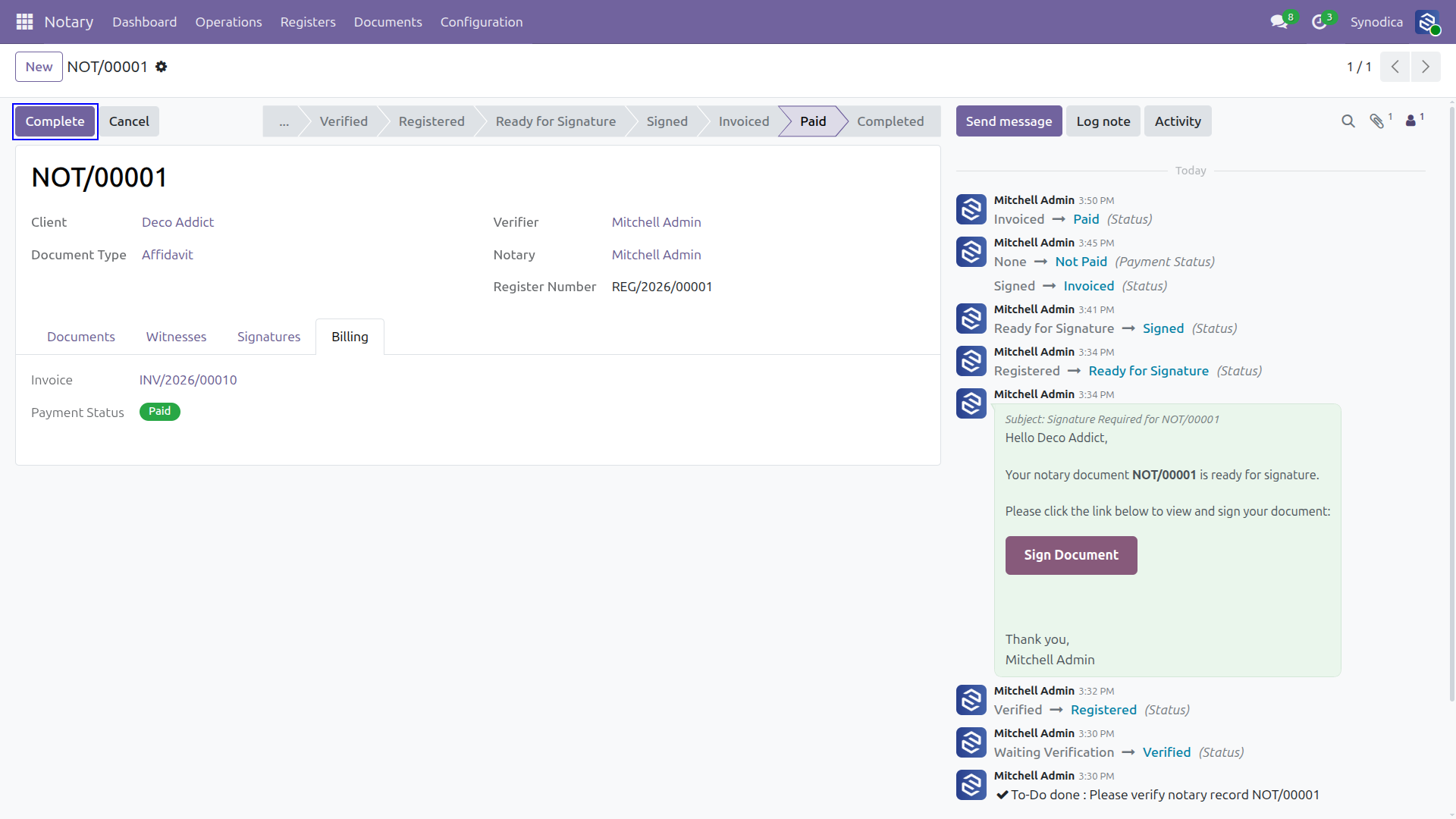
The payment status automatically syncs back to the originating Notary Record, shifting its state instantly right without manual intervention.
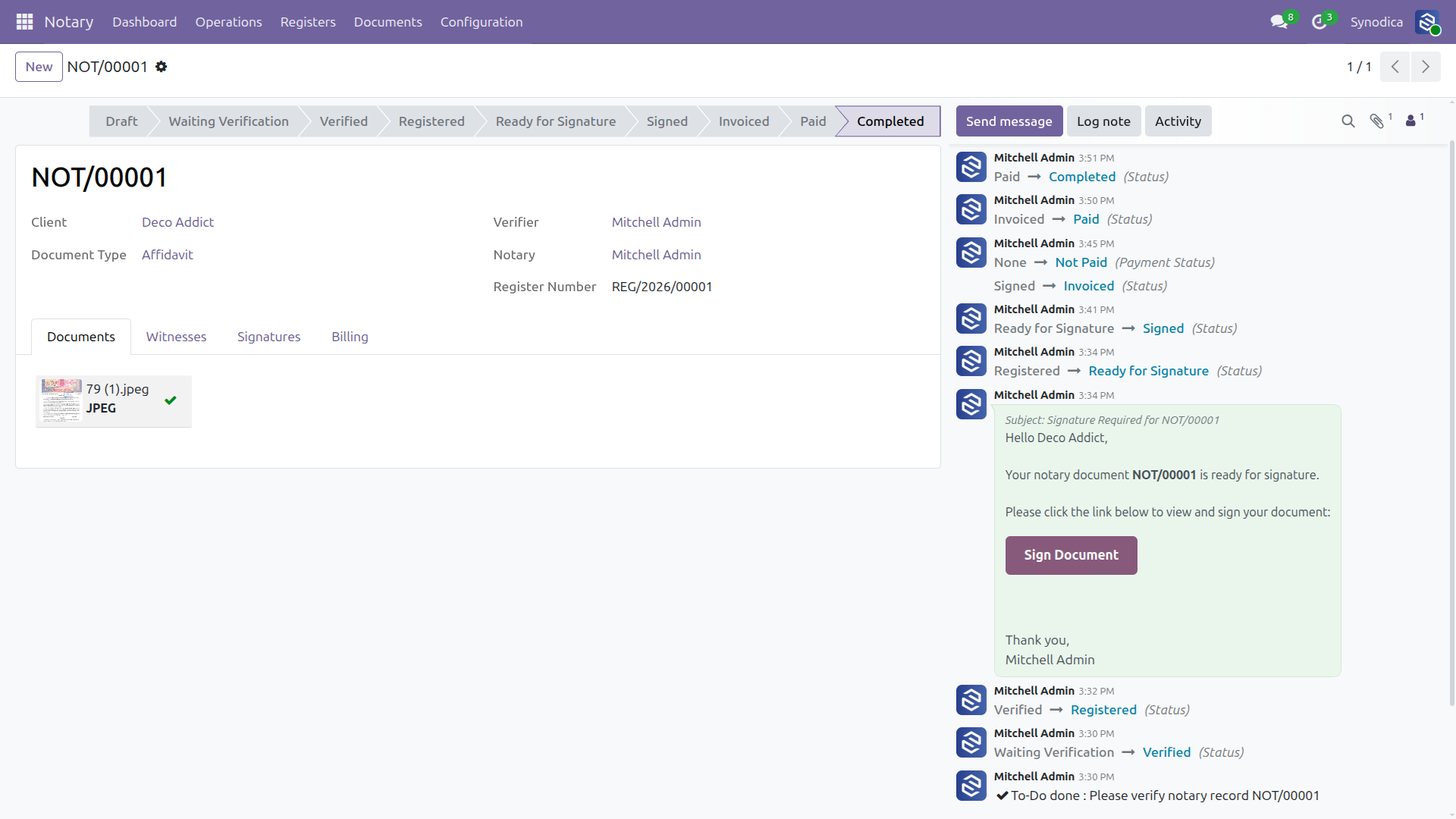
With signatures acquired and payment processed, the notary finalizes the process by moving the record to "Completed."
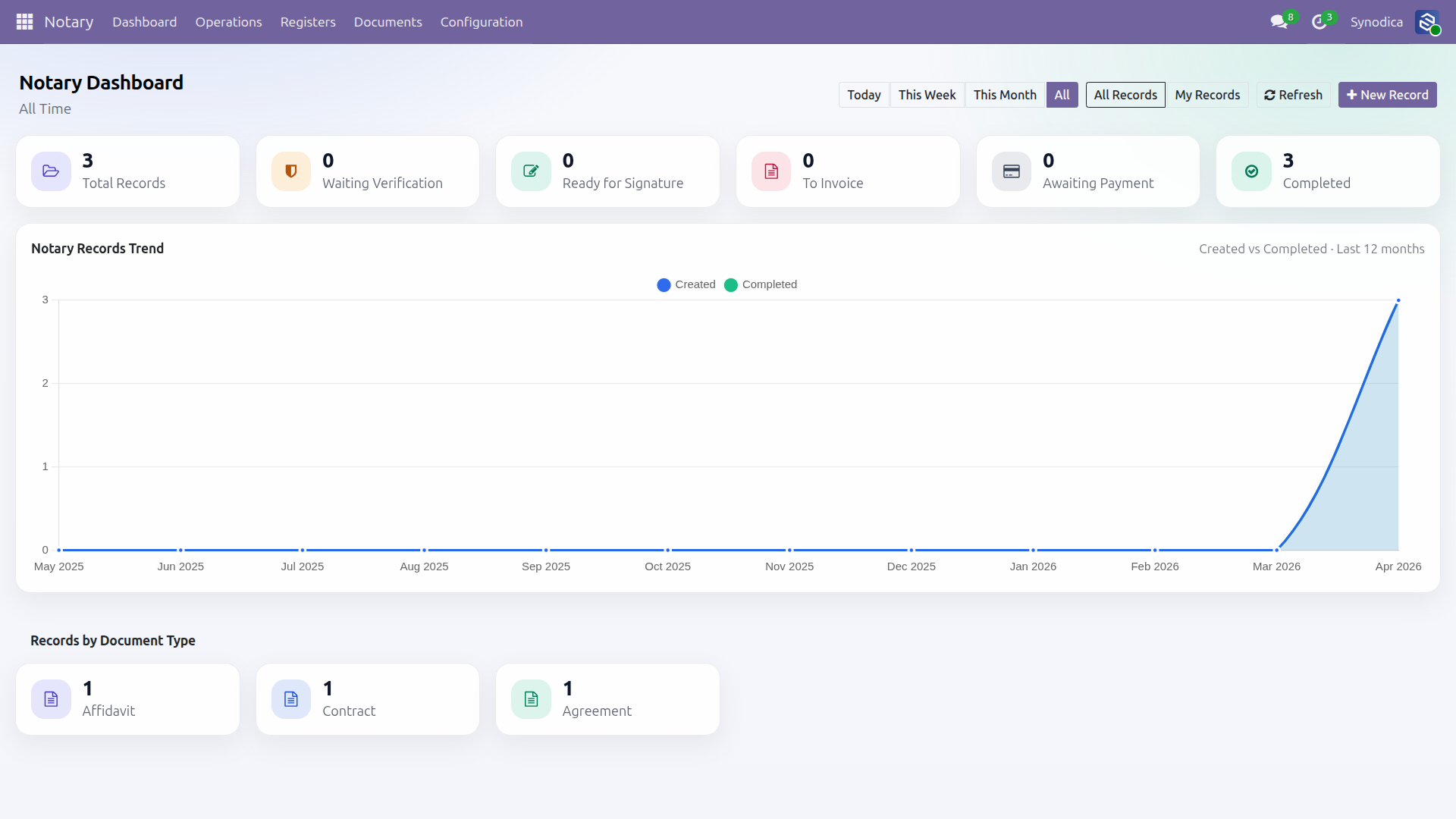
All uploaded files are automatically organized into structured folders within Odoo's native Documents app, linked directly to your Notary Records.
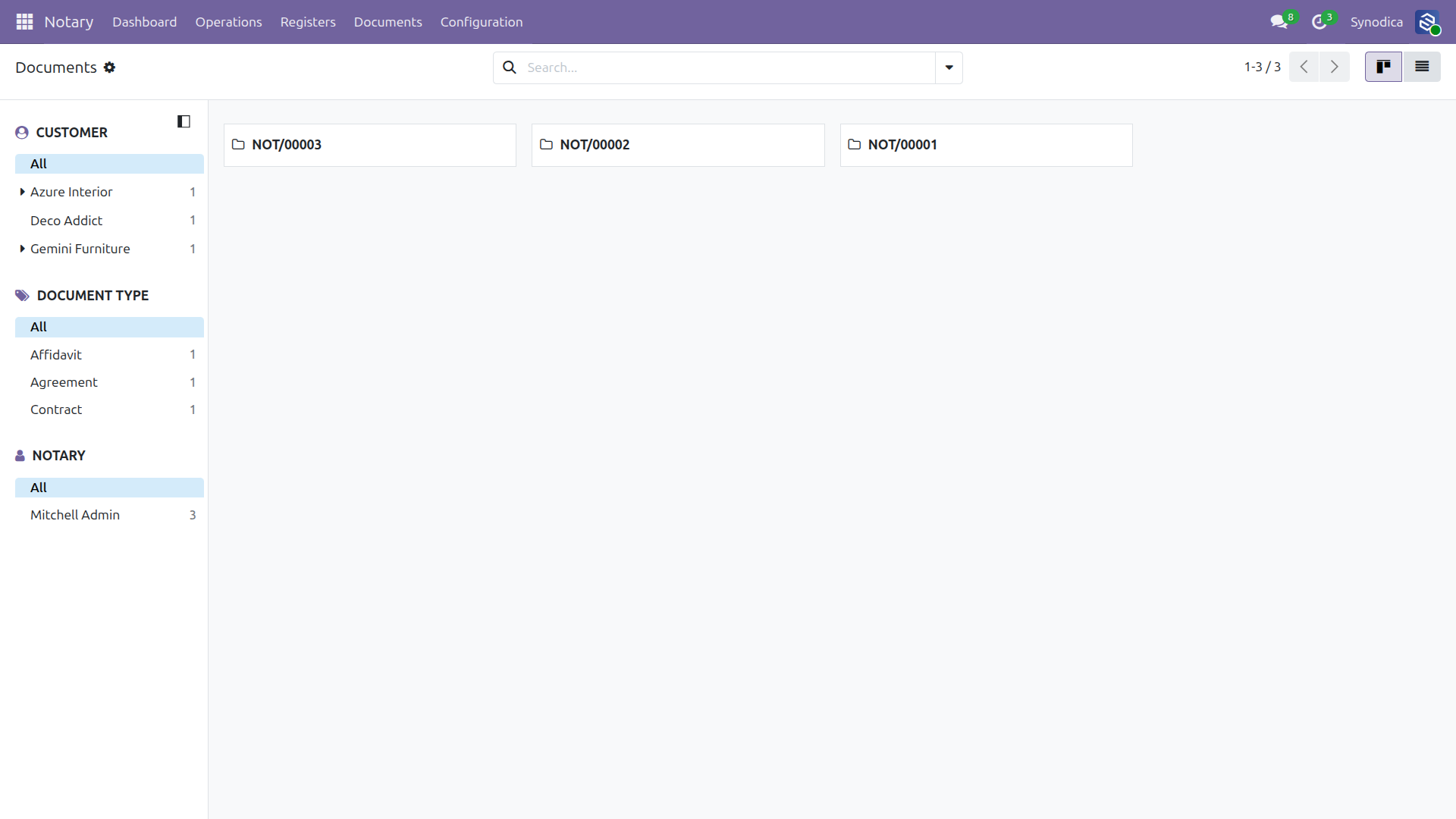
Easily preview attachments, PDFs, and images tied to a specific notary process without the need to download them globally.
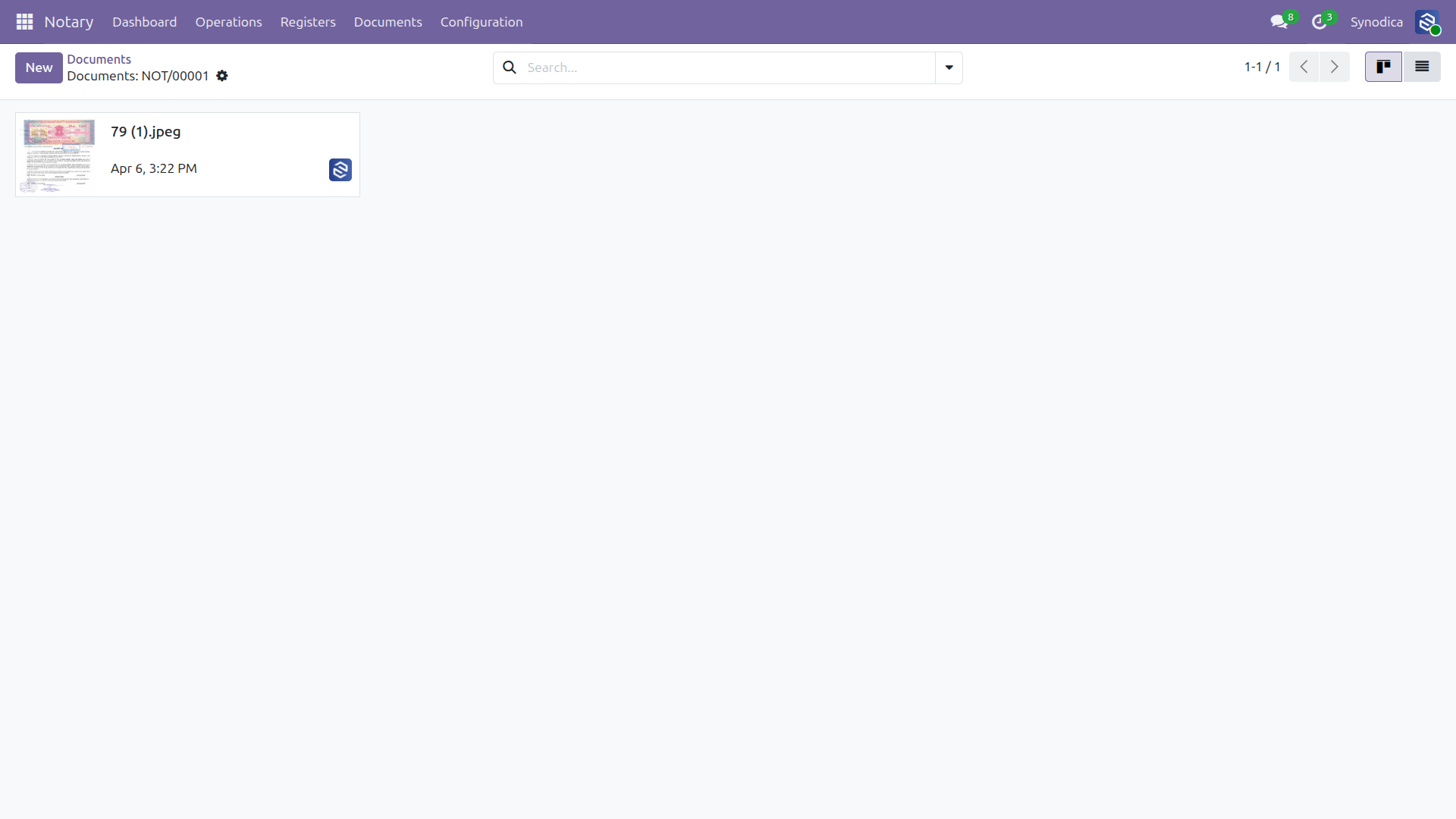
A unified and legally compliant log containing all officially registered documents numbered chronologically for easy auditing purposes.
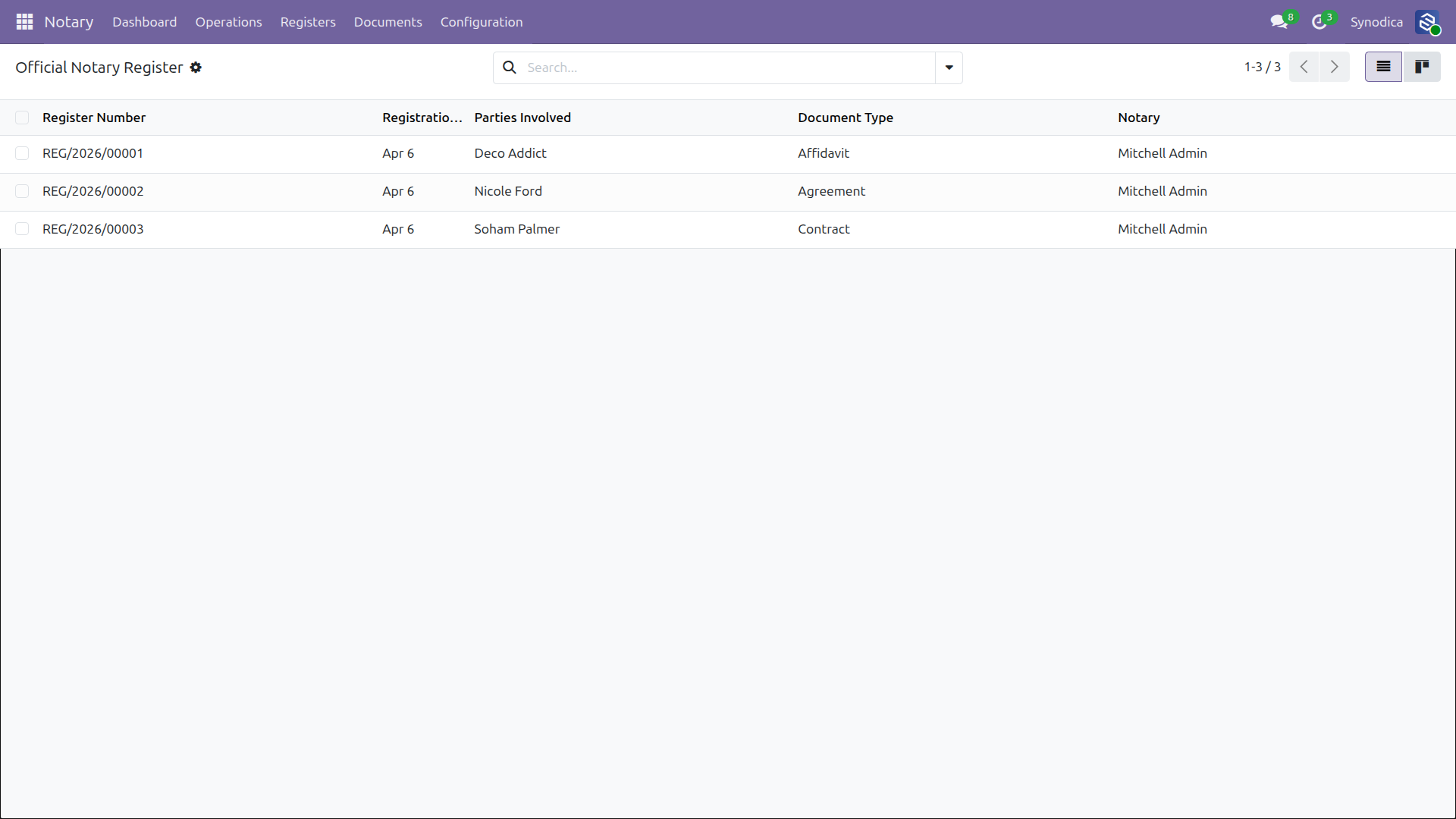
Get a bird's eye view of your entire notary operation. Monitor outstanding signatures, pending payments, and document volume over time.
Built for Legal Teams
Every feature a notary office needs document handling, role enforcement, signing, and billing built right in.
Document Types
Define and manage categories like Affidavit, Agreement, Contract, Sale Deed, and more from configuration.
Role-Based Security
Five distinct roles Clerk, Verifier, Notary, Billing, and Administrator each with precise access rights.
Digital Signatures
Secure web-based signing portal for clients. Email-triggered, with witness details and electronic stamp support.
Official Register
Permanent, tamper-proof notary register with auto-generated sequential register numbers (REG/YYYY/NNNNN).
Integrated Invoicing
One-click invoice generation linked to Odoo Accounting. Payment status syncs automatically to the notary record.
Live Dashboard
Real-time KPI cards, state breakdowns, trend charts, and document type analytics all filterable by period and scope.
Secure Role Hierarchy
Every action is gated by role ensuring data integrity and separation of duties throughout the notarization process.
Clerk
Creates records, uploads documents, manages witnesses. Can only write in Draft state.
Verifier
Independent reviewer. Can only verify or reset records cannot create new ones.
Notary
Registers entries, manages signatures, and oversees the complete signing-to-invoicing flow.
Specialized Odoo Services
We build, customize, and maintain Odoo solutions for businesses worldwide from implementation to advanced integrations.
Ready to Digitize Your Notary Office?
Our team assists with installation, configuration, customization, and full Odoo deployment support.
support@synodica.com© 2026 Synodica Solutions PVT. LTD. — Notary Management System for Odoo
We create ERP solutions for you using Odoo ERP that will build a strong and efficient business for you. It's SYNODICA WAY