

Midtrans Payment Acquirer

MIDTRANS PAYMENT PROVIDER
Introducing our seamless integration of Midtrans Payment Provider with Odoo, streamlining online transactions for your business. Effortlessly process payments, automate data exchange, and provide customers with a smooth checkout experience. Empower your growth journey with secure and hassle-free payments through Midtrans and Odoo.
Watch Demo Here




Get immediate API webhook notifications for payment events like successful transactions or other relevant events.

Facilitate online payments in Odoo using diverse methods supported by Midtrans for customer convenience.
Enable smooth checkout on Odoo for quick, efficient transactions, enhancing user experience.

Get automated payment confirmations, update order statuses in Odoo instantly for transparent payment processing.
Initiate refunds seamlessly from Odoo using Midtrans APIs, streamlining the process and enhancing satisfaction.
Seamlessly process payments across Odoo portal, sales, and invoices for a unified user experience.
Payment From Website
To pay with Midtrans, select midtrans as payment method and Click Pay Now button. You will be redirected to Midtrans payment page.
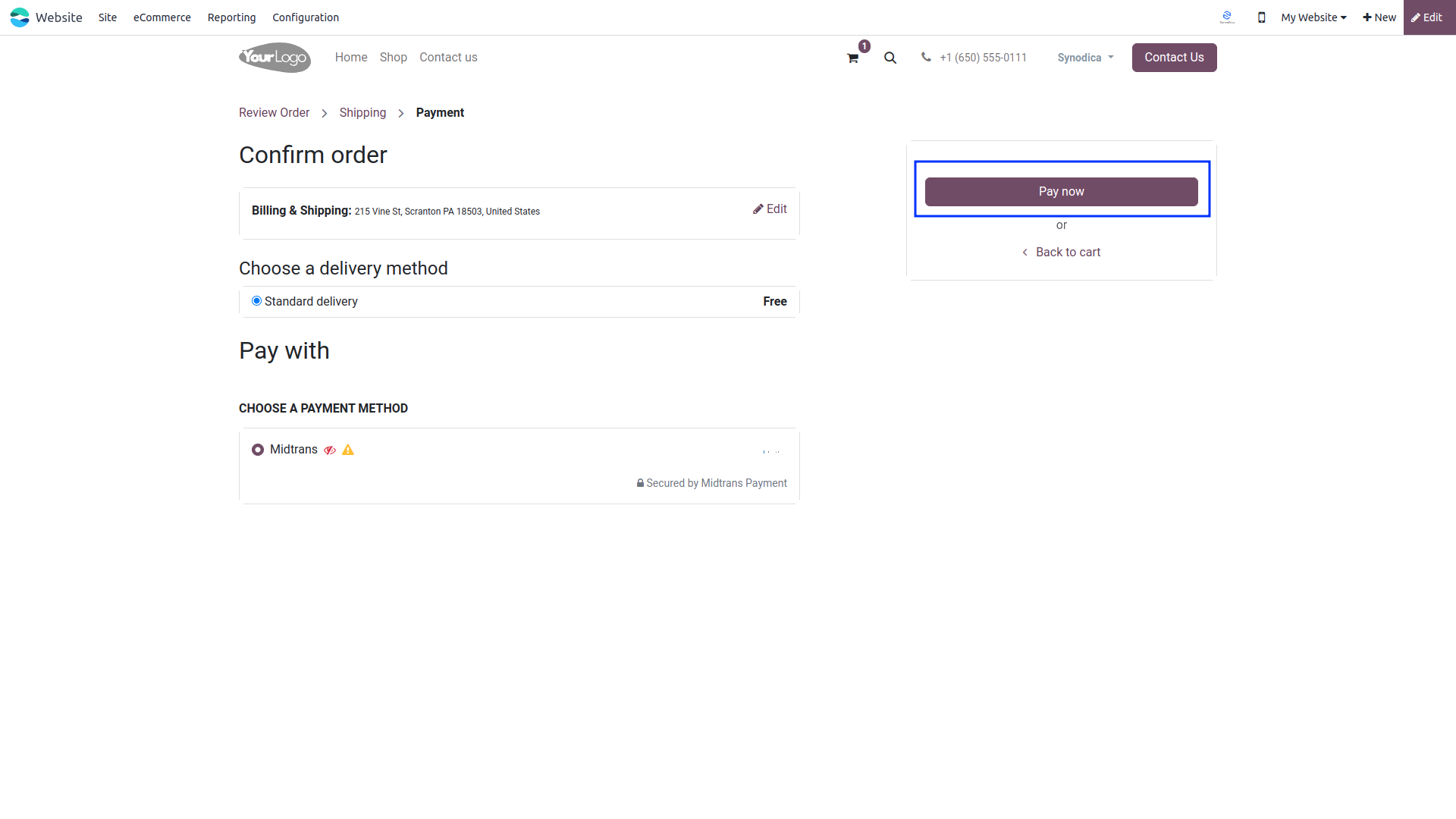
You will redirect the payment page.Choose your preferred payment method.
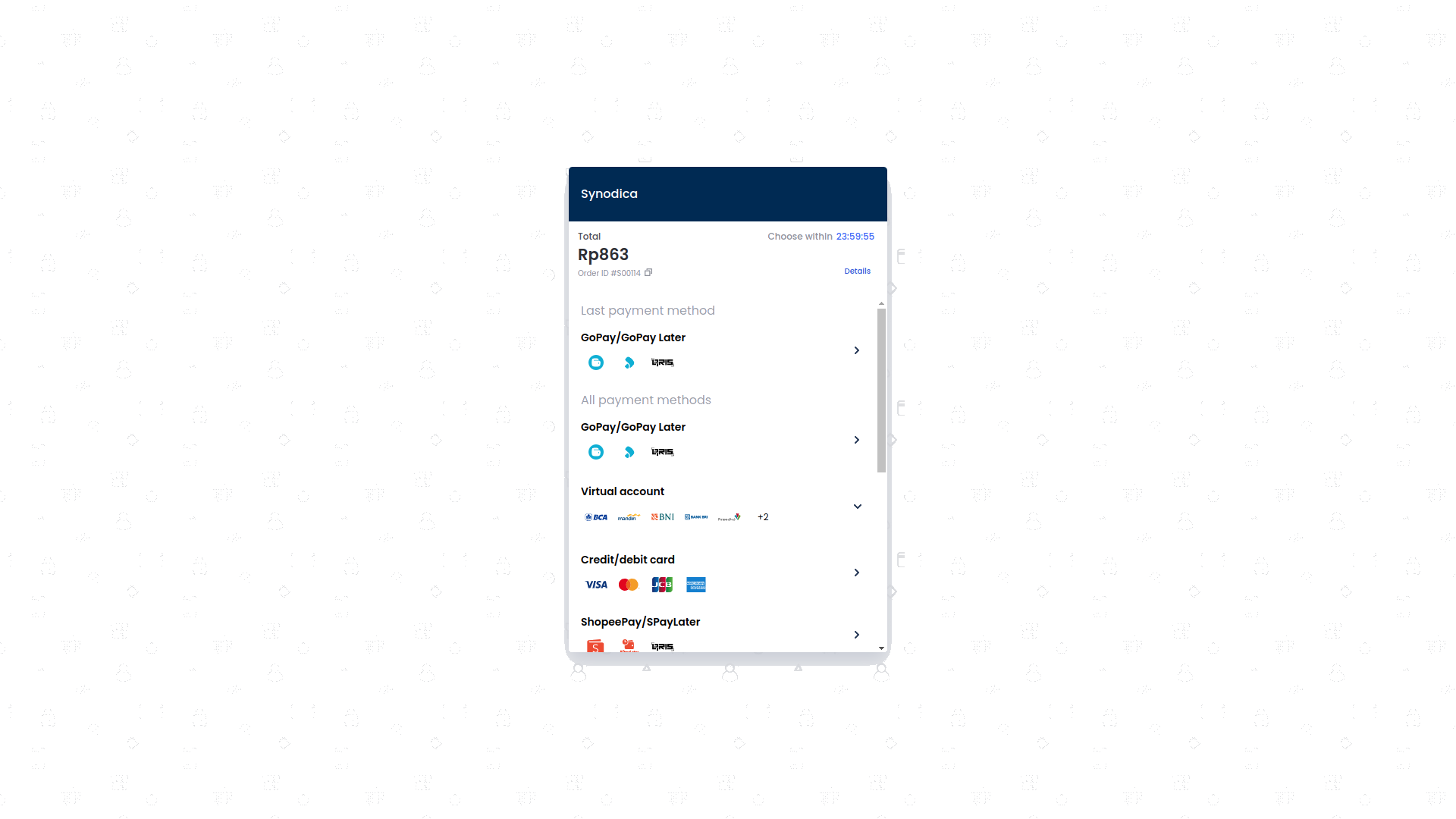
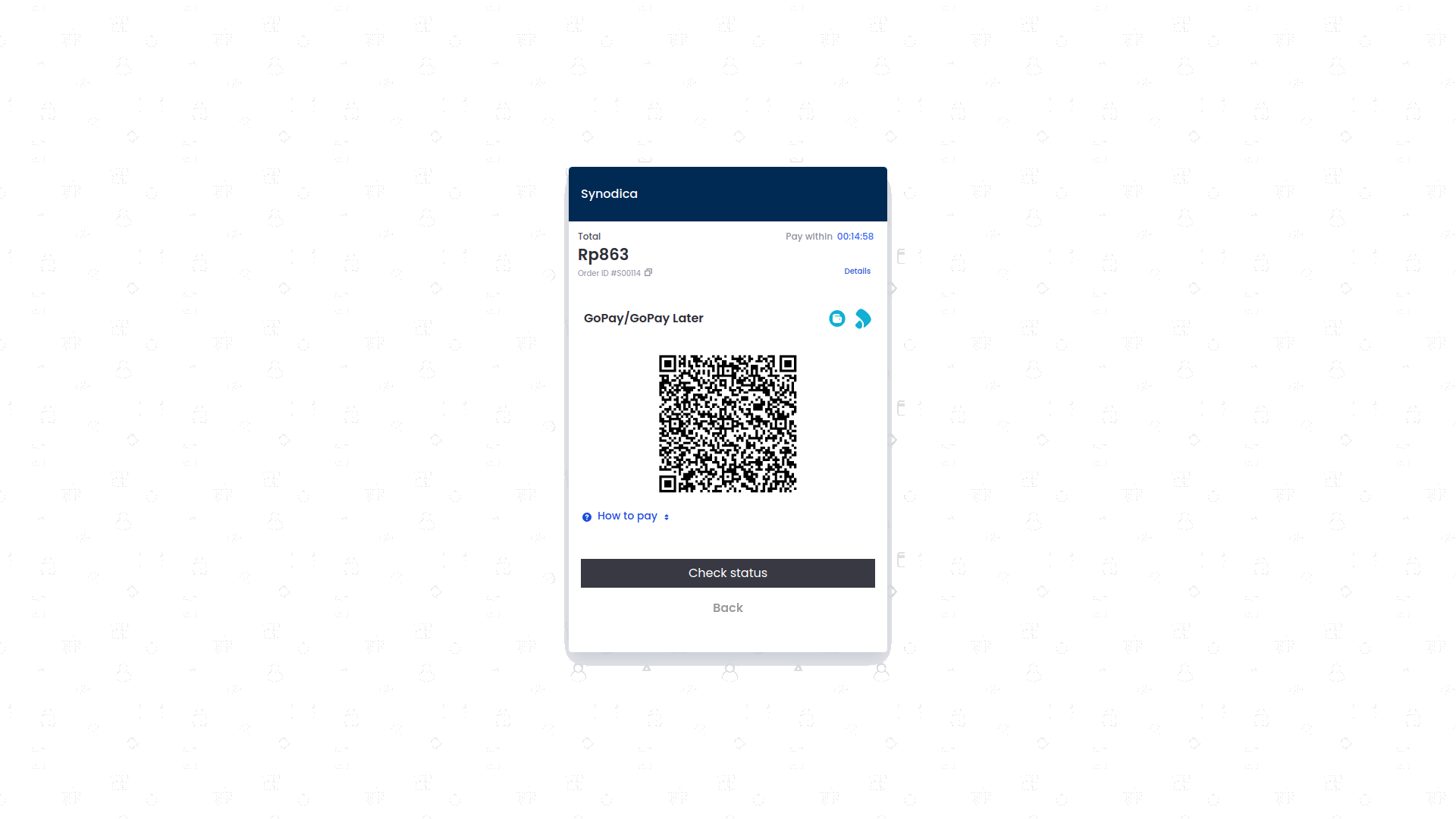
After selecting a payment method, proceed to pay using your chosen method.
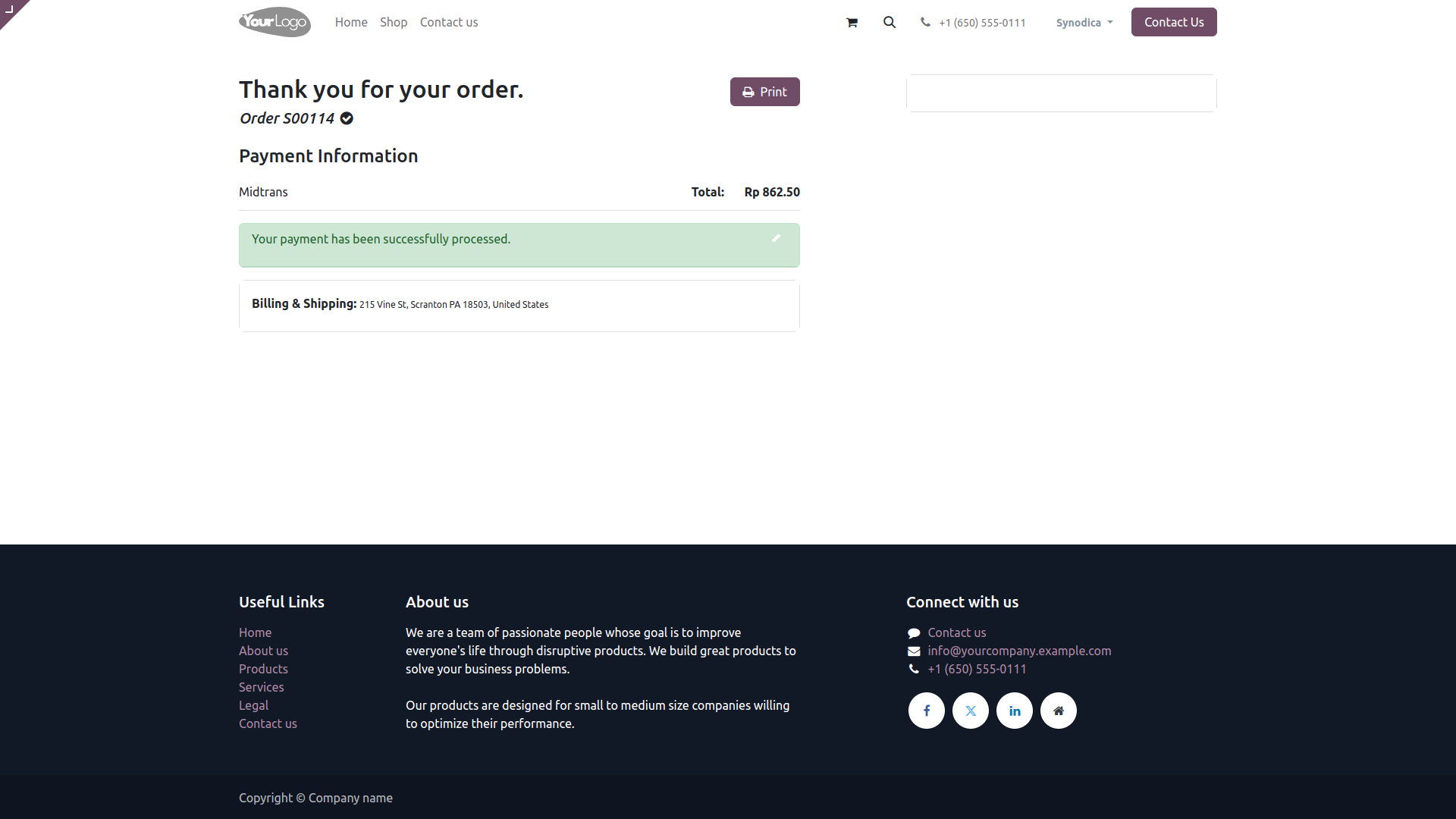
Upon successful payment, you will be directed to the Odoo confirmation screen.

Payment From Sale Order
To pay with sale order, create sale order and click Preview button
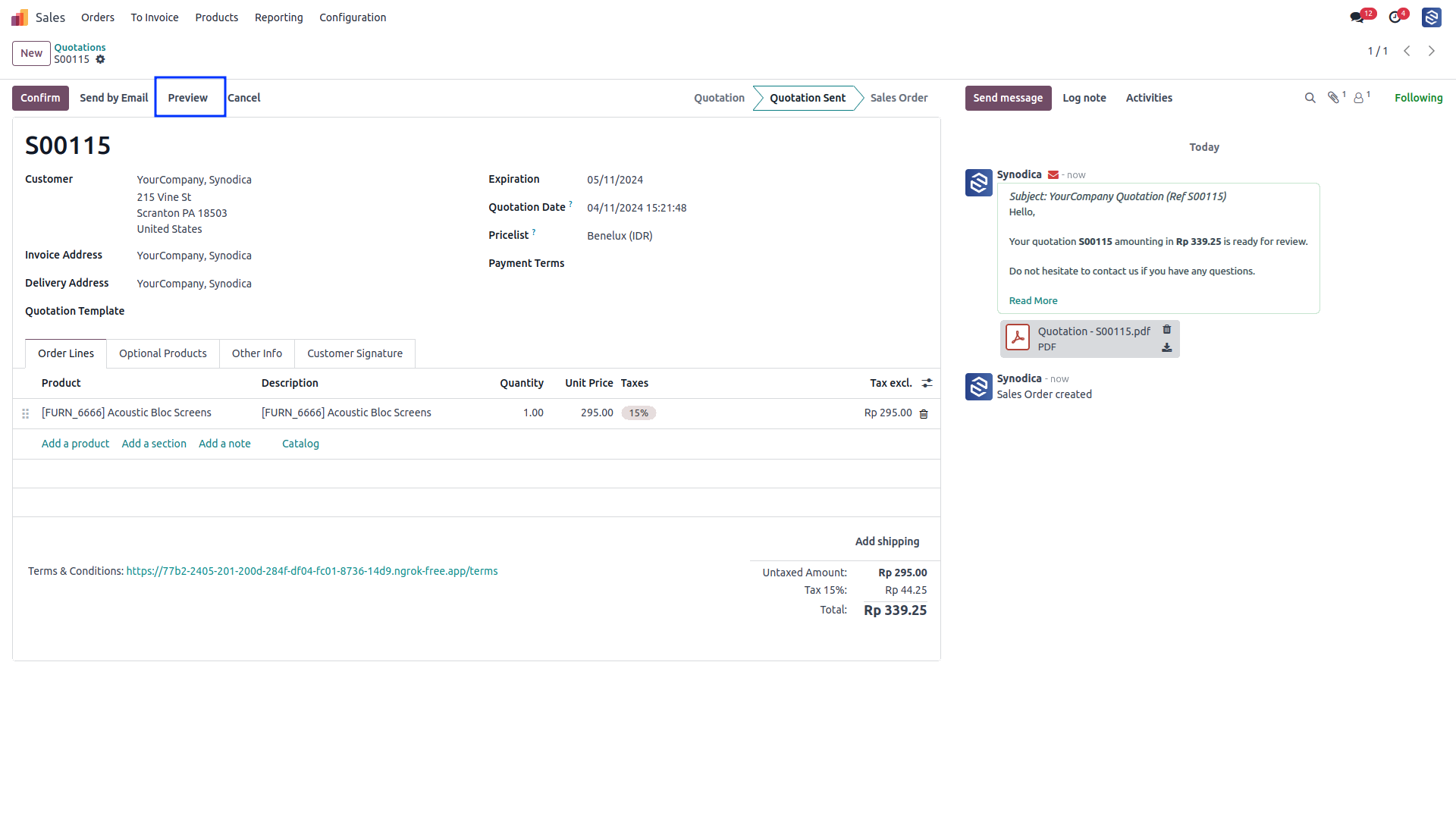
Now click Sign & Pay, Sign document and select Midtrans as payment method. Then click Pay.
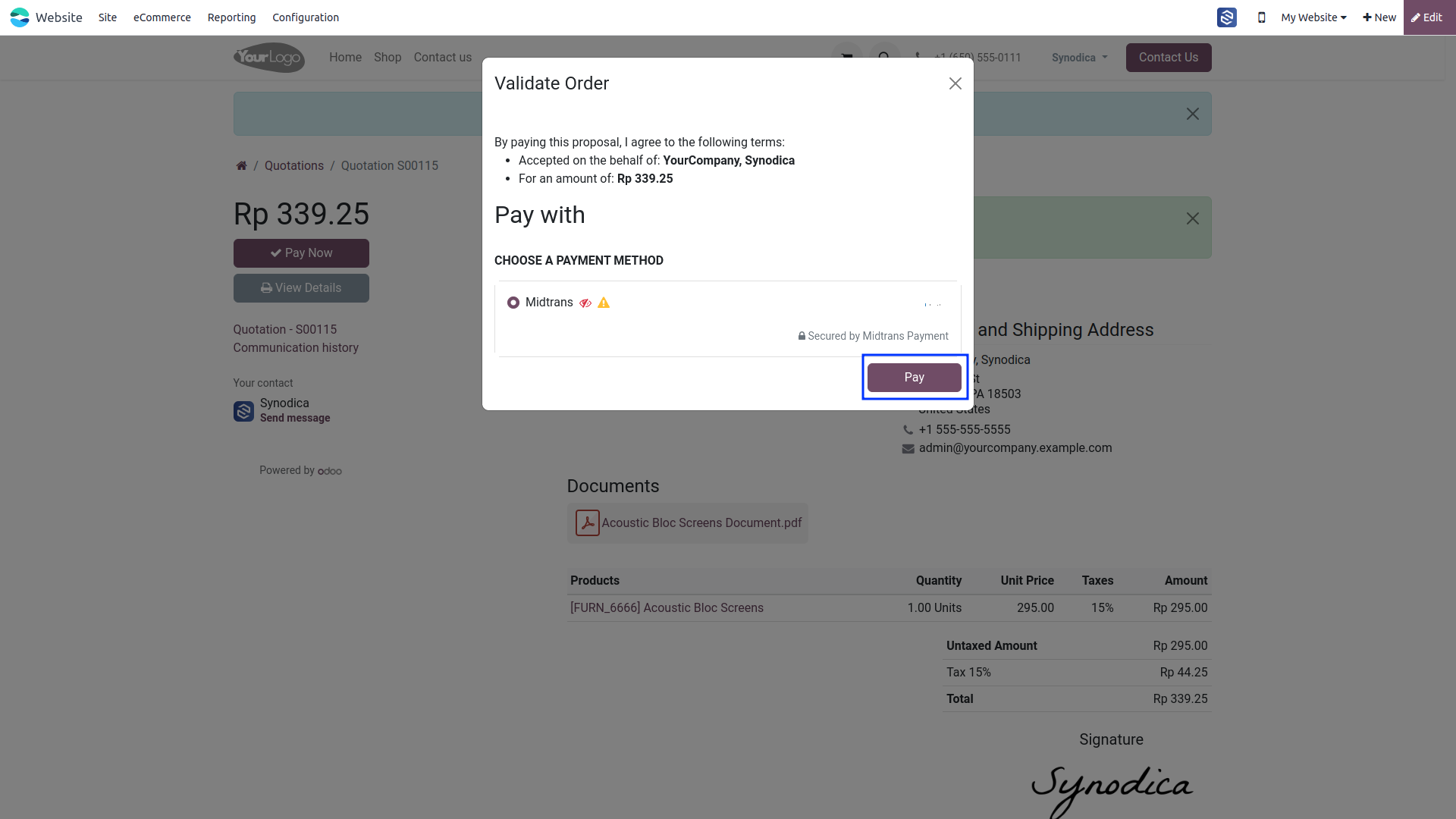
Select preferred payment method and pay with midtrans. On the order preview screen, you will see that your order has been successfully paid.
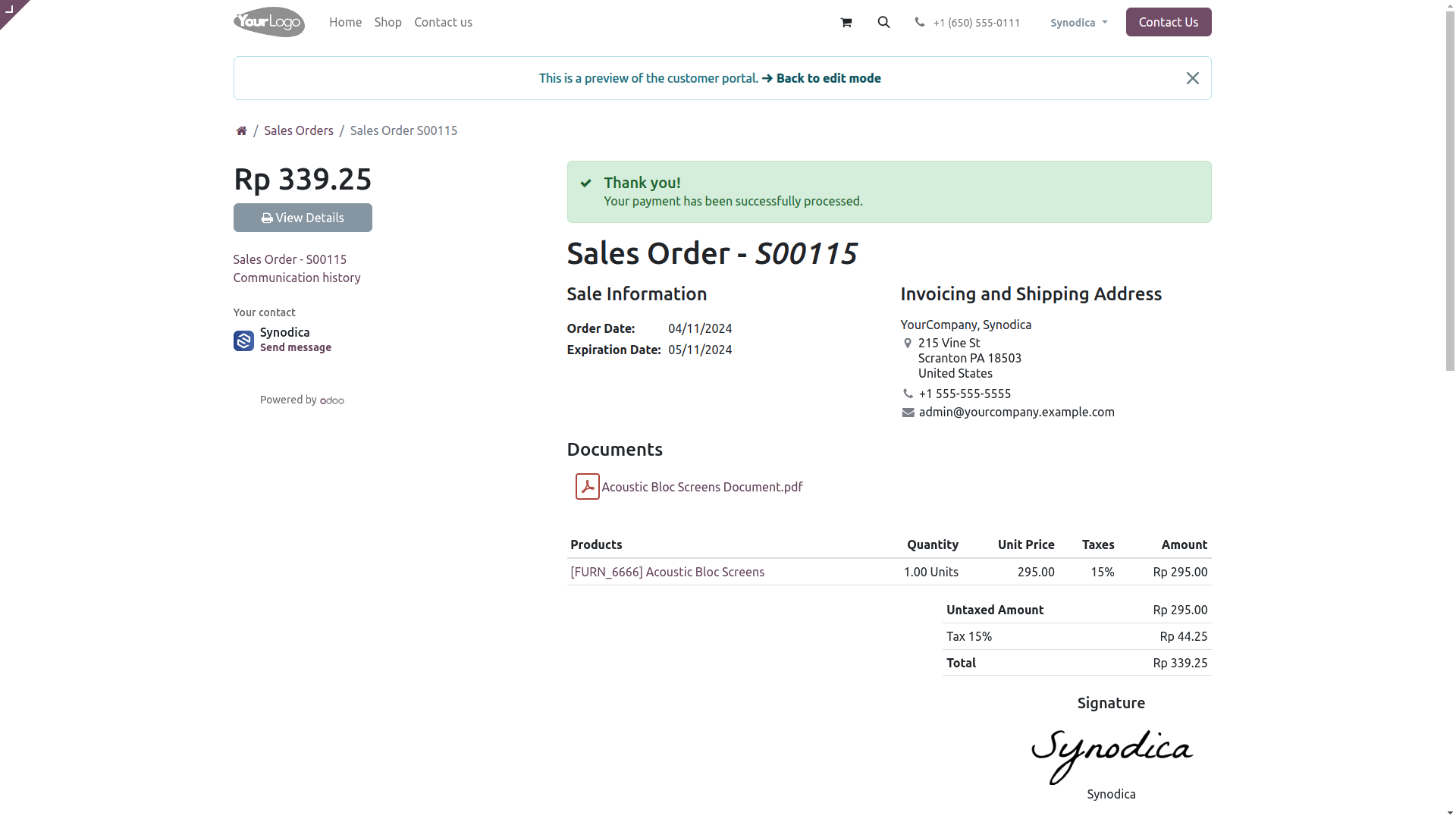

Payment From Invoice
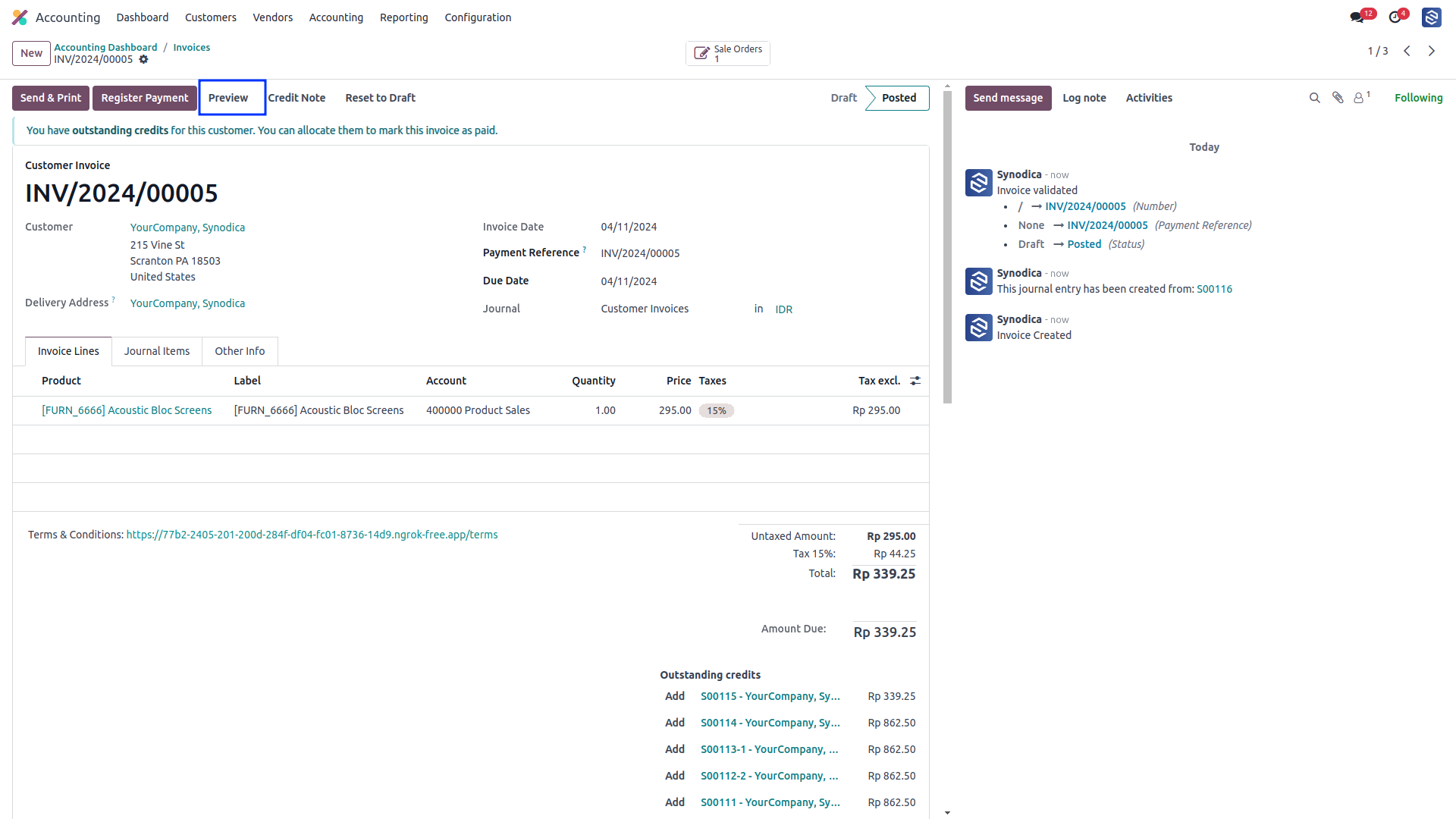
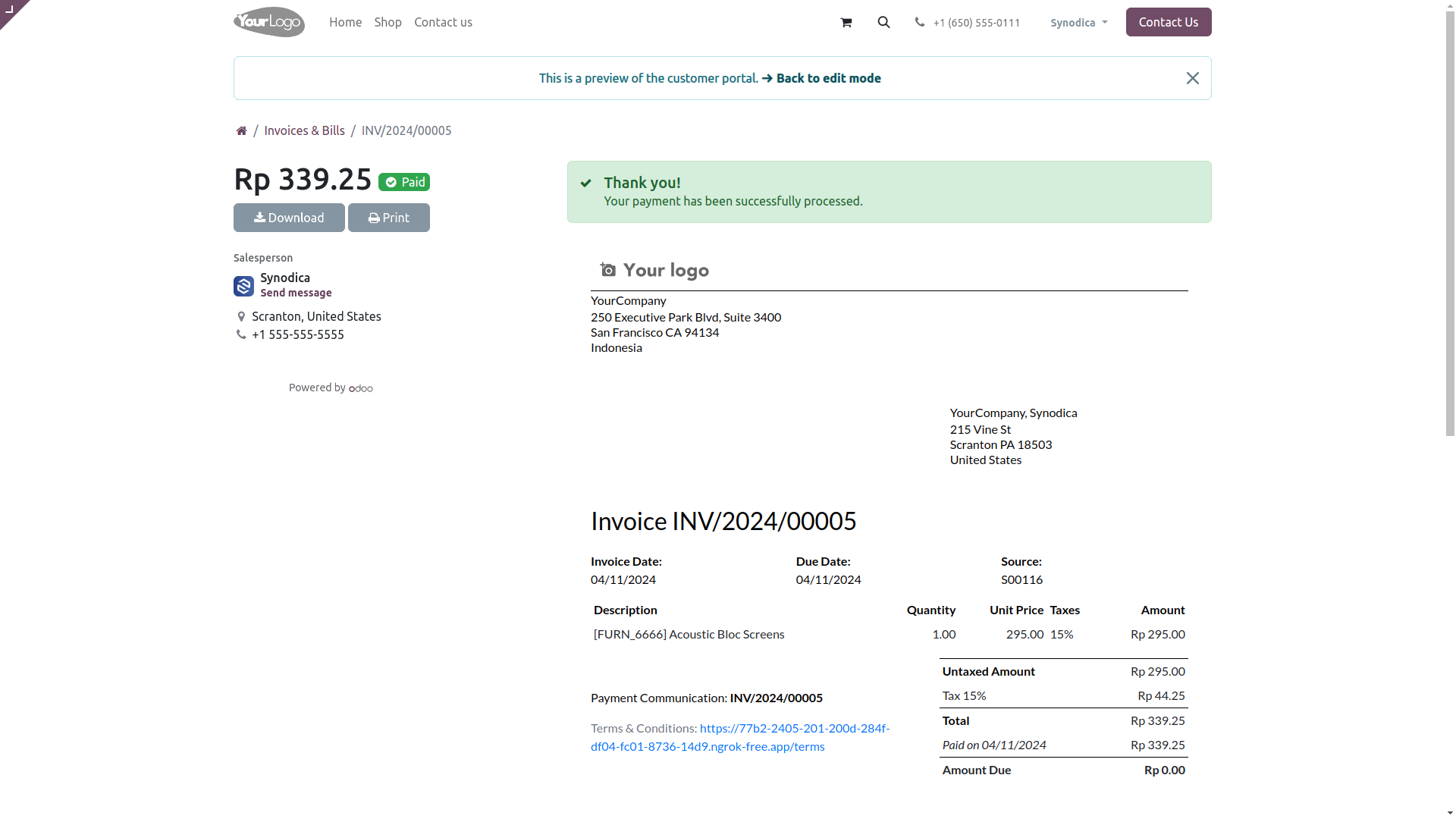
To pay with invoice, create invoice and click Preview button
Now click Pay Now, There select Midtrans as payment method. Then click Pay.
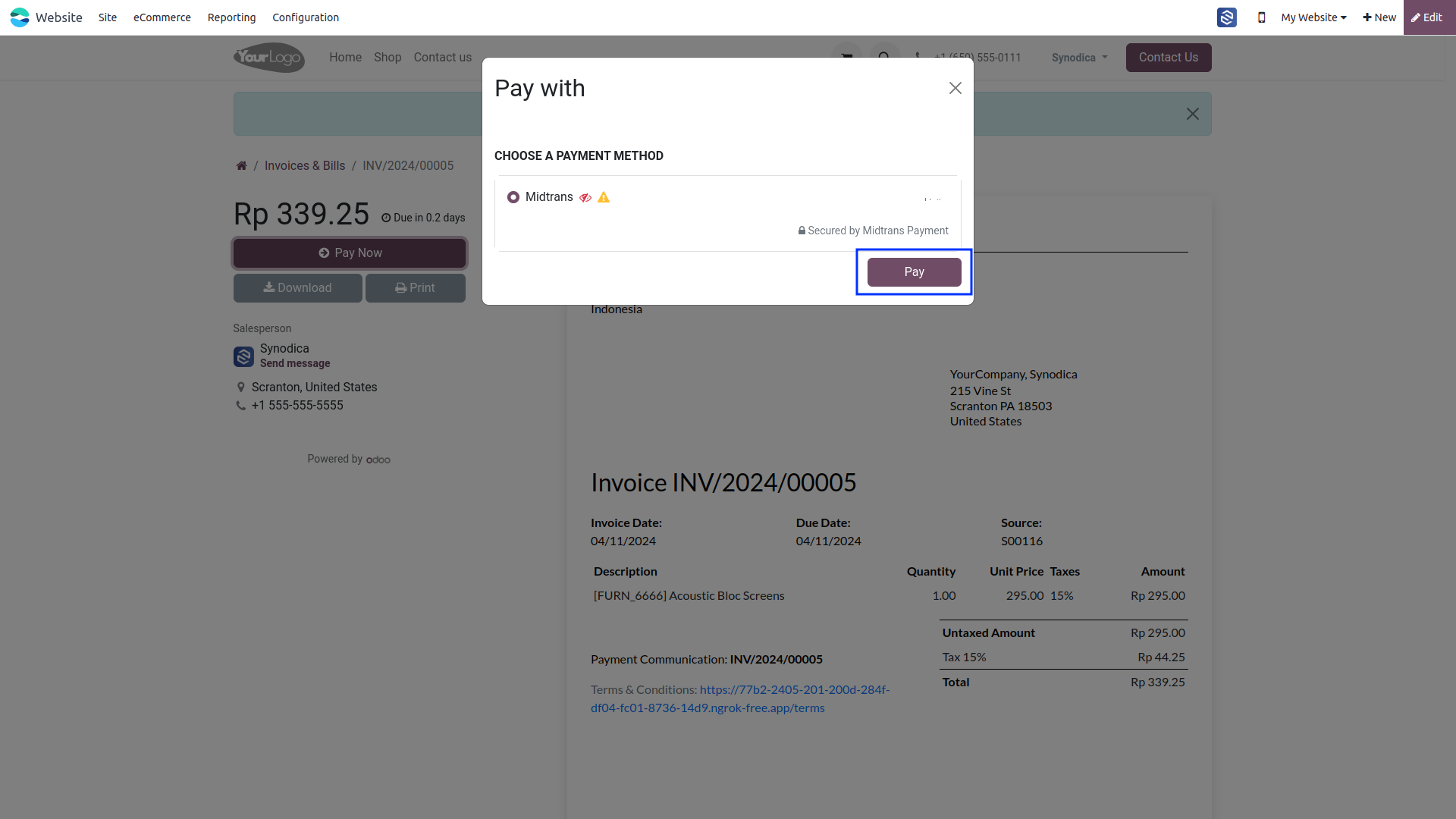
Upon successful payment, you will be directed to the invoice preview page, and you will see that your invoice has been successfully paid.

Refund
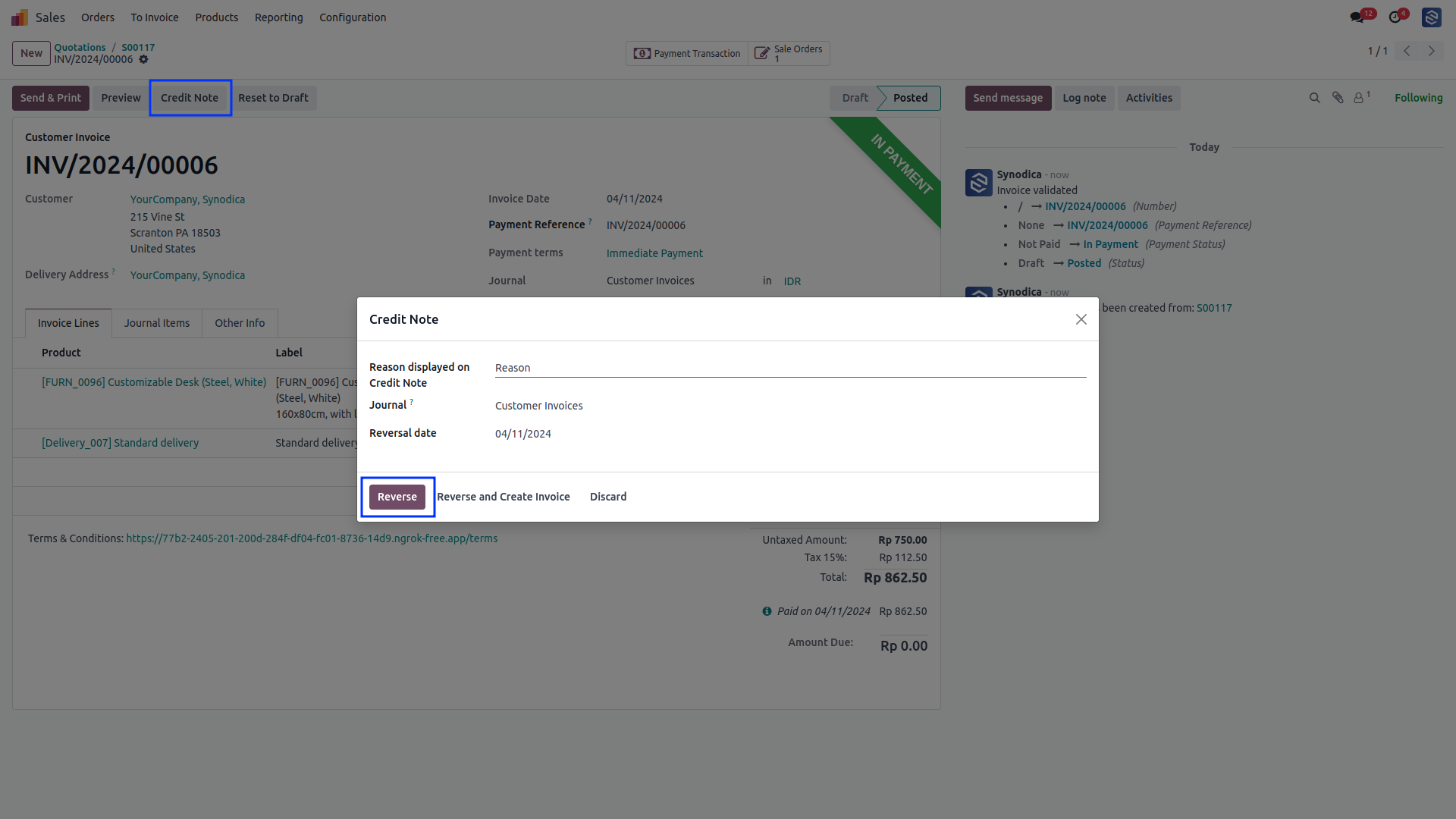
To initiate a refund, please create a credit note for the corresponding invoice
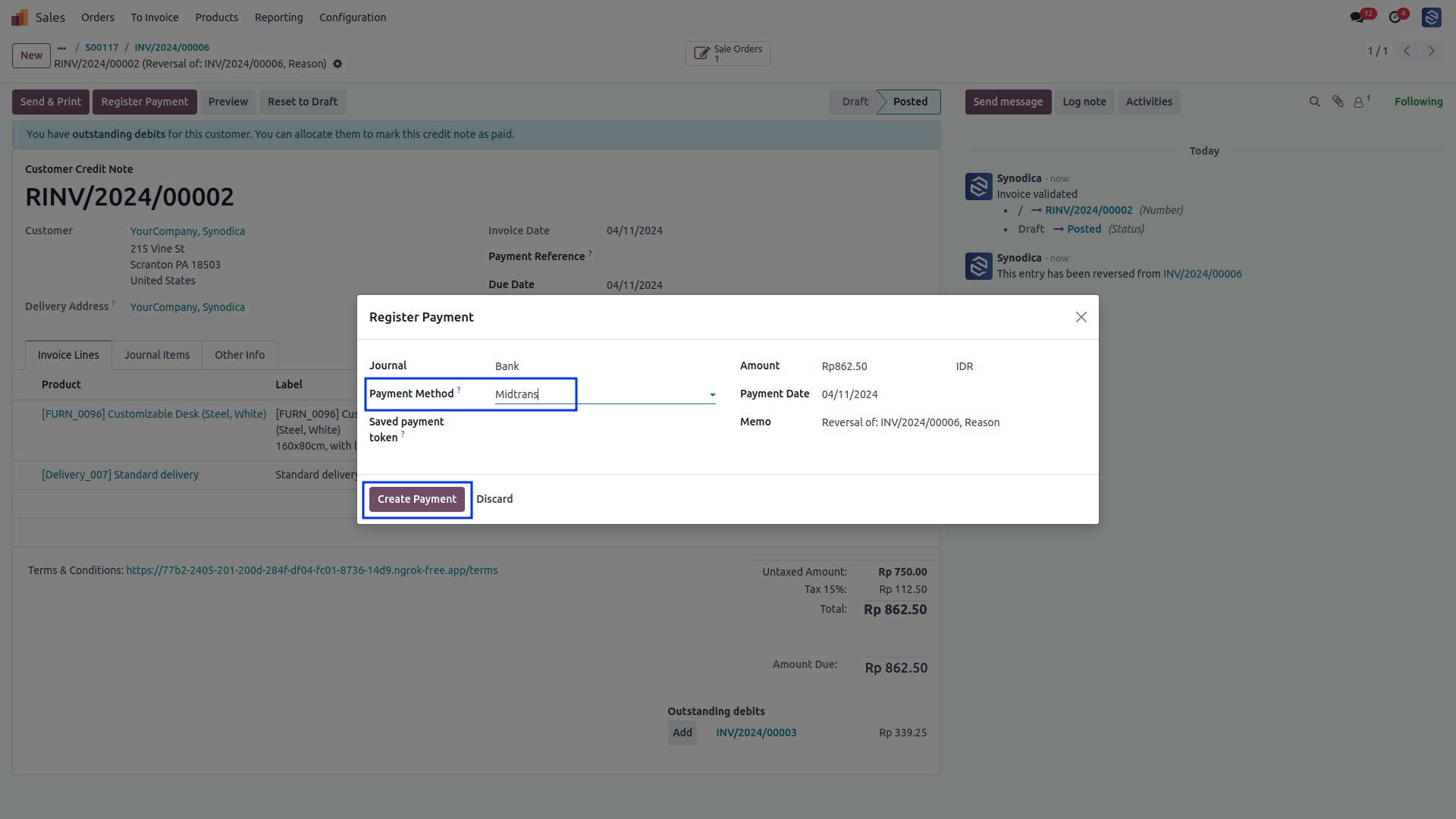
click on Register Payment. A popup window will appear. In the popup, select Midtrans as the payment method. and click on Create Payment.
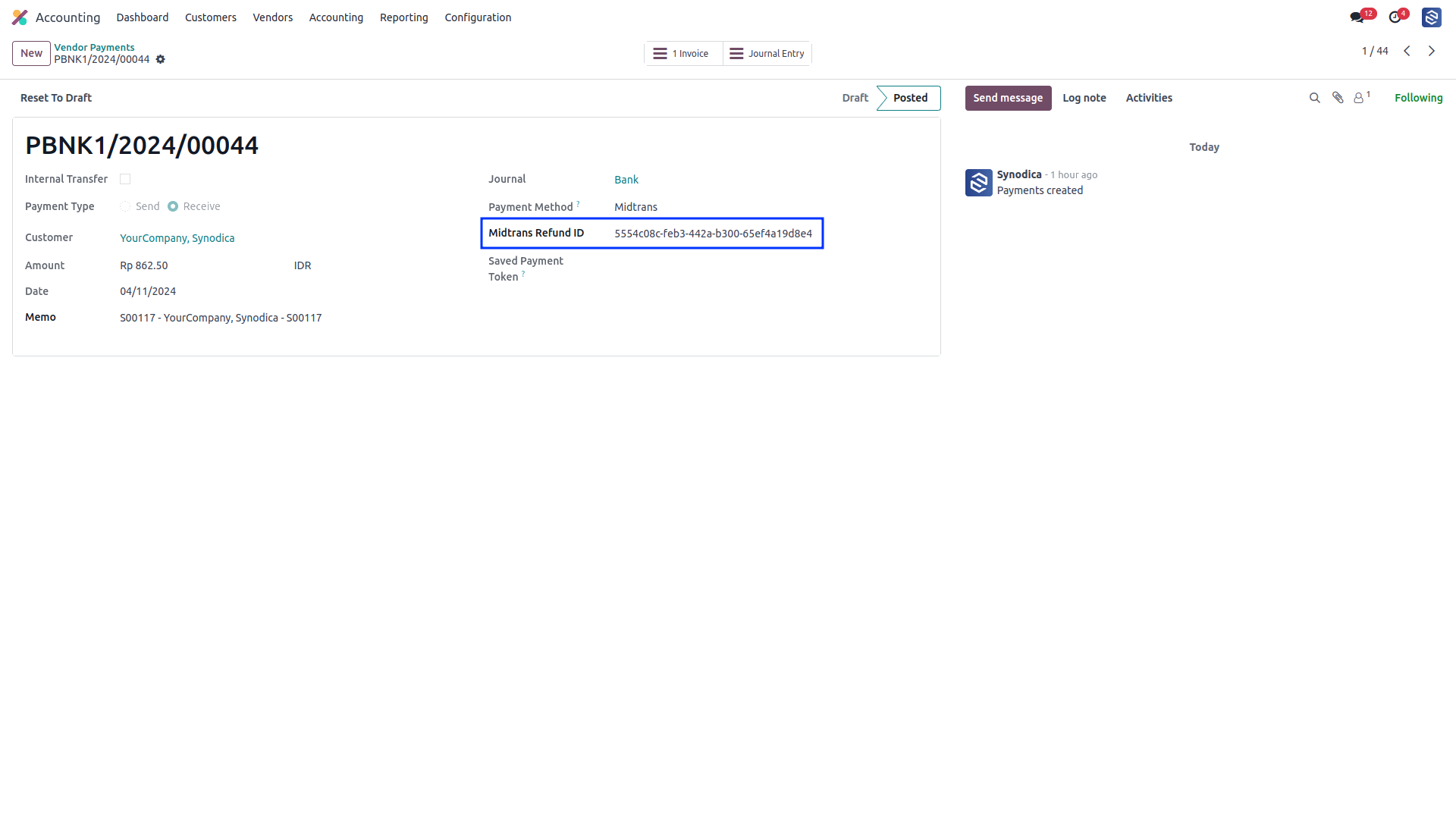
In the created journal entry, you will find the refund ID.
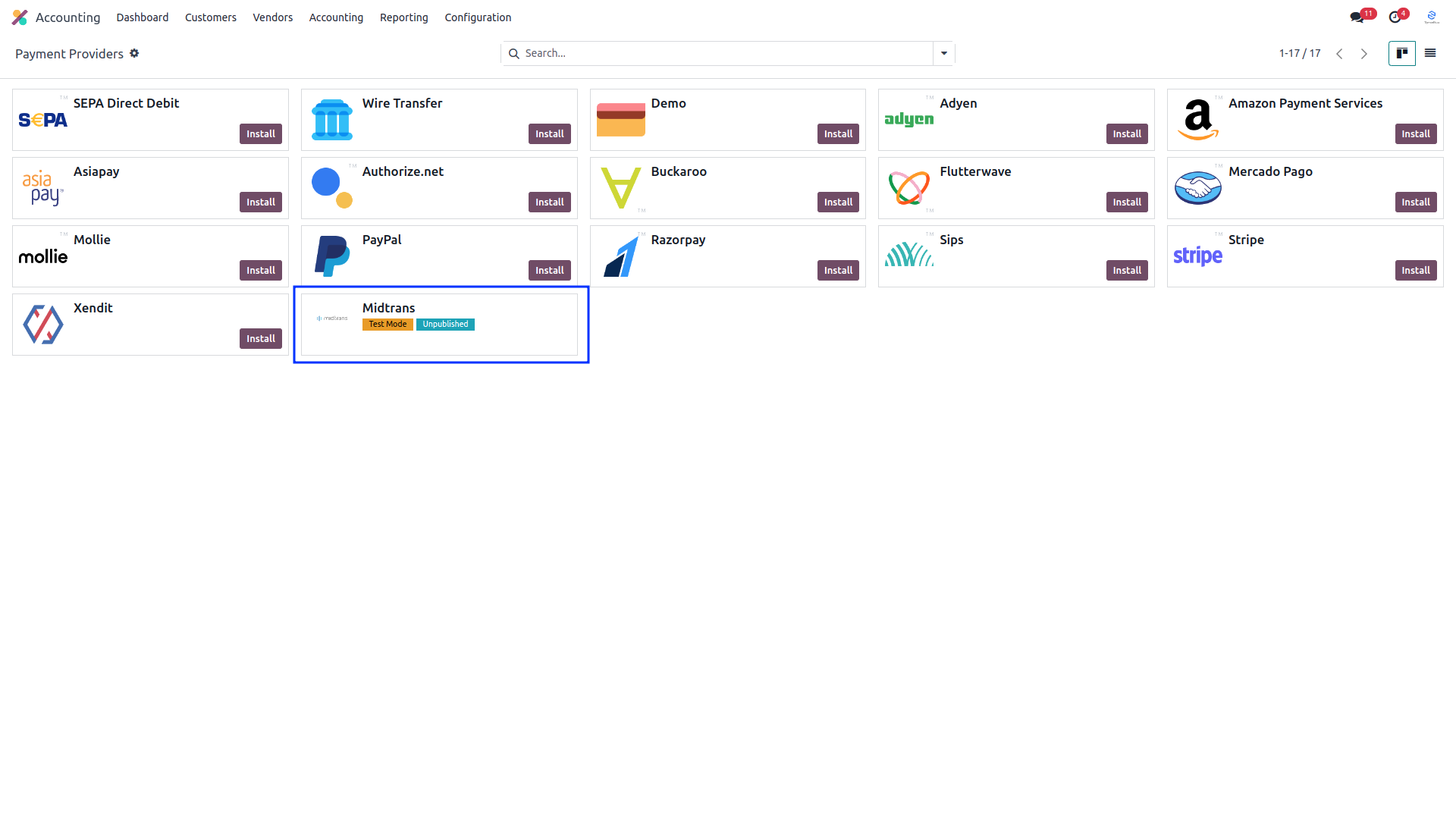
After installing app, you will be able to see Midtrans payment options in Accounting >> Configuration >> Payment Providers menu
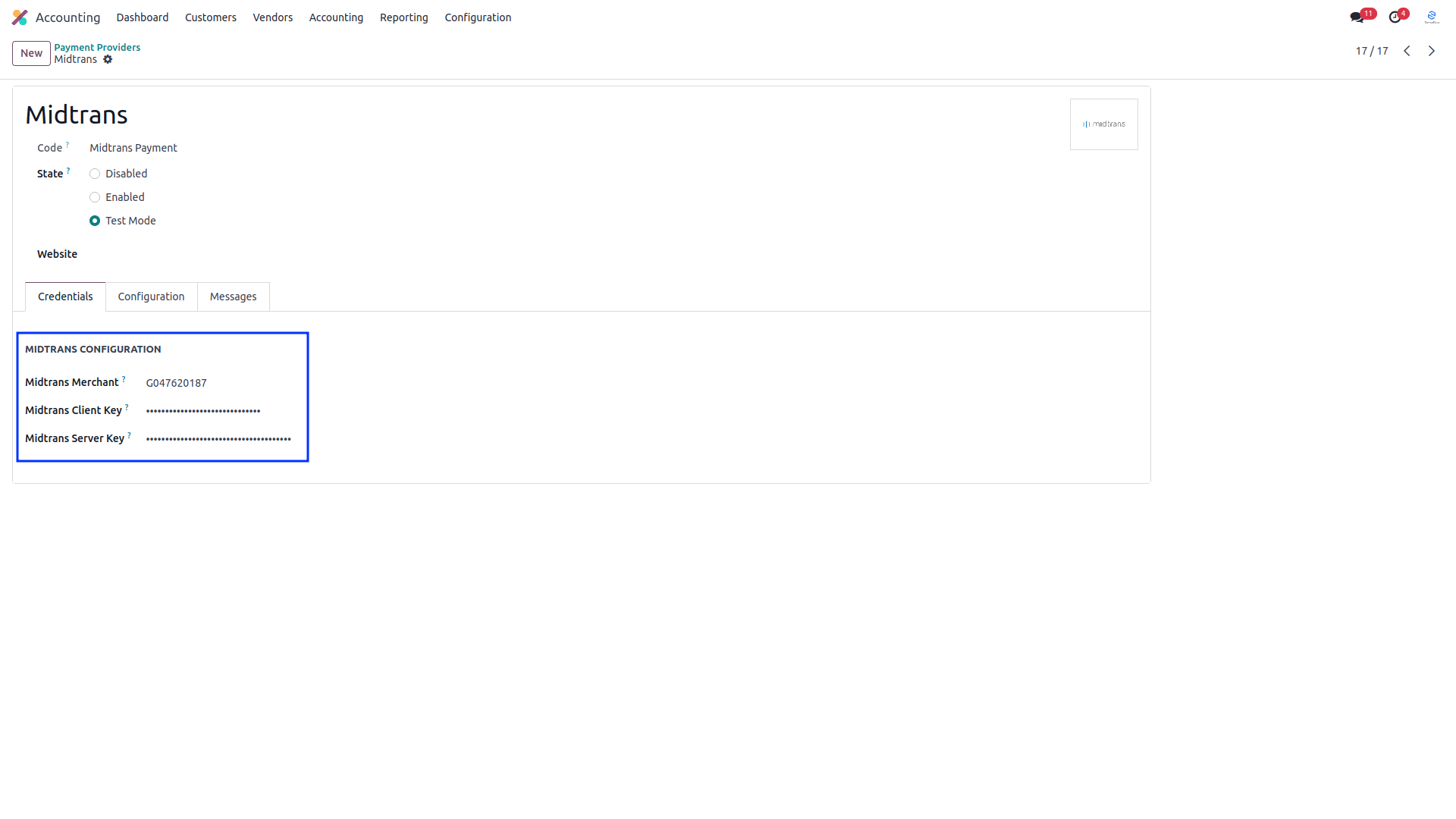
Setup Midtrans configurations like Merchant, Client Key and Server Key.
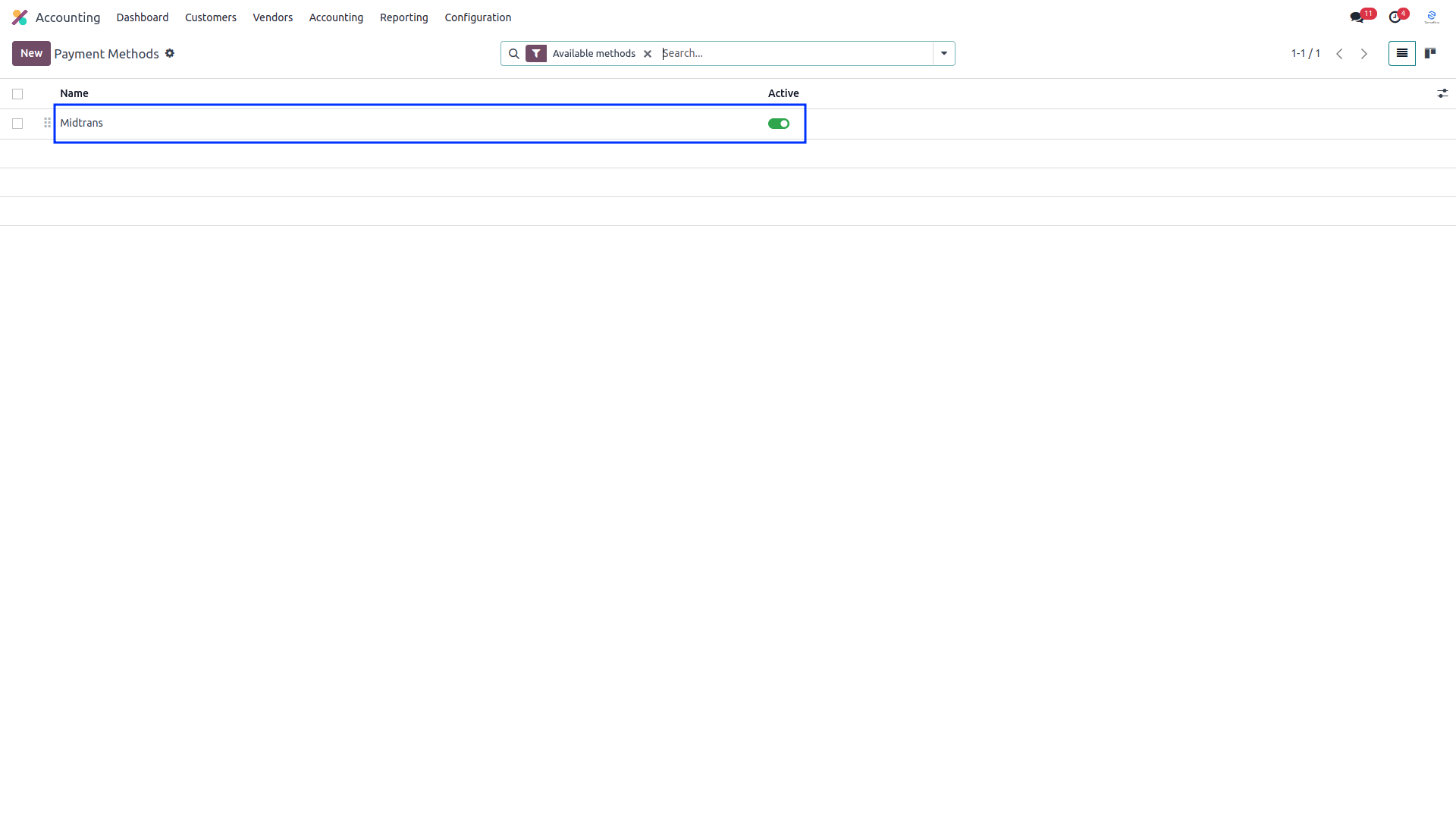
To activate the payment method go to Accounting > Configuration > Payment Methods.
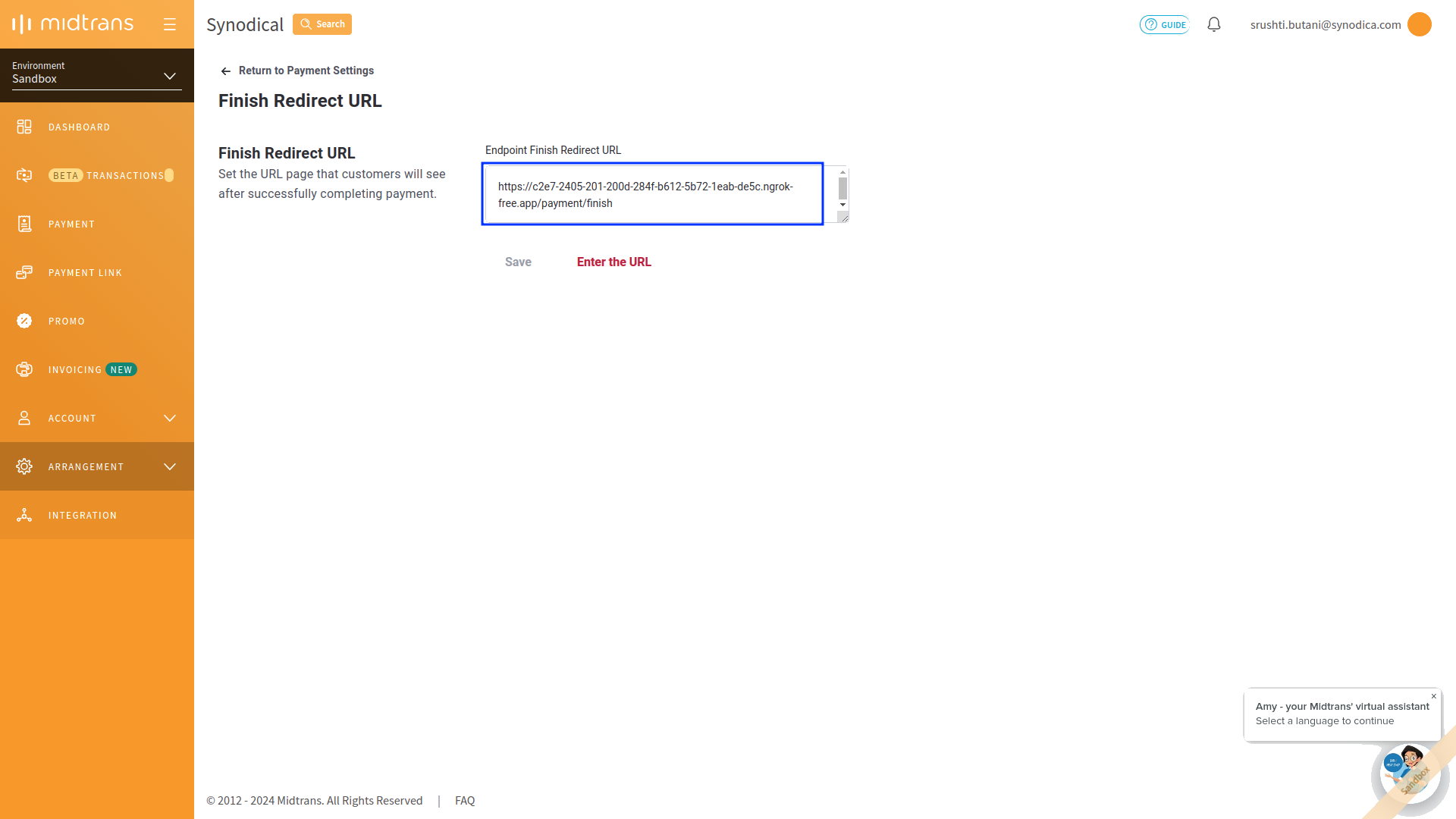
Include the finish URL, appending "payment/finish" to your server URL, in the Snap preferences to complete the payment process.
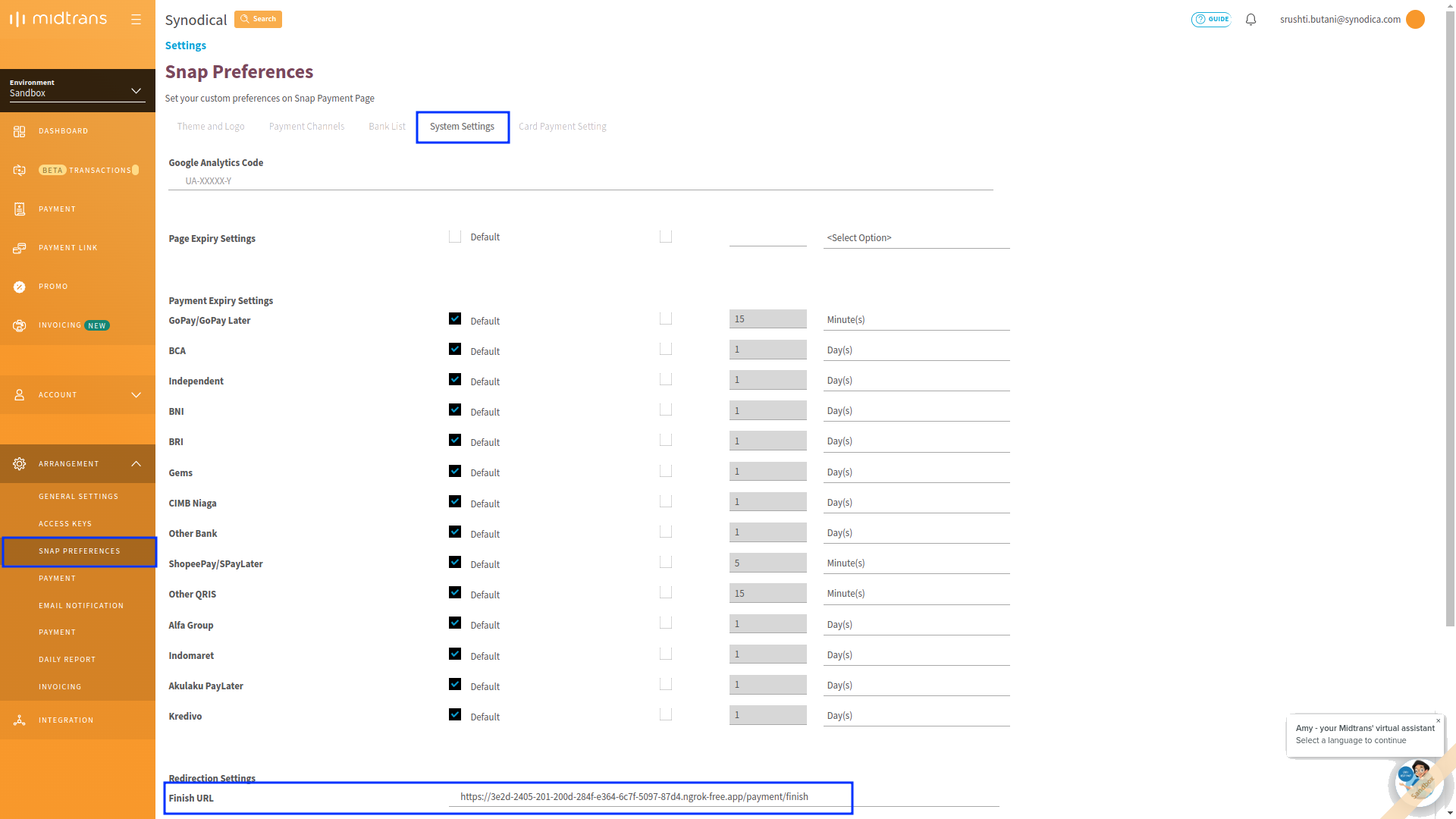
Incorporate the URL, including the "payment/finish" endpoint, into the payment settings.
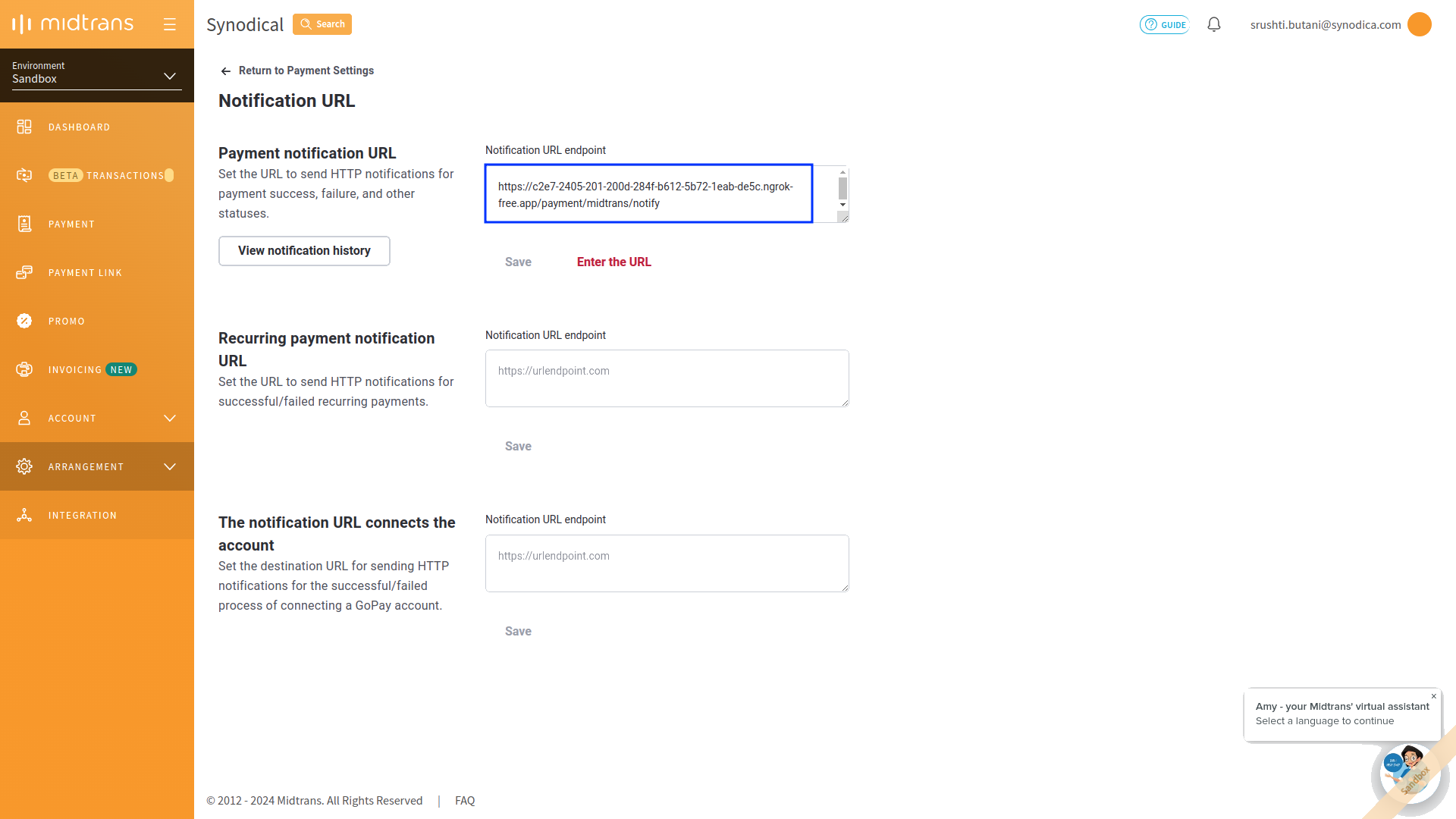
Include the notification URL in payment settings, utilizing the "payment/midtrans/notify" endpoint for updates.
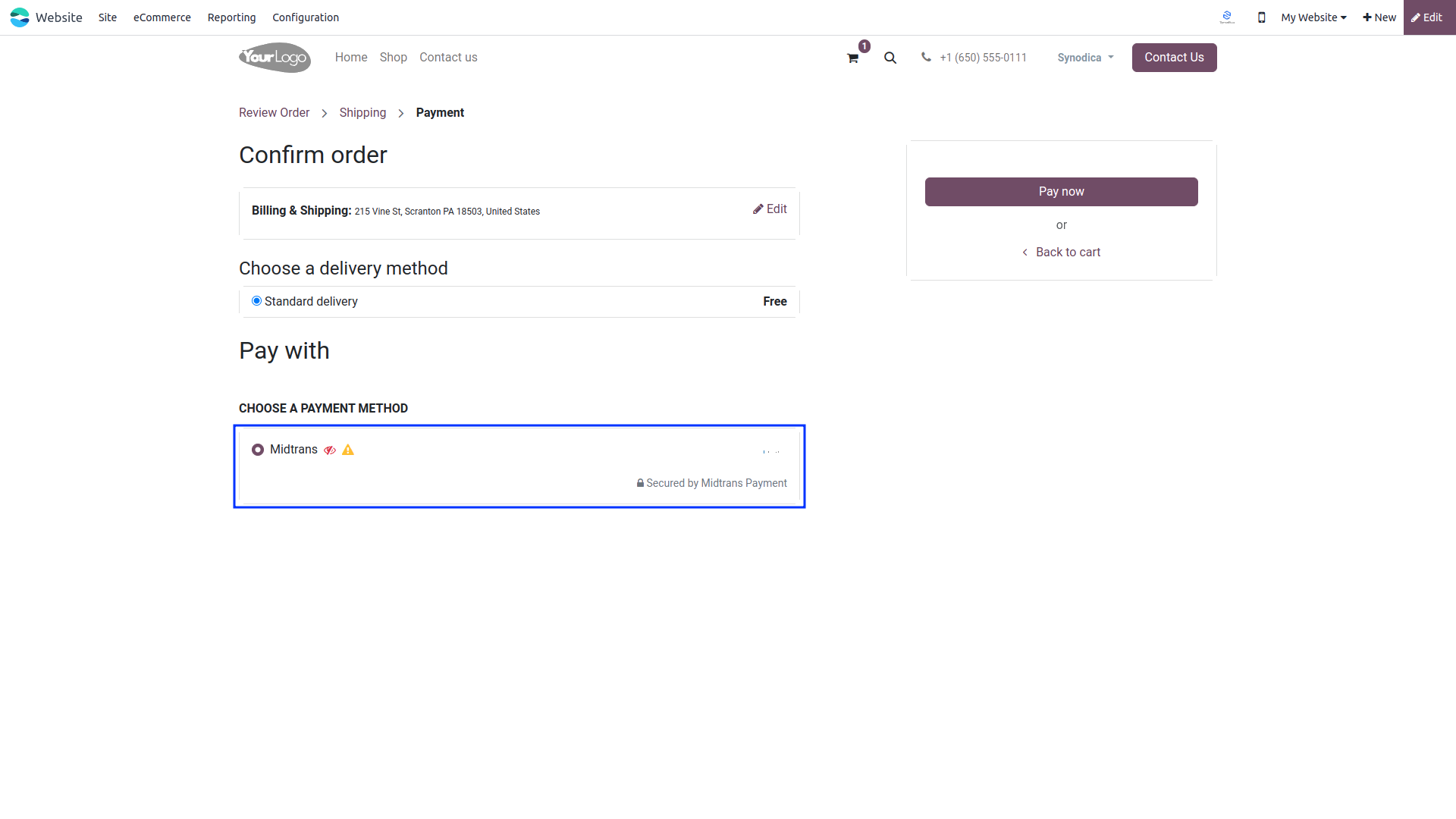
Now Midtrans payment option will be available for payment.
Suggested Products


Contact Us

We create ERP solutions for you using Odoo ERP that will build a strong and efficient business for you. It's SYNODICA WAY