

Portal Leave Management
Portal Leave
Management
Empower Your Digital Workplace
Empower your team with a complete self-service leave system directly in the Odoo Portal. Track balances in real-time, request diverse durations (Day, Half, Hour), and handle approvals seamlessly — all without ever visiting the backend.
How It Works
From setup to approval — a streamlined process designed for efficiency and transparency.
Link Employee
Admins link portal users to employee records using a smart wizard, enabling one-click setup for any new portal user.
Apply Easily
Users apply for leaves through a user-friendly portal form with real-time duration calculation and balance verification.
Fast Approval
Managers review and approve requests instantly from their portal, ensuring quick turnarounds and live status updates for users.
See It in Action
A visual journey through the primary leave management features inside the Odoo portal.
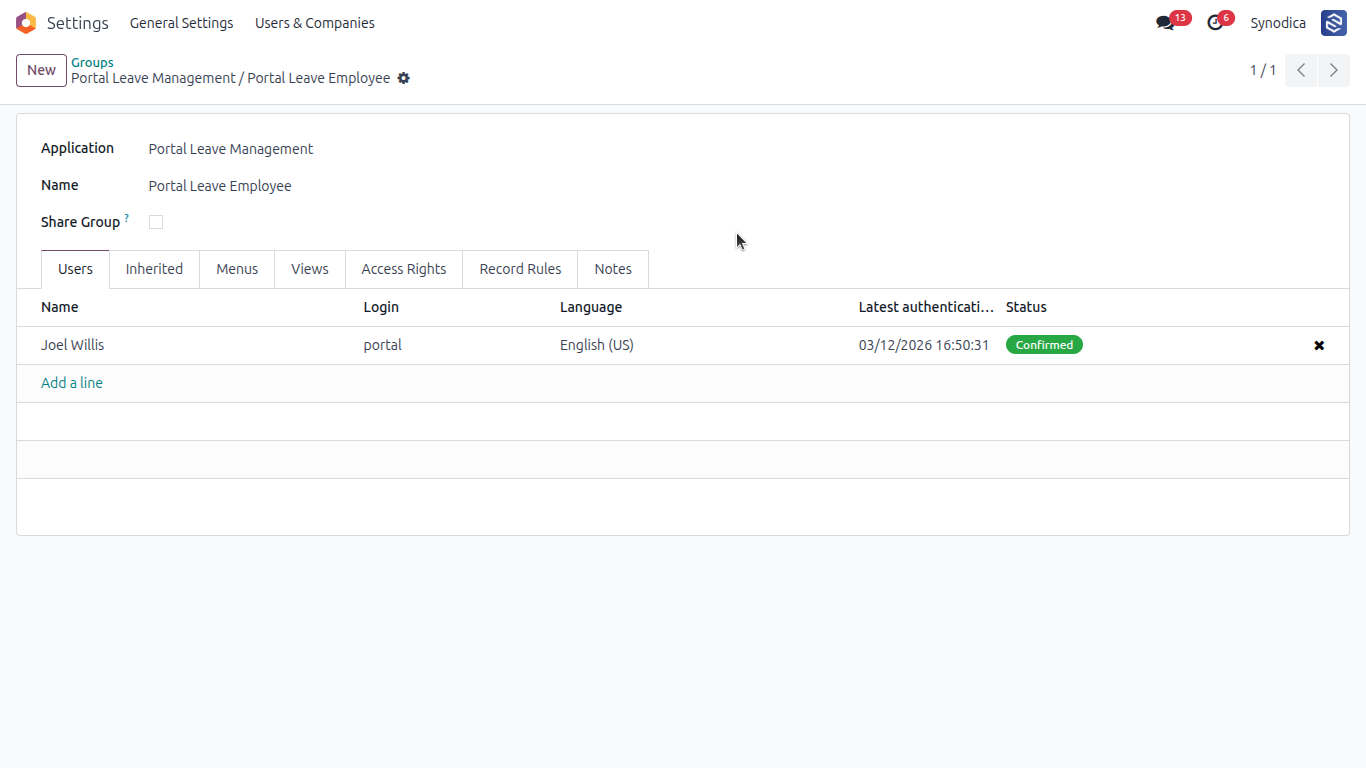
Users in this group can access the Portal Leave Requests menu to view and approve leave requests.
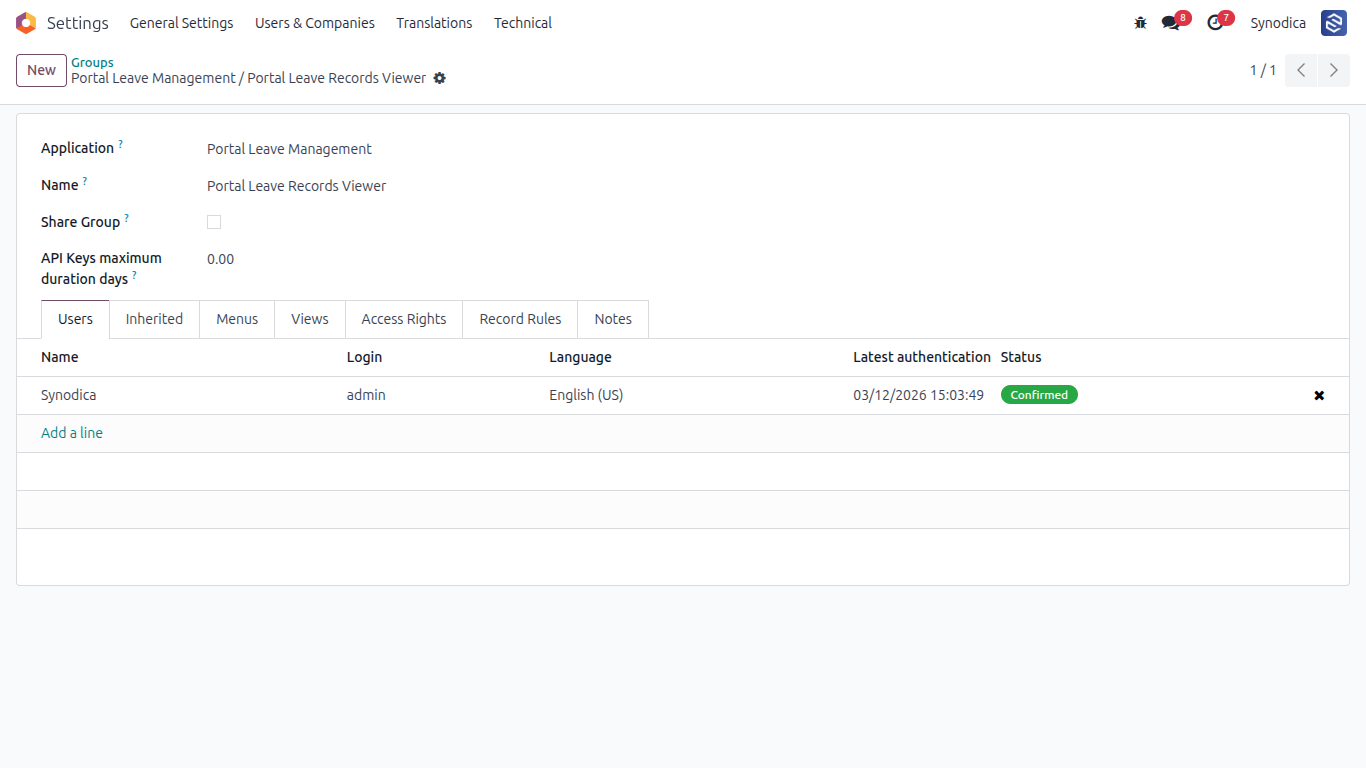
Portal users in this group can create leave requests, submit correction requests, and track their status.
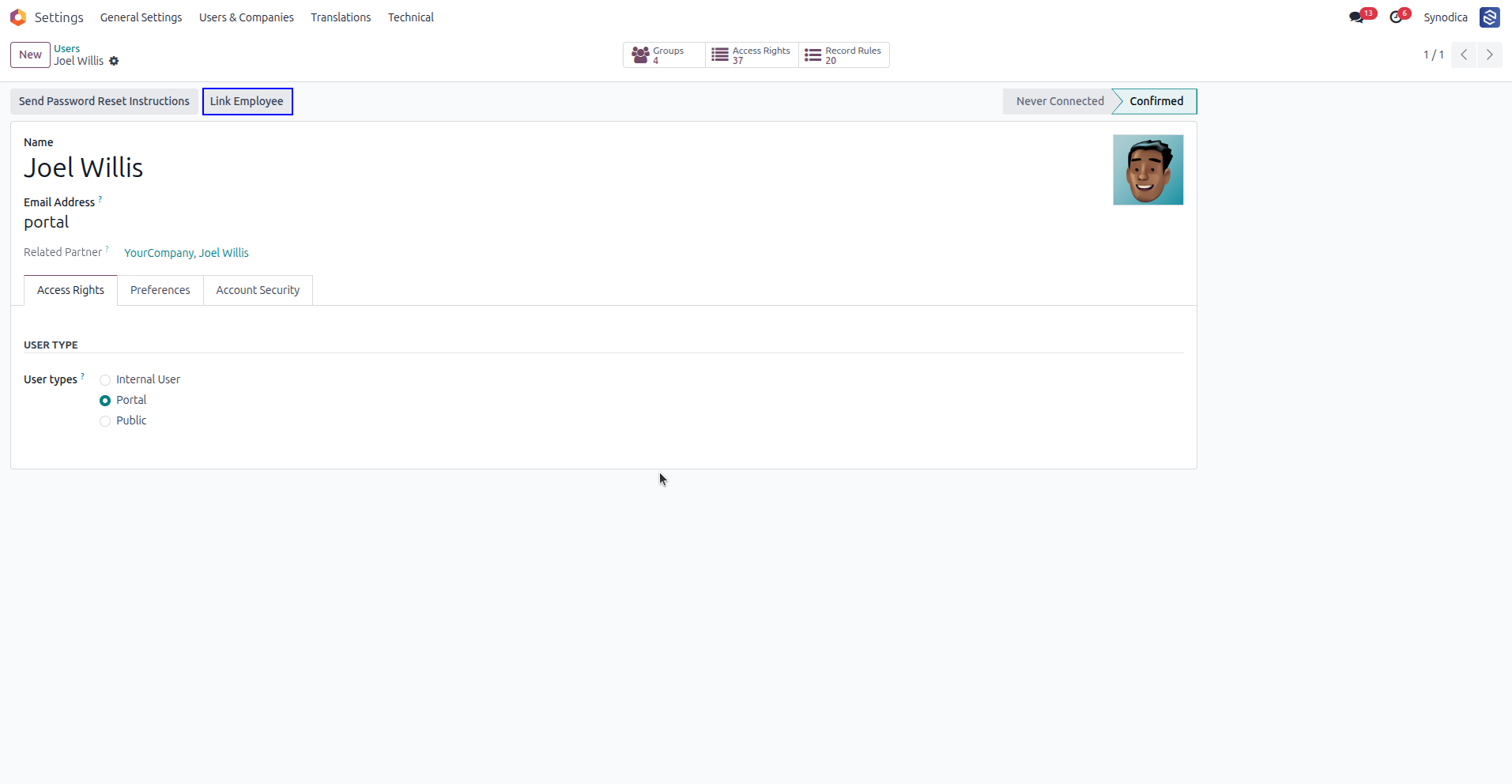
Link portal users to an employee record using the "Link Employee" button in the user form.
Quickly select an existing unlinked employee or create a new one using the automated wizard.
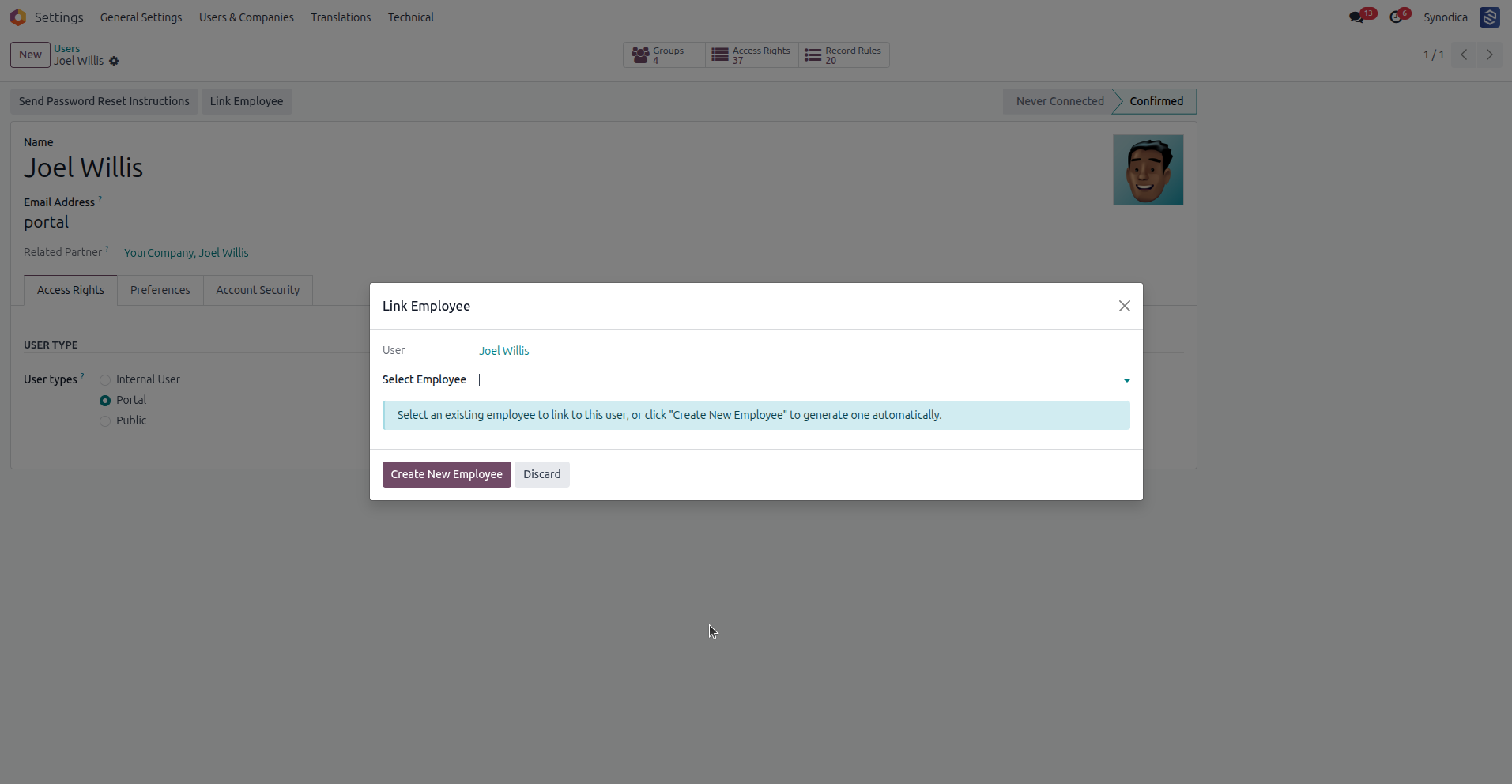
Click on the My Leaves card on the portal home page to view balances and requests.
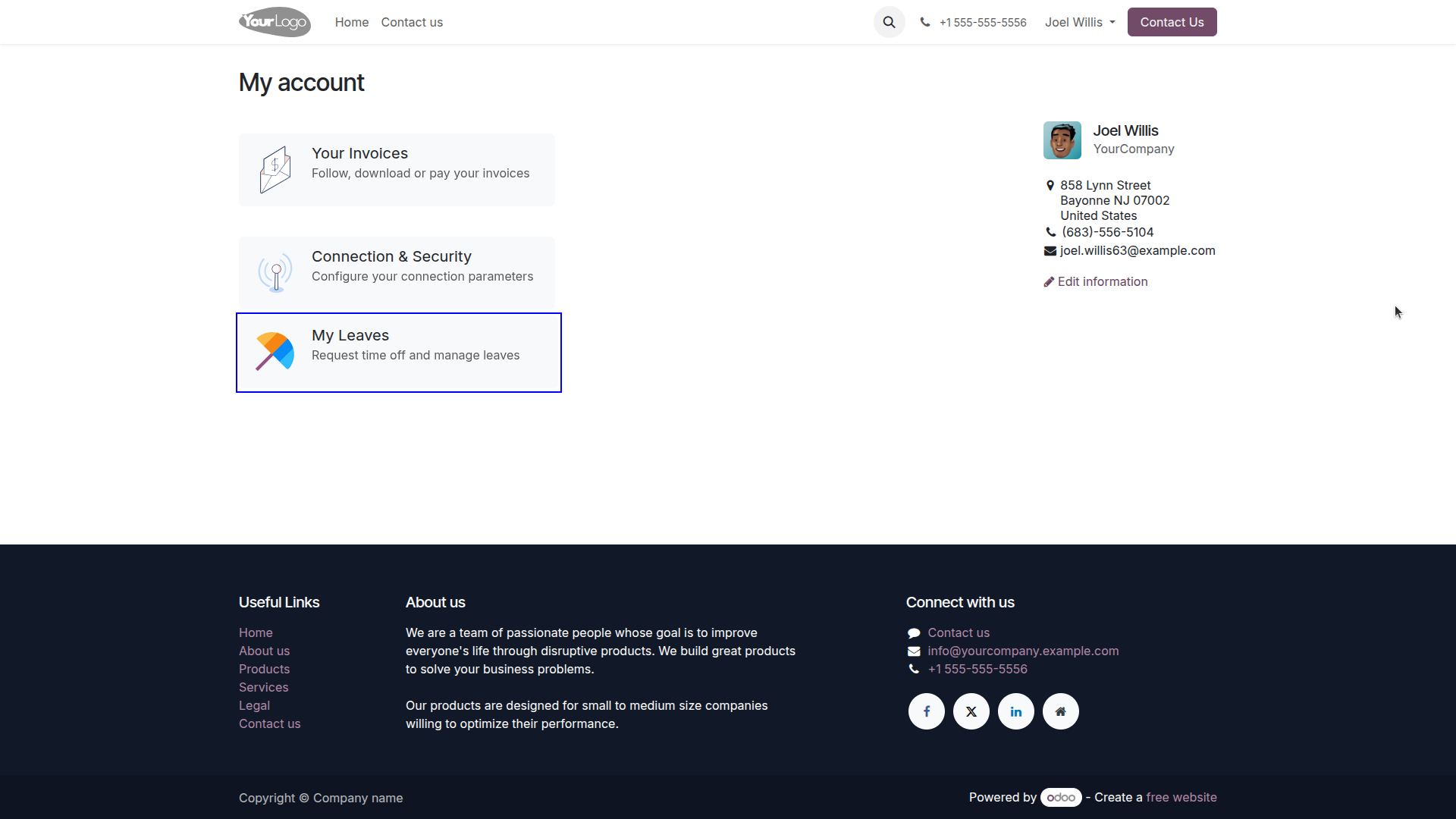
Real-time view of Allocated, Used, and Remaining leaves for all entitled leave types.
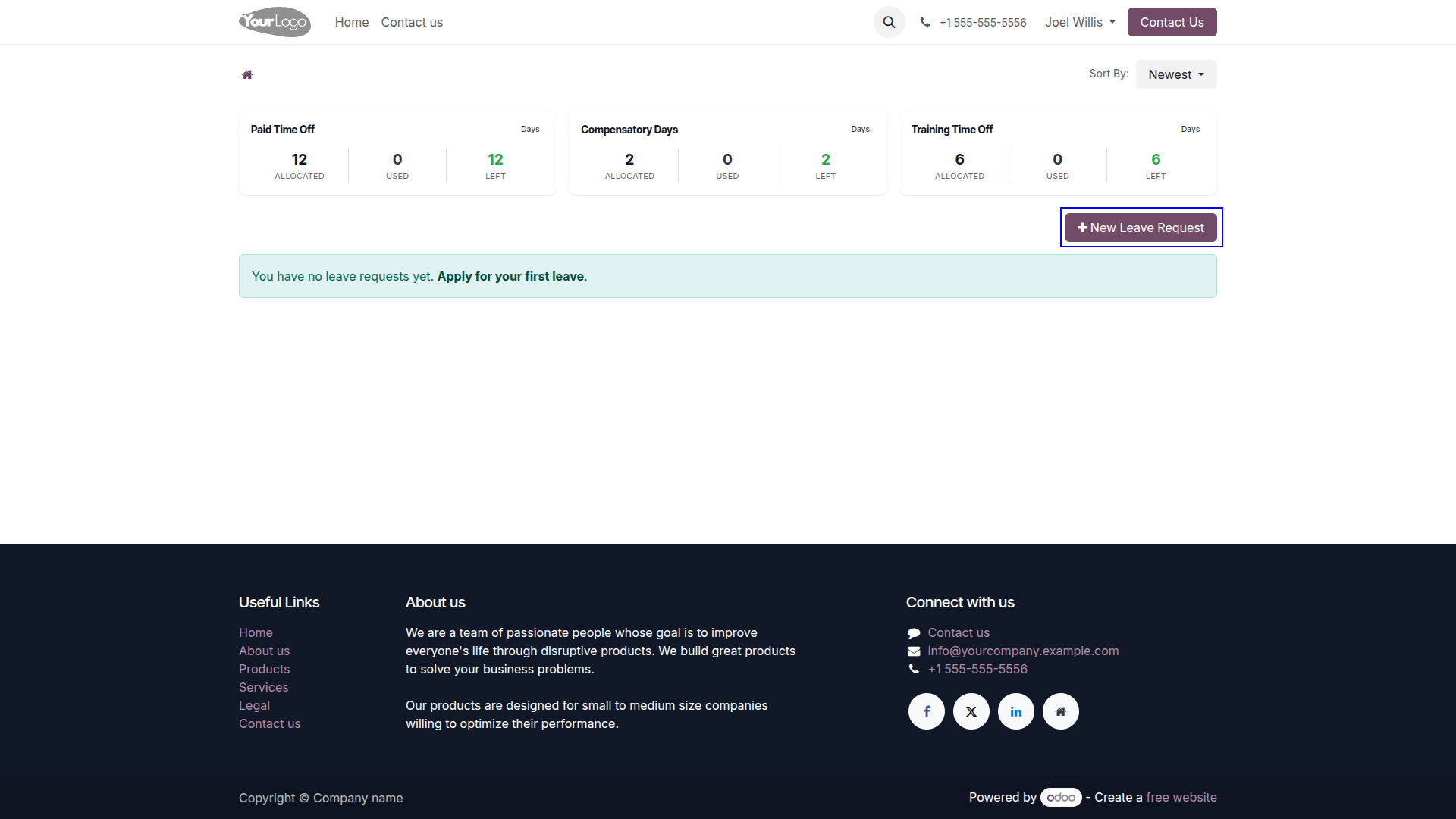
Open the submission form directly from the portal with a single click.
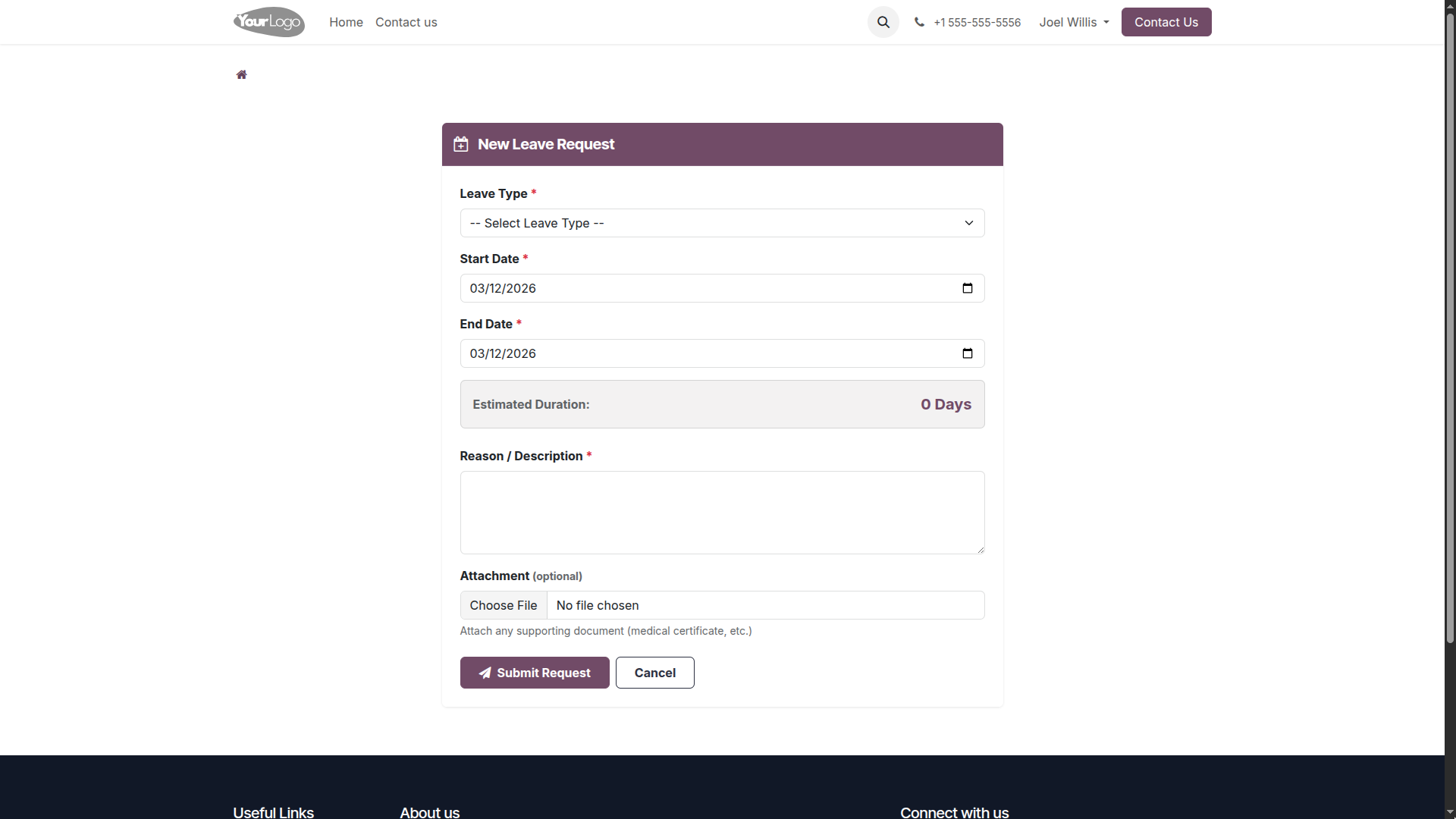
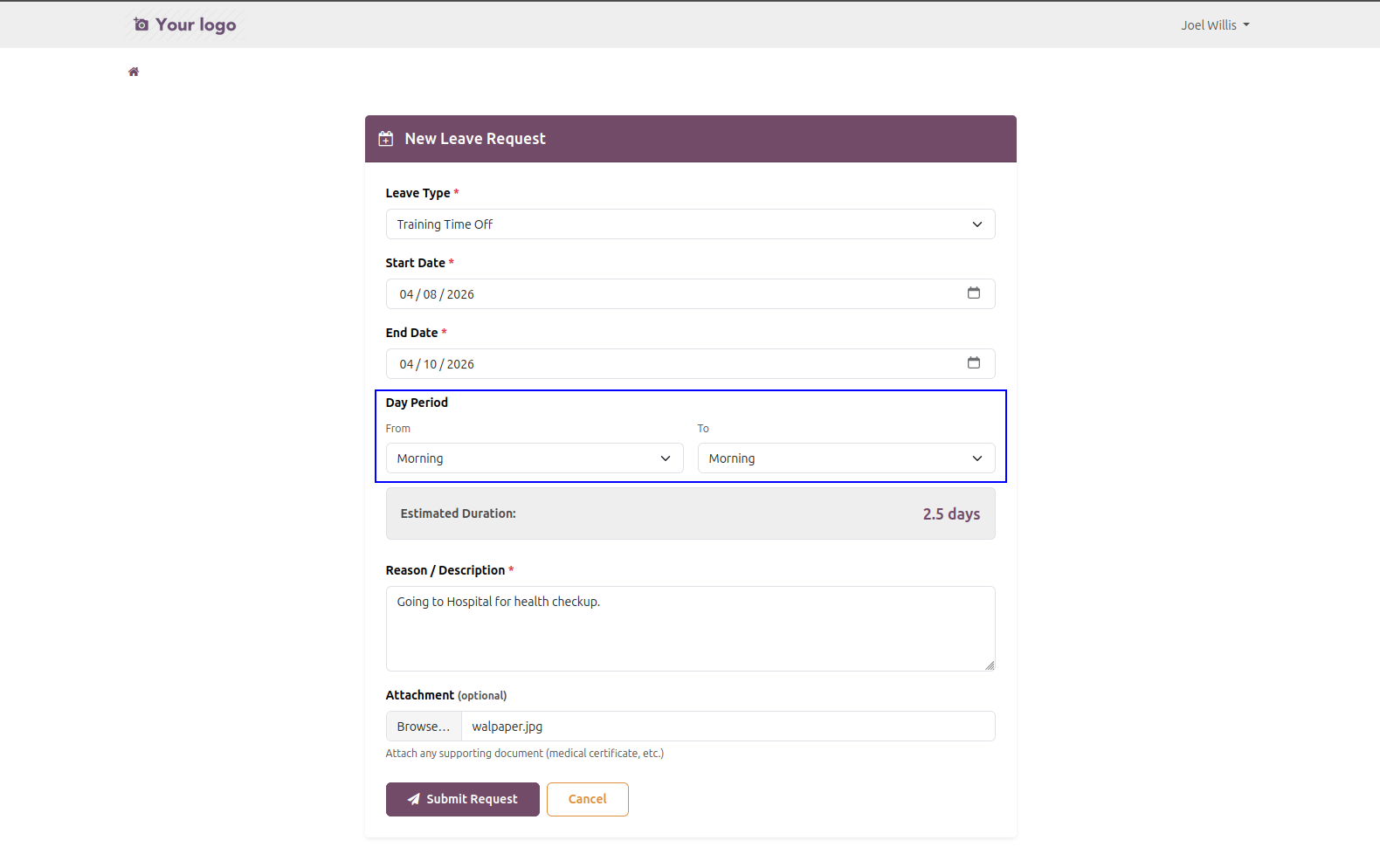
When a leave type supports half-day requests, the form automatically shows the half-day option and lets users choose the appropriate session. This keeps the request flow simple while ensuring the selected leave type and duration are captured accurately.
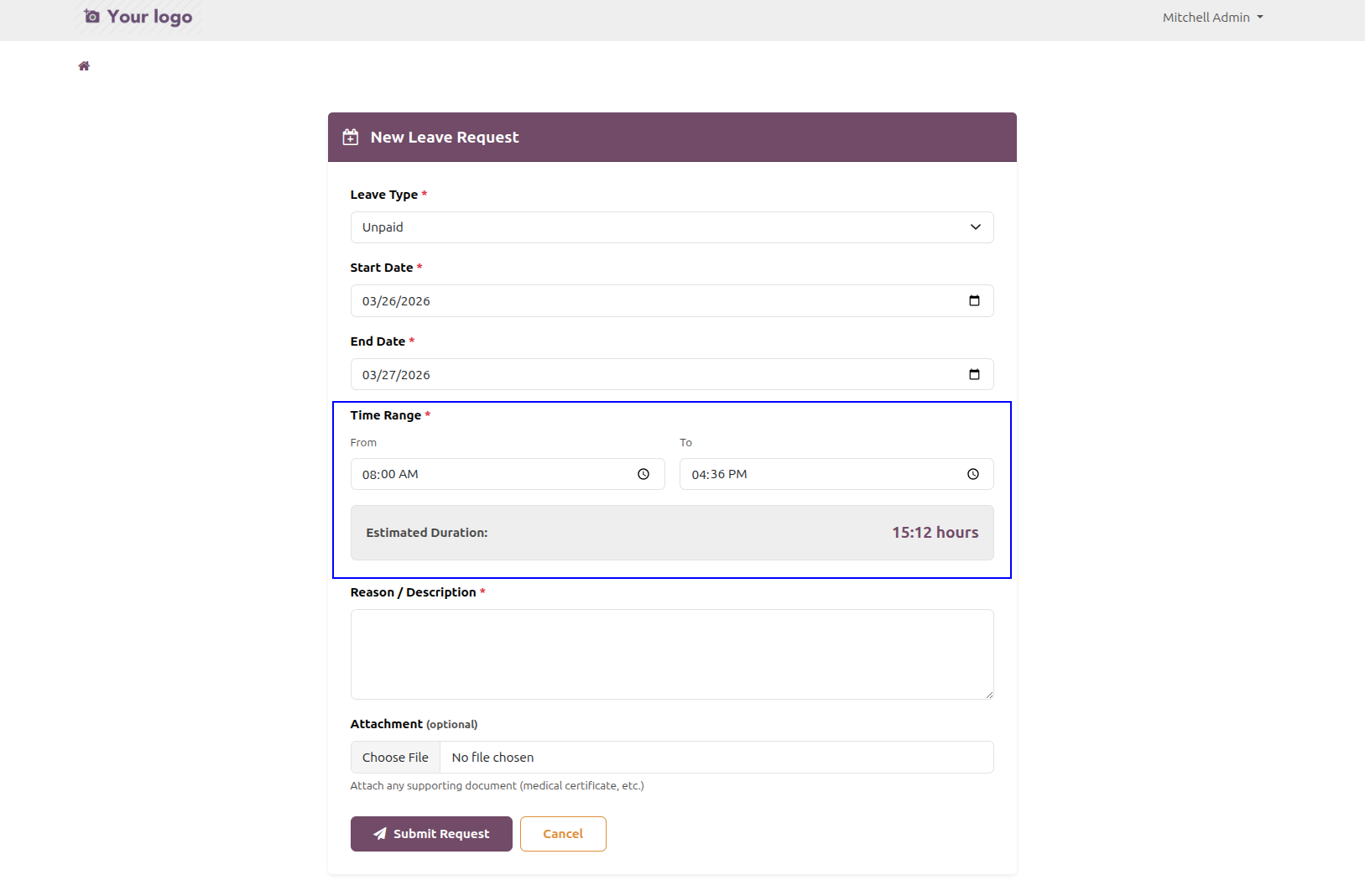
For leave types configured in hours, the request form switches to an hourly layout so users can enter the exact time-based duration needed. This helps teams handle short absences precisely and makes the portal form adapt to the selected leave policy.
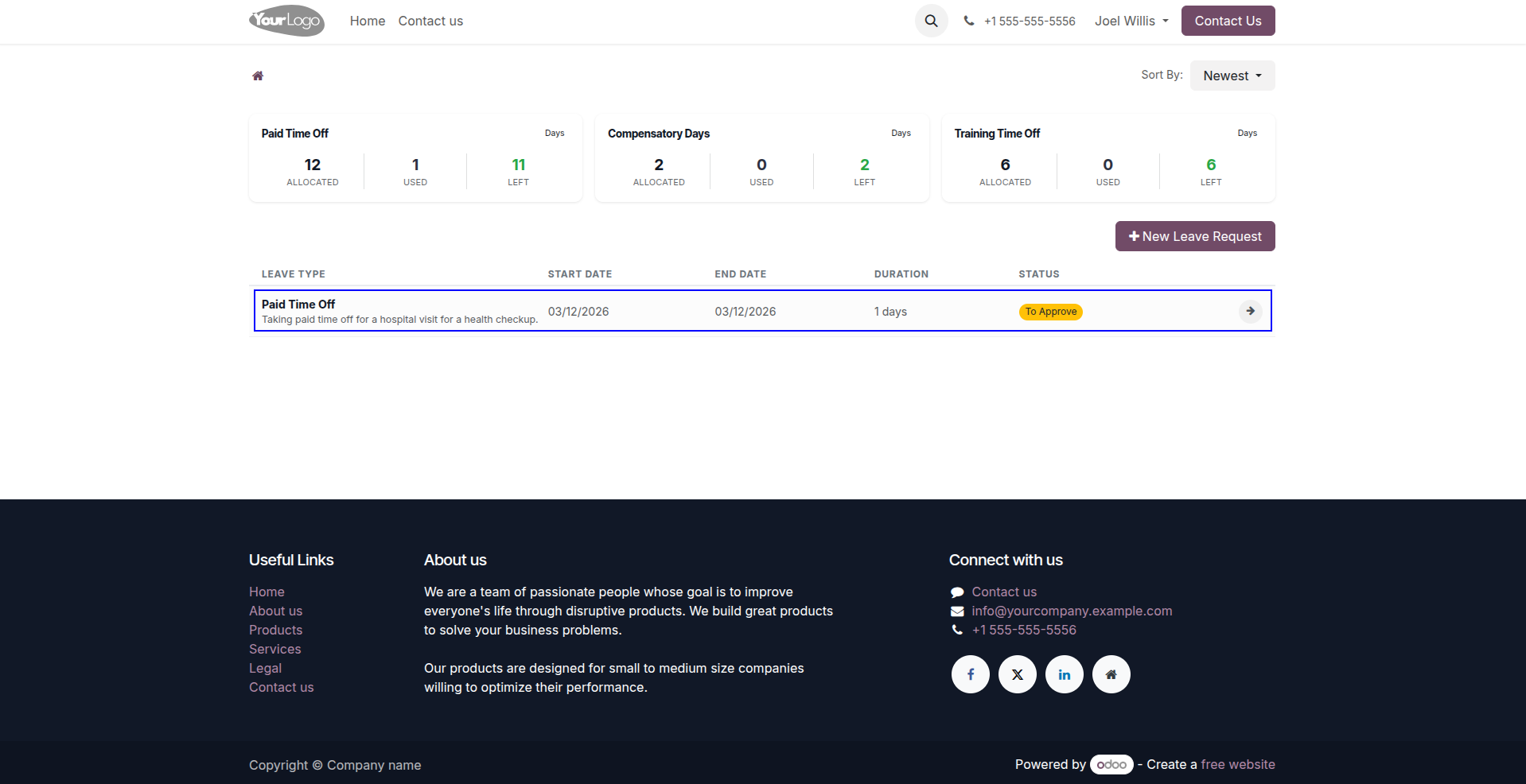
Monitor the live approval status and history of all submitted leave requests.
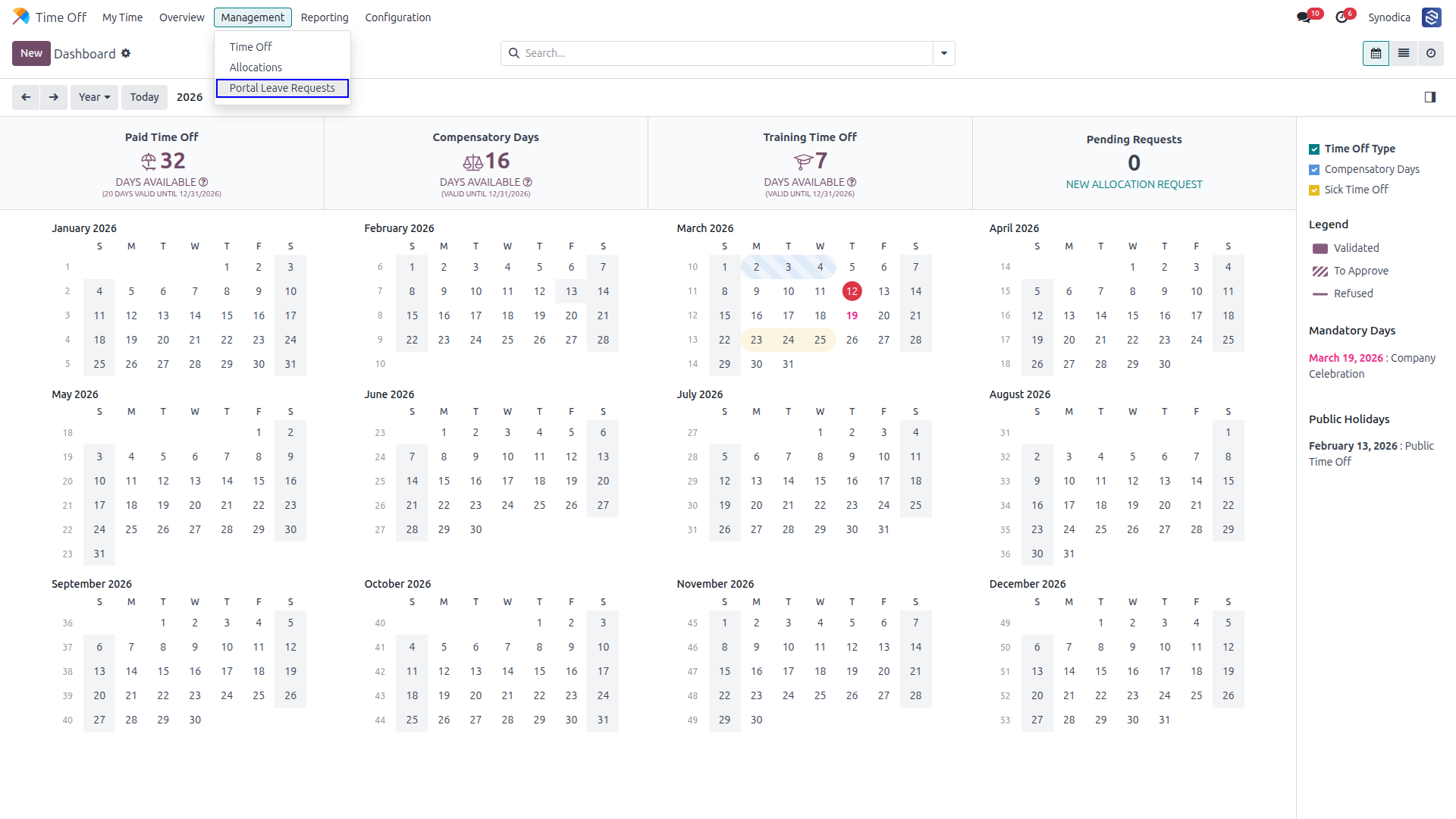
Submitted requests appear instantly in the approver's portal menu for review.
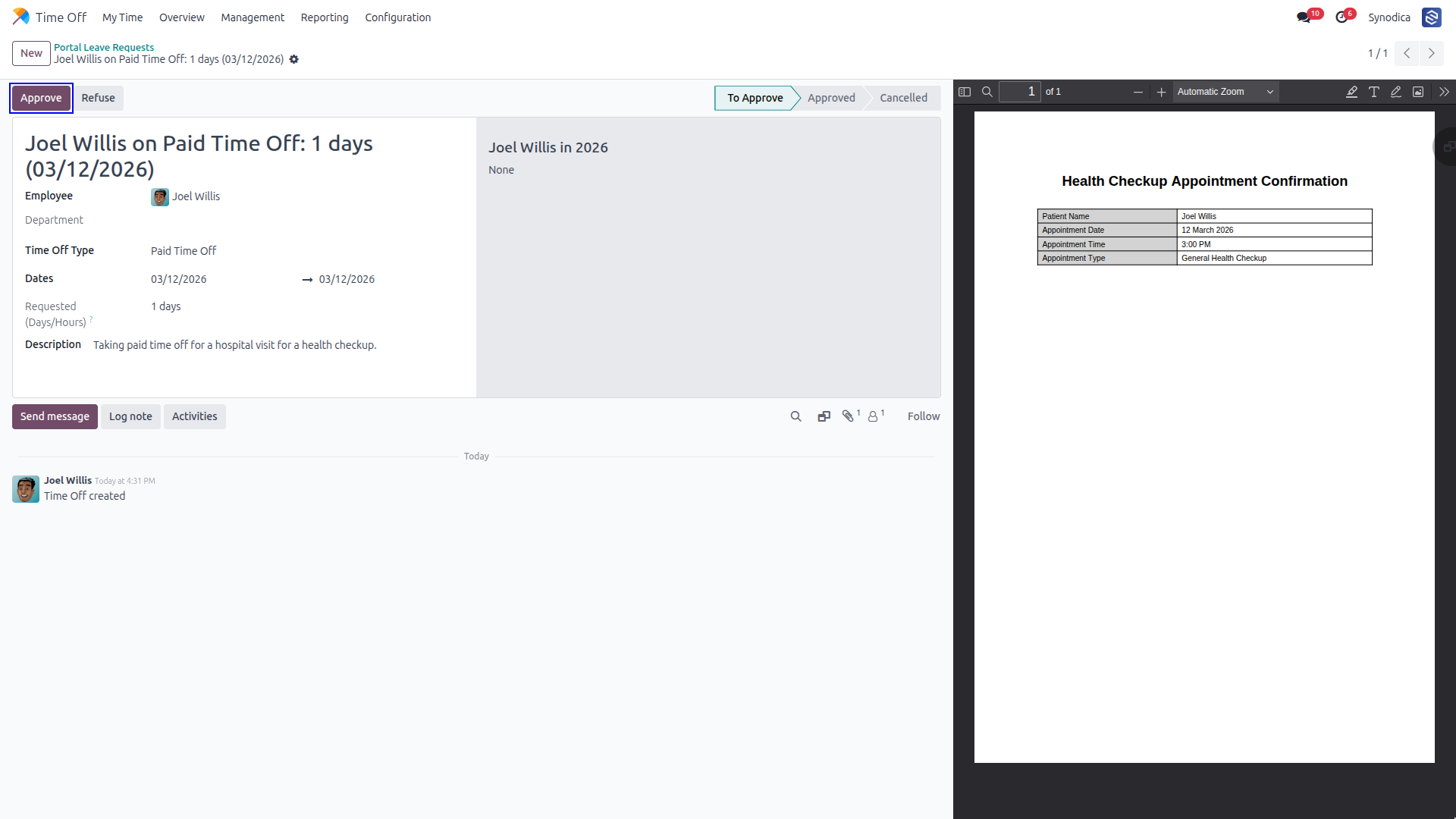
Approvers can view full details, including notes and attachments, before taking action.
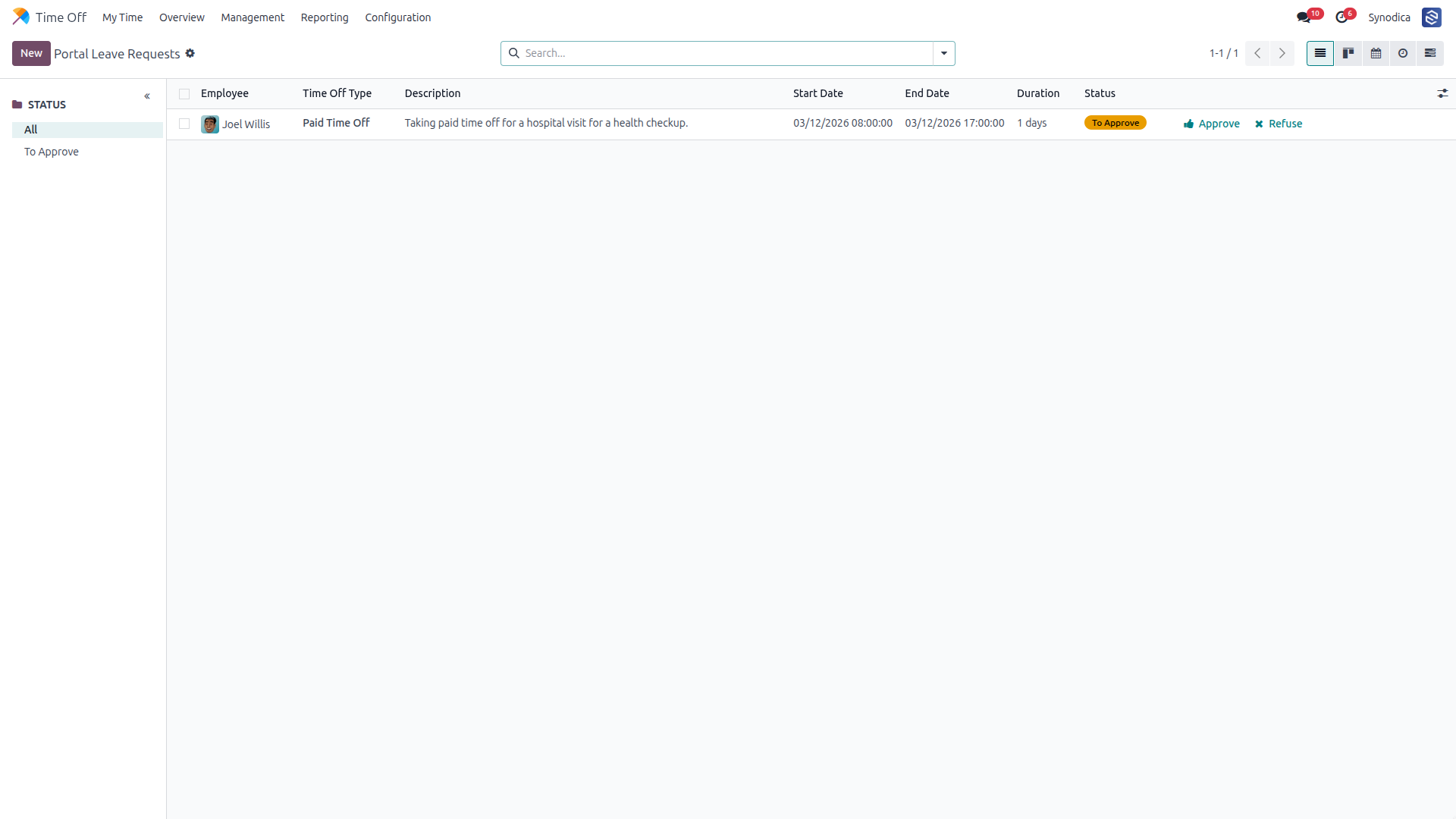
The initial approver validates the request as part of the multi-level workflow.
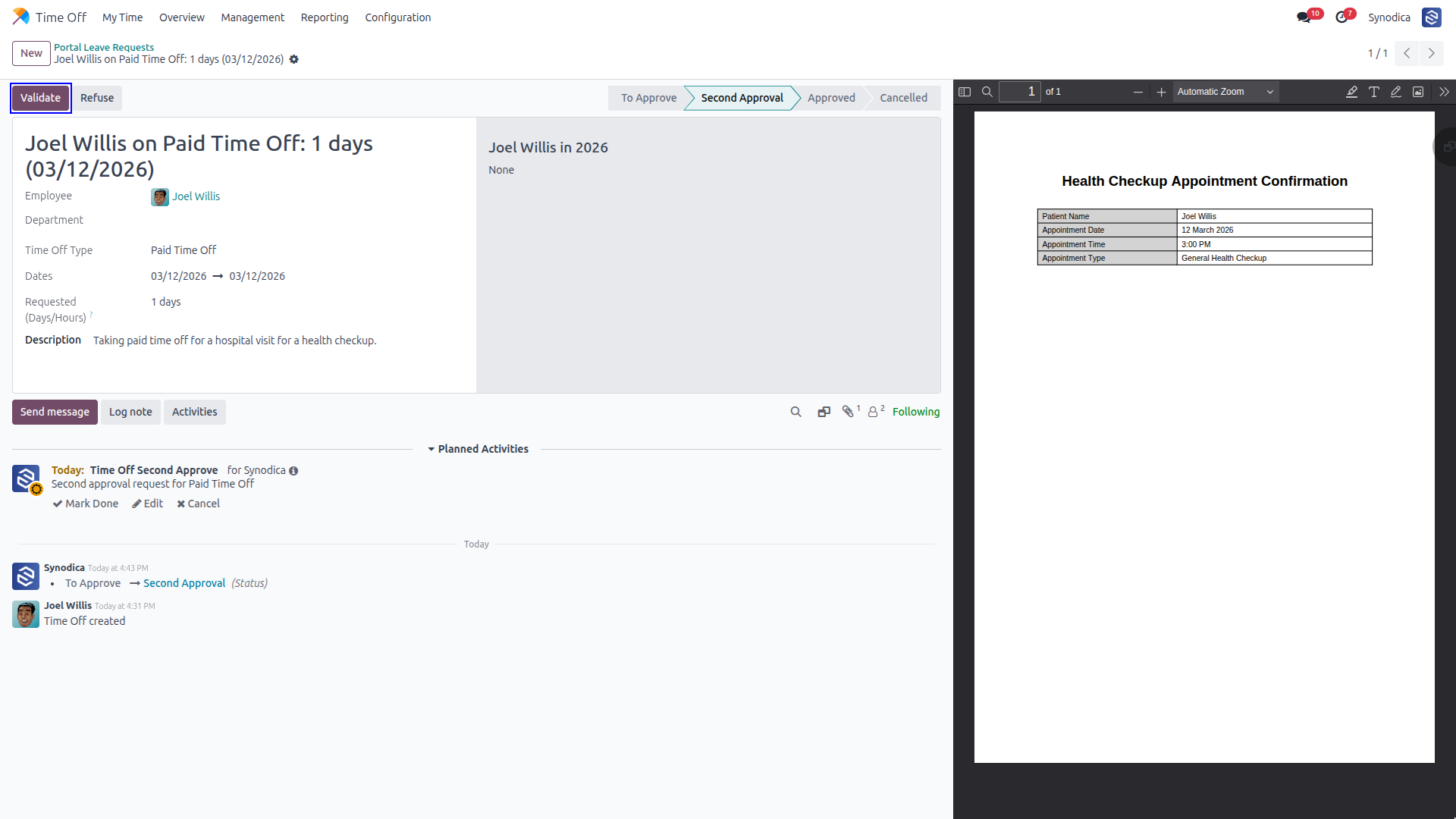
Managers complete the validation process to finalize the leave request.
The request is fully processed and the balance is adjusted accordingly.
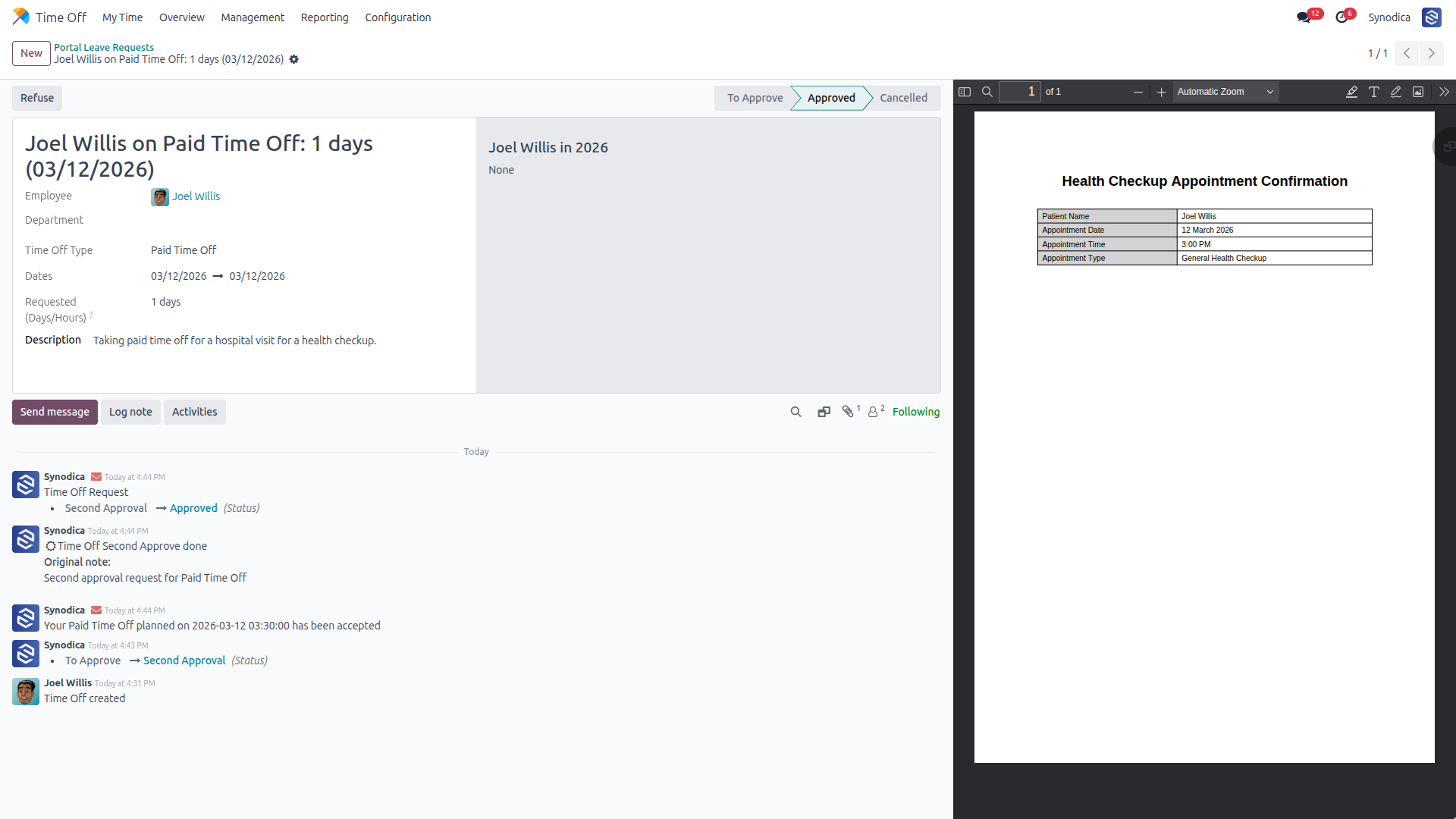
Users see the updated status immediately on their portal side.
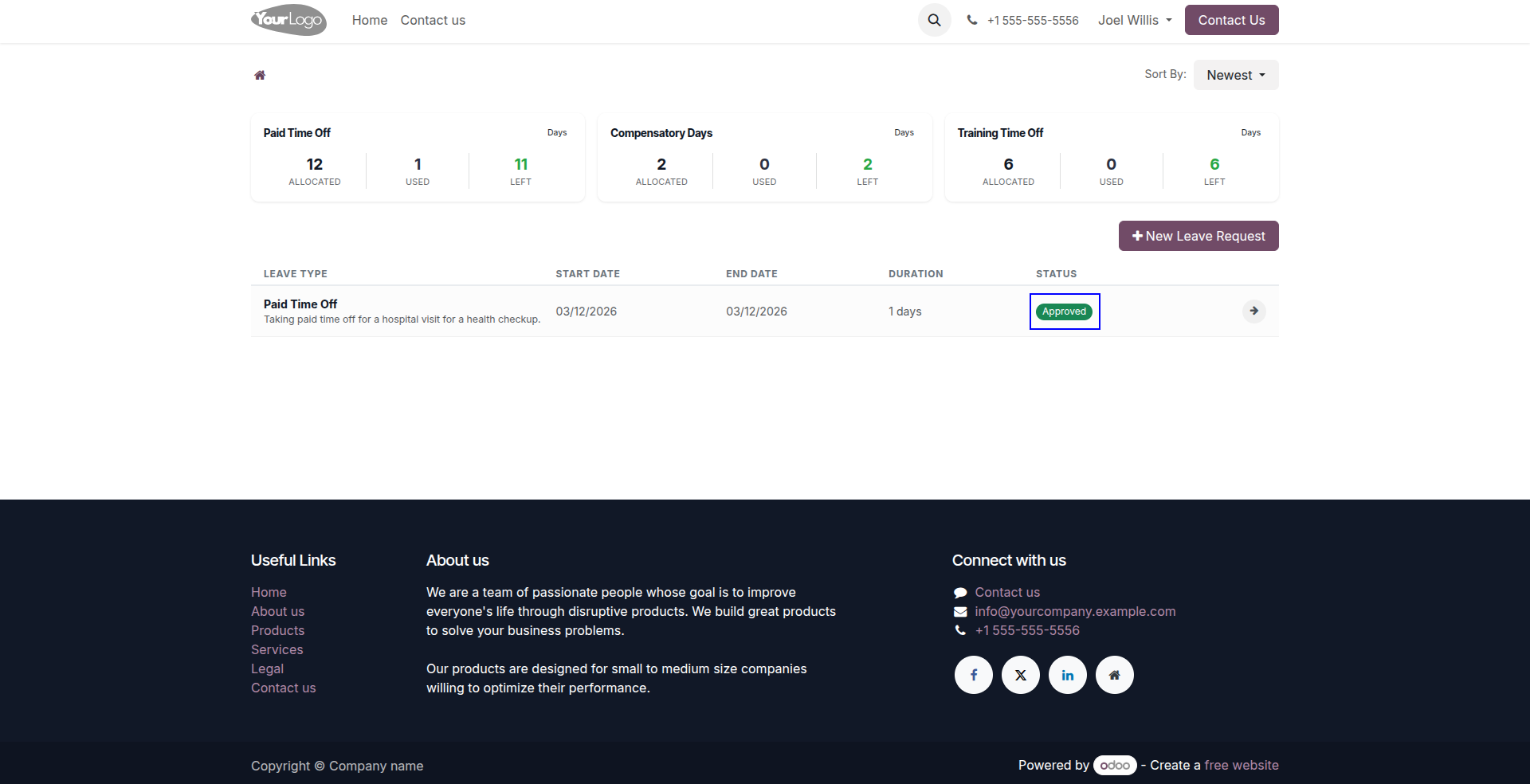
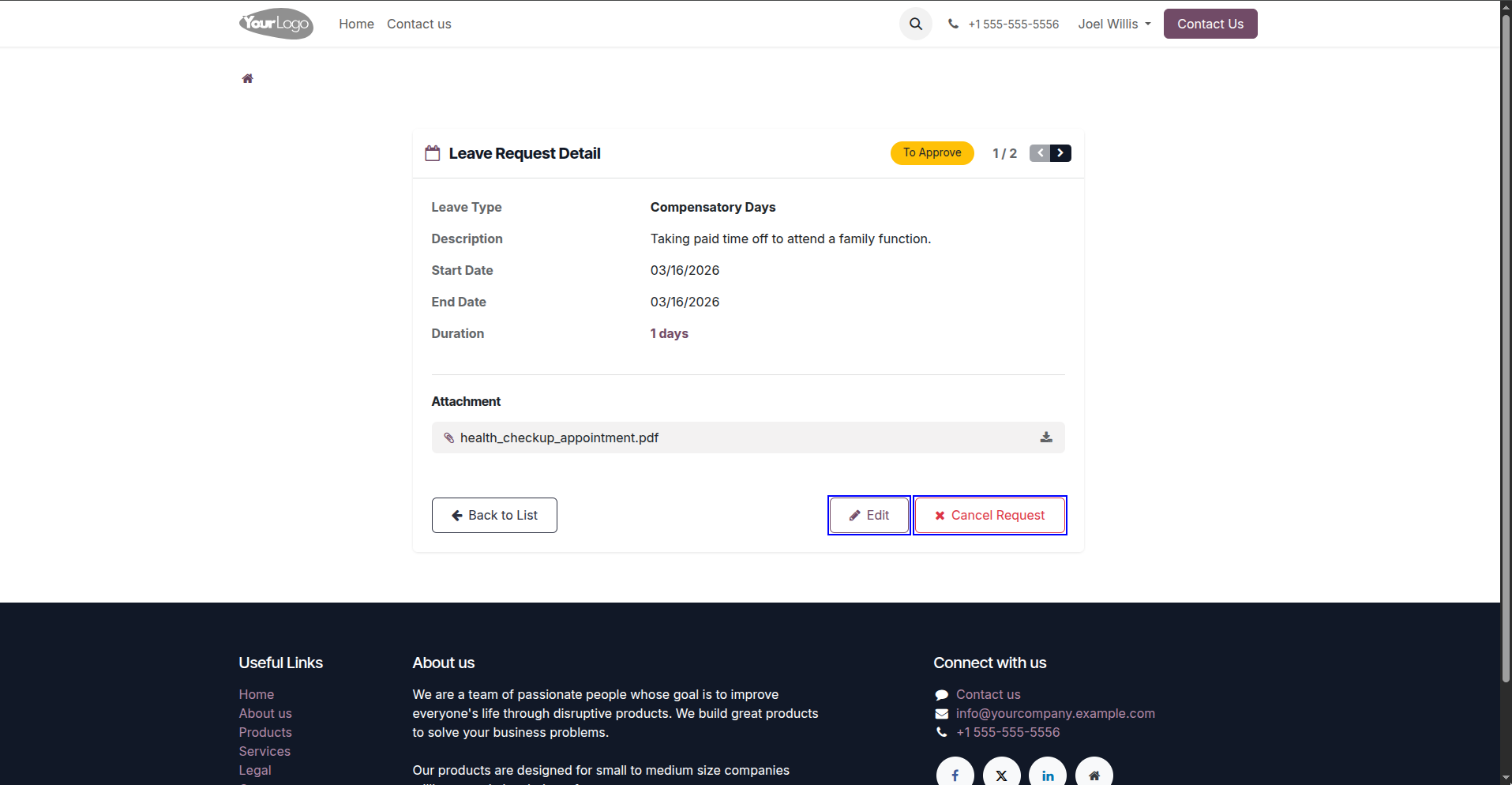
Users can edit or cancel requests as long as they are still in the 'confirm' state.
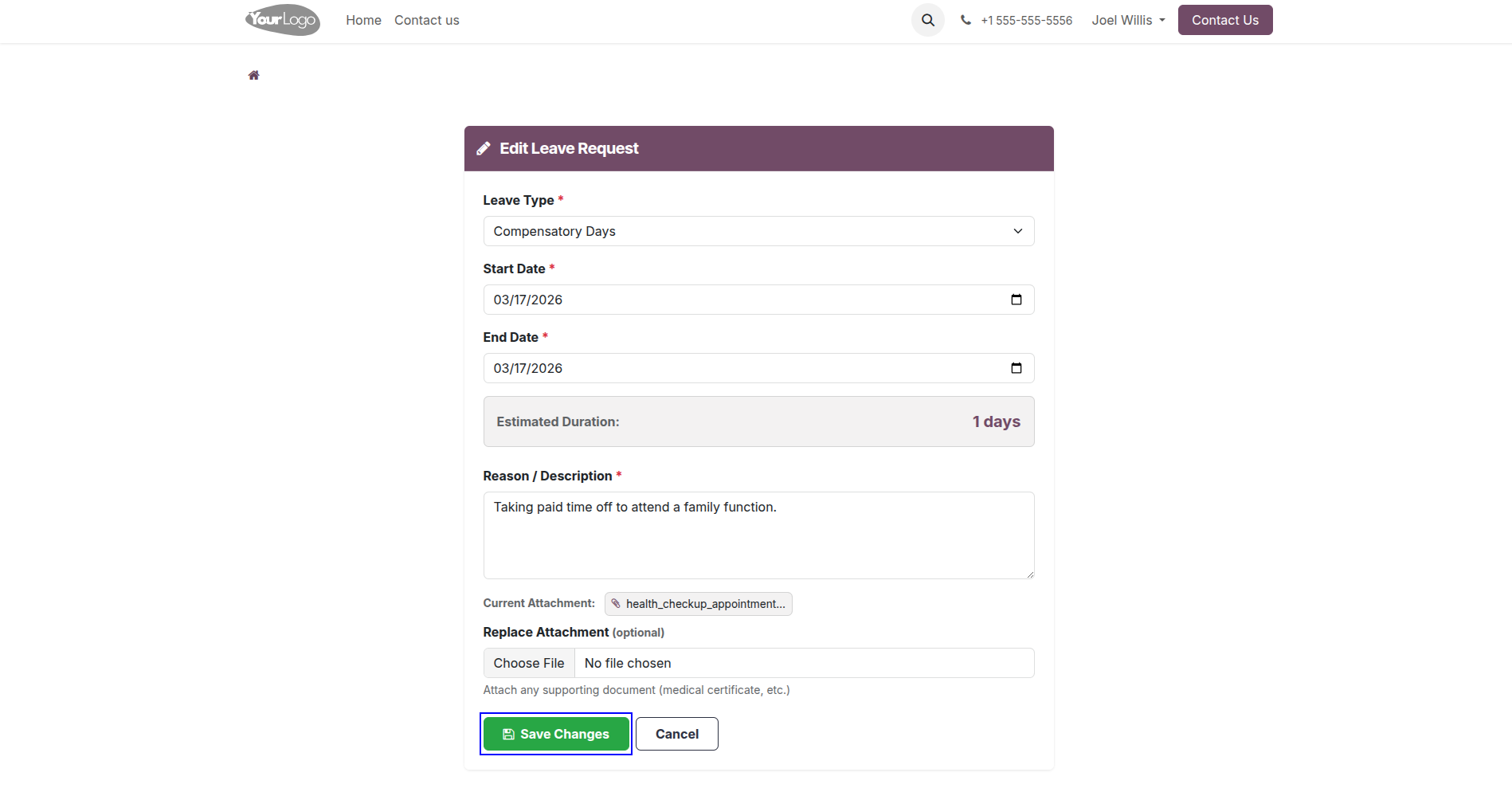
Modify details easily and save changes to update currently pending requests.
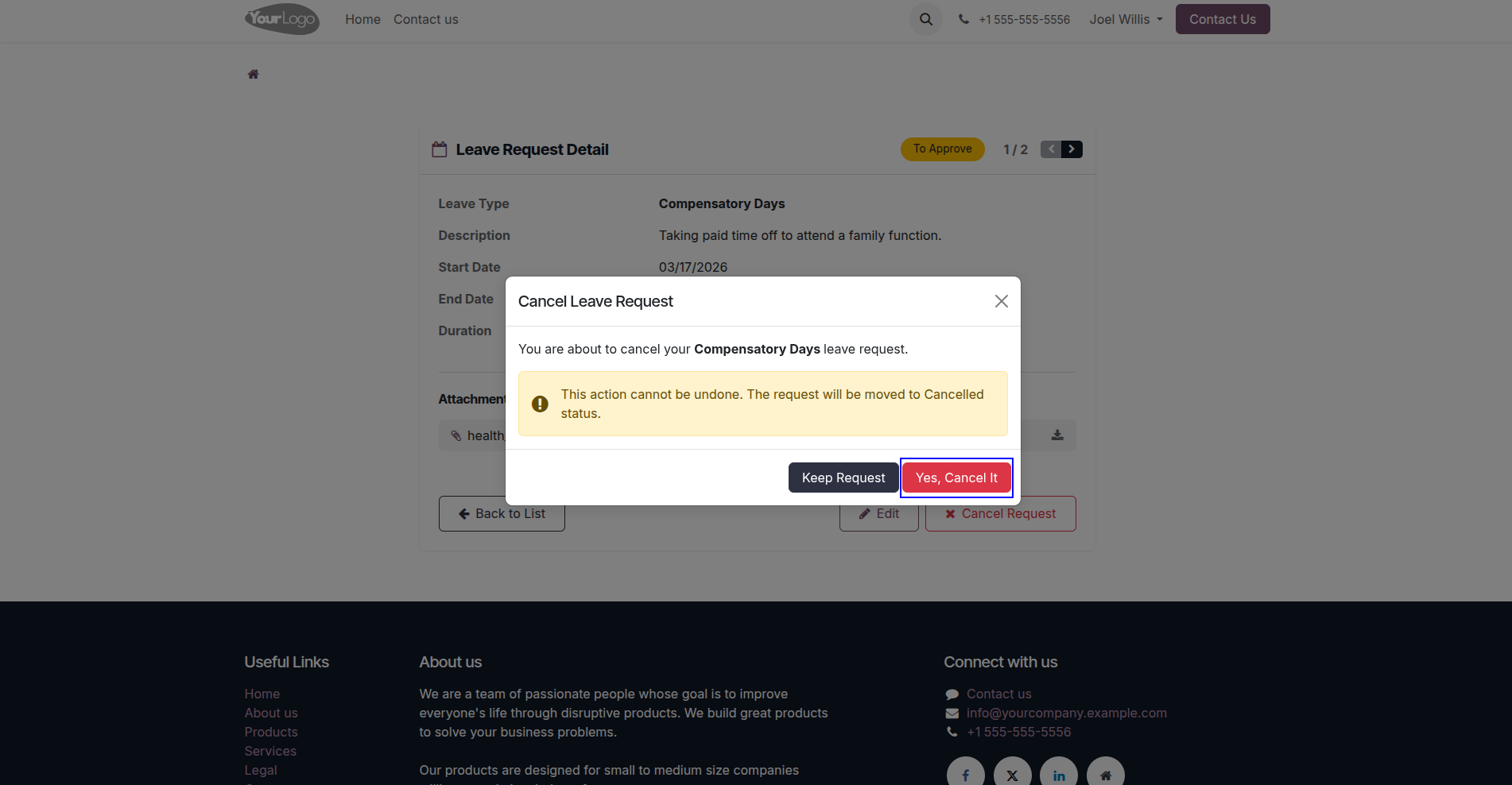
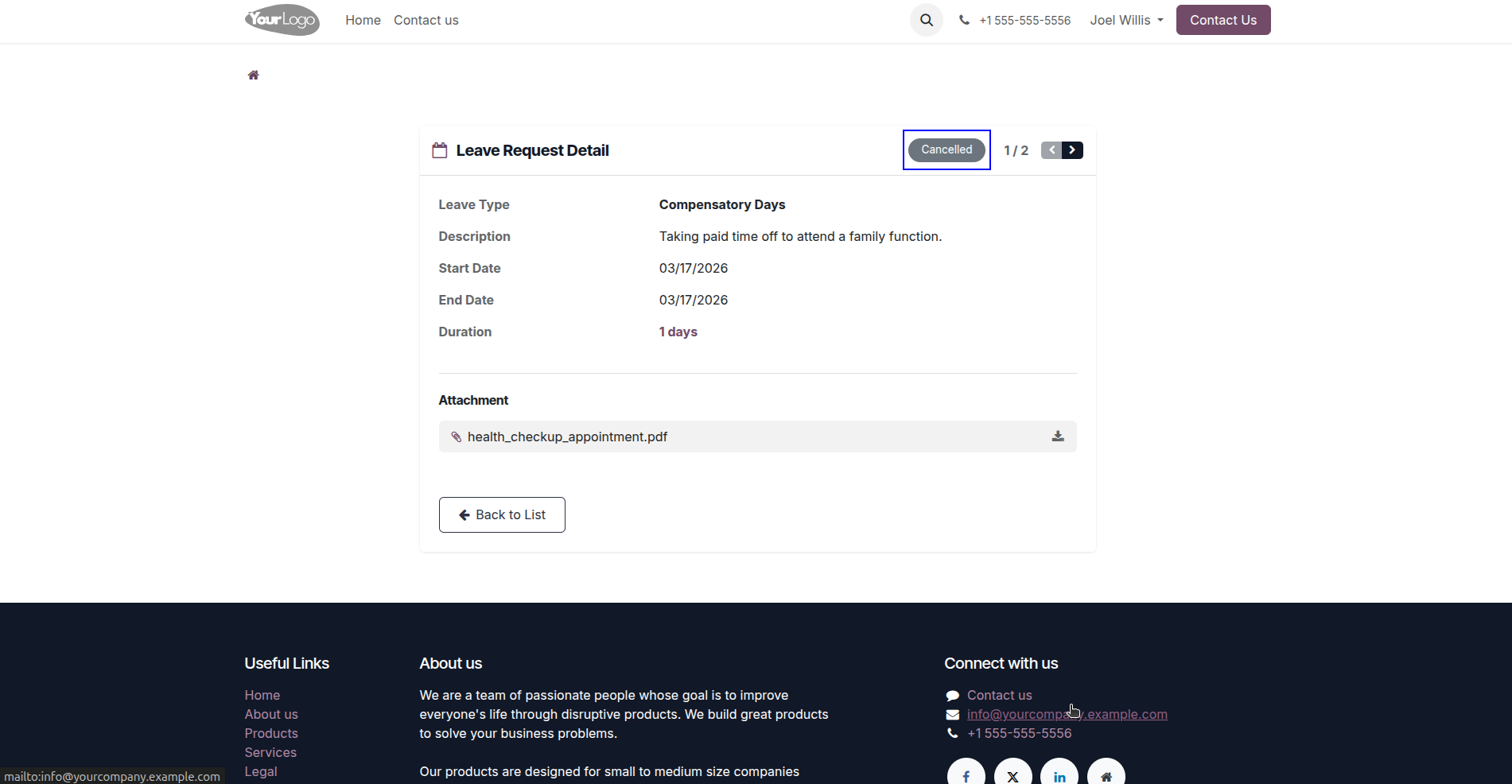
Simple confirmation flow to cancel a leave request before it is approved.
Once cancelled, a request cannot be edited, maintaining audit integrity.
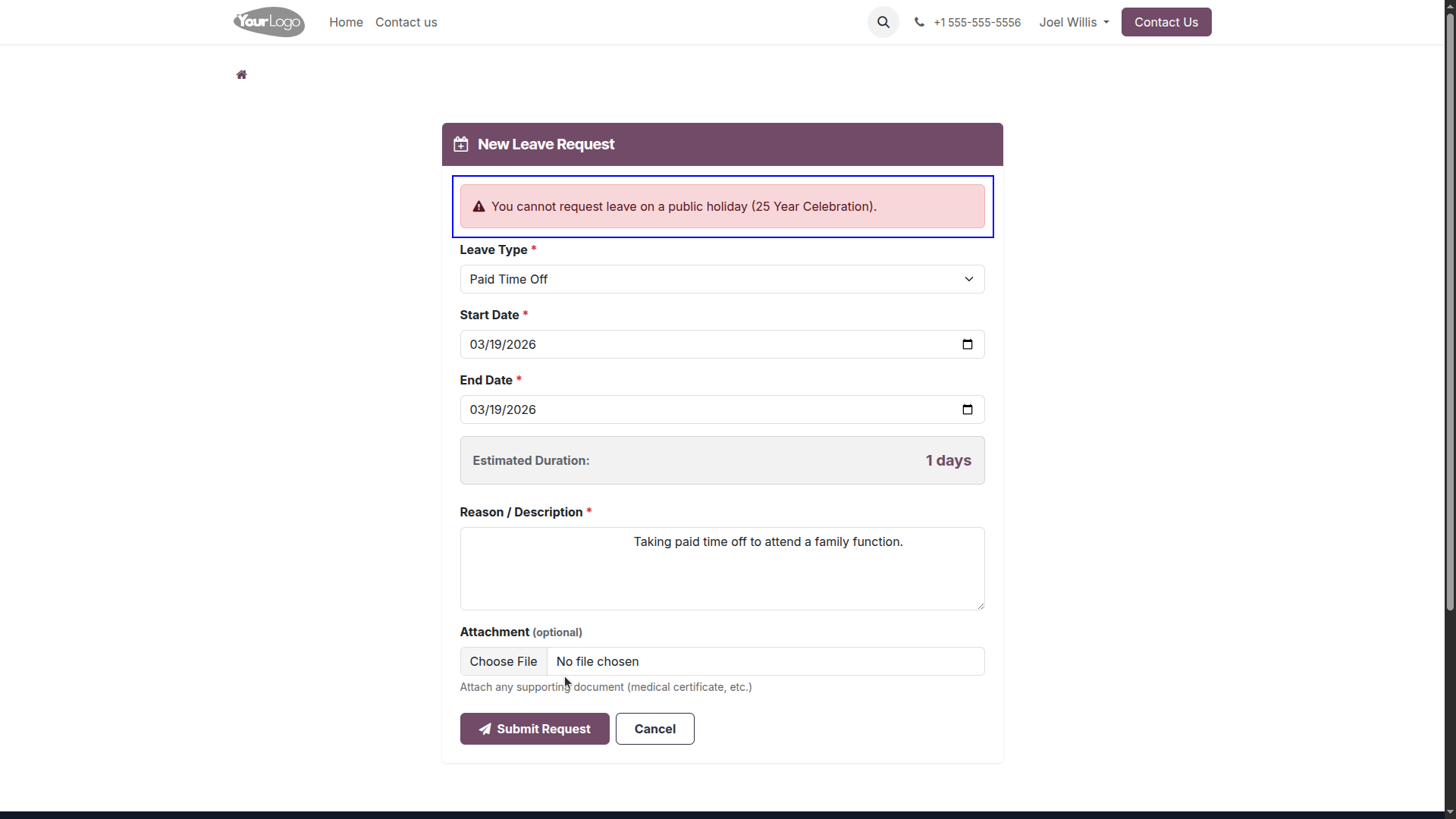
Warns users when requests land on public holidays, ensuring accurate leave logging.
Everything You Need
A modern featureset designed to handle the complexities of leave management with simplicity.
Holiday Integration
Automatic detection and warnings for public holidays and weekends to ensure accurate leave calculations.
Overlap Protection
Smart systems prevent double-booking by checking for overlapping requests in real-time during submission.
Attachment Support
Upload supporting documents and medical certificates directly while applying for or editing a leave request.
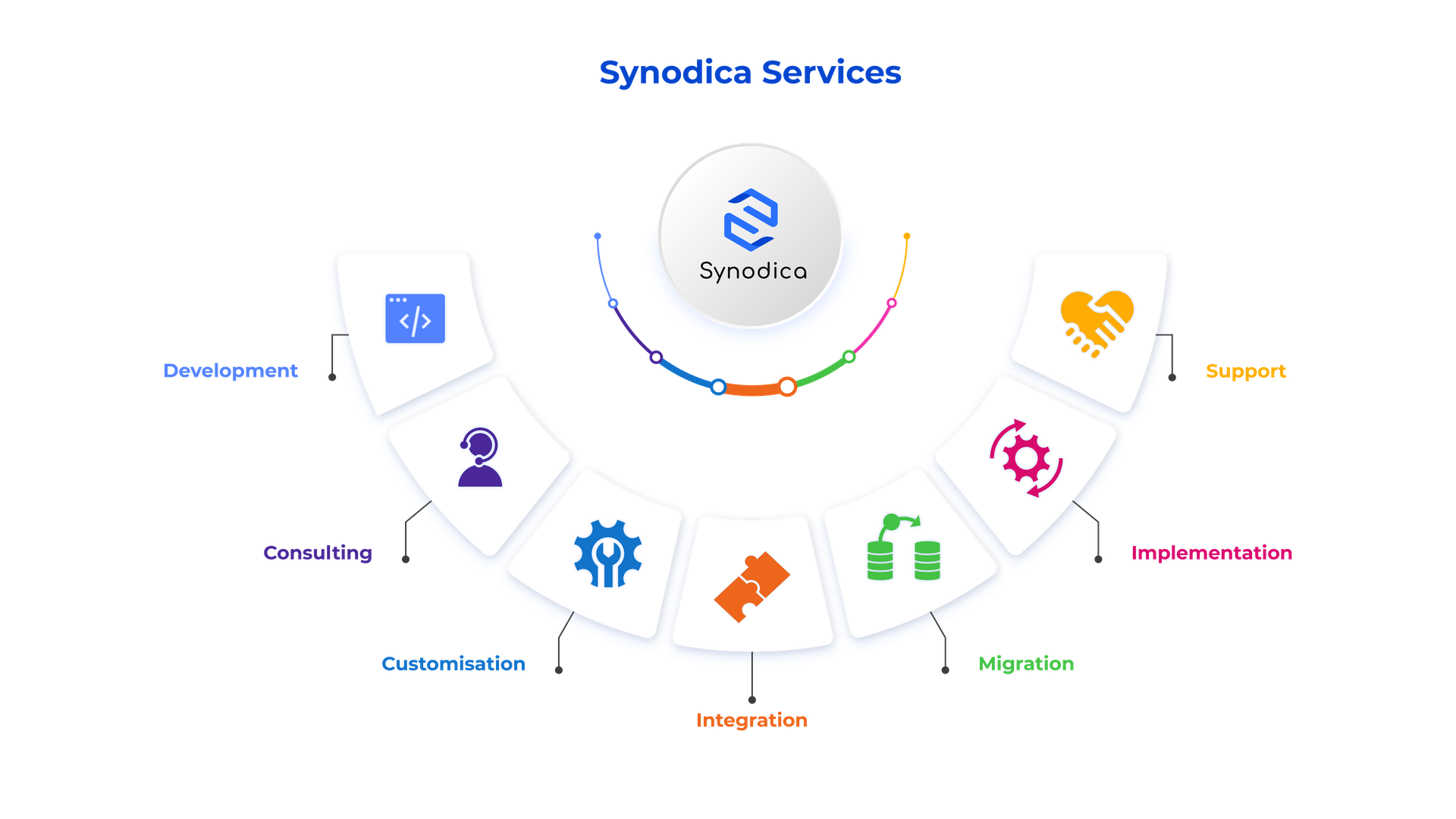
Specialized Odoo Services
We build, customize, and maintain Odoo solutions for businesses worldwide — from implementation to advanced integrations.
Need Custom Leave Workflow?
Our experts can customize leave rules, approval paths, and portal interfaces to match your organization perfectly.
support@synodica.com© 2026 Synodica Solutions PVT. LTD. — Portal Leave Management for Odoo
We create ERP solutions for you using Odoo ERP that will build a strong and efficient business for you. It's SYNODICA WAY