

Portal Live Stock
Portal Live
Stock
Real-Time Inventory for Your Portal
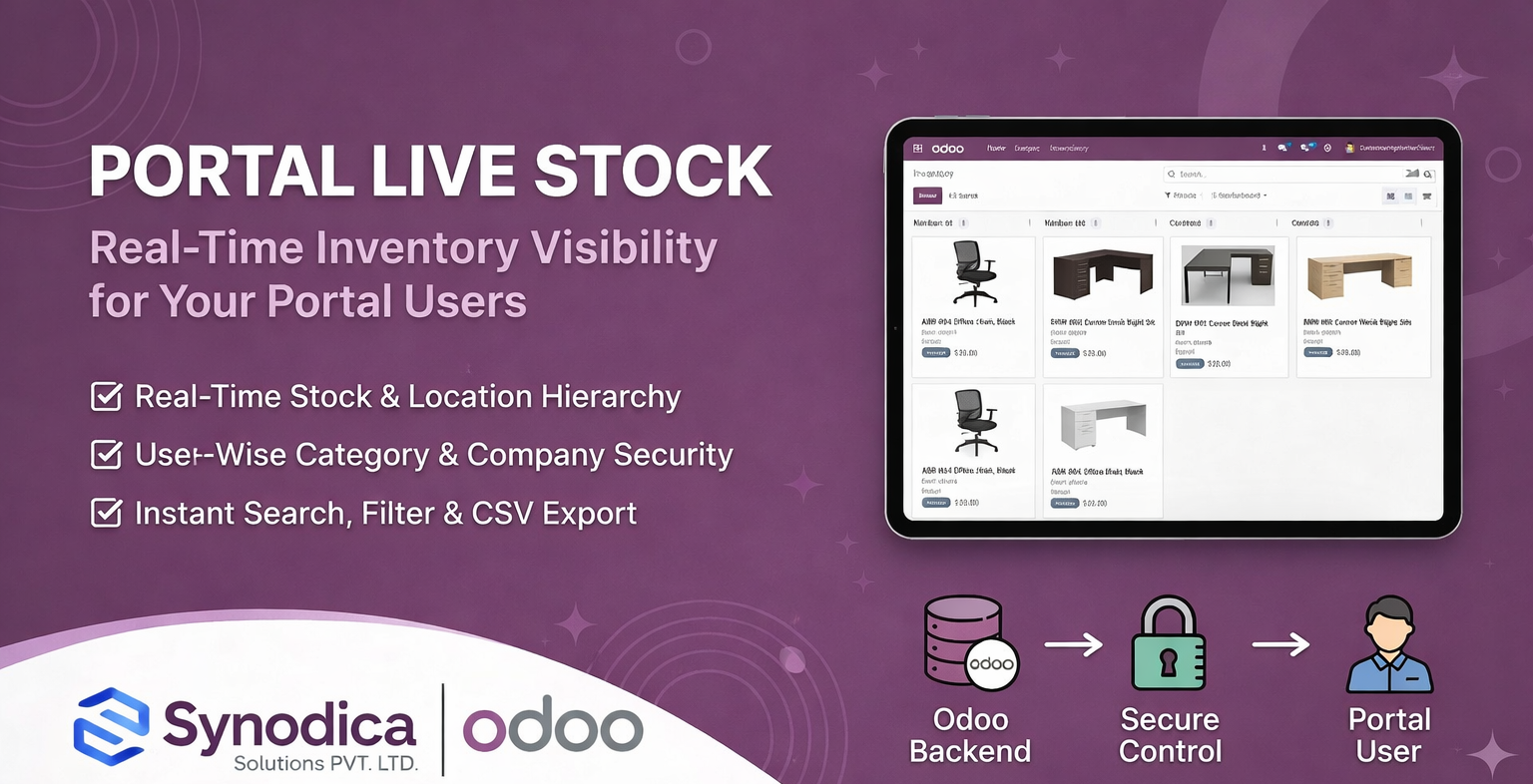
Empower your portal users with real-time live stock visibility in Odoo. Allow authorized users to view product availability, location hierarchy, and pricing — with full user-wise access control and category/company filtering, all without ever visiting the backend.
How It Works
From configuration to live stock visibility — a streamlined process designed for efficiency and control.
Configure Access
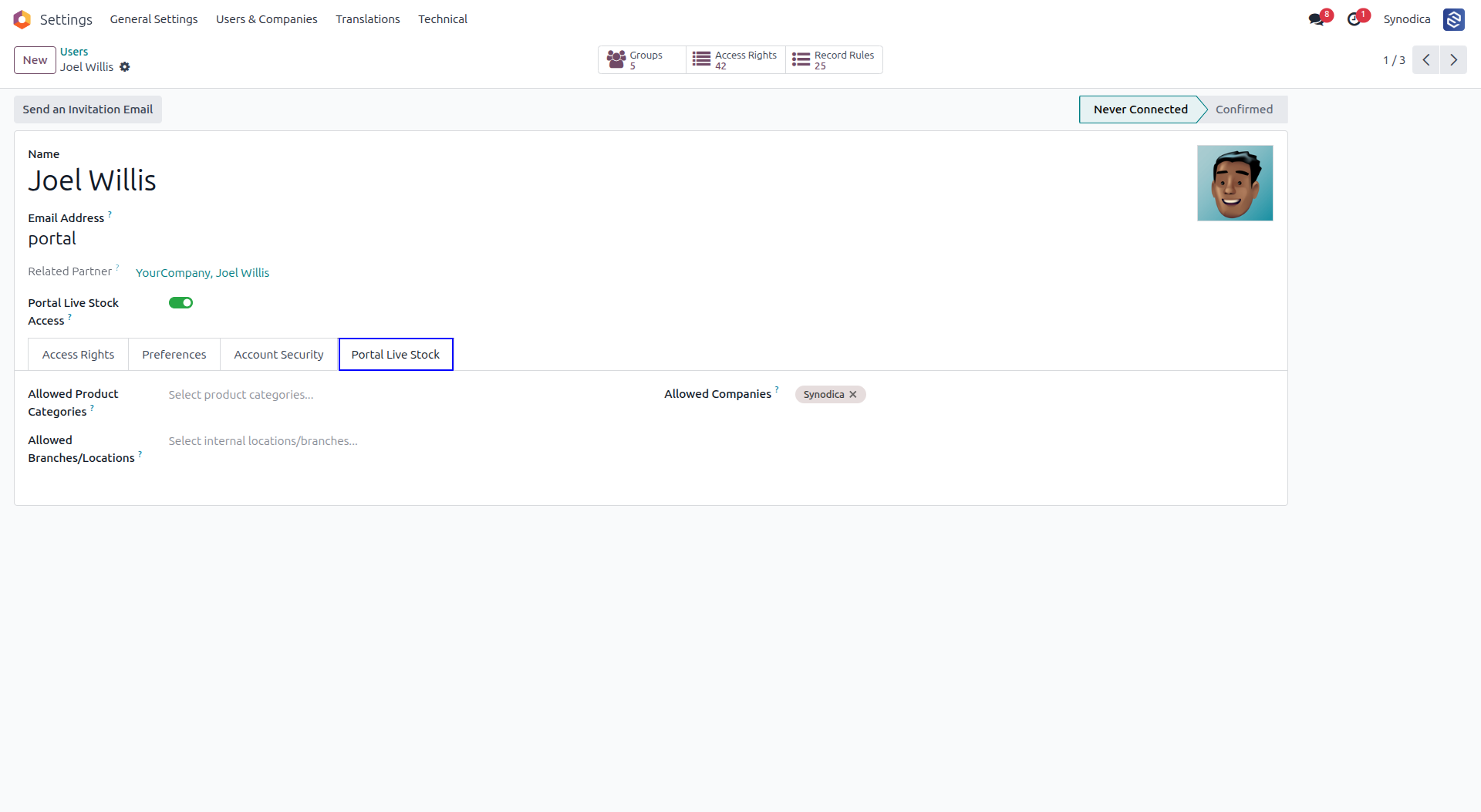
Assign each portal user their allowed product categories, companies, and warehouse locations directly from the user configuration in the backend.
View Live Stock
Portal users log in and instantly see their permitted live stock, with product names, location hierarchy, available quantities, and sale prices — all in one clean table.
Search & Export
Users can search by product name or reference, filter by company, paginate through results, and export the visible stock data as a CSV or XLSX file with a single click.
See It in Action
A visual journey through the primary live stock features inside the Odoo portal.
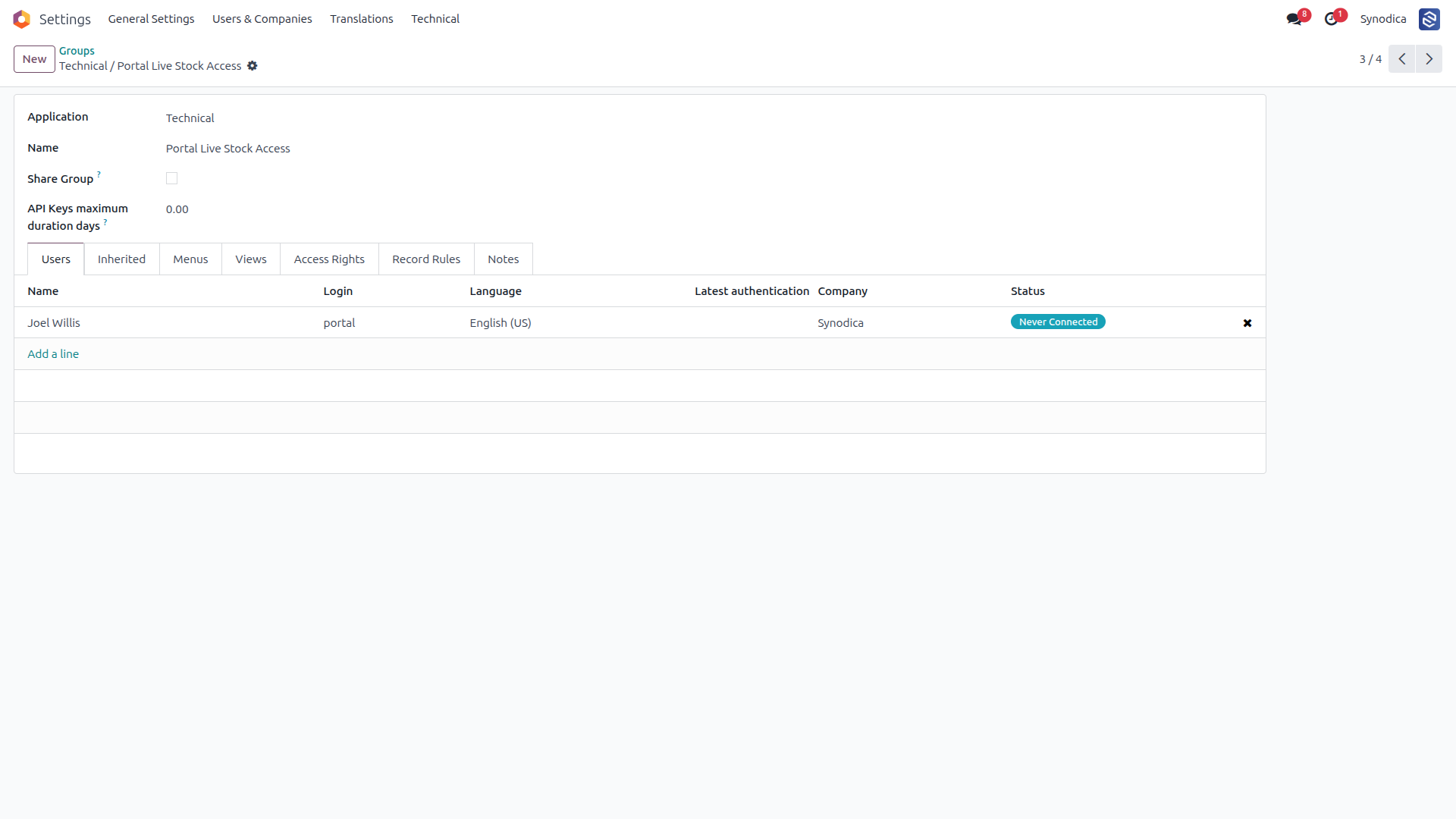
Assign Portal Users to the Live Stock Security Group to Grant Access
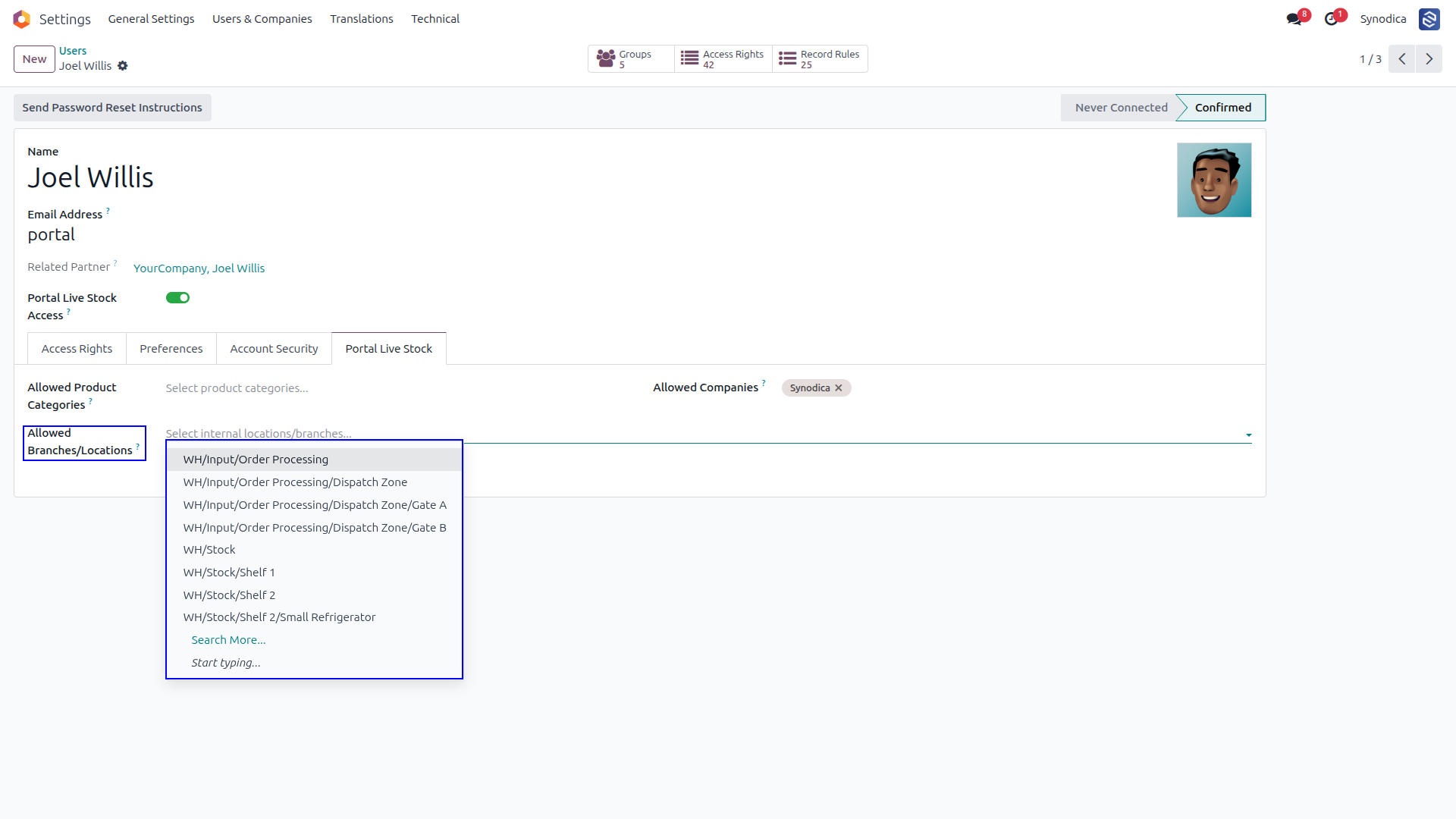
Configure Allowed Companies, Product Categories, and Locations Per User
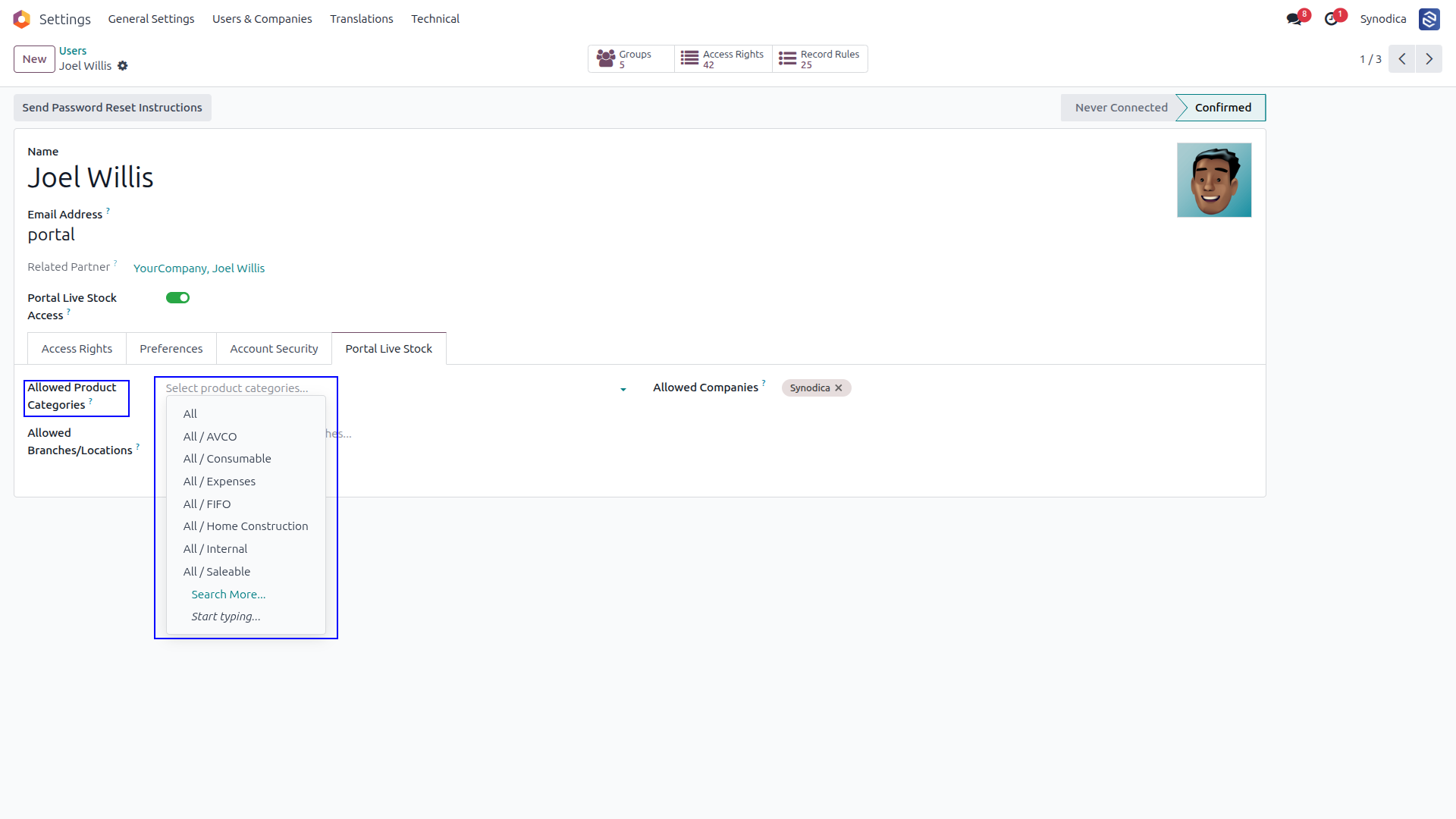
If No Product Category Is Selected, All Products Will Be Shown on the Portal, If a Category Is Selected, Only Products from That Category Will Be Displayed
If a Company Is Selected, Its Stock Will Be Shown; Otherwise, the Current User's Company Stock Will Be Displayed by Default
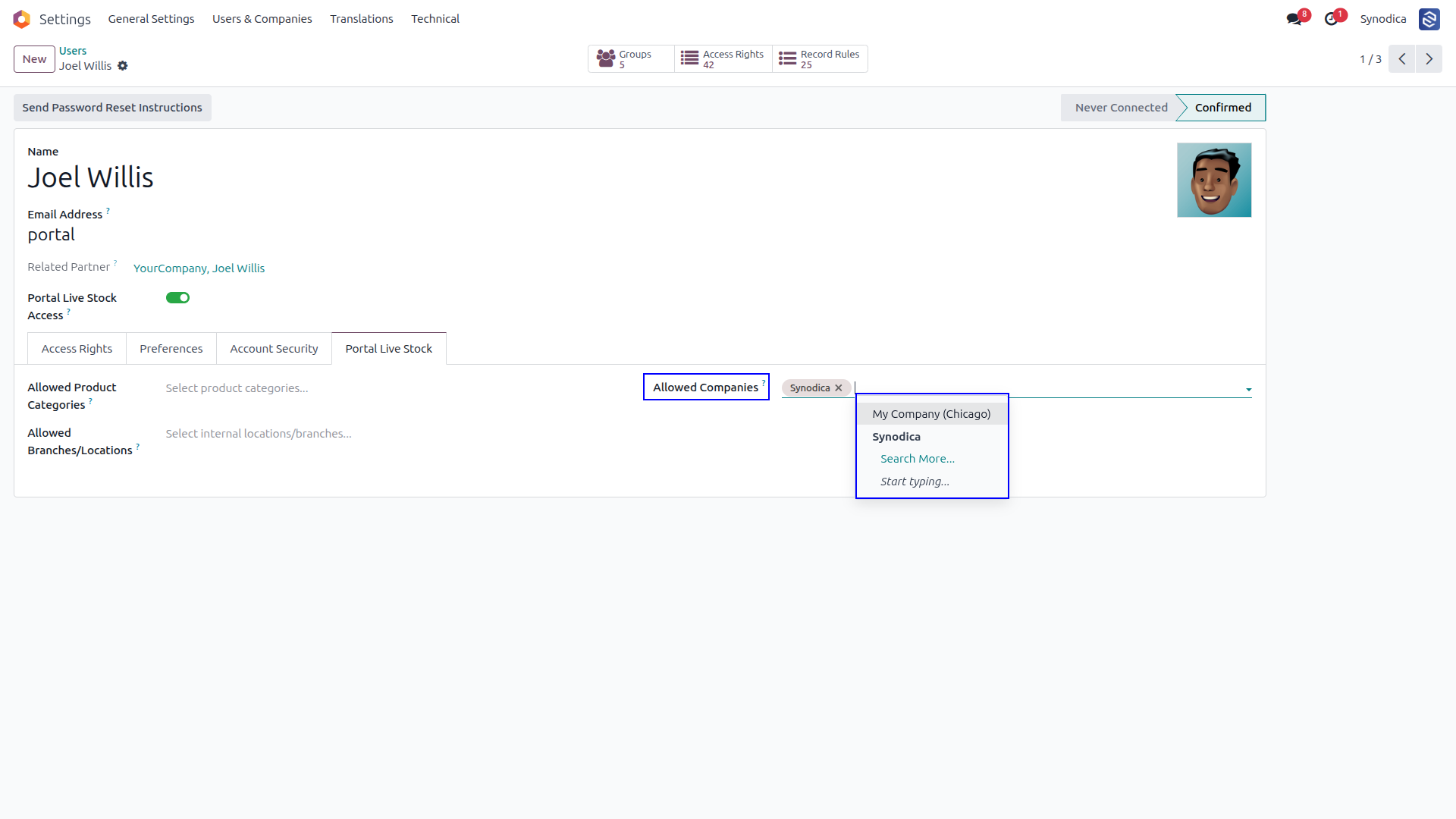
If No Location Is Selected, Products from All Locations Will Be Shown; Otherwise, Only Products from the Selected Location Will Be Displayed
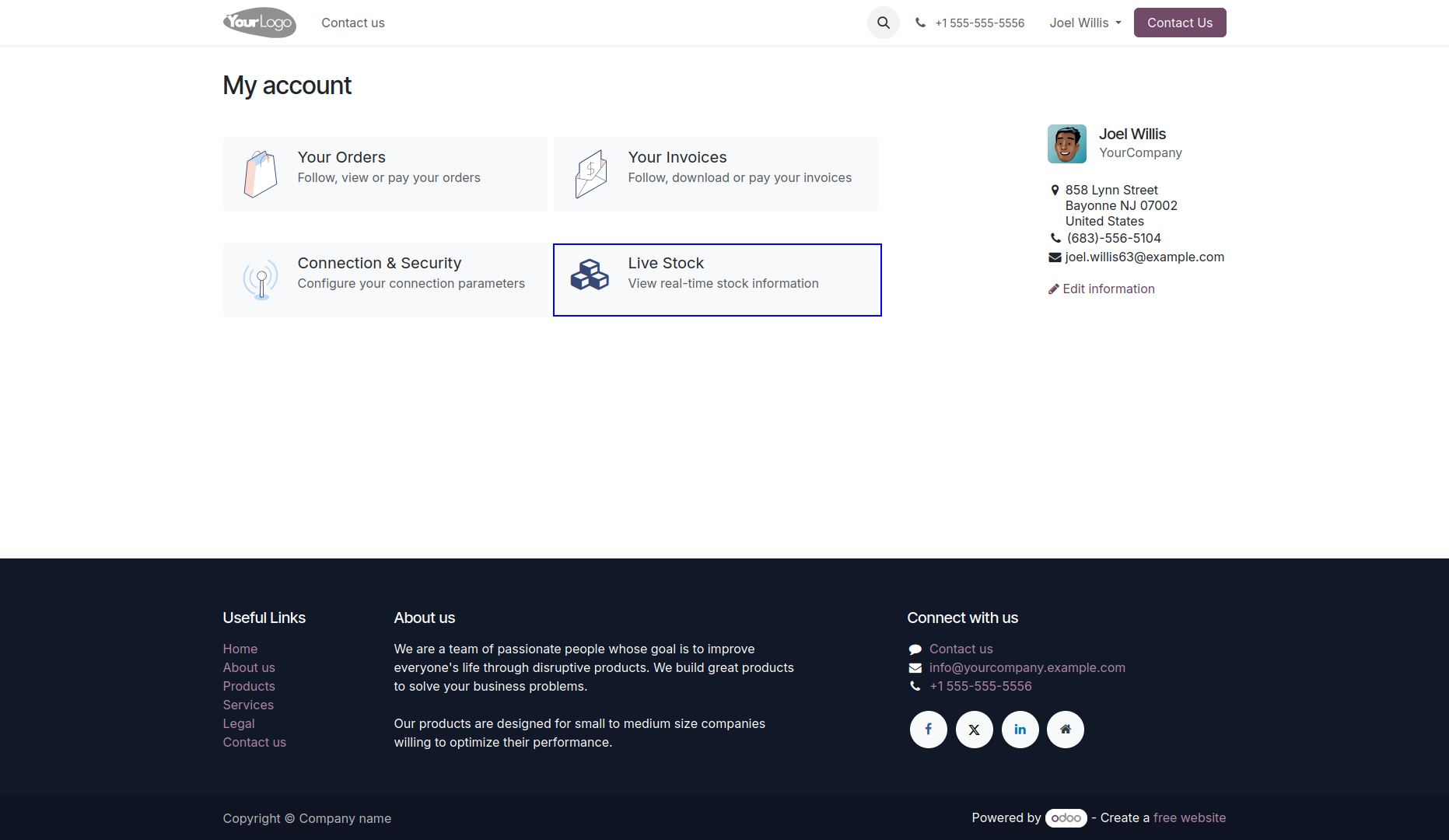
Click on the Live Stock Card on the Portal Home Page to View Stock Details and Availability
Real-time View of Product Availability, Stock Levels, and Warehouse Locations Across Your Inventory
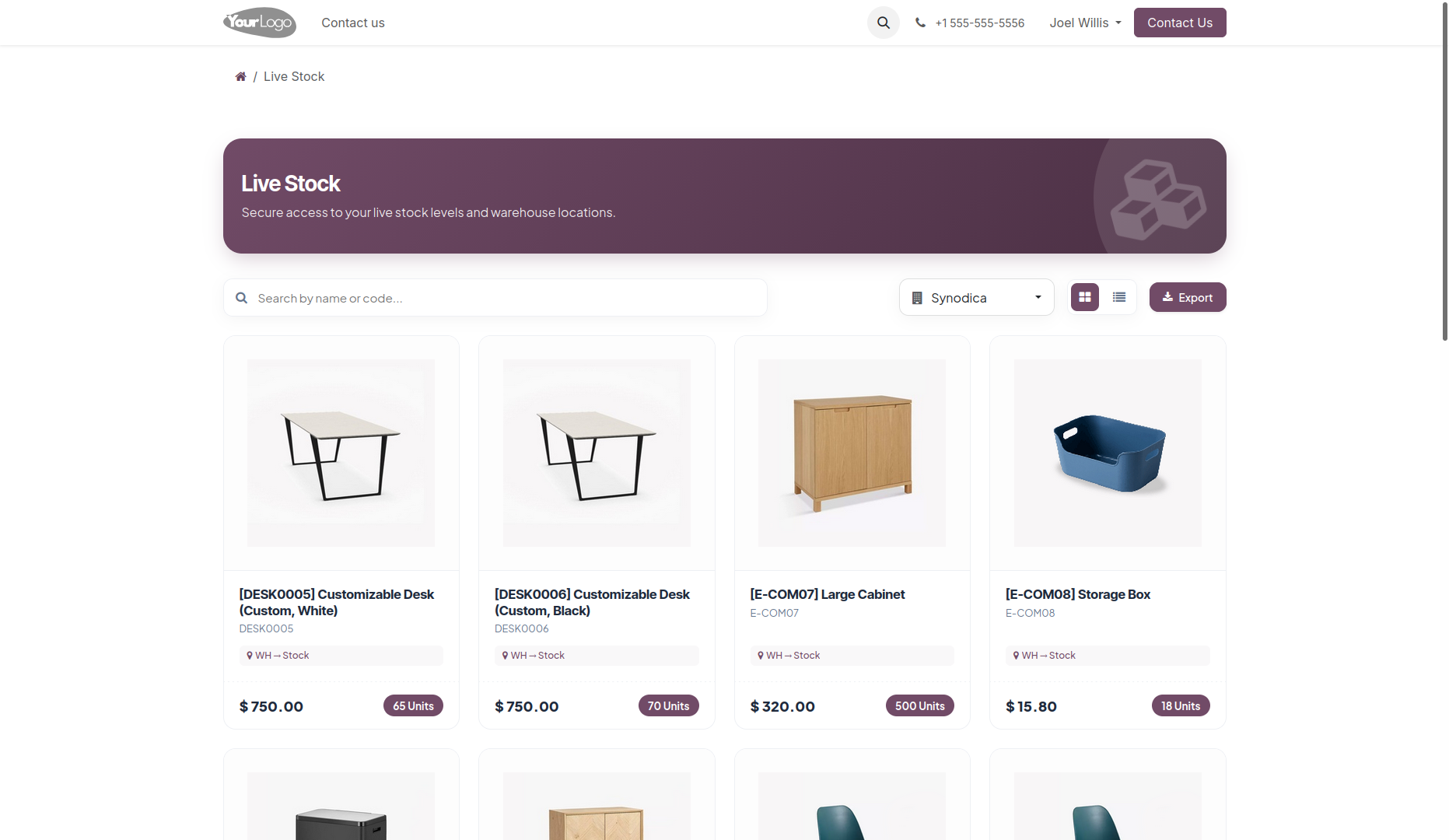
Select a Company to View Its Specific Stock Details. If No Company Is Selected, the System Will Display Stock Based on the User’s Current Default Company
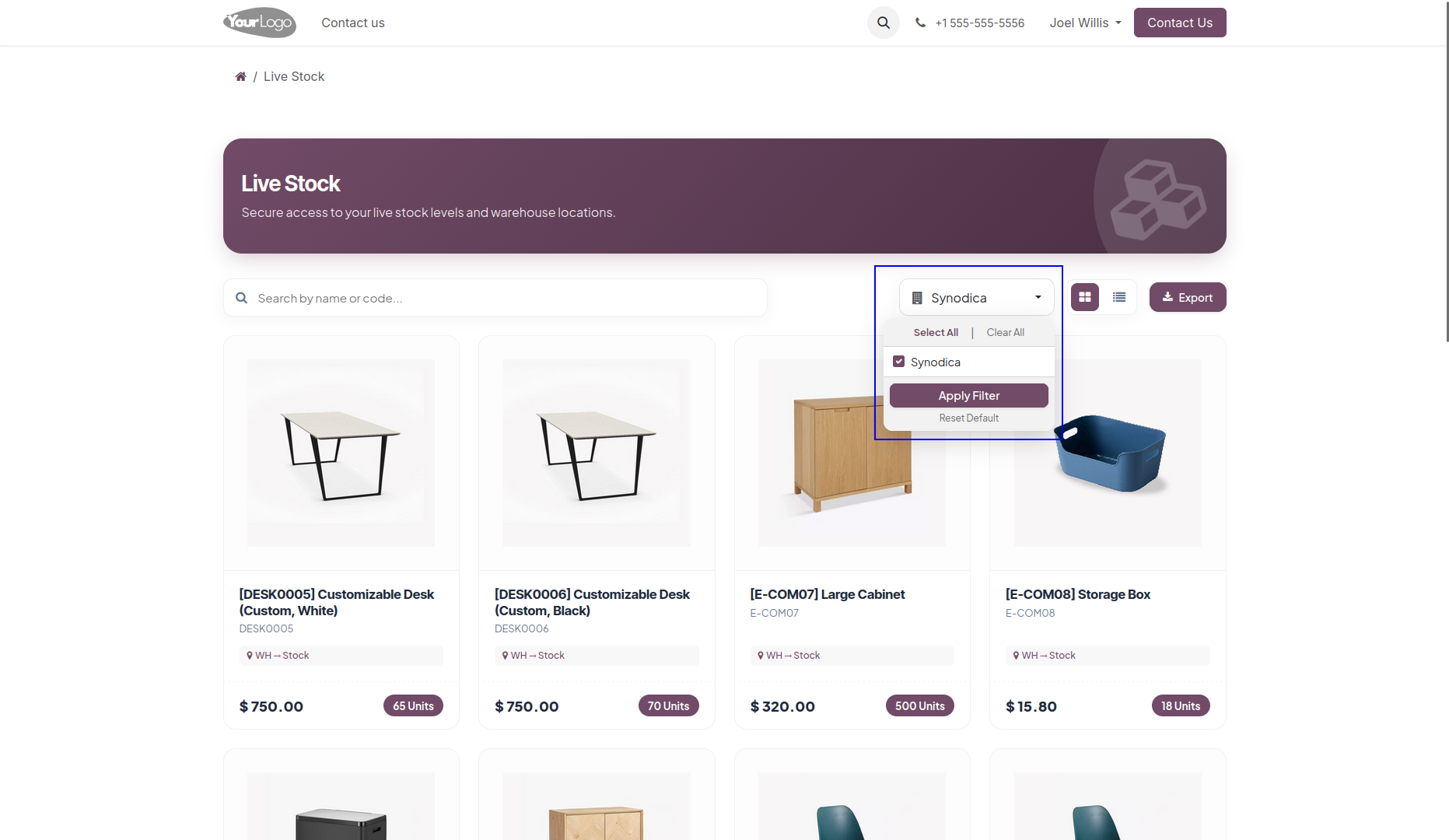
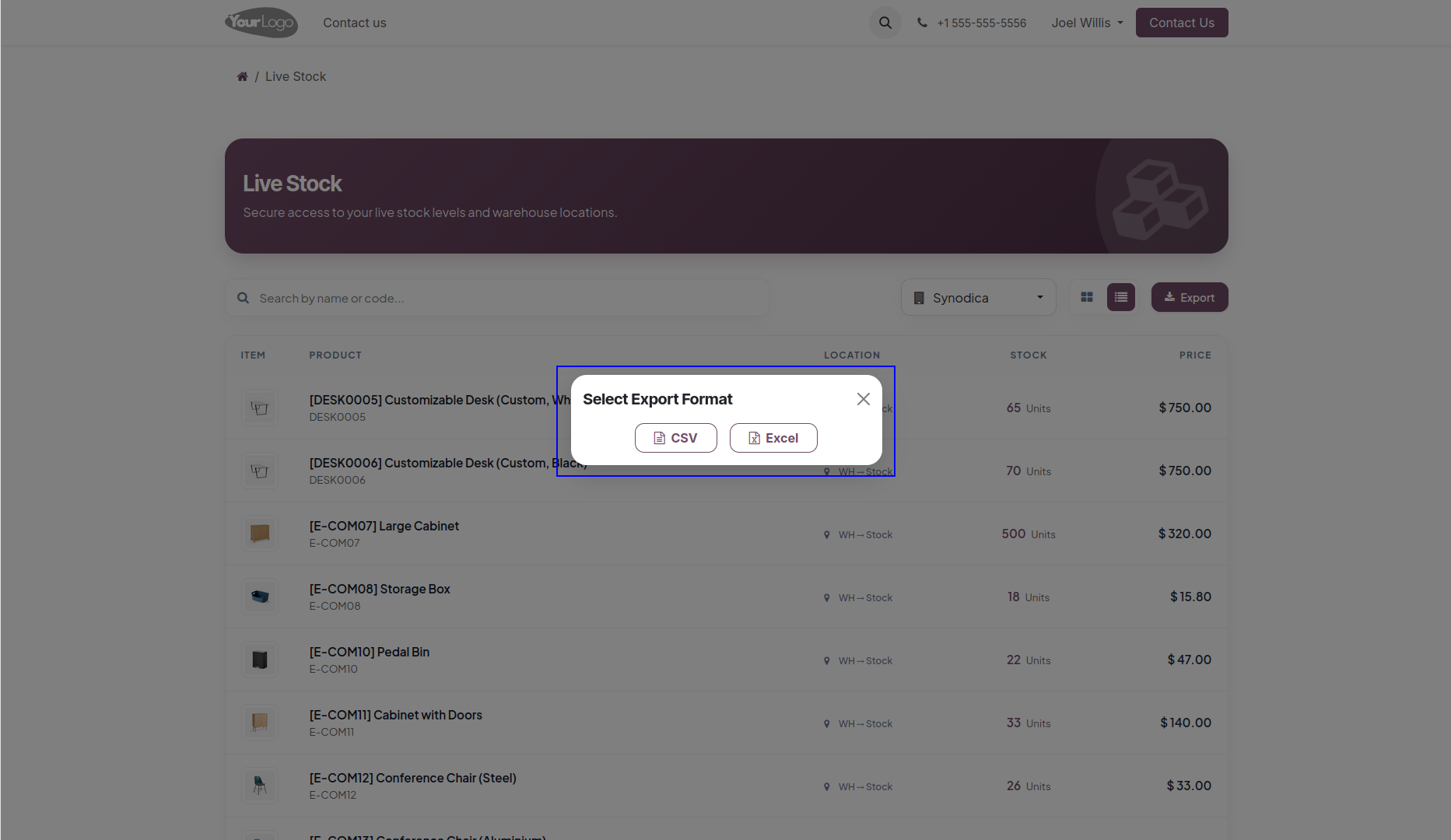
Export the Visible Stock Data in Your Preferred Format (csv or Excel) With a Single Click for Easy Reporting and Analysis
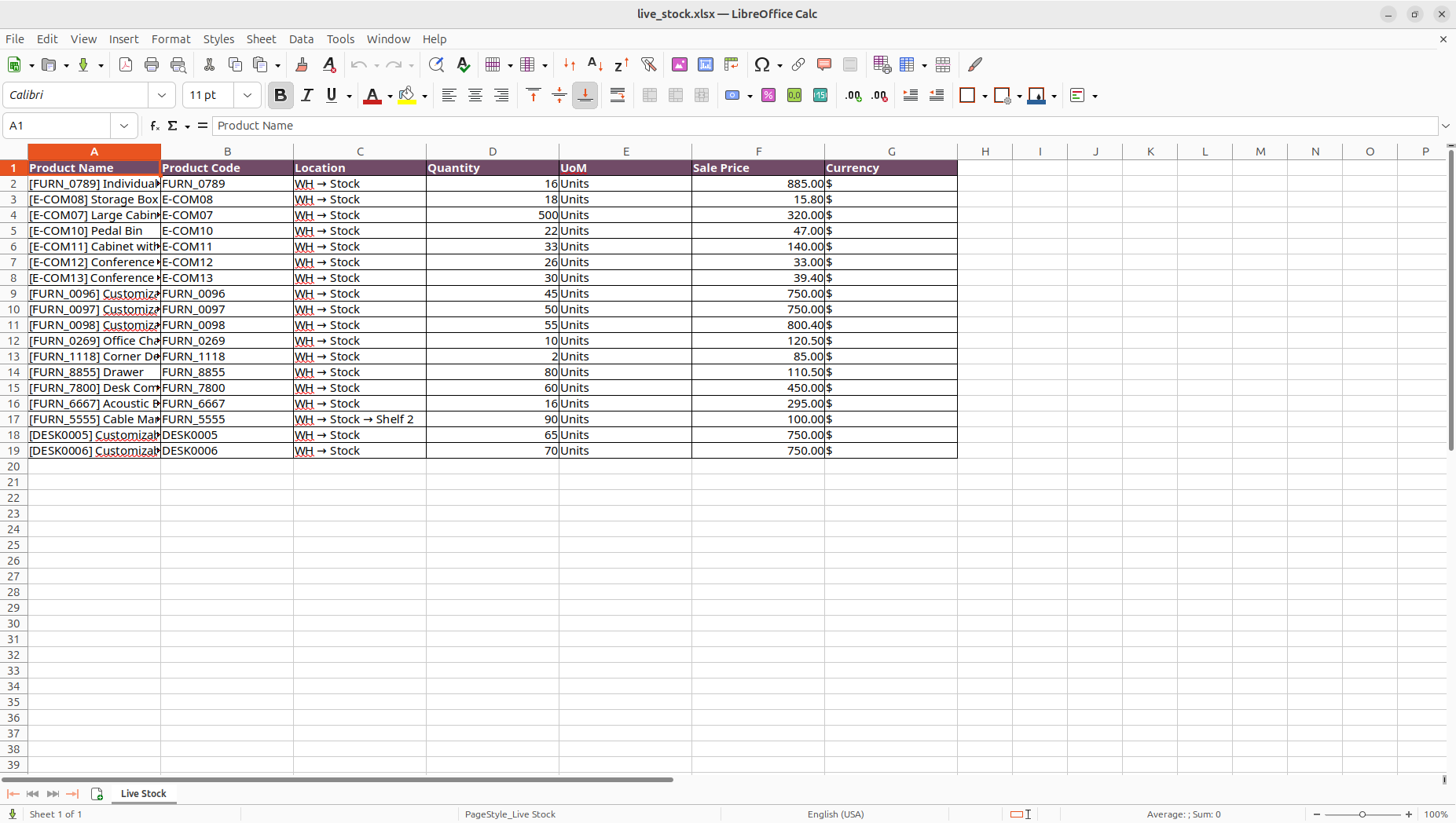
Excel File Showing Product Name, Code, Location, Quantity, Uom, Price, and Currency for Stock Reference
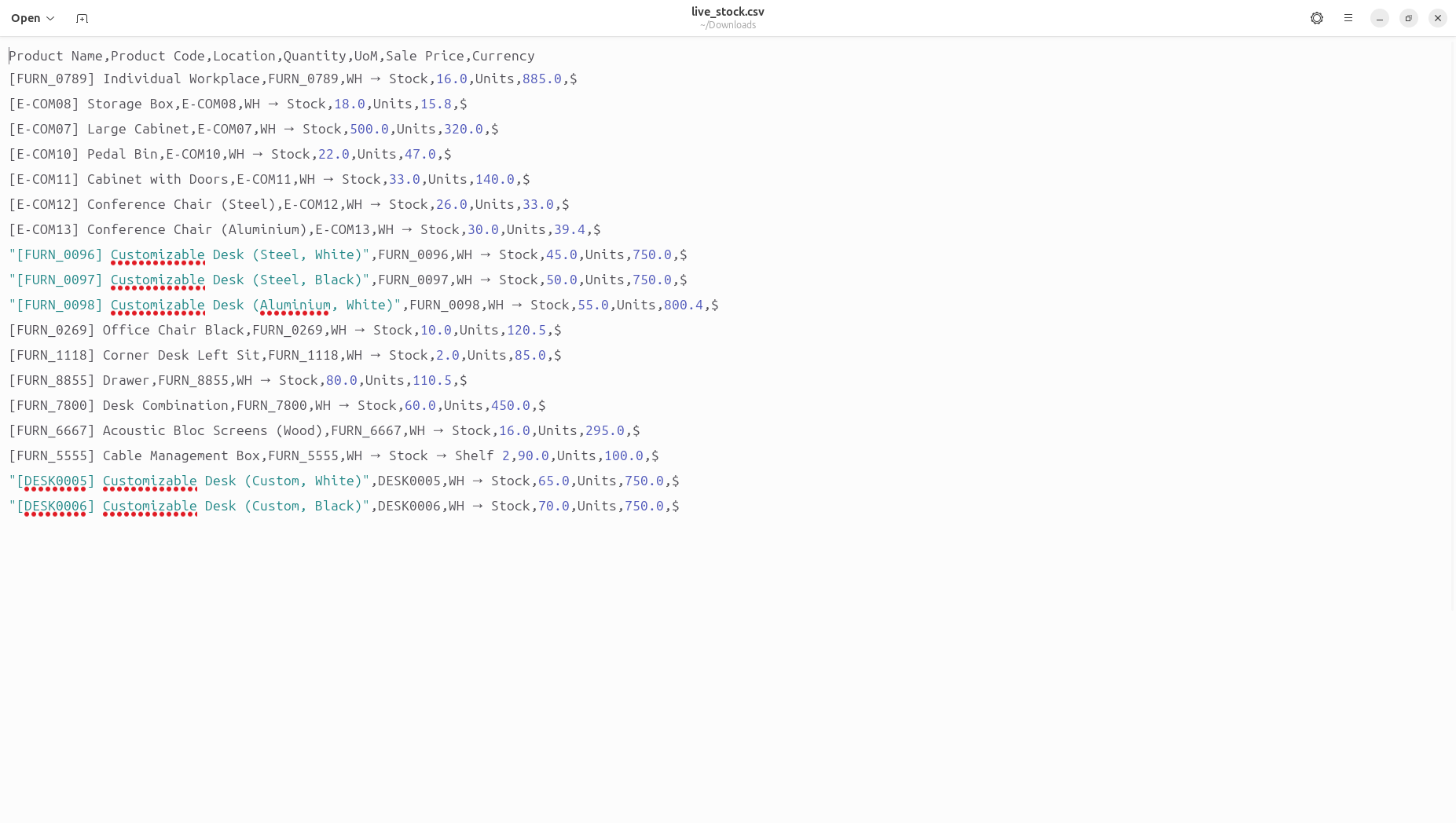
Csv File Showing Product Name, Code, Location, Quantity, Uom, Price, and Currency for Stock Reference
Everything You Need
A modern featureset designed to handle real-time inventory visibility for portal users with precision and simplicity.
Real-Time Stock Visibility
Give portal users full visibility into live product quantities across allowed warehouses and internal locations, directly from their Odoo portal dashboard.
Granular Access Control
Control exactly what each portal user can see — restrict by company, product category, and specific warehouse locations with instant configuration from the backend.
Search, Filter & Export
Users can search products by name or reference, filter by company, and export the full stock report as a CSV and XLSX file — all without any backend access.
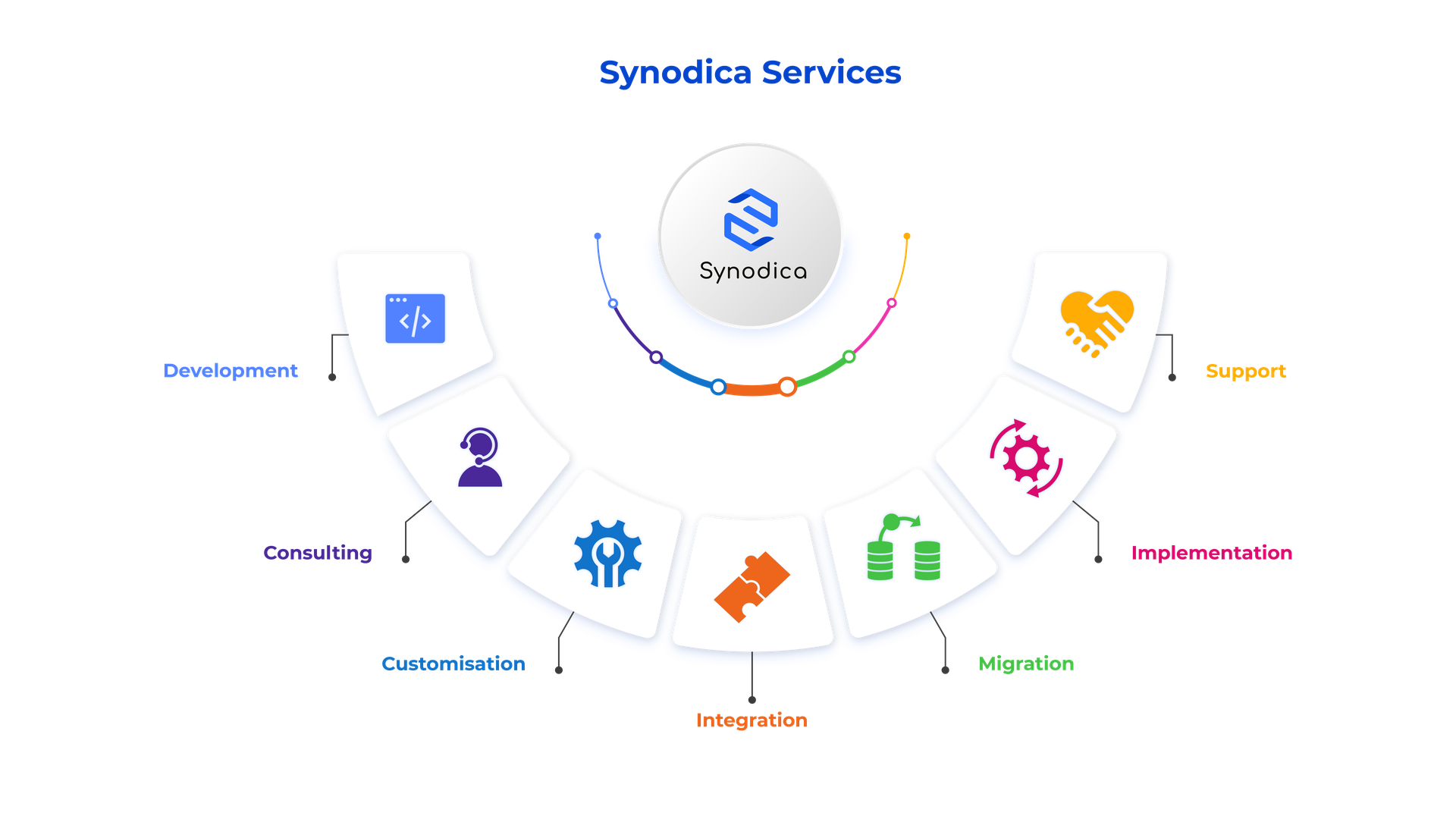
Specialized Odoo Services
We build, customize, and maintain Odoo solutions for businesses worldwide — from implementation to advanced integrations.
Need Custom Stock Visibility?
Our experts can customize stock views, access control rules, and portal interfaces to match your organization perfectly.
support@synodica.com© 2026 Synodica Solutions PVT. LTD. — Portal Live Stock for Odoo
We create ERP solutions for you using Odoo ERP that will build a strong and efficient business for you. It's SYNODICA WAY