

Odoo POS Wallee Integration

WATCH QUICK DEMO HERE




Seamlessly process refunds directly from Odoo, ensuring efficient and accurate transaction reversals.

Accept and manage payments in multiple currencies, catering to a global customer base.

Keep your payment data updated instantly with real-time synchronization between Wallee and Odoo.

Robust error handling mechanisms ensure smooth operations and quick resolution of payment issues.

Intuitive and easy-to-use interface designed for hassle-free navigation and operation.
Set up and configure your Wallee payment terminal in Odoo swiftly, minimizing downtime and complexity.
Payment From POS Terminal
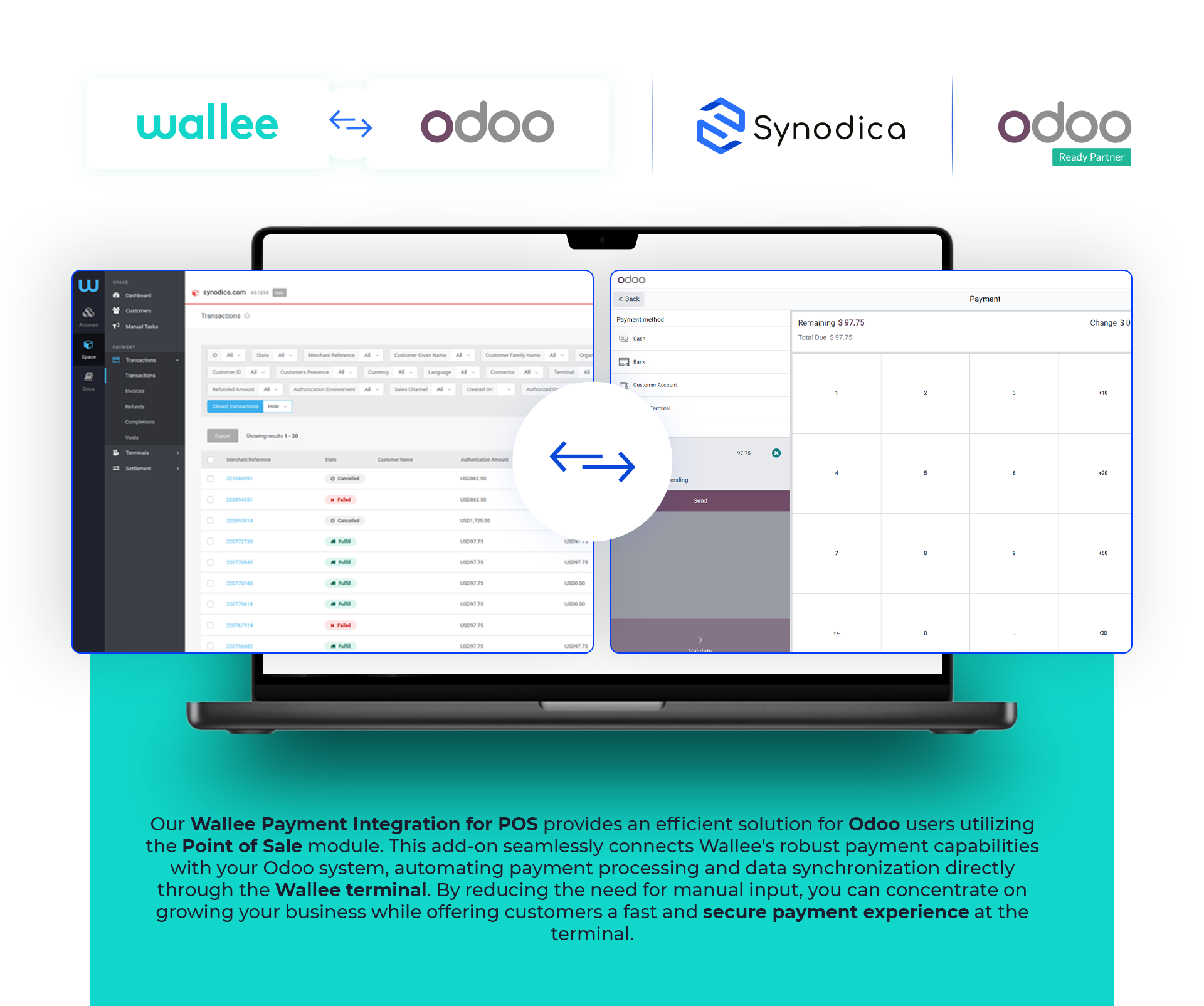
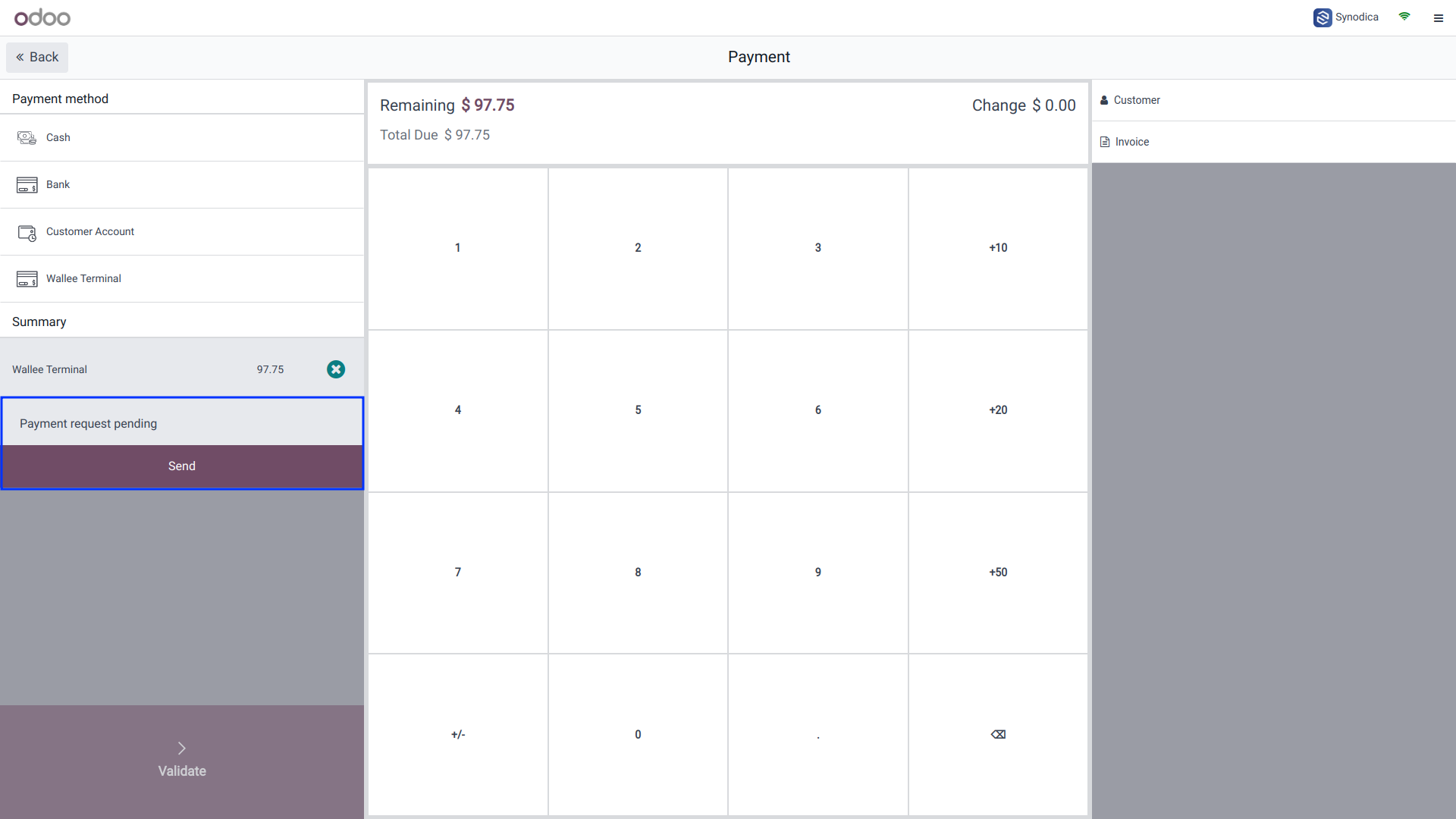
To pay with wallee, send request to wallee terminal and Click send button. You payment request will be sent.
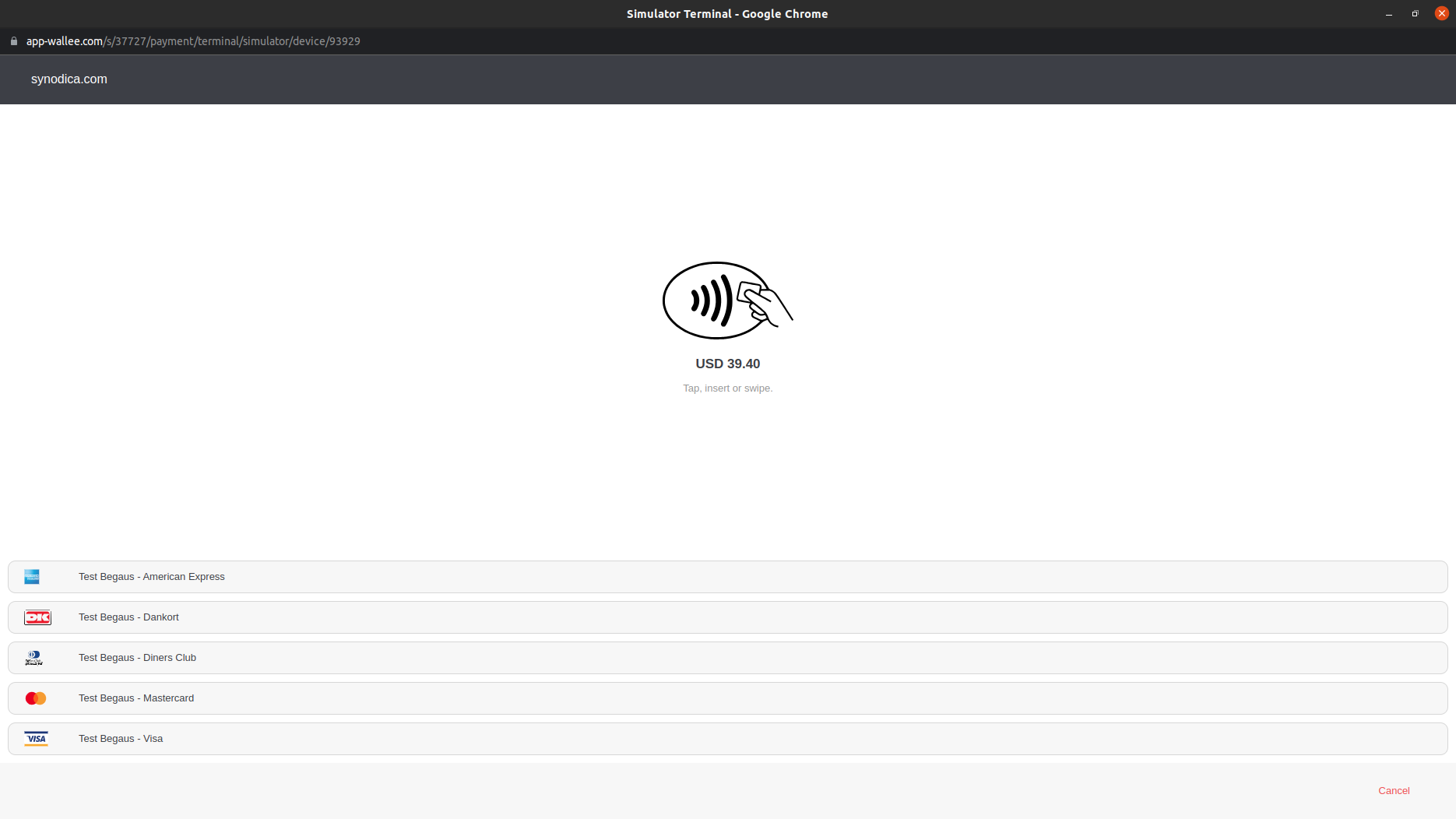
In wallee Terminal you can see the payment request. Select the payment method and pay amount
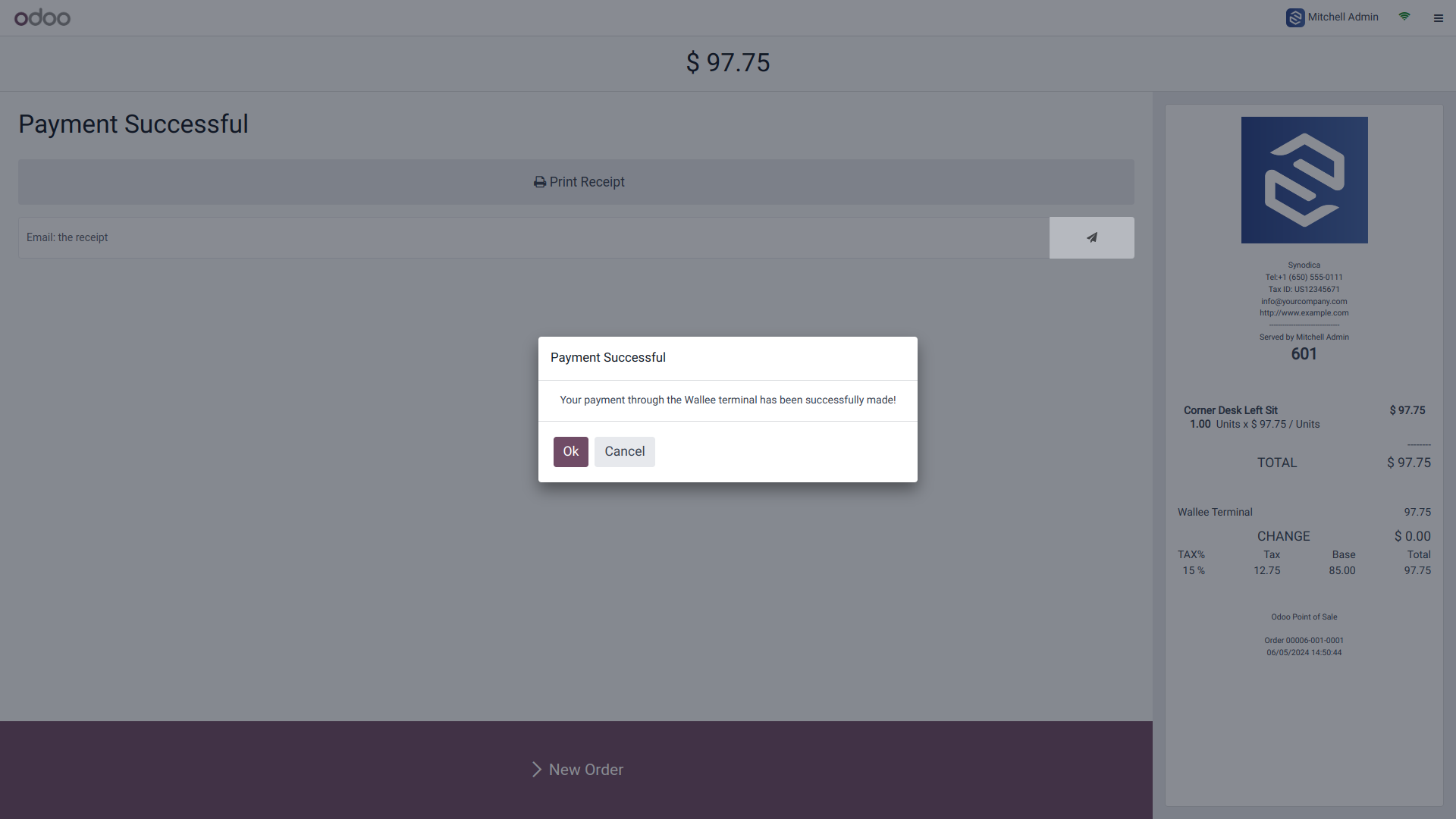
After successful payment you will get a message of successful payment

Refund
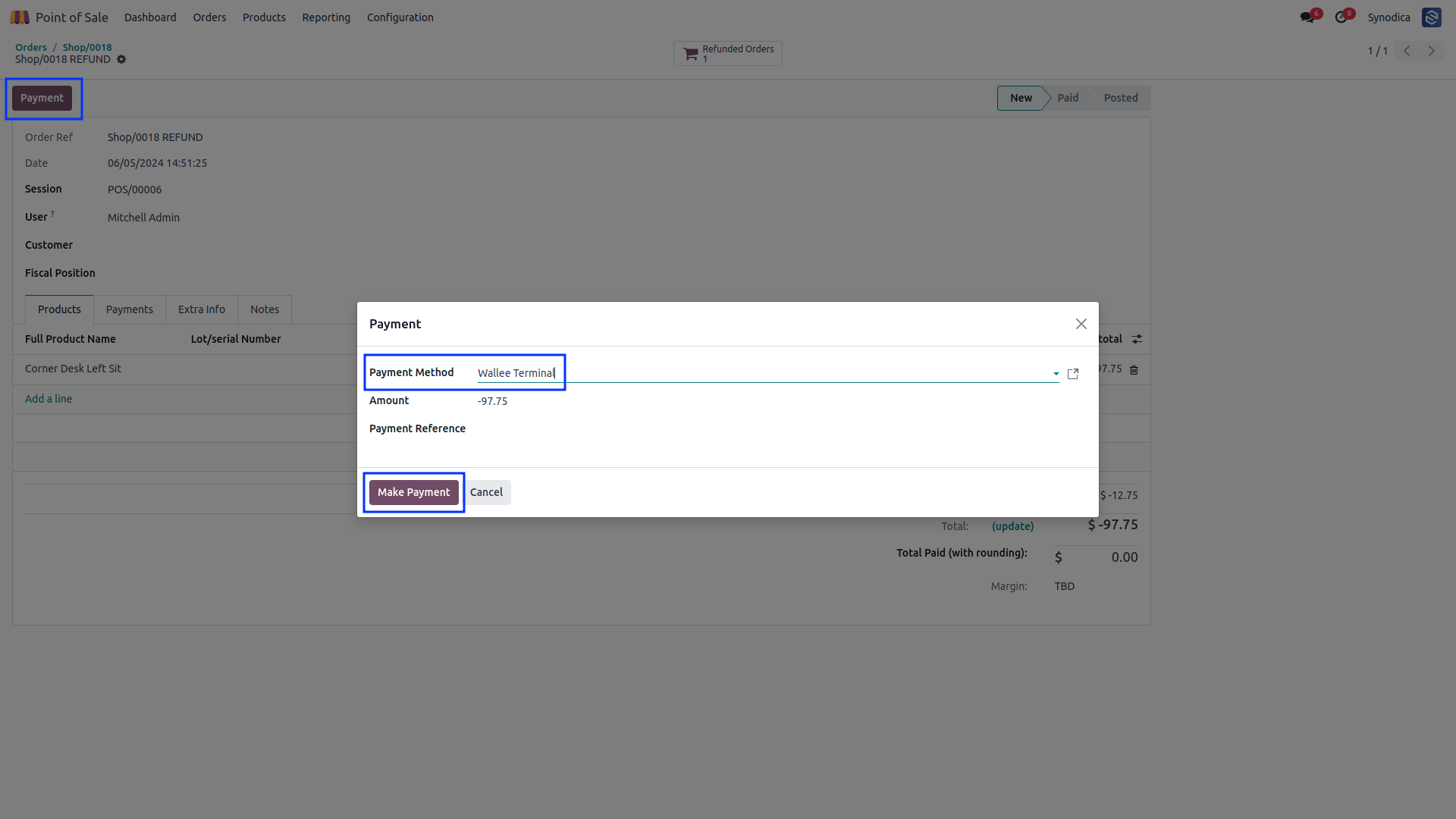
To initiate a refund, click on return products
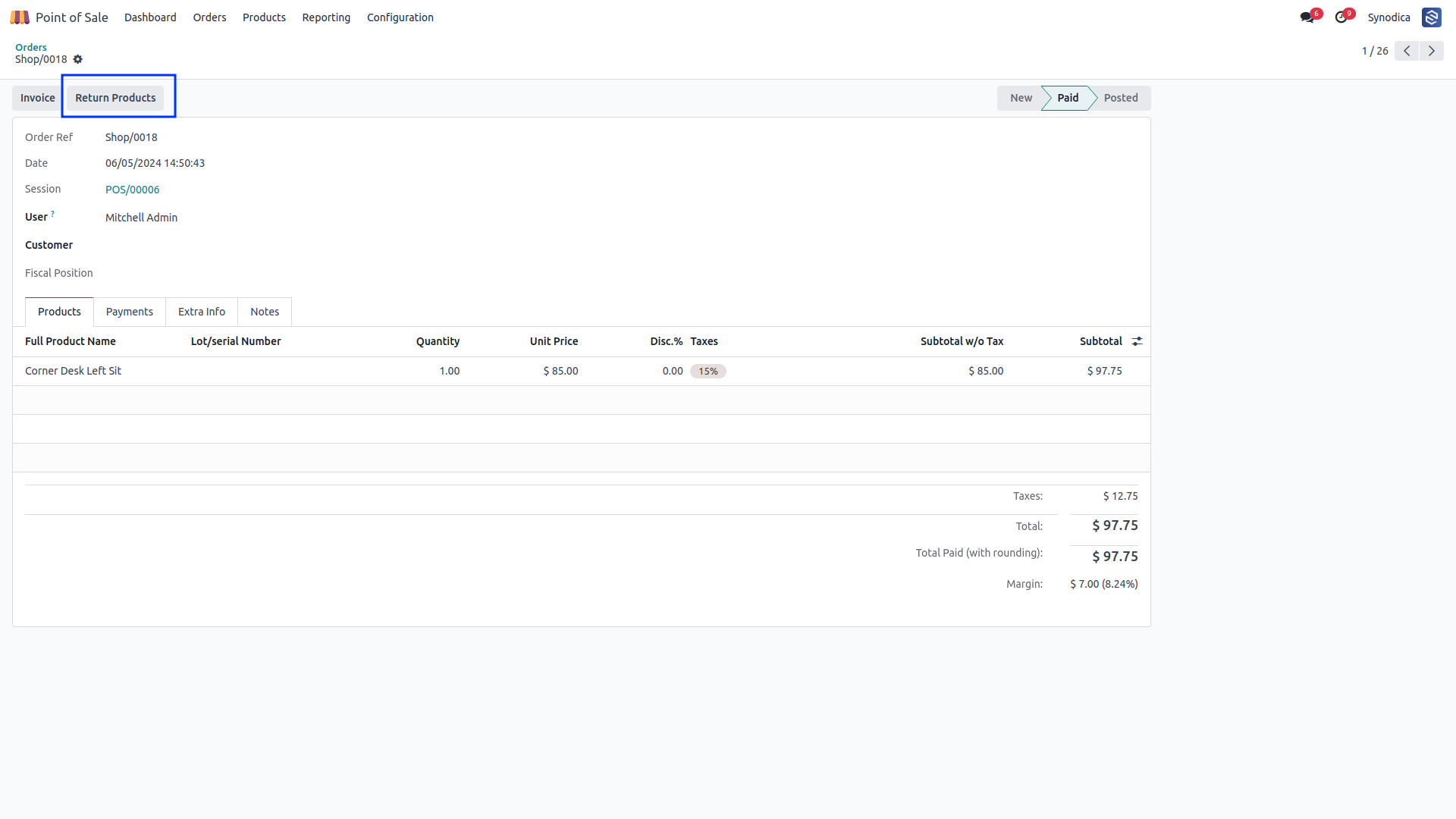
After return products,
You can see payment button clock on Payment button.
Select
wallee as a payment method and click on Make Payment.
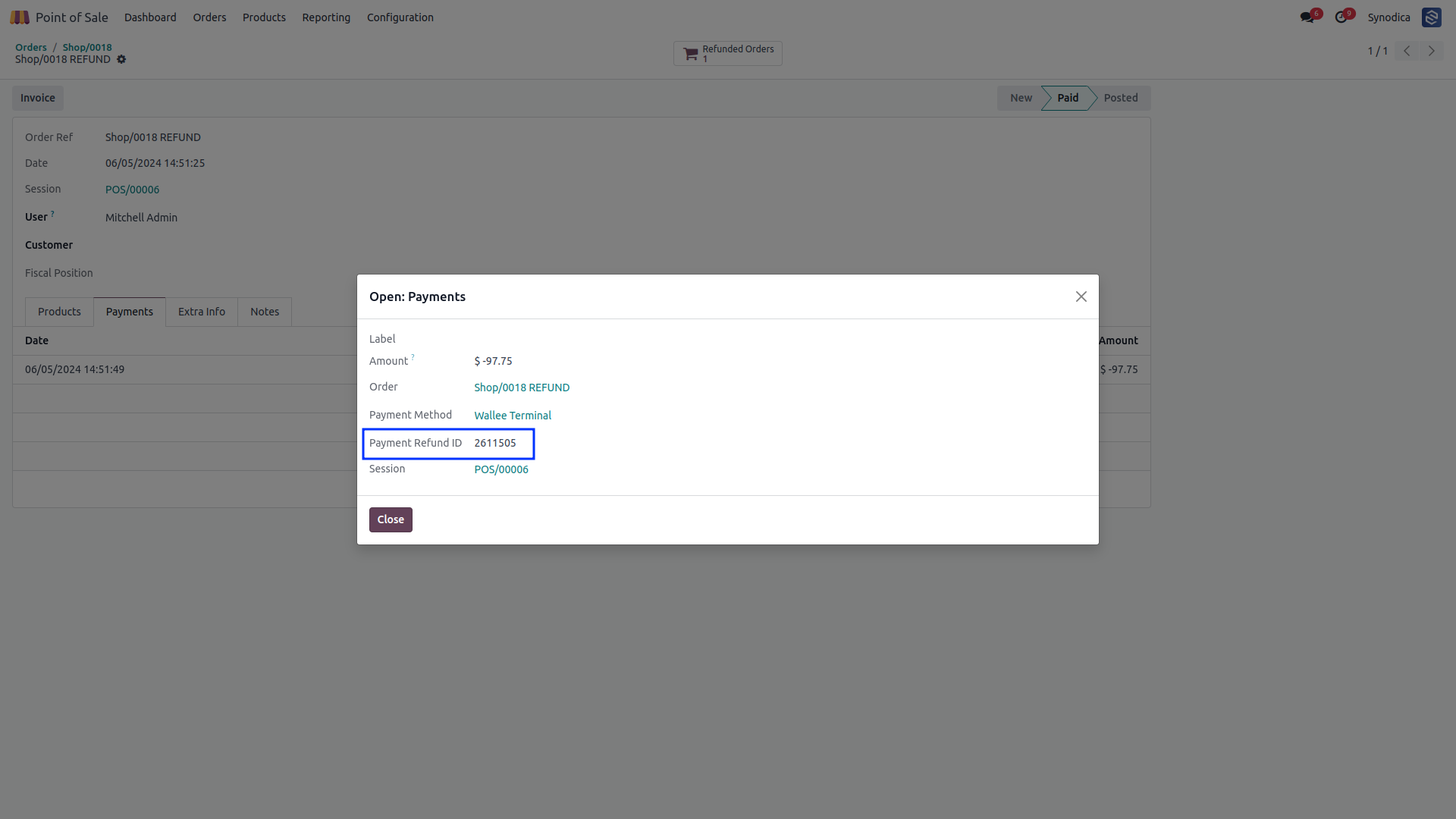
In the payment tab, you will find the refund ID.
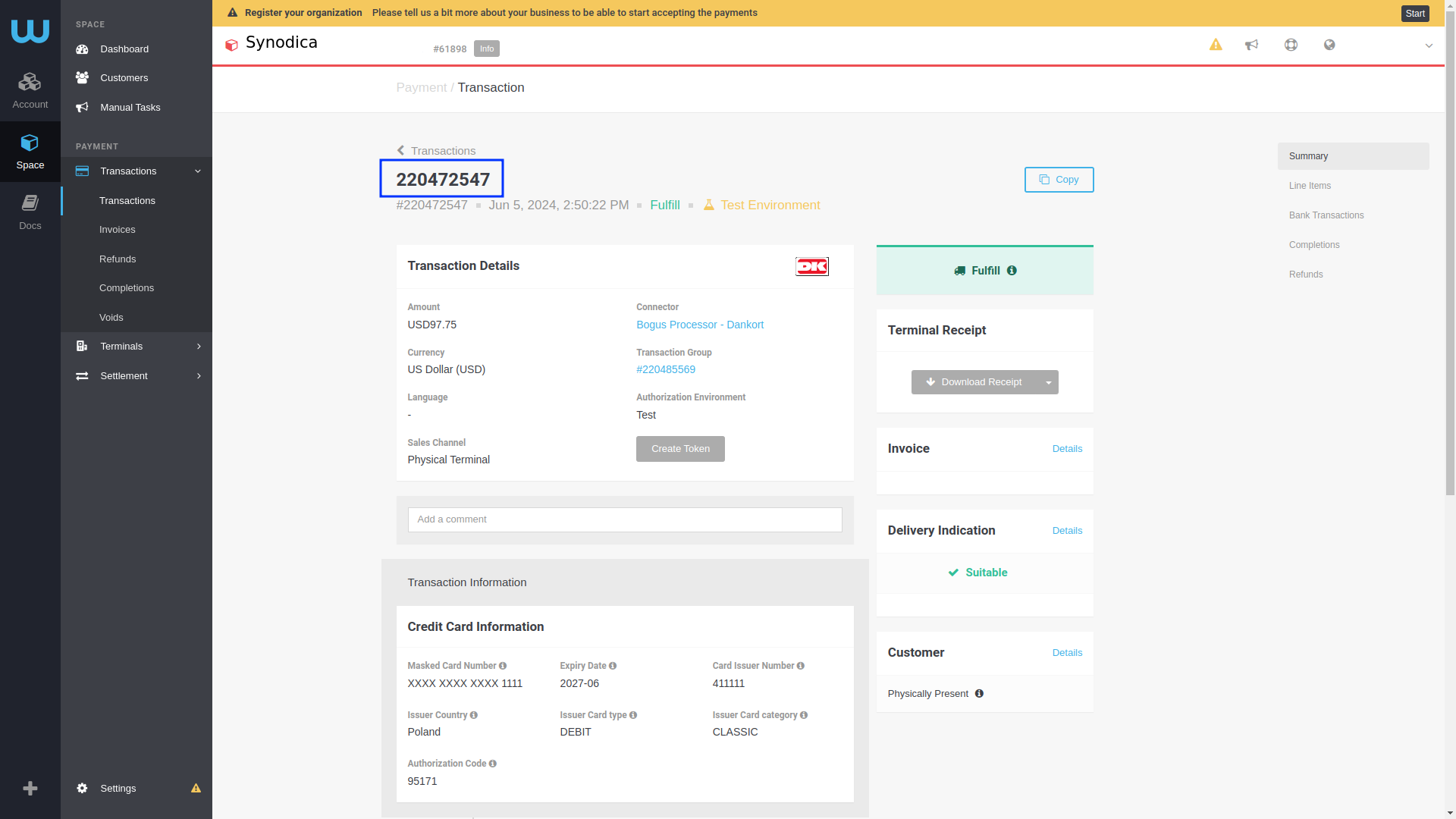
Using this Refund ID you can find Transaction in Refunds.
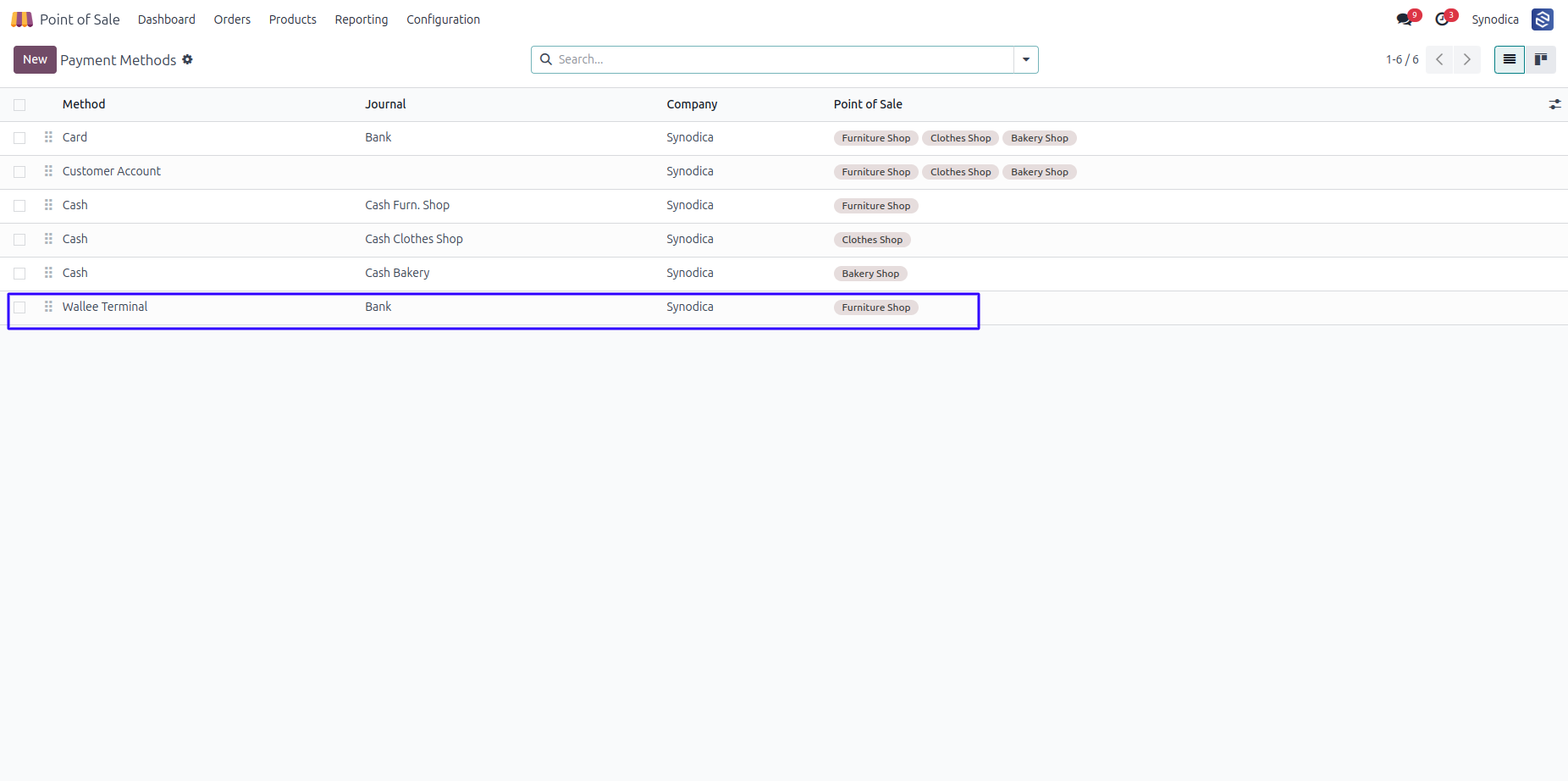
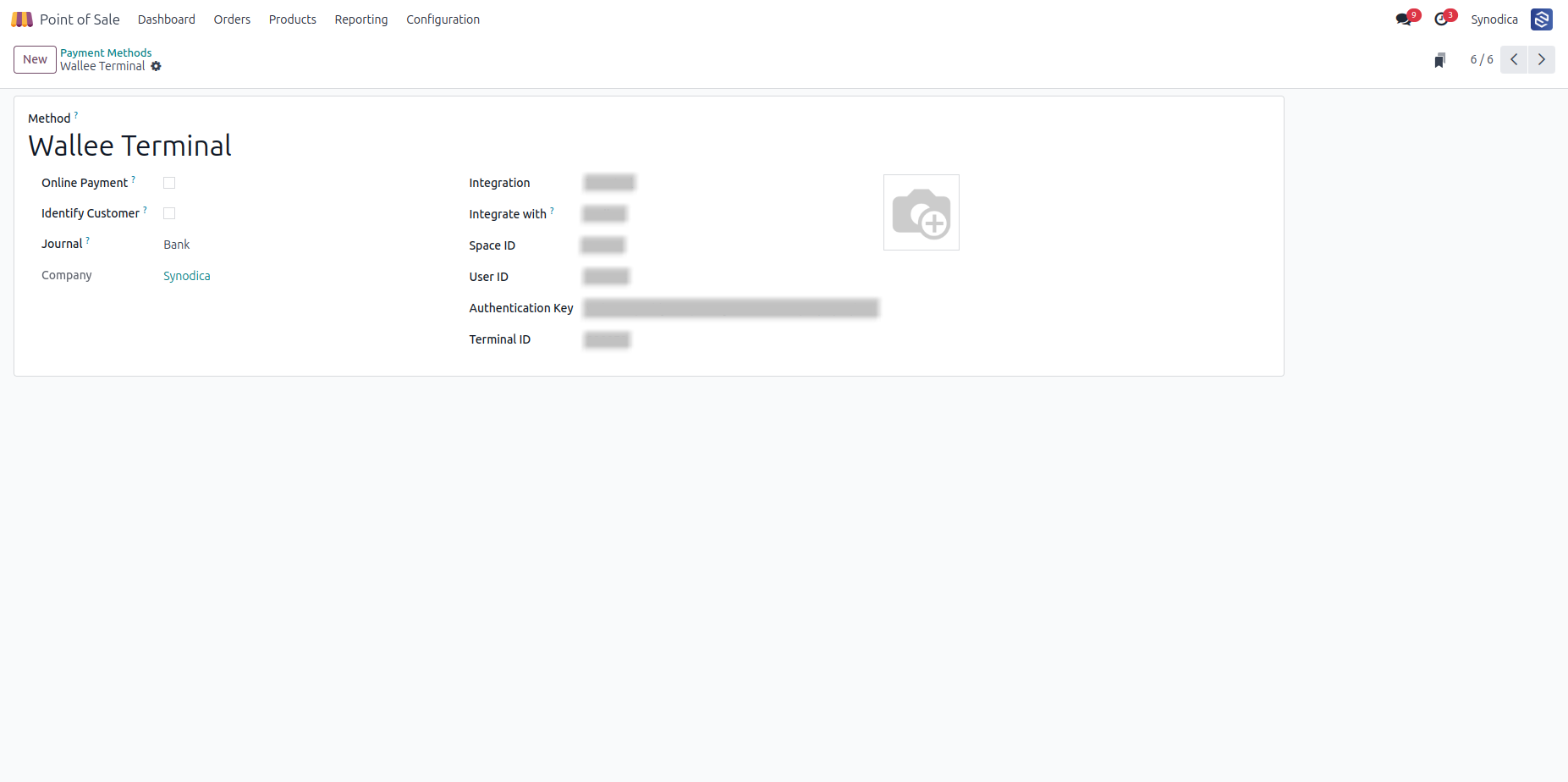
After installing app, you will be able to see Walle Terminal option in POS >> Configuration >> Payment Methods menu
Set a journal, account and payment Terminal.
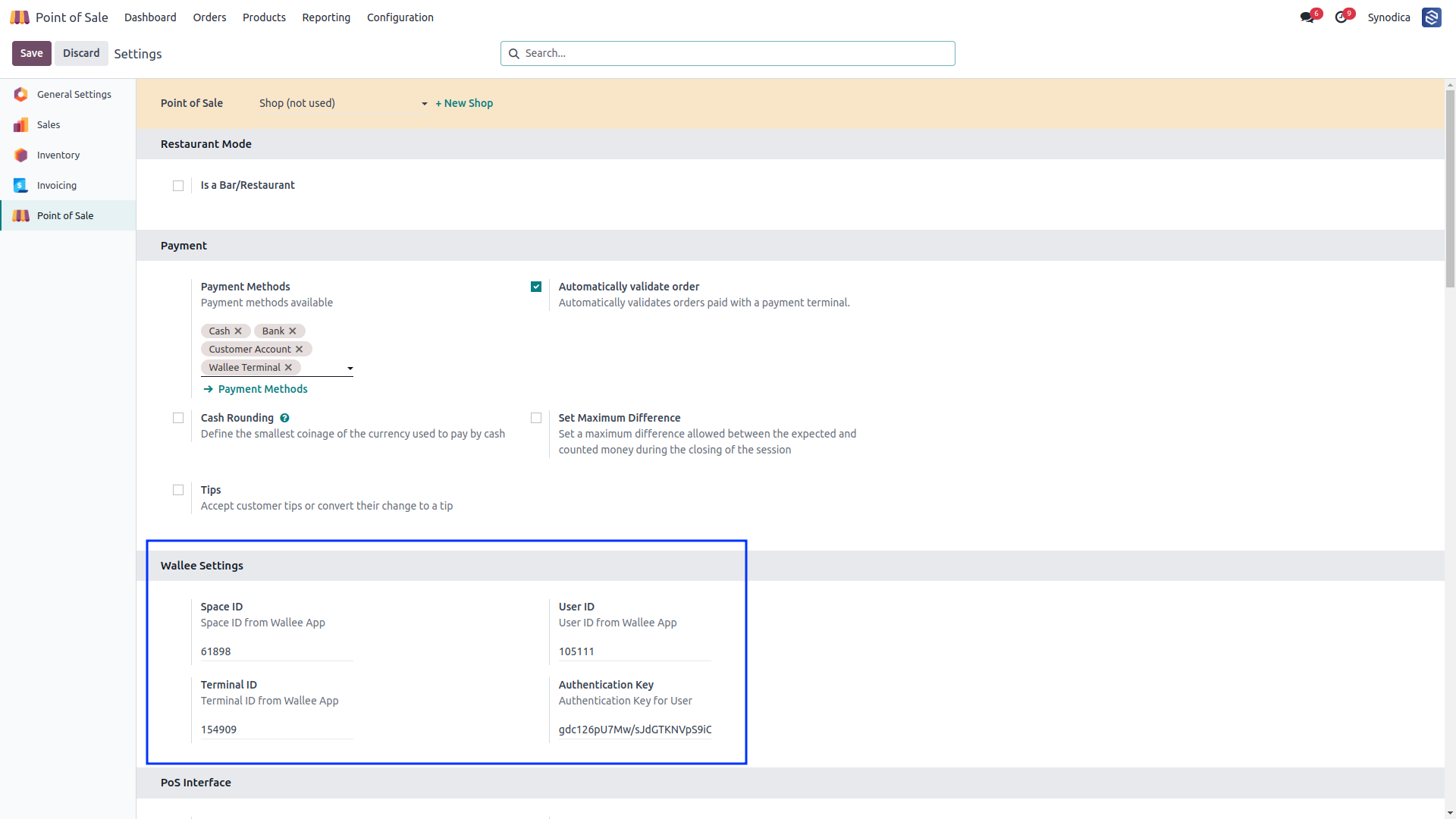
To configure wallee, Go to configuration of POS and set Space ID, User ID, Terminal ID and Authentication Key.
Suggested Products






Contact Us

We create ERP solutions for you using Odoo ERP that will build a strong and efficient business for you. It's SYNODICA WAY