

Smart Packaging Engine | Automatic Package Selection
Smart Packaging.
Physics-Powered Planning.
Zero Waste. Perfect Fit.
Smart Packaging Engine automatically determines the optimal box type, product grouping, 3D placement, and protection strategy for every shipment - combining the logic of a warehouse planner, packaging engineer, and rule validation engine.
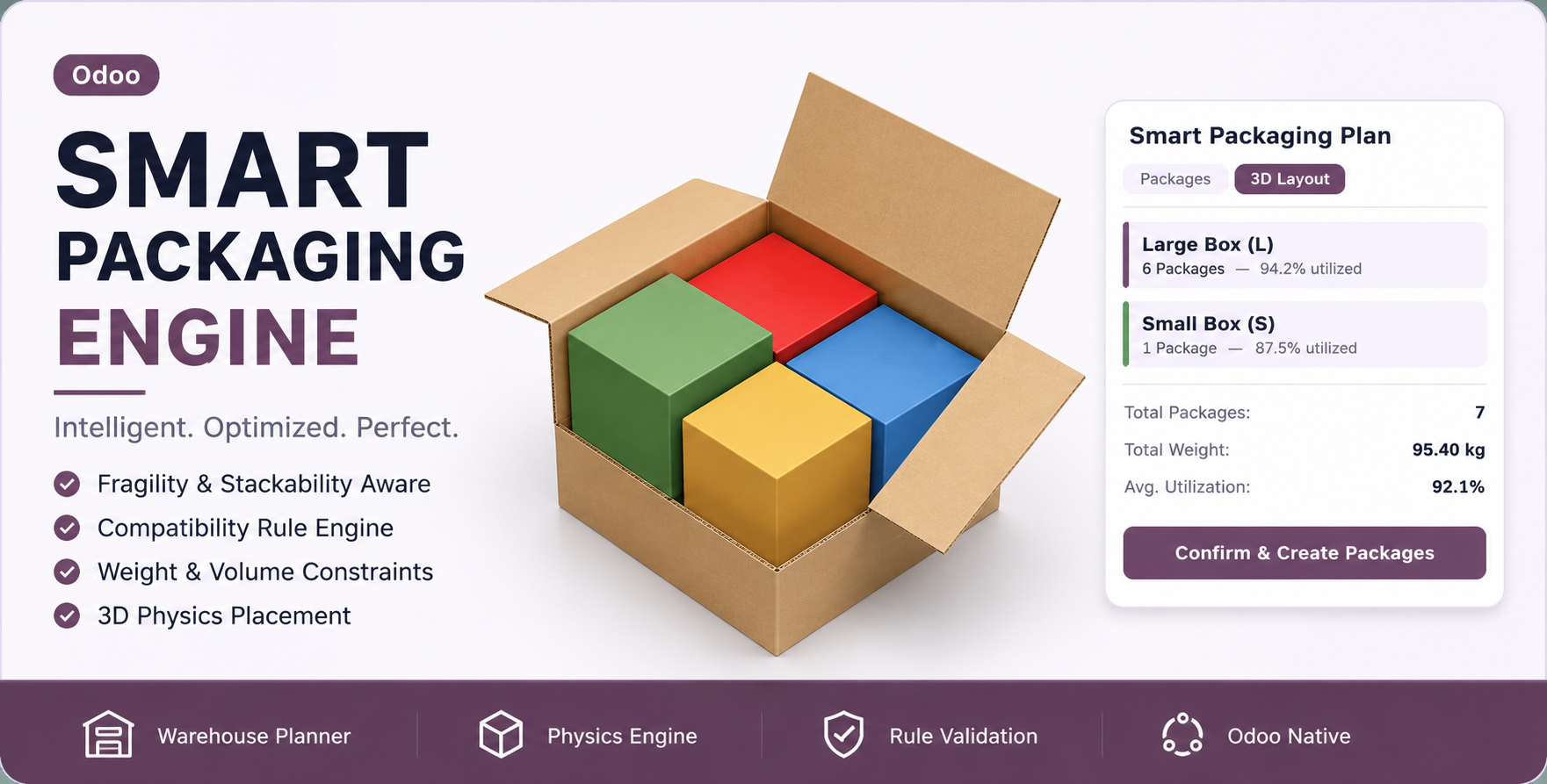
How the Engine Thinks
From a single button click on your Sale Order, the engine runs through 7 intelligent layers in milliseconds to generate the perfect packaging plan.
Product Intelligence
Each product's Packaging Profile provides dimensions, weight, fragility, orientation rules, and material category to the engine.
Compatibility Grouping
The Compatibility Engine checks your rules (e.g. Food ≠ Chemical) and separates hazardous items into isolated packages automatically.
Rule Validation
The Rule Engine validates weight limits, fragile top constraints, and stackability before any placement attempt begins.
3D Placement
The Placement Engine runs a physics-based bin-packing algorithm, trying all rotation axes to perfectly fit items inside the box.
Scenario Generation
Three scenarios are built automatically: Smallest box, Cheapest box, and Largest box - giving you choices, not constraints.
Optimization Scoring
The Optimization Engine scores each scenario on stability, cost, space efficiency, and fragility safety to select the best result.
3D Visualization
An interactive 3D viewer renders each package with color-coded products so your planner can visually verify every placement.
See the Engine in Action
A visual tour of the entire Smart Packaging ecosystem. From configuring product profiles to computing packaging on quotations and sale orders, then carrying the selected package type into delivery automatically.
The module integrates seamlessly into Odoo's native Inventory → Configuration → Delivery menu. No separate apps, no new root menus - it lives exactly where warehouse managers expect it.
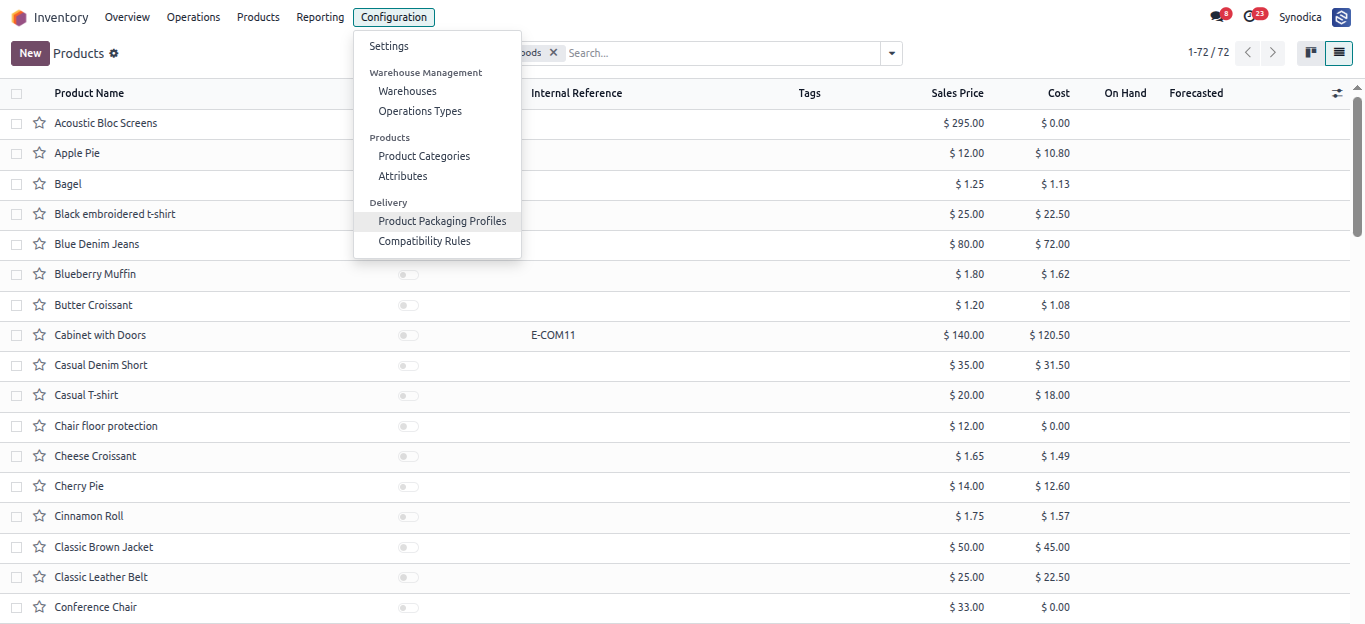
Inventory → Configuration → Delivery - Product Packaging Profiles & Compatibility Rules
Define the complete physical DNA of each packaging type. Set dimensions (L × W × H), weight, shape type, compressibility, stackability, orientation rules, fragility level, and material category - all fields feed directly into the 7-layer engine.
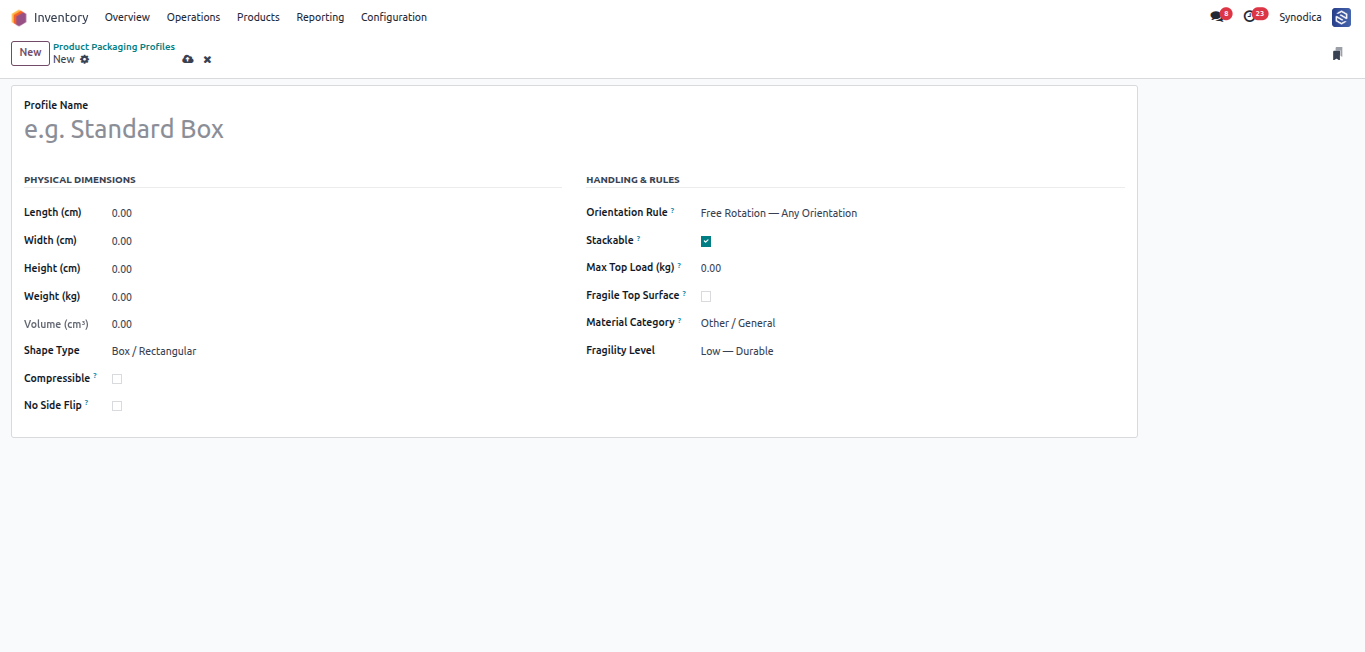
Product Packaging Profile - Physical Dimensions & Handling Rules
Assign a Packaging Profile to any product directly from the product's Packaging tab. The engine reads this profile for every line on the Sale Order or Delivery to determine physical dimensions and handling constraints.
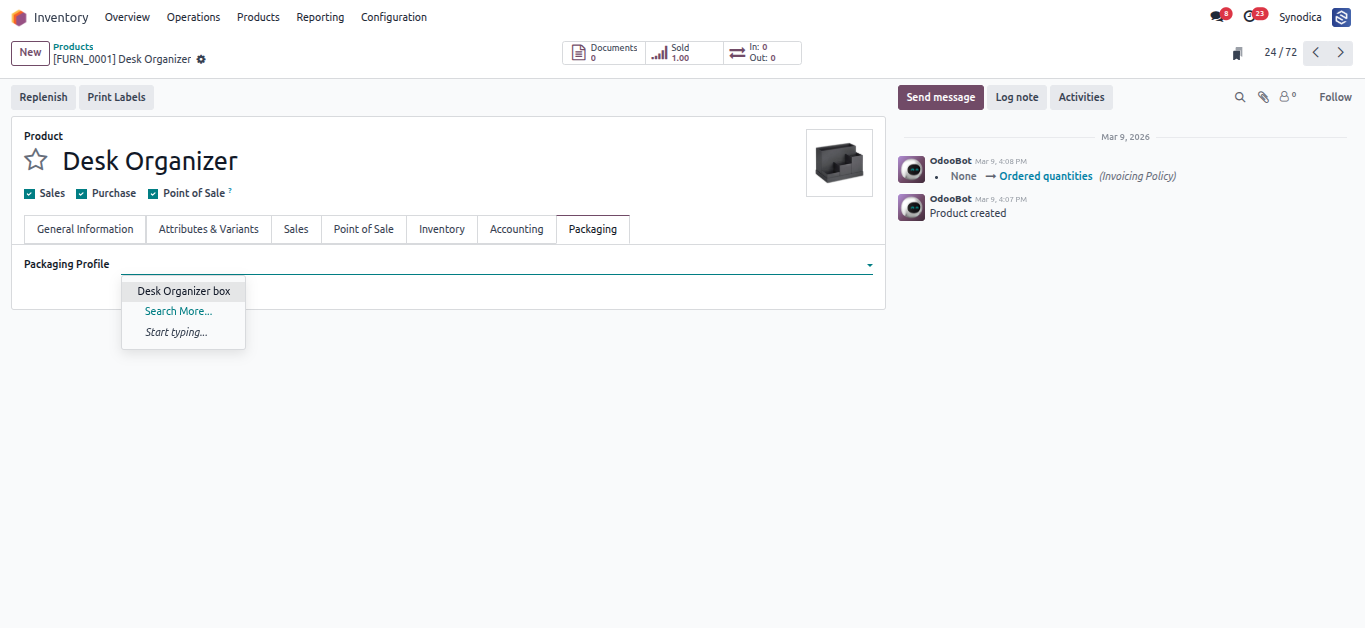
Product Form → Packaging Tab - Assign Packaging Profile
Define which material categories are incompatible or must be isolated. Rules are bidirectional and enforced automatically - Food cannot share a box with Chemical, Hazardous items get dedicated packages, Liquid cannot touch Paper. Set once, enforced forever.
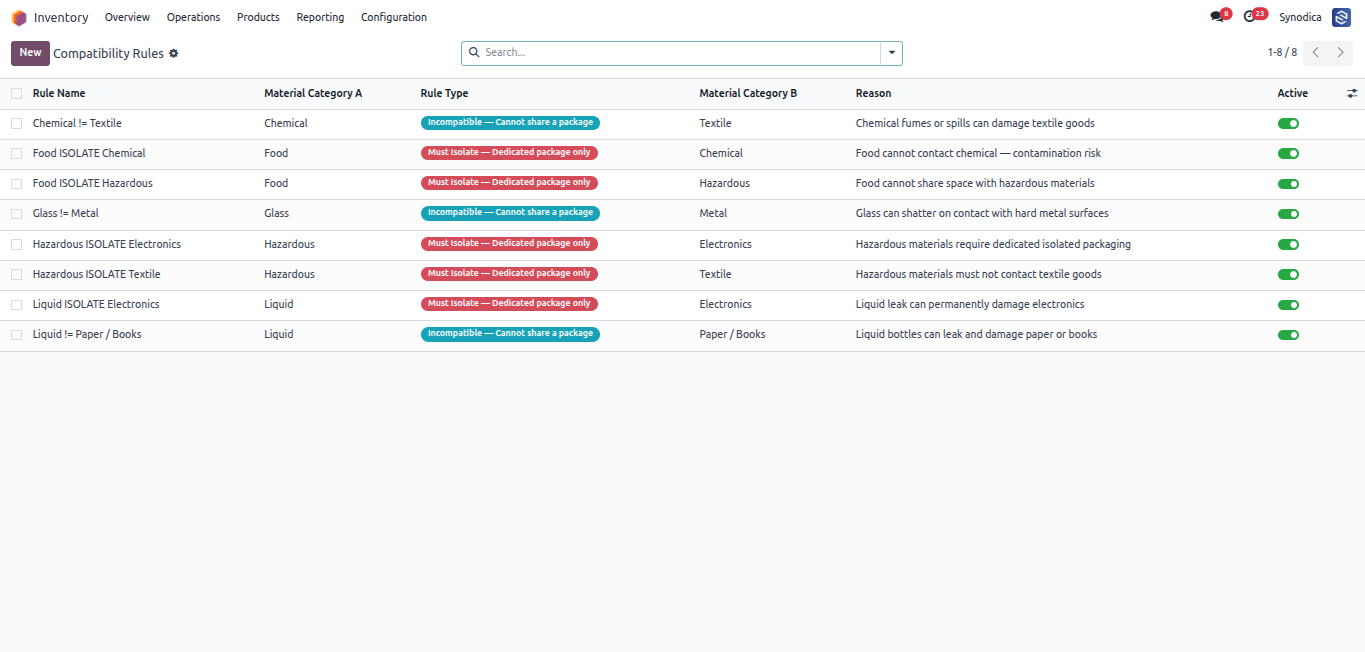
Compatibility Rules - Bidirectional Hazard & Isolation Safety Engine
Use the Compute Packaging button directly on a Quotation or Sale Order before confirmation. The wizard suggests the best package type, product split, weight, and space utilization so sales teams can validate the packaging plan before the order reaches the warehouse.
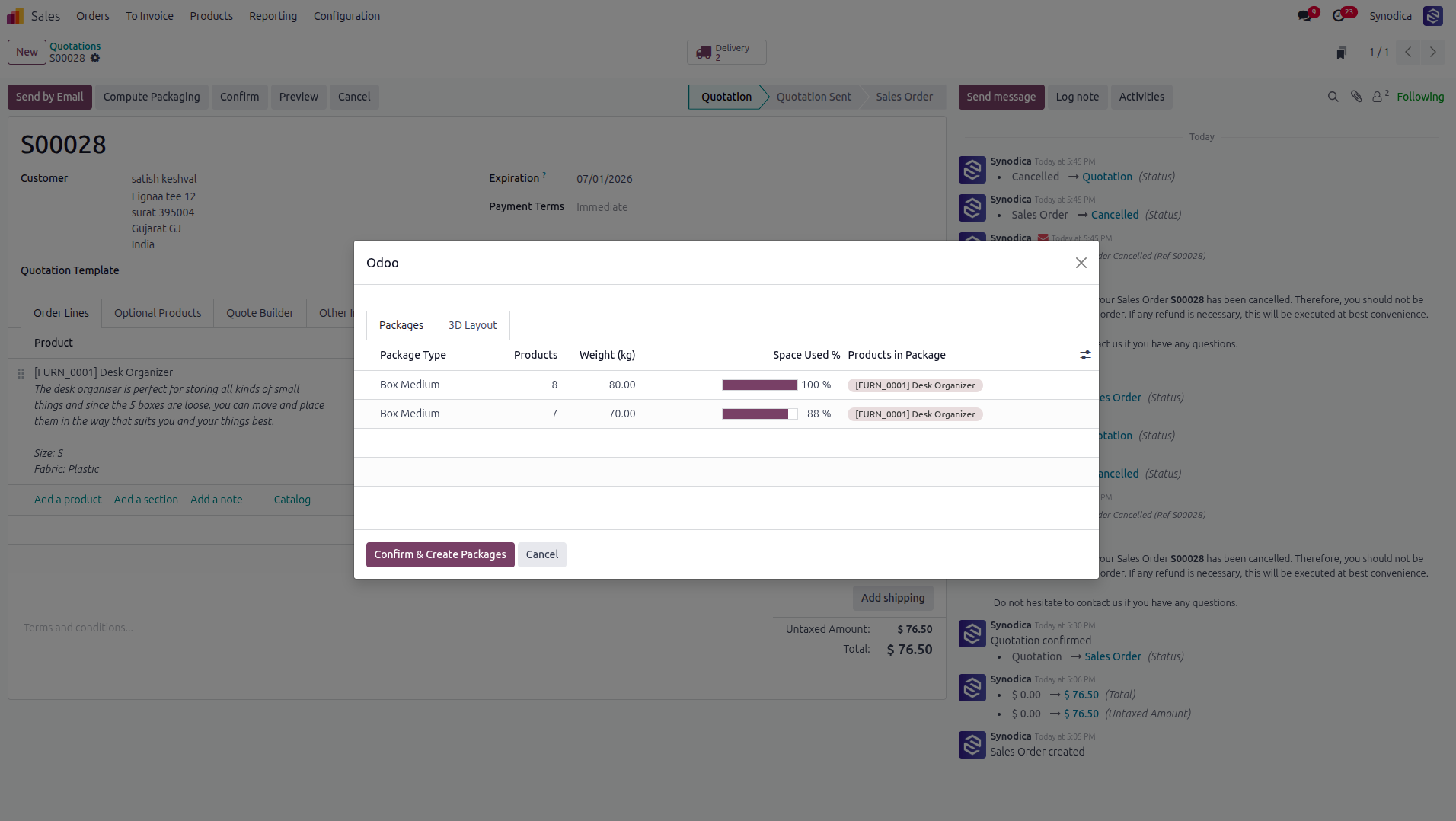
Quotation / Sale Order - Packages Tab with Suggested Package Type, Weight & Utilization
Open the 3D Layout tab from the quotation packaging wizard to preview how products will fit inside each suggested box. When you click Confirm & Create Packages, the selected packaging type is written back to the sale order lines.
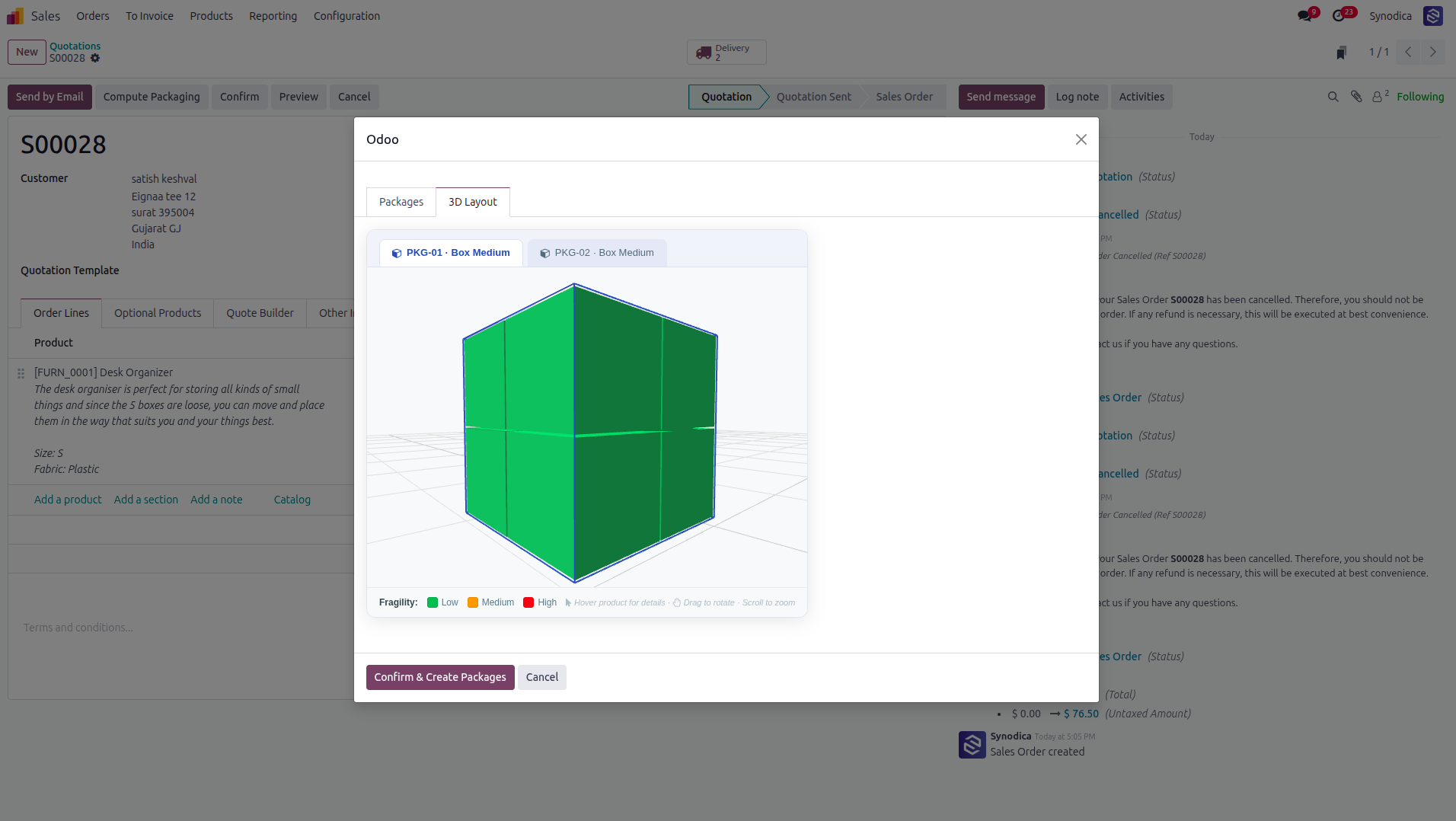
Quotation / Sale Order - Interactive 3D Layout Preview Before Delivery
After the quotation is confirmed, Odoo creates the delivery with the same selected product packaging from the sale order. The delivery Smart Packaging wizard automatically respects that package type, groups products by the selected package, and creates delivery packages without reselecting the box manually.
Compute on Quote
Run package planning before order confirmation and review suggested box options.
Confirm Selection
The confirmed package type is saved on the sale order line packaging fields.
Use in Delivery
Delivery packaging uses the already selected package type automatically.
Click the Smart Packaging button on any Delivery Order (Stock Picking). If packaging was selected on the quotation or sale order, the delivery plan automatically uses that package type. The Packages tab shows which box to use, how many products fit, the total weight, and exact space utilization percentage for each package.
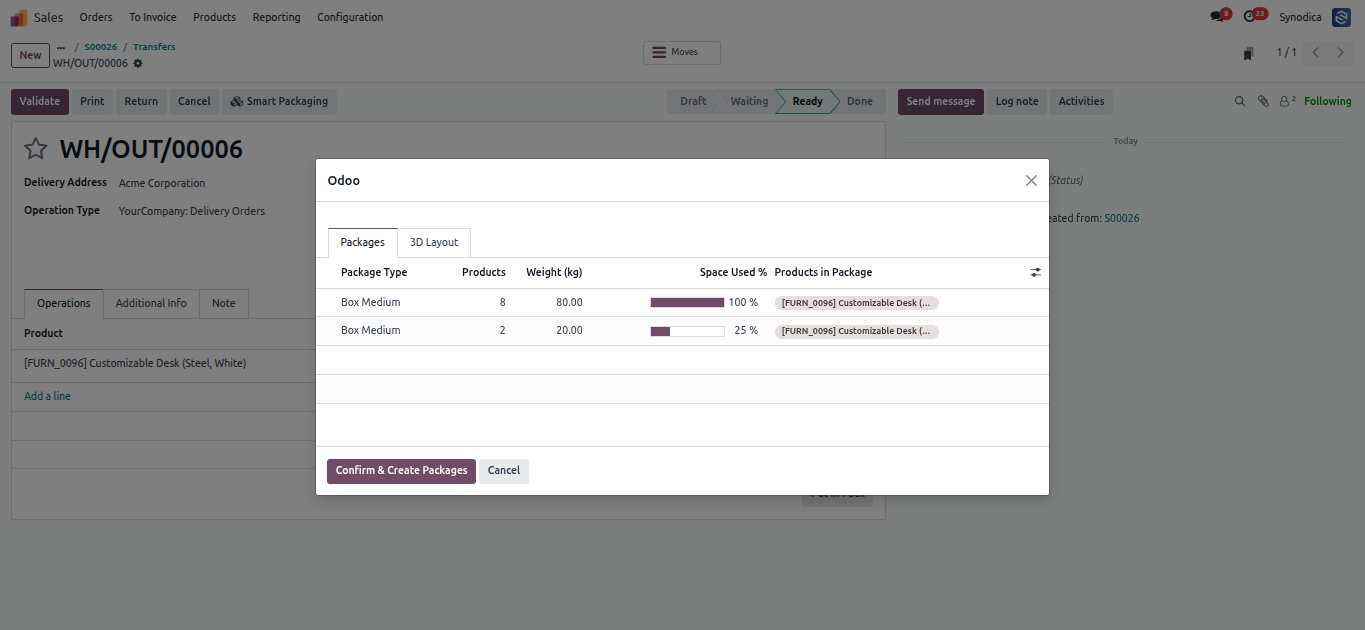
Stock Picking - Smart Packaging Wizard → Packages Tab
Switch to the 3D Layout tab to see a live Three.js 3D render of every product placed inside the box. Color-coded by fragility level. Drag to rotate, scroll to zoom, hover to see product details. Click Confirm & Create Packages to apply the plan to the delivery.
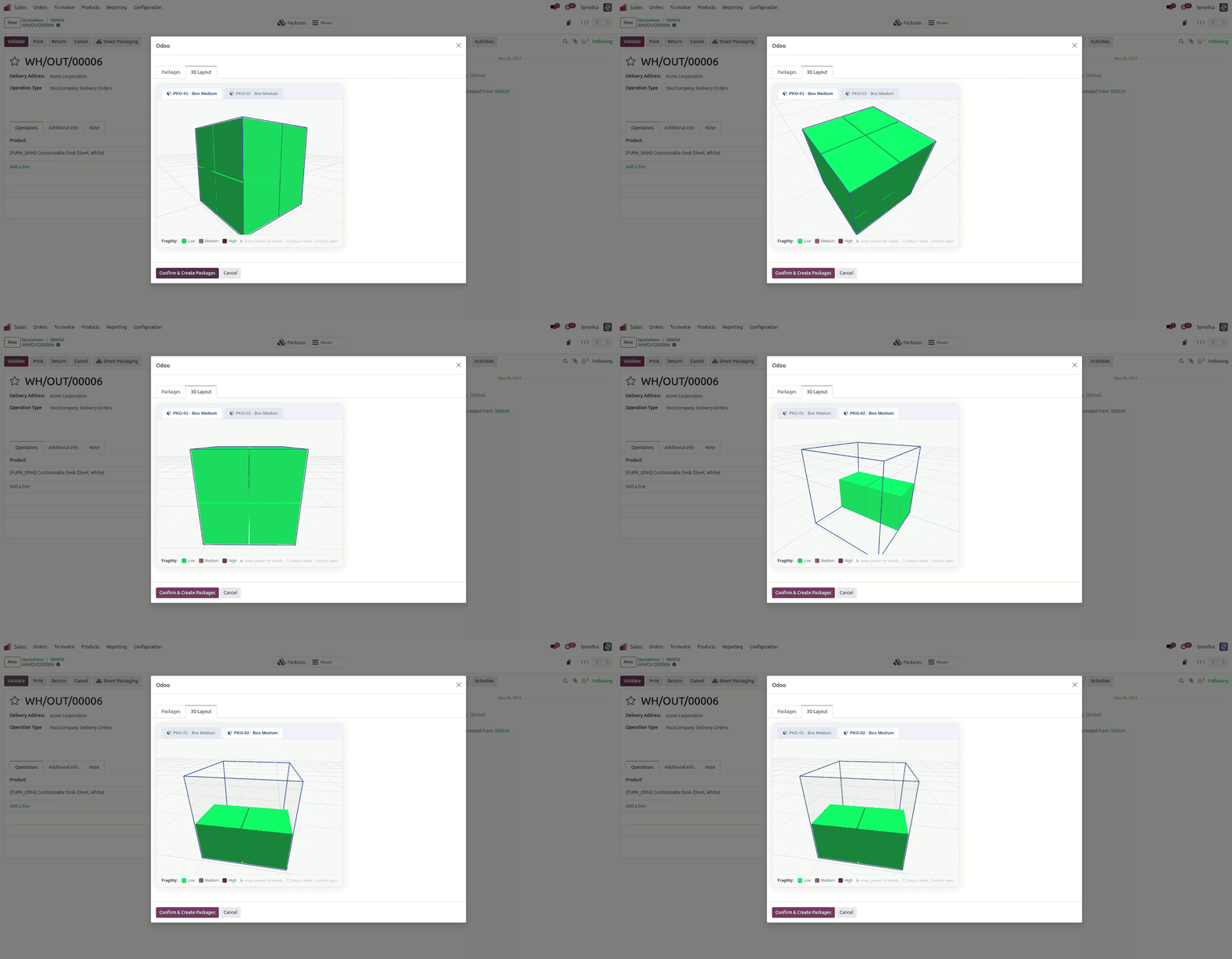
Stock Picking - 3D Layout Viewer with Interactive Physics Visualization
Enterprise Level Intelligence
Far beyond simple box selection. The Smart Packaging Engine includes physics validation, hazard isolation, multi-scenario optimization, and full Odoo native integration.
True 3D Physics Packing
Uses the proven py3dbp bin-packing algorithm to test all 6 rotation axes for every item, guaranteeing the tightest possible physical fit inside any box.
Hazard Isolation Engine
Hazardous products are automatically given their own dedicated isolated package. Incompatible material categories are split into separate boxes with zero manual intervention.
Weight & Fragility Validation
The Rule Engine enforces weight limits, max top load constraints, and fragile-top surface rules before any placement is confirmed. No crushed or overloaded items.
Multi-Scenario Scoring
Three scenarios (smallest, cheapest, largest box) are generated and scored. Points are awarded for stability, cost savings, and space efficiency to select the best plan.
Automatic Quantity Splitting
When items don't fit in a single box, the engine automatically splits the Sale Order line quantities across multiple packages - no manual line editing required.
Interactive 3D Visualization
Every computed package renders in a live Three.js 3D viewer with color-coded products, fragility indicators, and a tooltip on hover. Drag, zoom, and rotate to verify every placement.
Specialized Odoo Services
We build, customize, and maintain Odoo solutions for businesses worldwide - from implementation to advanced integrations.
Ready to Pack Smarter?
Stop wasting space, overpaying for boxes, and manually splitting orders. Install the Smart Packaging Engine and let physics, intelligence, and automation handle every shipment perfectly.
© 2026 Synodica Solutions PVT. LTD. - Smart Packaging Engine for Odoo 19
We create ERP solutions for you using Odoo ERP that will build a strong and efficient business for you. It's SYNODICA WAY